
1. Introduction
Thank you for choosing the Afloia Q10 Air Purifier and Dehumidifier. This appliance is designed to improve your indoor air quality by filtering airborne particles and reducing excess humidity. It combines two essential functions into one compact unit, offering both air purification and dehumidification capabilities, which can be operated independently or simultaneously.
Please read this manual thoroughly before operating the device to ensure safe and efficient use. Keep this manual for future reference.
2. Important Safety Instructions
- Always place the unit on a firm, level surface.
- Do not block air inlets or outlets. Maintain at least 6 inches (15 cm) clearance from walls or other objects.
- Do not immerse the unit, power cord, or plug in water or other liquids.
- Unplug the unit before cleaning, performing maintenance, or when not in use for extended periods.
- Do not operate the unit with a damaged cord or plug. Contact customer support for assistance.
- This appliance is for indoor use only. Do not use outdoors.
- Keep out of reach of children and pets.
- Do not use in bathrooms or other areas with high humidity where water may splash onto the unit.
- Ensure the filter is correctly installed before operation.
3. Product Overview
The Afloia Q10 is a versatile appliance combining air purification and dehumidification. It features a compact design with intuitive touch controls.

Figure 3.1: Front view of the Afloia Q10 Air Purifier and Dehumidifier, showing the control panel on top and air intake grilles.
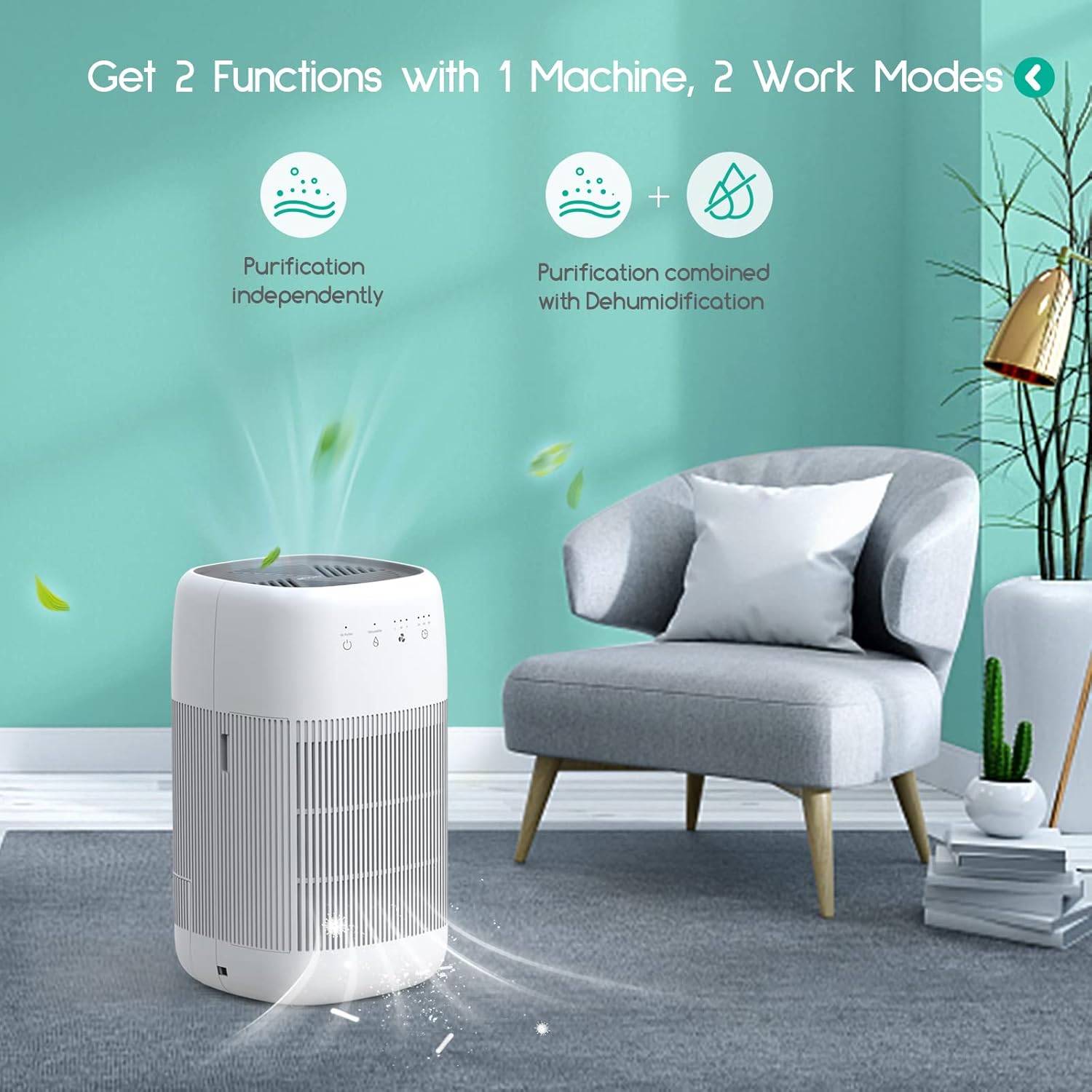
Figure 3.2: Illustration of the two operational modes: independent air purification and combined air purification with dehumidification.
Components:
- Control Panel (Touch Controls)
- Air Inlet Grilles
- Air Outlet
- Water Tank (1000ml / 34oz capacity)
- Air Filter (Efficient Filter)
- Power Cord Inlet
4. Setup
4.1 Unpacking
- Carefully remove the unit from its packaging.
- Remove all packaging materials, including any protective films or tapes.
- Inspect the unit for any signs of damage. If damaged, do not operate and contact customer support.
4.2 Filter Installation
The filter is typically pre-installed but may have protective packaging that needs to be removed before first use. Follow these steps to install or replace the filter:

Figure 4.1: Step-by-step instructions for filter replacement.
- Pull and lift the filter cover: Locate the filter cover on the side of the unit and gently pull it outwards, then lift to remove.
- Remove the old filter: Carefully pull out the used filter from its compartment.
- Remove packaging of new filter: Unwrap the new filter from any plastic packaging.
- Insert the new filter: Place the new filter into the compartment, ensuring it is oriented correctly.
- Put the filter cover back: Reattach the filter cover by aligning it and pushing it firmly into place.
- Reset filter indicator: Turn on the machine and press the purification button for 7 seconds to reset the filter replacement indicator.
4.3 Placement
Place the Afloia Q10 on a flat, stable surface. Ensure there is at least 6 inches (15 cm) of space around all sides for optimal airflow. Avoid placing it near heat sources, in direct sunlight, or in areas with excessive moisture (e.g., directly next to a shower).

Figure 4.2: The Afloia Q10 effectively covers rooms up to 215 sq ft, targeting various airborne pollutants.
5. Operating Instructions
5.1 Control Panel Overview
The unit features a touch control panel on its top surface. The icons represent different functions:
- Power Button: Turns the unit On/Off.
- Purification Mode Button: Activates or deactivates the air purification function.
- Dehumidification Mode Button: Activates or deactivates the dehumidification function.
- Fan Speed Button (L/M/H): Adjusts the fan speed (Low, Medium, High) for air purification.
- Timer Button (2H/4H/8H): Sets the operating time for 2, 4, or 8 hours.
5.2 Basic Operation
- Power On/Off: Press the Power button once to turn the unit on. Press again to turn it off.
- Select Mode:
- To use only air purification, press the Purification Mode button.
- To use only dehumidification, press the Dehumidification Mode button.
- To use both functions simultaneously, press both the Purification Mode and Dehumidification Mode buttons.
- Adjust Fan Speed: When in purification mode, press the Fan Speed button to cycle through Low (L), Medium (M), and High (H) settings.
- Set Timer: Press the Timer button to select an operating duration of 2, 4, or 8 hours. The unit will automatically shut off after the selected time.
5.3 Indicator Lights
- Red Flashing Light: Indicates the water tank is full. The unit will automatically shut off. Empty the water tank and reinsert it to resume operation.
- Orange Flashing Light: Indicates the filter needs to be replaced. Refer to Section 6.2 for filter replacement instructions.
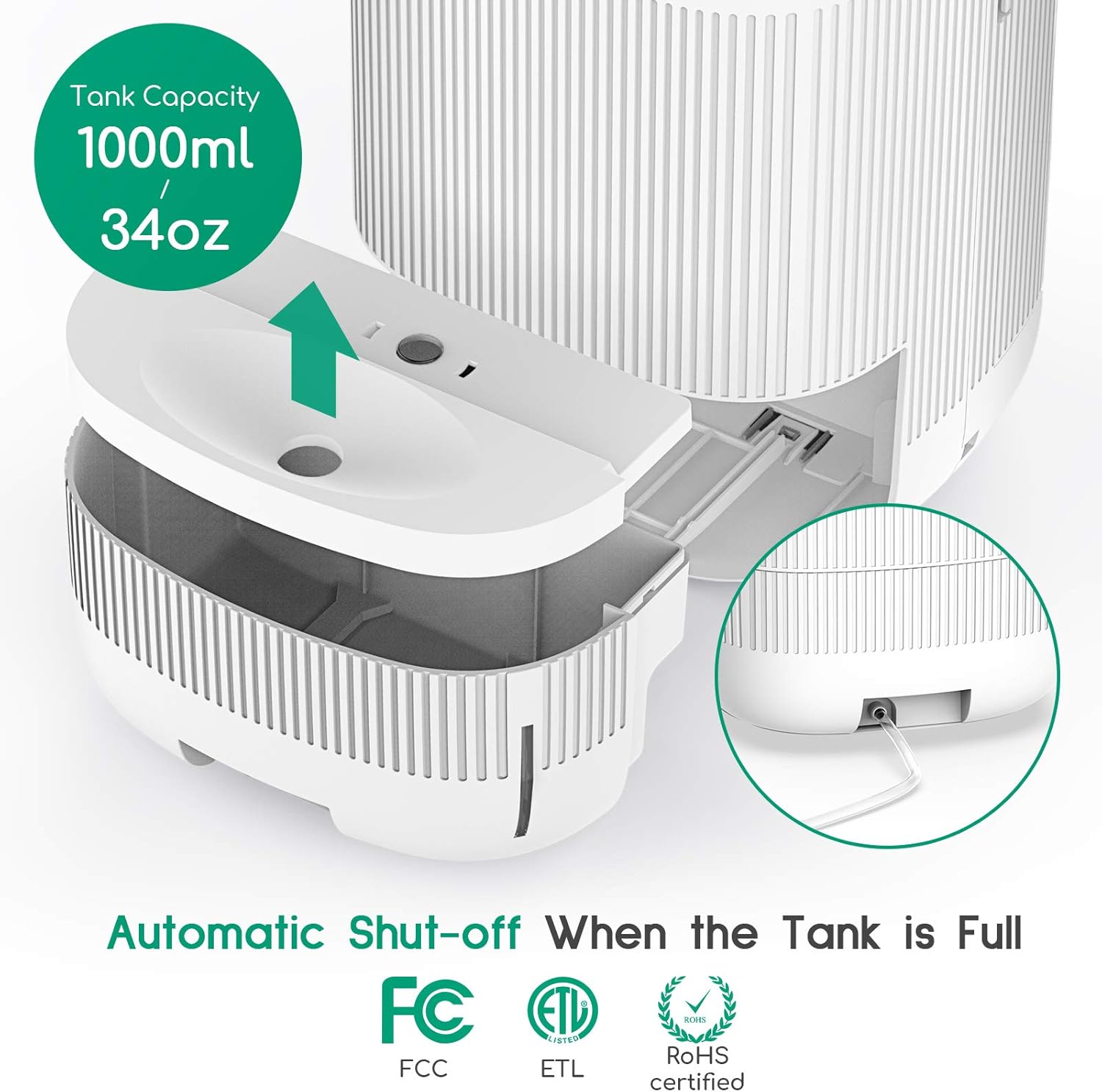
Figure 5.1: The 1000ml water tank and the automatic shut-off feature when the tank is full.
6. Maintenance
Regular maintenance ensures optimal performance and extends the lifespan of your Afloia Q10.
6.1 Cleaning the Unit
- Always unplug the unit before cleaning.
- Wipe the exterior of the unit with a soft, damp cloth. Do not use abrasive cleaners or solvents.
- Clean the air inlet and outlet grilles with a soft brush or vacuum cleaner to remove dust buildup.
- Empty and clean the water tank regularly to prevent mold or mildew growth. Rinse with clean water and dry thoroughly before reinserting.
6.2 Filter Replacement
The filter should be replaced every 3-6 months, depending on air quality and usage. An orange flashing light on the control panel indicates it's time for a replacement.
Refer to Section 4.2 Filter Installation for detailed step-by-step instructions on how to replace the filter.

Figure 6.1: The Afloia Q10 with its filter and water tank accessible for maintenance.
7. Troubleshooting
| Problem | Possible Cause | Solution |
|---|---|---|
| Unit does not turn on. | No power supply. Power cord not properly connected. | Ensure the unit is plugged into a working electrical outlet. Check that the power cord is securely connected to the unit and the outlet. |
| Red light flashing, unit stops operating. | Water tank is full. | Empty the water tank and reinsert it correctly. |
| Orange light flashing. | Filter needs replacement. | Replace the air filter and reset the filter indicator (refer to Section 4.2, step 6). |
| Poor air purification or dehumidification performance. | Blocked air inlets/outlets. Dirty filter. Room size too large. | Ensure air inlets and outlets are not obstructed. Clean or replace the filter. Ensure the unit is used in a room within its recommended coverage area. |
| Unit is noisy. | Fan speed set too high. Unit not on a stable surface. | Reduce the fan speed. Place the unit on a flat, stable surface. |
8. Specifications
| Brand | Afloia |
| Model | Q10 |
| Product Dimensions (D x W x H) | 7.6" x 7.6" x 13.1" |
| Air Purification Coverage Area | Up to 215 sq ft |
| Dehumidification Coverage Area | Up to 180 sq ft |
| Water Tank Capacity | 1000ml (34oz) |
| Noise Level | 25-45dB |
| Certifications | FCC, ETL, RoHS |
| Optimal Dehumidification Conditions | 86℉ (30℃) / 80% RH |

Figure 8.1: Physical dimensions of the Afloia Q10 unit.
9. Warranty and Support
Afloia products are manufactured with quality and performance in mind. This product is FCC, ETL, and RoHS certified, ensuring compliance with safety and environmental standards.
For any questions, concerns, or technical support, please contact Afloia customer service. Please have your model number (Q10) and purchase information ready when contacting support.
For filter replacements, please use genuine Afloia filters to ensure optimal performance and maintain warranty validity. Filters should be replaced every 3-6 months.
Note: Specific warranty terms and conditions may vary by region and retailer. Please refer to your purchase documentation for detailed warranty information.


