
1. Product Overview
The VIKVIZ 5MP PoE IP Camera (Model PG2357C-28mm) is a high-definition turret security camera designed for both indoor and outdoor surveillance. It features a 5-megapixel resolution, full-color night vision, and advanced human/vehicle detection capabilities. With its robust IP67 waterproof design and Power over Ethernet (PoE) support, it offers reliable performance and simplified installation.
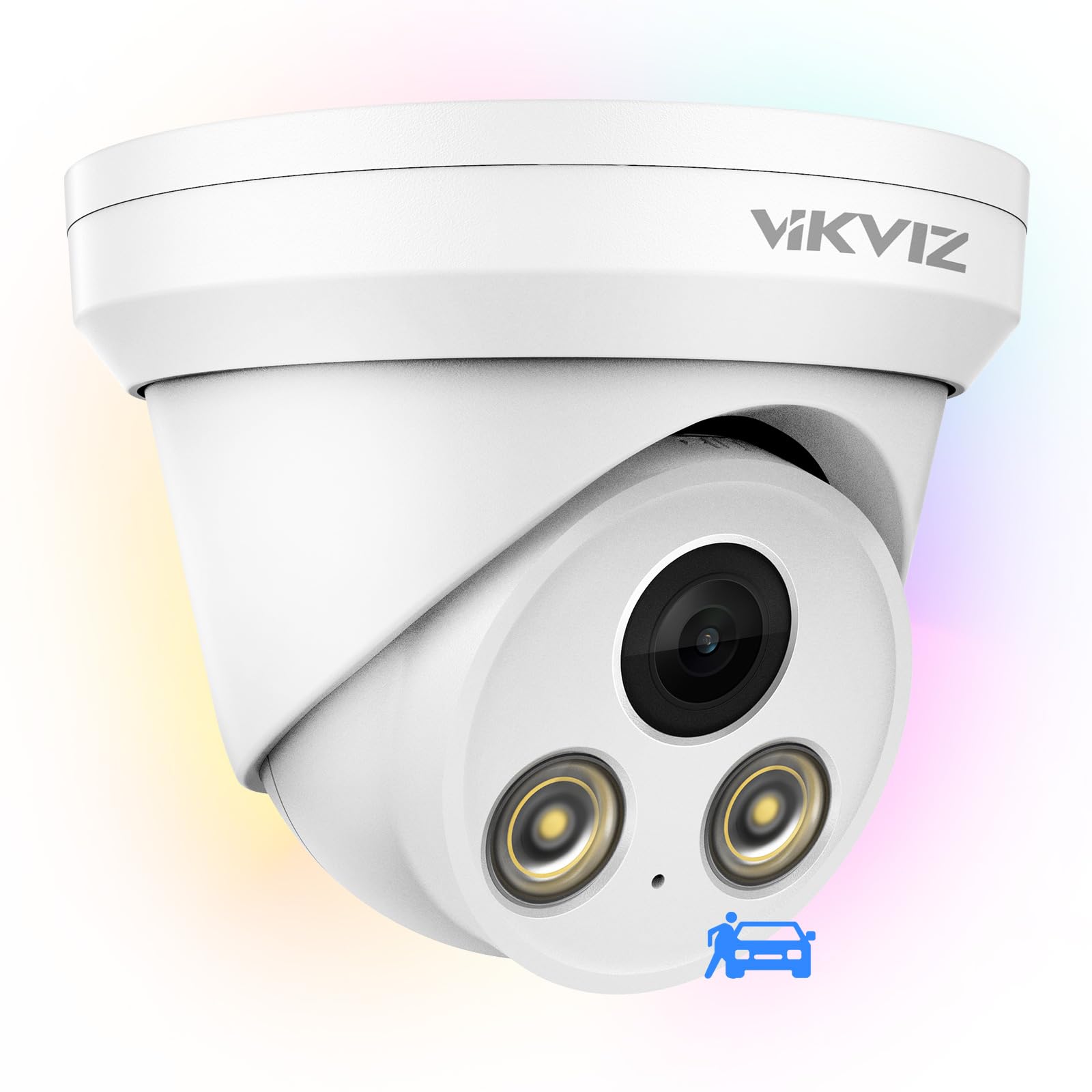
Figure 1: VIKVIZ 5MP PoE IP Camera
Key Features:
- 5MP Ultra HD Resolution: Captures clear 2592 x 1944 @ 30fps video.
- Full-Color Night Vision: F1.0 super aperture lens and warm fill lights provide 24/7 color images even in low light.
- Human/Vehicle Detection: Advanced AI technology minimizes false alerts by distinguishing people and vehicles.
- Built-in Microphone: Supports unidirectional audio for enhanced surveillance.
- IP67 Waterproof: Durable metal enclosure ensures reliable outdoor performance in various weather conditions.
- PoE Connectivity: Single Ethernet cable provides both power and data transmission, simplifying installation.
- Smart H.265+ Compression: Reduces file size by up to 75% compared to H.264.
- Wide Compatibility: Supports ONVIF, RTSP, Blue Iris, iSpy, and Mobile APP (Videolink).
2. Package Contents
Before installation, please verify that all items are included in your package:

Figure 2: Package contents including camera, quick start guide, screws, and waterproof lid.
- VIKVIZ 5MP PoE IP Camera
- Quick Start Guide
- Mounting Screws and Wall Plugs
- Waterproof Lid for Ethernet Connector
3. Setup
3.1 Powering On and Network Connection
Your VIKVIZ camera supports Power over Ethernet (PoE) for simplified installation, allowing a single Ethernet cable to transmit both power and data. Alternatively, it can be powered via a DC12V power supply (not included) and connected to your network via a standard Ethernet cable.
Video 1: Demonstrates three methods to connect the camera: via PoE NVR, DC12V power supply, or PoE injector/switch.
3.2 Physical Installation
The camera can be mounted on a wall or ceiling. Ensure the mounting surface is strong enough to support the camera. Use the provided mounting template to mark drill holes accurately.
Video 2: Illustrates the process of waterproofing the Ethernet connection and installing the camera.
3.3 App and Software Setup
For remote viewing and advanced configurations, download the Videolink mobile application. The camera is also compatible with various third-party software and NVRs, including Blue Iris and Hikvision NVRs.

Figure 3: The camera supports remote access via mobile apps, PC applications, search tools, and web browsers.
- Mobile App: Download 'Videolink' from your app store for remote viewing and notifications.
- PC Software: Compatible with various PC applications for comprehensive management.
- NVR Integration: Supports RTSP and ONVIF protocols for seamless integration with most third-party NVRs, including Hikvision NVRs.
- Blue Iris: The camera can be added to Blue Iris for advanced surveillance management.
4. Operating Instructions
4.1 Live View and Recording
Access live video feeds and recorded footage through the mobile app or compatible PC software. The camera records in 5MP Ultra HD resolution with H.265+ compression for efficient storage.
4.2 Full-Color Night Vision
The camera's F1.0 super aperture lens and warm fill lights enable 24/7 full-color night vision, providing clear and detailed images even in complete darkness.

Figure 4: Comparison of full-color night vision with traditional IR night vision, showing enhanced detail and color.
Video 3: Demonstrates the colorful night vision display of the 5MP PoE camera in action.
4.3 Smart Human/Vehicle Detection
Configure smart detection zones and sensitivity settings to receive accurate alerts for human and vehicle presence, reducing false alarms from animals or shadows.

Figure 5: AI motion detection identifies and differentiates between humans and vehicles, minimizing unwanted alerts.
Video 4: Guide on how to set up motion detection and body detection features on the camera.
4.4 Built-in Microphone
The integrated microphone captures unidirectional audio, allowing you to hear sounds from the camera's surveillance area.

Figure 6: The camera features a built-in microphone for one-way audio communication and recording.
5. Maintenance
The VIKVIZ 5MP PoE IP Camera is designed for durability and minimal maintenance. Its IP67 weatherproof rating ensures protection against dust and water, making it suitable for harsh outdoor environments.
- Cleaning: Regularly wipe the lens with a soft, damp cloth to ensure clear image quality.
- Firmware Updates: Check the manufacturer's website or app for periodic firmware updates to enhance performance and security.
- Environmental Protection: The camera is built to withstand temperatures from -22°F (-30°C) to 140°F (60°C).

Figure 7: The camera's IP67 rating ensures excellent airtightness and waterproofing, allowing it to operate in extreme weather conditions.
6. Troubleshooting
If you encounter issues with your camera, refer to the following common troubleshooting steps:
- No Power: Ensure the PoE switch/injector is powered on, or the DC12V power adapter is correctly connected and functioning.
- No Video Feed: Verify network cable connections. Check if the camera's IP address is correctly configured and accessible on your network. Ensure the camera is added correctly to the mobile app or NVR.
- Poor Image Quality: Clean the camera lens. Check for direct sunlight or strong reflections. Ensure sufficient lighting for optimal night vision performance.
- False Motion Alerts: Adjust the sensitivity settings for human/vehicle detection in the camera's configuration. Define specific detection zones to exclude irrelevant areas.
- Network Configuration: For advanced network settings, such as modifying the camera IP or adding to a network segment, consult the specific video guides provided by VIKVIZ Security.
7. Specifications
| Feature | Detail |
|---|---|
| Model Number | IPC2357C-28 |
| Video Capture Resolution | 5 MP (2592 x 1944) |
| Lens Type | 2.8mm Fixed F1.0 Lens |
| Viewing Angle | 105 Degrees (Horizontal), 110 Degrees (Field Of View) |
| Night Vision Technology | Full Color Night Vision (up to 98 feet) |
| Detection | Human/Vehicle Detection |
| Audio | Built-in Microphone (unidirectional) |
| Connectivity Technology | PoE, ONVIF, RTSP |
| Video Compression | H.265+, H.265, H.264, MPEG-4 |
| Frame Rate | 30 frames per second |
| Weather Resistance | IP67 Waterproof |
| Operating Temperature | -40°F to 140°F (-40°C to 60°C) |
| Material | Aluminum |
| Power Source | Corded Electric (PoE) |
| Item Weight | 1.2 pounds |
8. Warranty and Support
VIKVIZ provides a 2-year manufacturer warranty for this product. Additionally, customers receive lifetime technical support to assist with any inquiries or issues.
For further assistance, please visit the VIKVIZ Store on Amazon or contact customer service.


