
Introduction
Thank you for choosing the EasyAcc Portable Travel Fan. This versatile device combines a powerful personal fan with a convenient power bank, ensuring you stay cool and connected wherever you go. Designed for portability and long-lasting performance, it features multiple speed settings and an intuitive power indicator. Please read this manual carefully to ensure proper use and maintenance of your fan.
Product Overview
The EasyAcc Portable Travel Fan is a compact and lightweight device, designed for ease of use and portability. It features a foldable design for multiple angles of use and a removable fan guard for easy cleaning.

Figure 1: Dimensions of the EasyAcc Portable Travel Fan. The fan measures approximately 235mm (9.25 inches) in height and 110mm (4.33 inches) in width. Its compact design makes it easy to carry and store.
Setup and Charging
Initial Charge
Before first use, fully charge the fan. Connect the provided USB Type-C cable to the fan's charging port and a compatible USB power adapter (not included). The LED power indicators will show the charging status.
Power Indicator
The fan features 3 LED lights to display the remaining battery power:
- 3 lights on: Full charge (100% power)
- 2 lights on: Approximately 60% power remaining
- 1 light on: Approximately 30% power remaining (recharge recommended)

Figure 2: Illustration of the 3 LED power indicators on the fan, showing battery levels at 30%, 60%, and 100%.
Operating Instructions
Power On/Off and Speed Adjustment
Press the power button located on the handle to turn the fan on. Each subsequent press will cycle through the 4 available speed settings. To turn the fan off, hold the power button for 3 seconds.
- Speed 1: Gentle breeze, suitable for indoor use such as napping.
- Speed 2: Moderate airflow, ideal for regular indoor use.
- Speed 3: Stronger airflow, recommended for outdoor use like shopping.
- Speed 4: Maximum airflow (up to 4600 RPM, >4.3m/s), suitable for outdoor activities such as picnics or camping.

Figure 3: Visual representation of the four speed settings and their recommended uses.
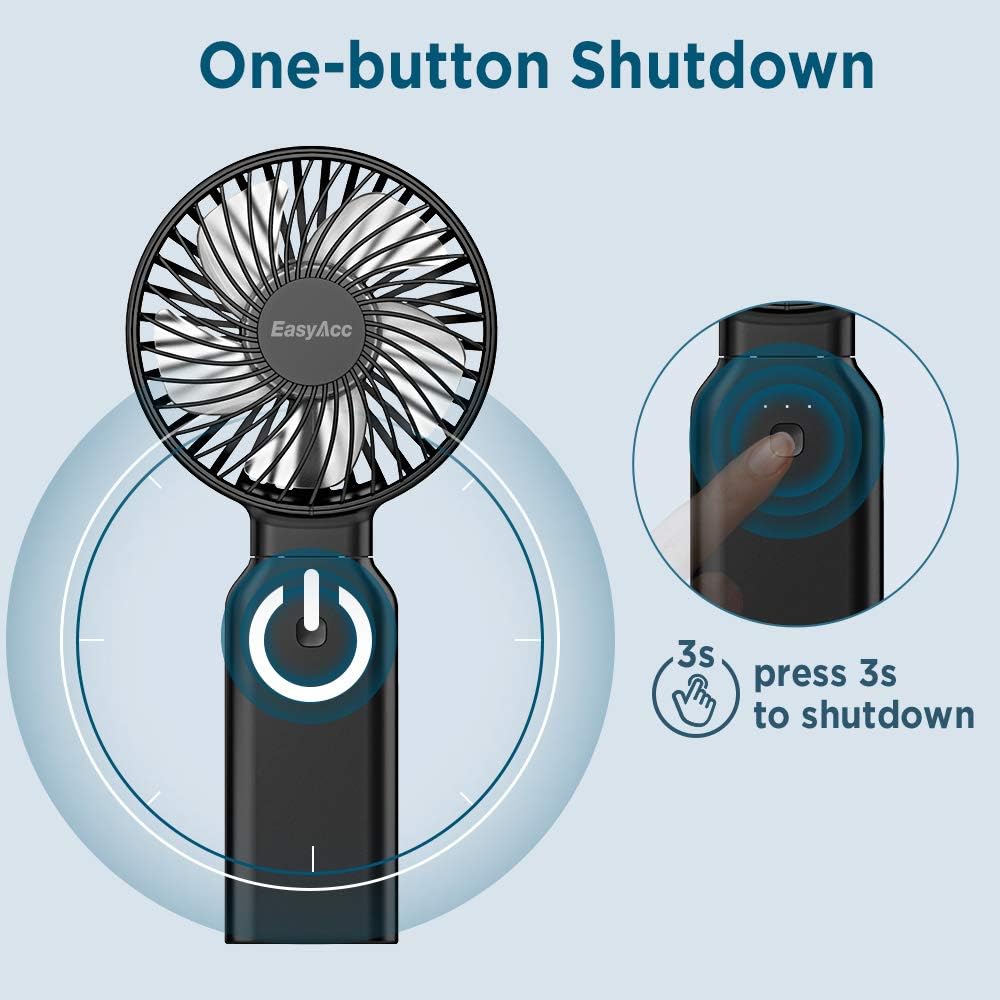
Figure 4: To power off the fan, press and hold the power button for 3 seconds.
Power Bank Function
The built-in 9000mAh rechargeable battery also functions as a power bank. Connect your mobile device to the fan's USB output port using a compatible charging cable to charge your device on the go.

Figure 5: The EasyAcc fan can be used to charge a mobile phone, providing emergency power during travel or outdoor activities.
Adjustable Angles
The fan's design allows for multiple angles of folding, enabling use as a handheld fan, a folded fan, or a standing desk fan. This versatility makes it suitable for various environments and activities.

Figure 6: The fan can be used in various positions: handheld, folded for compact storage, or standing on a surface.
Maintenance
Cleaning the Fan Guard
To ensure optimal performance and extend the lifespan of your fan, regularly clean the fan guard. To remove the fan guard, turn it clockwise. After cleaning, turn it counter-clockwise to securely put it back on.

Figure 7: The fan guard can be easily removed and washed to maintain cleanliness and airflow efficiency.
Troubleshooting
| Problem | Possible Cause | Solution |
|---|---|---|
| Fan does not turn on. | Battery is depleted. | Charge the fan using the provided USB Type-C cable. |
| Weak airflow. | Fan guard is dirty or obstructed. | Clean the fan guard as described in the Maintenance section. Ensure no obstructions are blocking the fan blades. |
| Power bank function not working. | Fan battery is low or cable is incompatible. | Ensure the fan has sufficient charge. Use a compatible charging cable for your mobile device. |
Specifications
- Brand: EasyAcc
- Model Name: FSZD02-21
- Color: 9000 Black
- Power Source: Battery Powered
- Battery Capacity: 9000mAh (internal rechargeable battery)
- Working Time: Up to 53 hours (lowest speed), 9 hours (highest speed)
- Number of Speeds: 4
- Max Wind Speed: >4.3m/s (4600 RPM)
- Product Dimensions: 7.87"D x 3.94"W x 2.36"H
- Item Weight: 10.6 ounces (300 Grams)
- Connector Type: USB Type C (for charging fan)
- Special Features: One-Touch Turn Off, Washable Fan Guard, Power Bank Function
Warranty and Support
EasyAcc products come with a standard manufacturer's warranty. For detailed warranty information, product support, or to register your product, please visit the official EasyAcc website or contact their customer service. Contact information can typically be found on the product packaging or the EasyAcc brand store on Amazon.
EasyAcc Store: Visit the EasyAcc Store on Amazon
Safety Information
- Do not insert fingers or any objects into the fan guard when the fan is operating.
- Keep the fan away from water and excessive humidity.
- Do not disassemble or attempt to repair the fan yourself. Contact customer support for assistance.
- Store the fan in a cool, dry place when not in use.
- Keep out of reach of small children.