
1. Introduction
The Scosche UH4CDPDV-SP CarMount is a versatile 3-in-1 phone mounting solution designed for your vehicle. It offers secure attachment options for your CD player slot, dashboard, or air vent, ensuring your smartphone is accessible and visible while driving. The mount features a 360-degree rotation capability, allowing for seamless transitions between portrait and landscape orientations. Its adjustable arms accommodate smartphones up to 3.5 inches wide, providing a snug fit for various devices.
2. What's in the Box
Your Scosche CarMount kit includes the following components:
- Adjustable Phone Holder
- CD Slot Mount Base
- Dash Mount Base (with adhesive)
- Vent Mount Base (with removable clips)

Image: All components of the Scosche CarMount 3-in-1 kit laid out.
3. Setup and Installation
The Scosche CarMount offers three installation options: CD slot, dashboard, or air vent. Choose the method that best suits your vehicle and preferences.
3.1 CD Slot Installation
- Insert the CD slot mount base into your vehicle's front-loading CD player slot.
- Tighten the knob on the mount base to secure it firmly within the CD slot. This action will lower a flap to stabilize the mount.
- Attach the adjustable phone holder to the ball joint on the CD slot mount base.
- Adjust the phone holder to your desired viewing angle.

Image: A smartphone securely placed in the CD slot mount within a car's dashboard.
3.2 Dash Mount Installation
- Clean the desired dashboard surface thoroughly to ensure proper adhesion.
- Peel the protective film from the adhesive dash mount base.
- Press the dash mount base firmly onto the clean, flat dashboard surface for at least 30 seconds. Allow sufficient time for the adhesive to cure before attaching the phone holder.
- Attach the adjustable phone holder to the ball joint on the dash mount base.
- Adjust the phone holder to your desired viewing angle.

Image: A smartphone mounted on the car's dashboard using the adhesive base.
3.3 Vent Mount Installation
- Attach the removable vent clips to the vent mount base. Ensure they are securely fastened.
- Slide the vent mount base onto a louver of your vehicle's air vent. The clips are designed to fit both small and large louvers.
- Attach the adjustable phone holder to the ball joint on the vent mount base.
- Adjust the phone holder to your desired viewing angle.
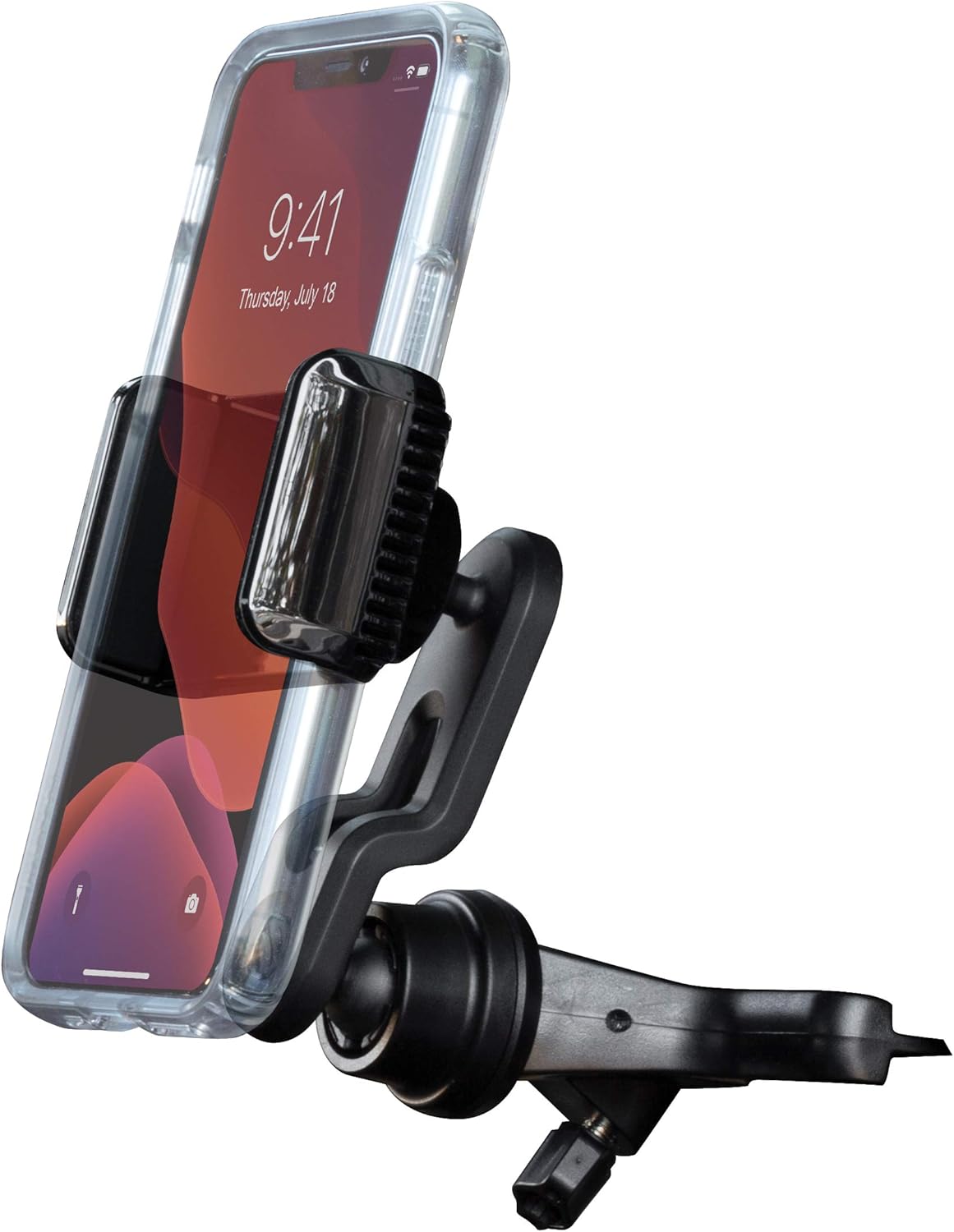
Image: A smartphone mounted to a car's air vent using the vent clip base.
Video: Official demonstration of the Scosche UH4CDPDV 3-in-1 Universal Phone CD/Dash/Vent Mount, showing installation and usage.
4. Operating Instructions
4.1 Securing Your Smartphone
- Gently pull apart the adjustable arms of the phone holder.
- Place your smartphone between the arms. The holder accommodates devices up to 3.5 inches wide.
- Release the arms to allow them to securely grip your phone. The protective smooth sides prevent scratching.
4.2 Adjusting Viewing Angle
The CarMount features a 360-degree rotating design with ball joints on both the mount base and the phone holder. This allows for flexible positioning:
- Rotate the phone holder to switch between portrait and landscape orientation.
- Tilt and swivel the phone holder to achieve your optimal viewing angle, ensuring clear visibility of your device without obstructing other controls or your view of the road.

Image: A smartphone in the mount, demonstrating the wide range of adjustable viewing angles.
5. Maintenance
To ensure the longevity and optimal performance of your Scosche CarMount, follow these simple maintenance guidelines:
- Cleaning: Wipe the mount regularly with a soft, damp cloth to remove dust and grime. Avoid using harsh chemicals or abrasive cleaners, as these can damage the material.
- Check Connections: Periodically inspect all connection points, especially the tightening knob on the CD slot mount and the vent clips, to ensure they remain secure.
- Adhesive Base: If using the dash mount, avoid repositioning it frequently, as this can reduce the effectiveness of the adhesive.
6. Troubleshooting
If you encounter any issues with your Scosche CarMount, consider the following:
- Mount is not stable: Ensure the CD slot knob is fully tightened, the dash adhesive has properly cured, or the vent clips are correctly seated on a louver.
- Phone does not fit: Verify your phone's width is within the 3.5-inch maximum capacity of the adjustable arms. Remove bulky cases if necessary.
- Phone holder rotates too easily: Tighten the collar around the ball joint to increase friction and hold the desired angle more firmly.
7. Specifications
| Feature | Detail |
|---|---|
| Brand | Scosche |
| Model Name | UH4CDPDV-SP |
| Color | Black |
| Compatible Devices | Smartphones (up to 3.5 inches wide) |
| Mounting Type | CD Slot, Dash, Vent |
| Additional Features | Removable, 360-Degree Rotation |
| Material | Acrylonitrile Butadiene Styrene |
| Item Weight | 0.17 Kilograms |
8. Warranty and Support
The Scosche CarMount UH4CDPDV-SP is backed by Scosche’s Lifetime Tech Support and a 3-year Warranty. For technical assistance or warranty claims, please refer to the contact information provided with your product packaging or visit the official Scosche website.


