
Introduction
Thank you for choosing the OHMEX OHM-VVC-9022 Cordless Vacuum Cleaner. This manual provides essential information for the safe and efficient use of your new appliance. Please read it thoroughly before first use and keep it for future reference.
The OHM-VVC-9022 is a versatile, lightweight, and quiet cordless vacuum cleaner designed for effective cleaning of various surfaces. It features cyclone technology, a powerful 22.2V rechargeable battery, and a motorized LED brush for enhanced visibility in dark areas. Its handheld design allows for easy cleaning of hard-to-reach spaces.

Image: The OHMEX OHM-VVC-9022 Cordless Vacuum Cleaner in its upright configuration.
Setup
1. Unpacking and Assembly
- Carefully remove all components from the packaging.
- Attach the extension tube to the main handheld unit until it clicks into place.
- Connect the motorized floor brush to the other end of the extension tube, ensuring it is securely fastened.
- For handheld use, attach desired accessories (crevice tool or brush tool) directly to the main unit.

Image: The fully assembled vacuum cleaner, ready for use, with battery indicator lights visible.
2. Initial Charging
Before first use, fully charge the vacuum cleaner's battery. The charging time is approximately 3-4 hours. The battery indicator lights on the main unit will show the charging status.
3. Wall Mount Installation (Optional)
The vacuum cleaner comes with a wall mount for convenient storage and charging. Choose a suitable location near a power outlet. Mark the drilling points, drill holes, insert wall plugs, and secure the mount with screws. Ensure the mount is firmly attached before hanging the vacuum cleaner.

Image: The main unit of the vacuum cleaner securely stored on its wall-mounted charging bracket.
Operating Instructions
1. Power On/Off and Speed Settings
- To turn the vacuum cleaner ON, press the power button located on the main unit.
- To adjust the suction speed between high and low, press the speed selection button.
- To turn the vacuum cleaner OFF, press the power button again.
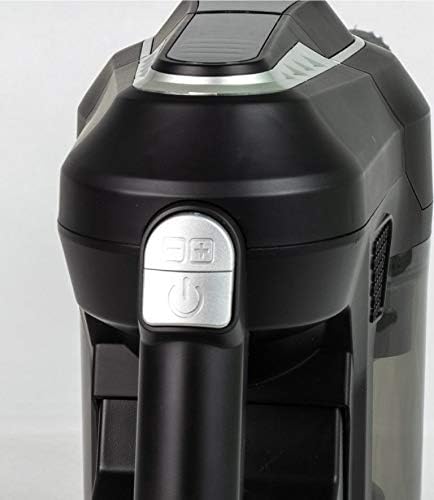
Image: A close-up view of the power button (circular icon) and speed selection button (square icon) on the vacuum's handle.
2. Using Attachments
The OHM-VVC-9022 comes with various attachments for specialized cleaning tasks:
- Motorized LED Brush: Ideal for floors and carpets. The integrated LED lights illuminate dirt and dust, making cleaning more effective.
- Crevice Tool: Use for narrow gaps, corners, and hard-to-reach areas.

Image: The handheld vacuum unit with the crevice tool attached, suitable for tight spaces.
- Brush Tool: Suitable for upholstery, curtains, and delicate surfaces.
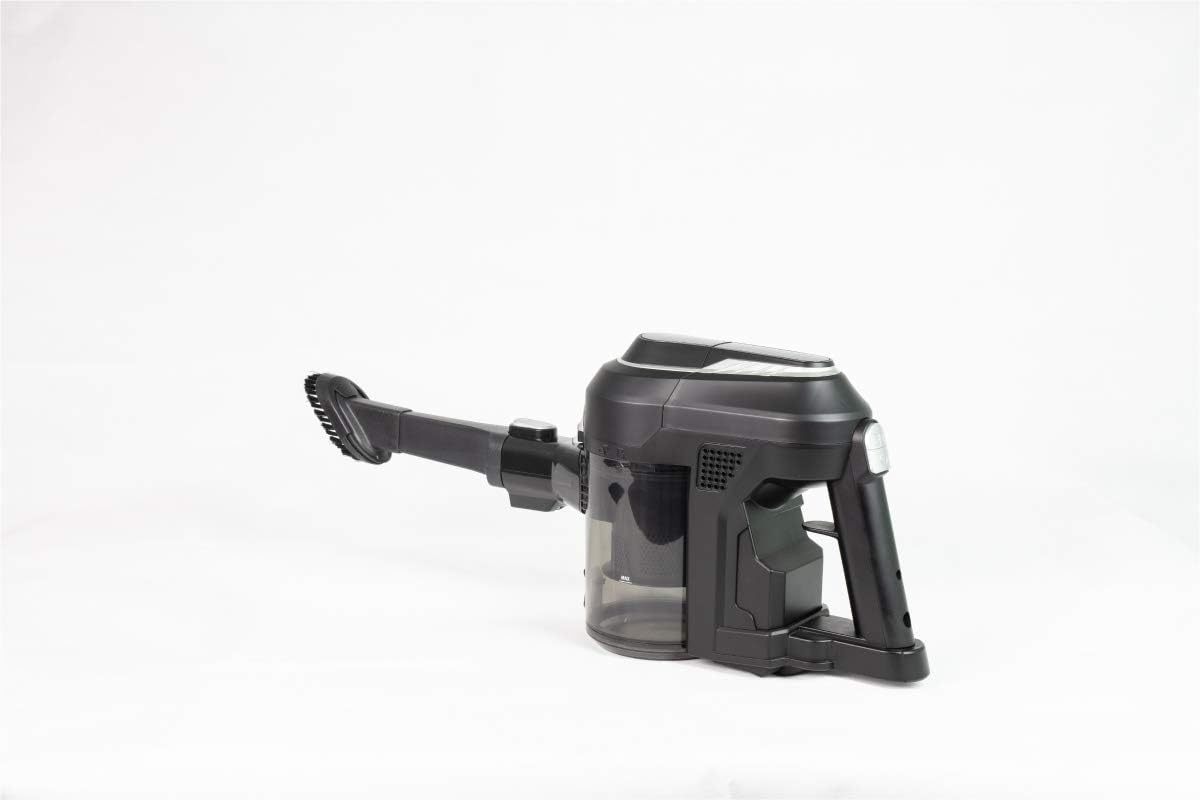
Image: The handheld vacuum unit with the brush tool attached, ideal for dusting and delicate surfaces.
3. Battery Life
The vacuum cleaner provides a usage time of approximately 20-30 minutes on a full charge, depending on the selected speed setting.
Maintenance
Regular maintenance ensures optimal performance and extends the lifespan of your vacuum cleaner.
1. Emptying the Dustbin
- Ensure the vacuum cleaner is turned off before emptying the dustbin.
- Locate the dustbin release button/latch on the main unit.
- Press the button to detach the dustbin.
- Empty the contents into a waste bin.
- Reattach the dustbin securely until it clicks.
2. Cleaning the Filter
The vacuum cleaner uses a cartridge filter. For best performance, clean the filter regularly:
- Remove the dustbin as described above.
- Carefully remove the filter from the dustbin.
- Tap the filter gently over a waste bin to remove loose dust.
- If necessary, rinse the filter under cold running water. Ensure it is completely dry before reinserting it into the vacuum cleaner.
- Reassemble the filter and dustbin, then attach them back to the main unit.
3. Cleaning the Motorized Brush Head
Periodically check the motorized brush head for tangled hair or debris:
- Turn off the vacuum cleaner and disconnect it from any power source.
- Detach the motorized floor brush from the extension tube.
- Use scissors or a brush to carefully remove any hair, threads, or debris wrapped around the brush roller.
- Ensure the brush roller spins freely before reattaching.
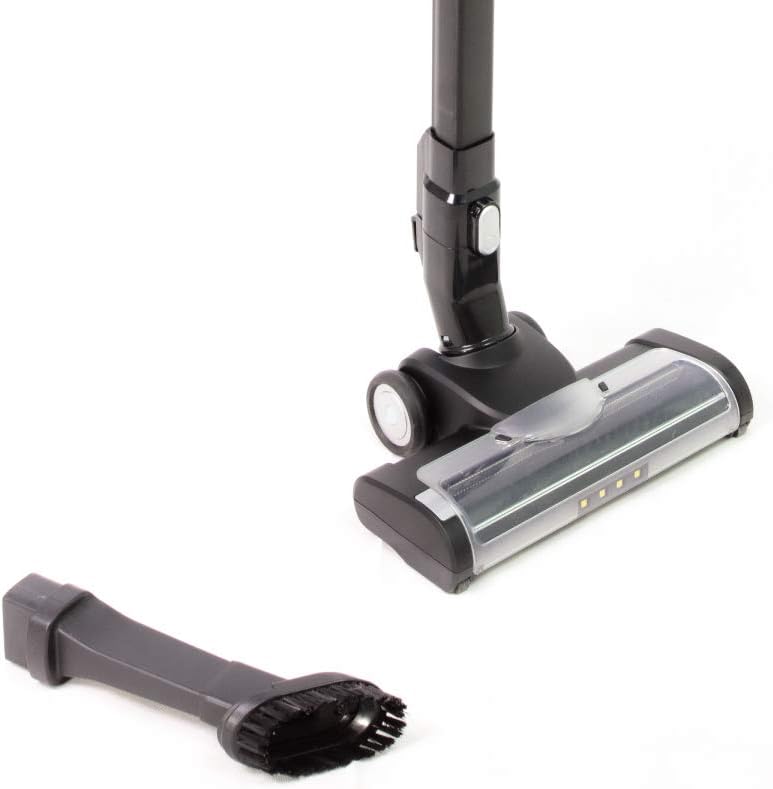
Image: A detailed view of the motorized brush head, showing the roller and LED lights, alongside a small brush attachment.
Troubleshooting
| Problem | Possible Cause | Solution |
|---|---|---|
| Vacuum does not turn on. | Battery is depleted. | Charge the battery for 3-4 hours. |
| Reduced suction power. | Dustbin is full. Filter is clogged. Obstruction in nozzle/tube. | Empty the dustbin. Clean or replace the filter. Check for and remove any blockages. |
| Motorized brush not spinning. | Hair or debris tangled in brush. Brush head not properly attached. | Clean the brush roller. Ensure the brush head is securely attached. |
| Vacuum stops during operation. | Battery is depleted. Overheating protection activated. | Recharge the battery. Turn off the vacuum and allow it to cool down for at least 30 minutes. |
Specifications
- Brand: Ohmex
- Model Number: OHM-VVC-9022
- Power/Wattage: 130 watts
- Voltage: 22.2 Volts
- Battery: 2000 mAh rechargeable battery
- Charging Time: 3-4 hours
- Usage Time: 20-30 minutes
- Special Features: Automatic Charging, LED Illuminated Motorized Brush, High/Low Speed Settings
- Filter Type: Cartridge
- Surface Recommendation: Carpet (also suitable for hard floors)
- Package Dimensions: 72.3 x 31.2 x 13.8 cm
- Weight: 3.94 Kilogram
- Manufacturer: Ohmex
- First Available Date: June 6, 2020
Note: The 'Corded Electric' power source listed in some product specifications refers to the power adapter used for charging the cordless vacuum cleaner. The vacuum itself operates cordlessly on battery power.
Warranty and Support
For detailed warranty information, please refer to the warranty card included in your product packaging or visit the official Ohmex website. For technical support or service inquiries, please contact Ohmex customer service through the contact information provided with your purchase or on the manufacturer's website.


