
1. Introduction
Thank you for choosing the Waterdrop Water Filter Pitcher. This manual provides detailed instructions for the proper setup, operation, and maintenance of your new water filter pitcher. Designed for convenience and superior filtration, this pitcher ensures you have access to clean, great-tasting water.
The Waterdrop Water Filter Pitcher features an efficient filtration system, a hands-free lid for easy refilling, a compact design to fit most refrigerators, and is NSF certified for effective reduction of PFOA/PFOS, chlorine, and other contaminants. Its long-life filter provides up to 200 gallons or 3 months of purified water, and an intelligent indicator helps you monitor filter usage.
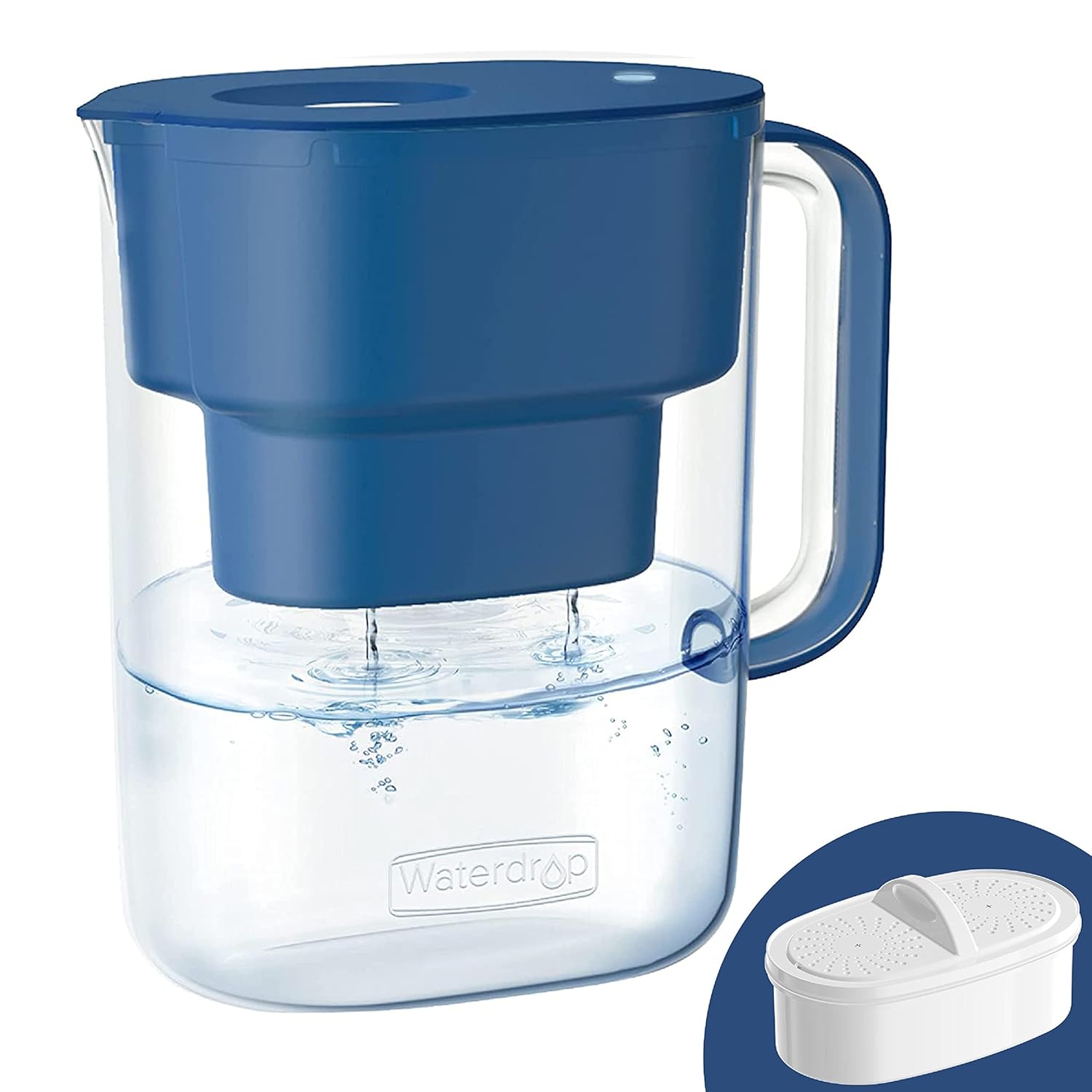
Figure 1.1: Waterdrop Water Filter Pitcher (Model WD-PT-07C)
This image displays the Waterdrop Water Filter Pitcher in classic blue, alongside a separate filter cartridge, showcasing the complete product.
2. Setup Guide
Follow these steps to set up your Waterdrop Water Filter Pitcher for first use:
- Unpack Components: Carefully remove all components from the packaging: the pitcher, lid, filter housing, and filter cartridge.
- Wash Components: Wash the pitcher, lid, and filter housing with mild detergent and warm water. Rinse thoroughly. Do not wash the filter cartridge with detergent.
- Prepare Filter Cartridge: Submerge the filter cartridge completely in clean water for at least 10 minutes. This helps to remove any air bubbles and ensures optimal filtration from the first use.
- Install Filter: Insert the prepared filter cartridge firmly into the filter housing. Ensure it is securely seated to prevent unfiltered water from bypassing the filter.
- Assemble Pitcher: Place the filter housing with the installed filter into the pitcher. Then, place the lid securely on top of the pitcher.
- First Fill: Fill the pitcher with tap water. Discard the first two full pitchers of filtered water to flush out any carbon dust from the new filter. This ensures the best taste and performance.

Figure 2.1: Filter Preparation
This image shows the filter cartridge fully submerged in water, a crucial step for initial preparation to ensure proper function.

Figure 2.2: Pitcher Components
This image illustrates the disassembled components of the Waterdrop pitcher, including the lid, filter housing, and the main pitcher body, ready for assembly.
3. Operating Instructions
Using your Waterdrop Water Filter Pitcher is simple and convenient:
- Filling the Pitcher: Position the pitcher under your faucet. The hands-free lid features an automatic water inlet that opens when water is poured, allowing for easy refilling without removing the lid.
- Filtration Process: Water will flow through the filter cartridge into the main reservoir. The advanced multi-stage filtration system quickly reduces contaminants, providing clean water in approximately 1 minute.
- Pouring Water: Simply tilt the pitcher to pour. The dust-proof spout prevents dust ingress and recontamination, ensuring hygienic water dispensing.

Figure 3.1: Filling the Pitcher
This image shows a user filling the Waterdrop pitcher directly from a kitchen faucet, highlighting the convenience of its hands-free lid design.

Figure 3.2: Fast Flow Rate
This graphic visually compares the Waterdrop pitcher's rapid 1-minute filtration time against a slower 5-minute time of other brands, emphasizing its efficiency.
4. Maintenance
Regular maintenance ensures the longevity and optimal performance of your Waterdrop Water Filter Pitcher:
- Filter Replacement: The filter cartridge has a lifespan of up to 200 gallons or 3 months, whichever comes first. Replace the filter promptly to maintain filtration effectiveness. Replacement filters (Model: WD-PF-01A Plus) are available for purchase.
- Intelligent Indicator: The pitcher features an intelligent LED indicator on the lid that monitors filter usage. It lights up during pouring to show the filter's status: blue for good, red for replace soon, and flashing red for replace now. To reset the indicator after replacing the filter, continuously press the Smart Life Indicator 6 times and then hold it for 3-5 seconds.
- Cleaning: Wash the pitcher and filter housing regularly with mild soap and water. The lid can also be washed. Do not put the filter cartridge in the dishwasher or use abrasive cleaners.
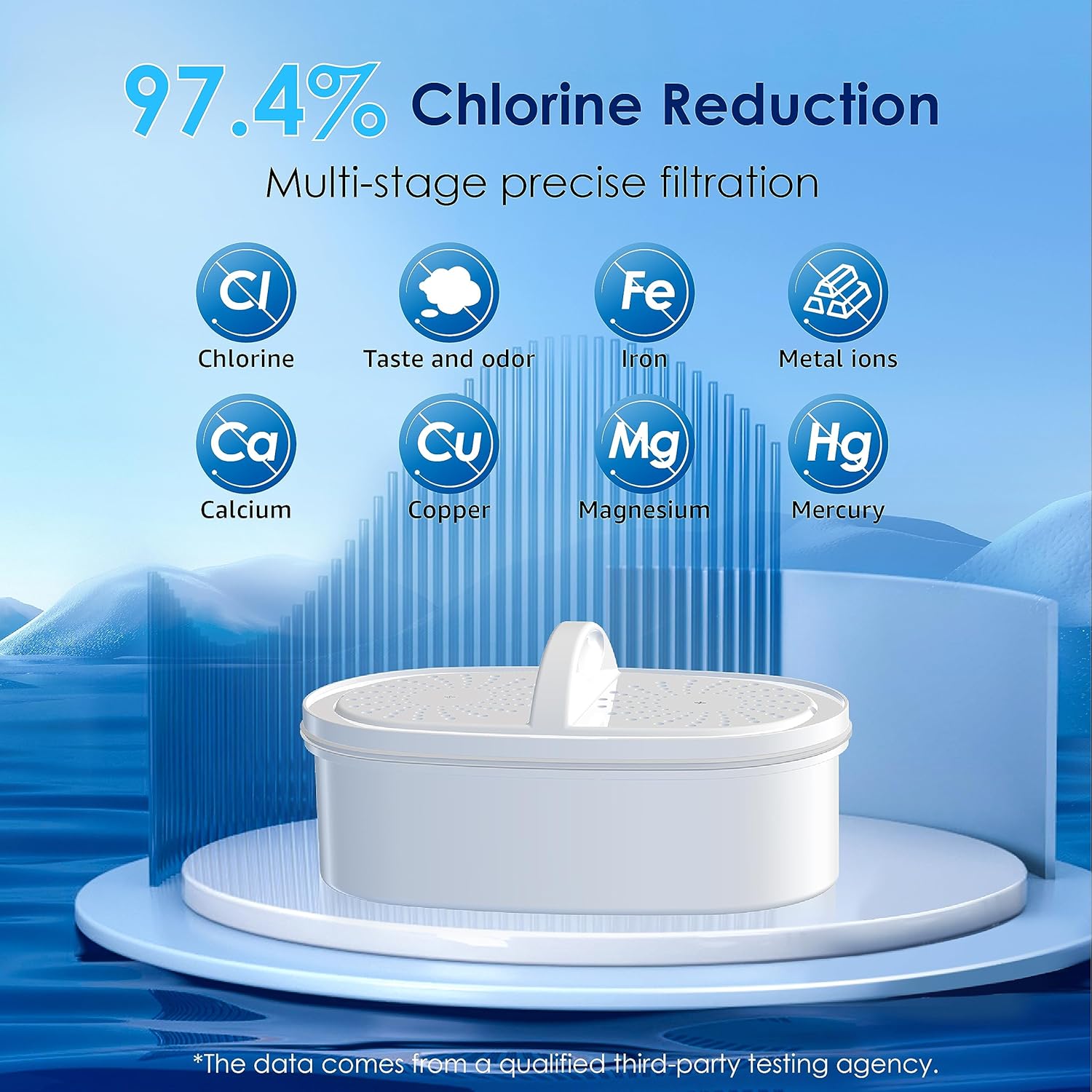
Figure 4.1: Filter Cartridge
A detailed close-up of the Waterdrop filter cartridge, illustrating its compact and efficient design for water purification.

Figure 4.2: Intelligent Indicator
This image displays the Waterdrop pitcher's intelligent LED indicator on the lid, showing its different color states to signal filter condition (Good, Replace soon, Replace now).
5. Troubleshooting
If you encounter any issues with your Waterdrop Water Filter Pitcher, refer to the following common problems and solutions:
| Problem | Possible Cause | Solution |
|---|---|---|
| Slow filtration rate | Filter is clogged or nearing end of life; air bubbles in filter. | Re-submerge filter in water to remove air; replace filter if it's old. |
| Water tastes unusual or has odor | Filter needs replacement; initial carbon dust. | Discard first two pitchers of water on new filter; replace filter if taste persists. |
| Water not filtering | Filter not properly installed. | Ensure filter is firmly seated in the housing. |
| Intelligent indicator not working | Battery issue; needs reset. | Press and hold the button to reset; contact support if issue persists. |
6. Specifications
| Feature | Detail |
|---|---|
| Model Name | WD-PT-07C |
| Product Dimensions | 10"L x 5"W x 10.1"H |
| Item Weight | 2 Pounds |
| Filter Lifespan | Up to 200 Gallons or 3 Months |
| Filtration Performance | NSF 42 & 372 Certified (Reduces PFOA/PFOS, Chlorine, Odor, Iron, Mercury, Copper) |
| Material | Food-grade, Lead-free, BPA-free |
| Installation Type | Countertop |
| Power Source | Non Electric |
| Upper Temperature Rating | 90 Degrees Celsius |
7. Warranty & Support
Waterdrop stands behind the quality of its products. For detailed warranty information and customer support, please refer to the official user manual PDF provided with your purchase or visit the Waterdrop official store.
Official User Manual (PDF): Download Here
Waterdrop Official Store: Visit Store
For any further assistance or inquiries, please contact Waterdrop customer service.