
1. Introduction
Thank you for choosing the JISULIFE Portable Neck Fan FA14. This innovative, hands-free, bladeless fan is designed to provide personal cooling comfort wherever you go. Its lightweight and ergonomic design makes it ideal for various activities, from outdoor sports to indoor work. This manual provides essential information for the safe and efficient use of your new neck fan.
2. Product Overview & Key Features
The JISULIFE Portable Neck Fan FA14 is engineered for comfort and performance. Below are its primary features:
- Bladeless Design: Ensures safety for all users, including children and the elderly, by eliminating exposed blades.
- 78 Air Outlets: Provides comprehensive 360-degree airflow around the entire face and neck area.
- Hands-Free & Wearable: Designed like a headphone for convenient, hands-free operation.
- 5 Adjustable Speeds: Customize your cooling experience with five distinct fan speed settings.
- Long-Lasting Battery: Equipped with a 4000mAh battery, offering 4-16 hours of operation depending on the speed setting.
- Low Noise Operation: Modified motor design generates noise levels as low as 25 dB for quiet use.
- Comfortable & Durable: Made from anti-greasy ABS and silicone for a soft, comfortable, and robust build.
- Compact & Lightweight: Weighs approximately 9.1 ounces, reducing strain on the neck.
- Flexible & Adjustable: Can be twisted and adjusted to fit various neck sizes and preferences.
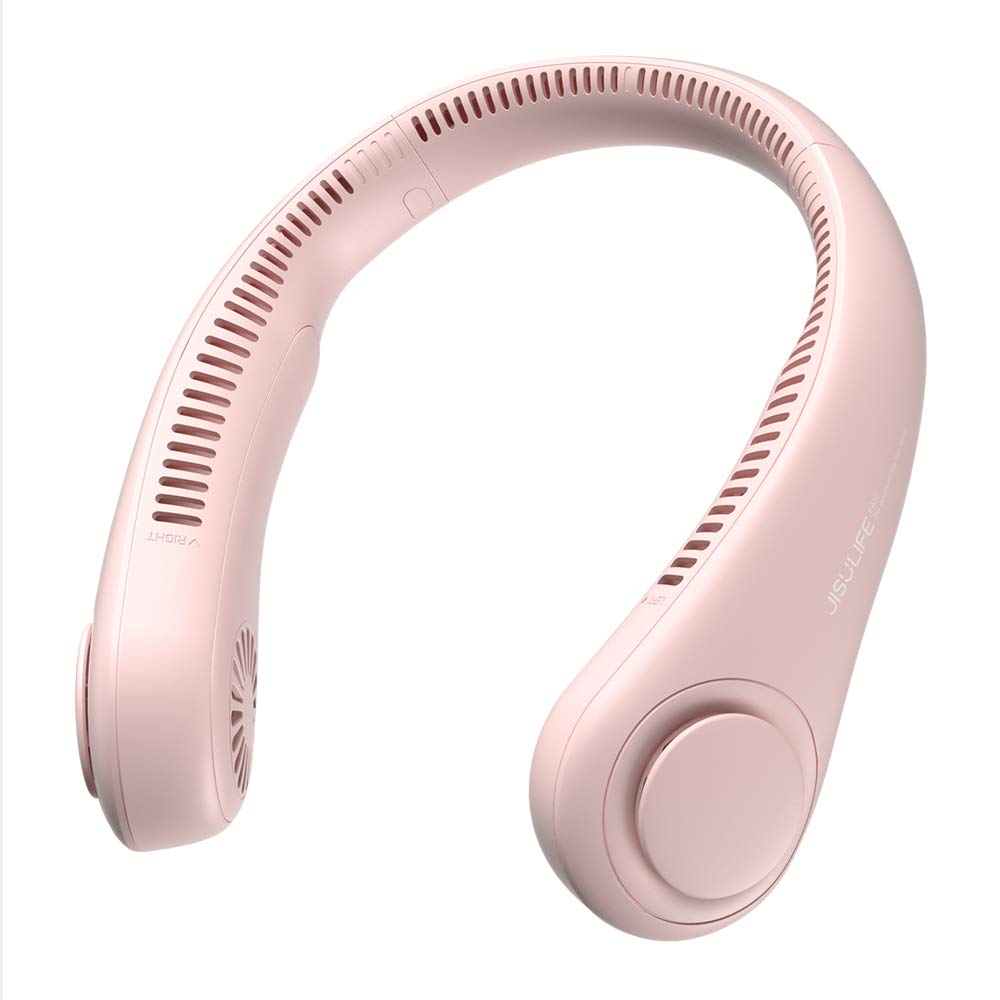
Figure 1: The JISULIFE Portable Neck Fan FA14 in Pink, showcasing its ergonomic, wearable design.

Figure 2: Illustrates the lightweight and comfortable design of the JISULIFE Neck Fan Life3, comparing its dimensions and weight to standard headphones.

Figure 3: Visual representation of the upgraded 5-gear speed settings, highlighting the fan's powerful brushless motor for 360-degree cooling.
3. Safety Instructions
Please read and follow these safety guidelines to prevent injury or damage to the product:
- Do not insert fingers or foreign objects into the fan outlets.
- Keep away from water and excessive moisture.
- Do not disassemble, repair, or modify the device. Contact customer support if service is required.
- Avoid exposing the fan to extreme temperatures or direct sunlight for prolonged periods.
- Use only the provided USB-C cable for charging.
- Keep out of reach of small children when not in use.
- Do not use if the device is damaged or malfunctioning.
4. Setup
Before first use, ensure your JISULIFE Portable Neck Fan is fully charged.
- Unpack: Carefully remove the neck fan and the USB-C charging cable from its packaging.
- Initial Charge: Connect the USB-C cable to the charging port on the fan and the other end to a compatible USB power source (e.g., wall adapter, computer USB port, power bank).
- Charging Indicator: The indicator light will show the charging status. Refer to the 'Charging' section for details on light indications.
- Full Charge: Allow the fan to charge completely before its first use to optimize battery life.

Figure 4: Illustrates the 4000mAh long-lasting battery and the USB-C charging port for convenient power replenishment.
5. Operating Instructions
Using your JISULIFE Portable Neck Fan is simple and intuitive:
- Wear the Fan: Place the neck fan around your neck, ensuring the air outlets are positioned comfortably towards your face and neck. The flexible design allows for easy adjustment.
- Power On/Off: Locate the power button (usually a single button on one side of the fan). Press and hold the button for a few seconds to turn the fan ON or OFF.
- Adjust Speed: Once the fan is ON, short press the power button repeatedly to cycle through the 5 available speed settings (Speed 1 to Speed 5). Each press will increase the fan speed.
- Optimal Positioning: Adjust the flexible arms of the fan to direct airflow precisely where you need it most.

Figure 5: Highlights the multiple air outlets for comprehensive cooling and the simple one-button control for effortless operation.
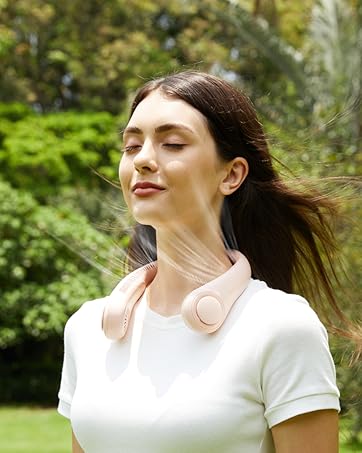
Figure 6: Shows the fan's flexible and adjustable design, allowing it to be twisted for a customized fit and optimal airflow direction.
6. Charging
To charge your neck fan:
- Connect the provided USB-C cable to the charging port on the fan.
- Plug the other end of the USB-C cable into a 5V/1A or 5V/2A USB power adapter.
- The indicator light will typically show red while charging and turn off or change color (e.g., blue/green) when fully charged.
- A full charge usually takes approximately 3-4 hours.
- Battery life ranges from 4 hours (on highest speed) to 16 hours (on lowest speed).
7. Maintenance
Proper maintenance ensures the longevity and performance of your fan:
- Cleaning: Use a soft, dry cloth to wipe the surface of the fan. Do not use harsh chemicals or abrasive materials. Ensure the fan is OFF before cleaning.
- Air Outlets: Gently clean any dust or debris from the air outlets using a soft brush or compressed air.
- Storage: Store the fan in a cool, dry place away from direct sunlight and extreme temperatures when not in use.
- Battery Care: To maintain battery health, charge the fan at least once every three months if not used regularly.
8. Troubleshooting
If you encounter any issues, refer to the following common solutions:
| Problem | Possible Cause | Solution |
|---|---|---|
| Fan does not turn on. | Low battery or no charge. | Charge the fan fully using the provided USB-C cable. |
| Weak airflow. | Low speed setting or obstructed air outlets. | Increase the fan speed. Check and clean air outlets for any blockages. |
| Fan stops unexpectedly. | Battery depleted. | Recharge the fan. |
| Charging indicator not working. | Faulty cable or power adapter. | Try a different USB-C cable or power adapter. Ensure connections are secure. |
If the problem persists, please contact JISULIFE customer support.
9. Specifications
| Feature | Detail |
|---|---|
| Brand | JISULIFE |
| Model Name | Neck Fan Life3 |
| Model Number | FA14 |
| Color | Pink |
| Electric Fan Design | Wearable Fan |
| Power Source | Battery Powered |
| Battery Capacity | 4000 mAh |
| Running Hours | 4-16 hours (depending on speed) |
| Number of Speeds | 5 |
| Noise Level | 40 Decibels (as low as 25 dB) |
| Product Dimensions (D x W x H) | 7.7"D x 7.7"W x 2.3"H |
| Item Weight | 0.56 Pounds (approx. 9.1 oz) |
| Material | Acrylonitrile Butadiene Styrene (ABS), Silicone |
| Blade Material | Plastic (Bladeless design) |
| Connector Type | USB Type C |
| Included Components | USB C cable |
10. Warranty and Support
JISULIFE products are designed for quality and reliability. For specific warranty information, please refer to the warranty card included with your product or visit the official JISULIFE website. If you have any questions, require technical assistance, or need to report an issue, please contact JISULIFE customer support through their official channels.

Figure 7: Demonstrates the versatility of the JISULIFE neck fan, suitable for diverse activities and environments.


