
1. Introduction
The EPOMAKER SKYLOONG SK61 is a compact 60% mechanical gaming keyboard designed for both Windows and Mac users. It features hot-swappable Gateron optical switches, customizable RGB backlighting, and a water-resistant mainboard, offering a durable and personalized typing experience.

Image: The EPOMAKER SKYLOONG SK61 keyboard showcasing its compact 60% layout.
2. What's in the Box
Upon unboxing your EPOMAKER SKYLOONG SK61 keyboard, you should find the following items:
- SK61 Keyboard
- Mac keycaps (for macOS compatibility)
- Keycap puller tool
- Switch puller tool
- USB-C cable

Image: All items included in the EPOMAKER SKYLOONG SK61 keyboard package.
3. Setup Guide
3.1. Connecting the Keyboard
- Locate the USB-C port on the top-left side of the keyboard.
- Connect the provided USB-C cable to the keyboard.
- Plug the other end of the USB-C cable into an available USB port on your computer (Windows or Mac).
- The keyboard will automatically power on and the RGB backlighting will illuminate.
3.2. Initial Configuration
The SK61 supports both Windows and Mac layouts. If you are a Mac user, you can swap the Control, Option, and Command keycaps using the provided keycap puller and the additional Mac keycaps included in the box.

Image: PBT dye-sublimation keycaps, known for their durability and oil-resistance.
4. Key Features
4.1. Gateron Optical Switches & Hot-Swappable Design
The SK61 utilizes renowned Gateron optical switches, which are hot-swappable. This feature allows users to easily change switches without soldering, providing flexibility for customization and repair. Optical switches offer faster response times compared to traditional mechanical switches.

Image: Gateron optical switches, highlighting the hot-swappable design for easy customization.
4.2. Three Layers Programmable & N-Key Rollover (NKRO)
The keyboard supports three programmable layers (FN1/FN2/FN3), allowing extensive customization of key functions and macros through the dedicated driver software. The onboard flash memory saves configurations for offline use. N-Key Rollover ensures that all key presses are registered accurately, even when multiple keys are pressed simultaneously, which is crucial for gaming.
4.3. Water-Resistant Mainboard & PBT Thermal Sublimation Keycaps
The SK61 features a water-resistant and dustproof mainboard design, enhancing its durability. The keycaps are made from high-quality PBT material with thermal sublimation printing, ensuring legends do not fade and the keycaps remain sturdy and oil-proof even after prolonged use.
4.4. 16.8 Million RGB Backlight
Equipped with RGB SMD lighting, the SK61 offers over 16.8 million colors and hundreds of lighting effects. These effects can be customized via the driver software or through onboard controls, providing a vibrant visual experience.
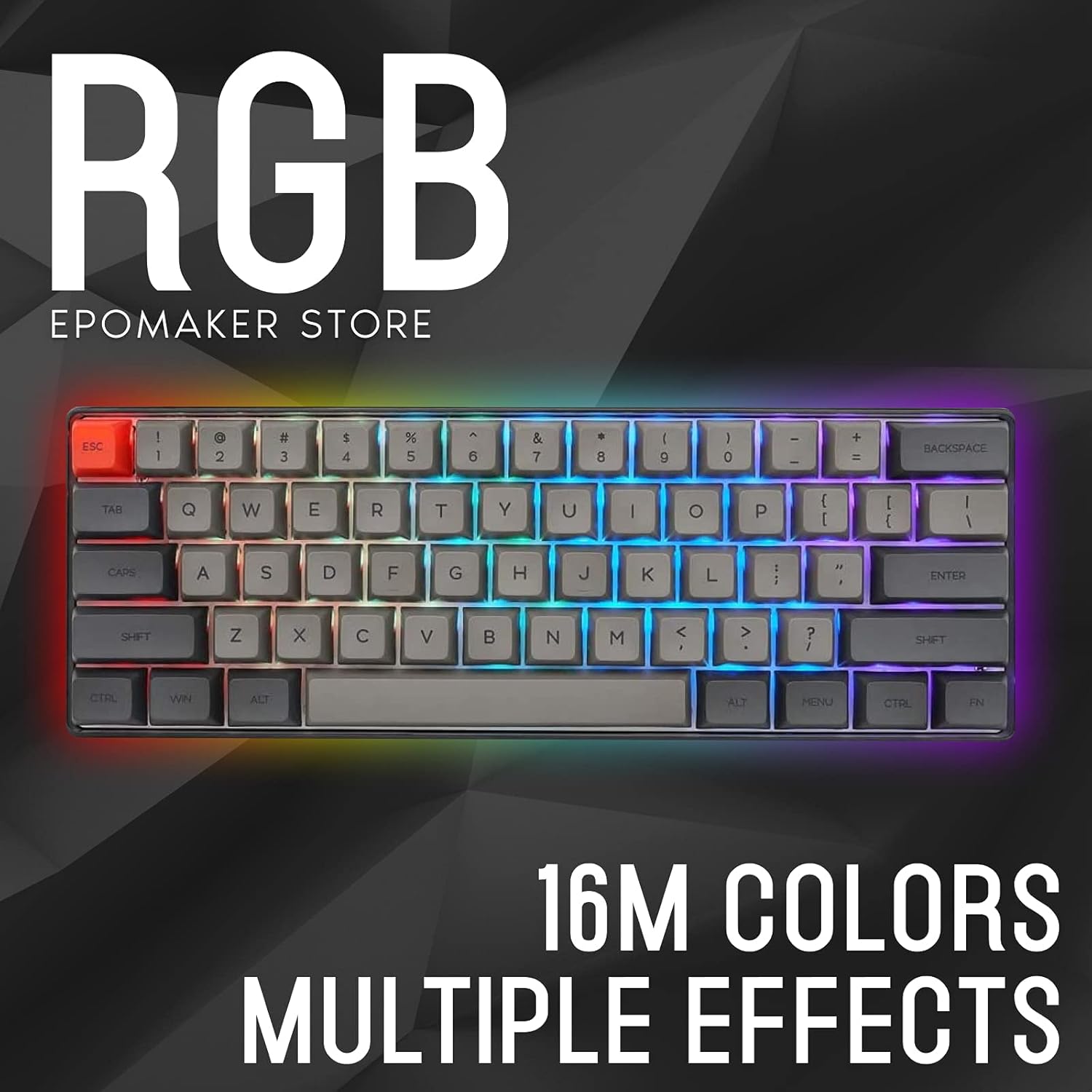
Image: The SK61 keyboard illuminated with 16.8 million color RGB backlighting.
4.5. Mac and Windows Compatibility
This keyboard is fully compatible with both Windows and Mac operating systems, offering versatile use across different computing environments. The Type-C cable ensures a stable and fast connection.
5. Operating Instructions
5.1. Function (FN) Key Combinations
The SK61 utilizes FN key combinations to access various functions due to its compact 60% layout. Refer to the diagram below for common FN key functions:
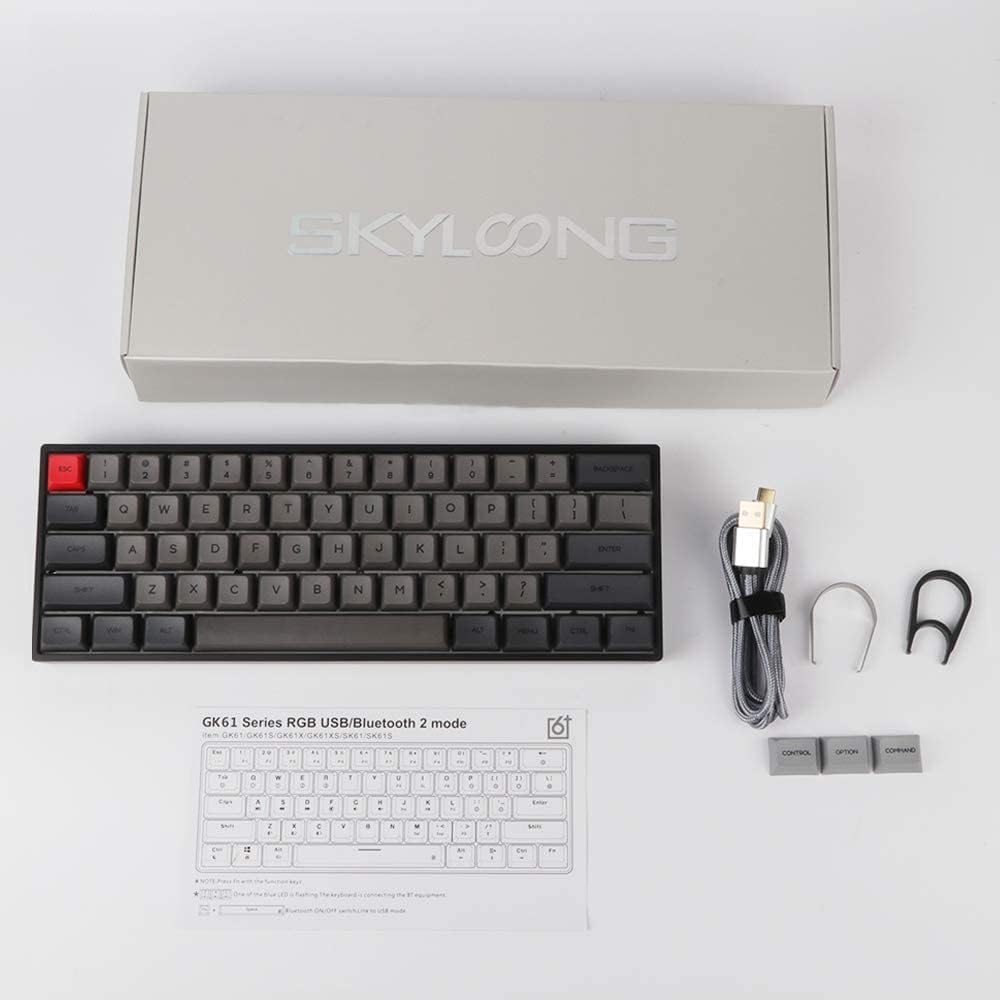
Image: FN function description diagram for the SK61 keyboard.
5.2. Backlight Control
- FN + \|: Toggle backlight ON/OFF.
- FN + ]: Increase backlight brightness.
- FN + [: Decrease backlight brightness.
- FN + ;: Change backlight mode.
- FN + ': Change backlight color.
- FN + ,: Decrease backlight effect speed.
- FN + .: Increase backlight effect speed.
5.3. Programmable Layers
The keyboard supports three programmable layers (FN1, FN2, FN3). These layers allow you to remap keys and assign macros. The configuration can be saved to the keyboard's onboard memory. For detailed programming, use the dedicated driver software.

Image: Software interface for customizing RGB lighting and key layouts.
6. Maintenance
6.1. Cleaning the Keyboard
To clean your keyboard, first disconnect it from your computer. Use a soft, lint-free cloth to wipe down the keycaps and chassis. For deeper cleaning, you can remove the keycaps using the provided keycap puller and clean underneath with compressed air or a small brush. Ensure the keyboard is completely dry before reconnecting.
6.2. Replacing Keycaps and Switches
The SK61's hot-swappable design allows for easy replacement of keycaps and switches. Use the provided keycap puller to gently remove keycaps. To remove switches, use the switch puller tool, carefully gripping the switch and pulling upwards. When inserting new switches, align the pins correctly with the sockets to avoid bending them.
6.3. Water Resistance
The keyboard features a water-resistant mainboard (IPX6 rated). While it can withstand splashes and spills, it is not fully waterproof and should not be submerged. In case of a spill, disconnect the keyboard immediately, dry it thoroughly, and allow it to air dry completely before reconnecting.
7. Troubleshooting
- Keyboard not responding: Ensure the USB-C cable is securely connected to both the keyboard and the computer. Try a different USB port or cable.
- Backlight issues: Use FN key combinations (FN + \|, FN + [, FN + ], FN + ;, FN + ') to adjust or cycle through backlight modes and brightness. If issues persist, check the driver software.
- Keys not registering: Verify that the switches are properly seated. If a specific key is not working, try replacing its switch with a spare one (if available) or a switch from a less-used key.
- Software not detecting keyboard: Ensure the keyboard is connected via USB-C. Reinstall the driver software from the EPOMAKER website.
8. Specifications
| Feature | Detail |
|---|---|
| Product Dimensions | 11.81 x 4.25 x 1.57 inches (11.5"L x 4.09"W x 1.77"H) |
| Item Weight | 1.32 pounds |
| Manufacturer | EPOMAKER |
| Item Model Number | Epomaker SK61 |
| Connectivity Technology | USB-C |
| Keyboard Description | Mechanical Gaming Keyboard |
| Recommended Uses | Gaming |
| Special Feature | 60% Gaming & Office Mechanical Keyboard, Hot-Swappable, RGB Backlit, NKRO, Water-Resistant |
| Color | Black (Gateron Optical Red switches) |
| Keyboard Backlighting | RGB (16.8 Million Colors) |
| Compatible Devices | Laptop, Tablet, Smartphone (via USB-C) |
9. Warranty and Support
For warranty information and technical support, please refer to the documentation included with your product or visit the official EPOMAKER website. Contacting customer support directly is recommended for specific issues.
10. Official Product Video
Video: An official overview of the EPOMAKER SK61 Hot Swappable Mechanical Keyboard, highlighting its features and design.


