
KLIM KBB43
KLIM Boombox B4 Portable CD Player Audio System User Manual
Model: KBB43
1. Product Overview
The KLIM Boombox B4 is a versatile portable audio system designed for various listening preferences. It integrates multiple playback options including a CD player, AM/FM radio, MP3 playback via USB, Bluetooth connectivity, and an auxiliary input. The system features a built-in rechargeable battery for portability and comes with a remote control for convenient operation.
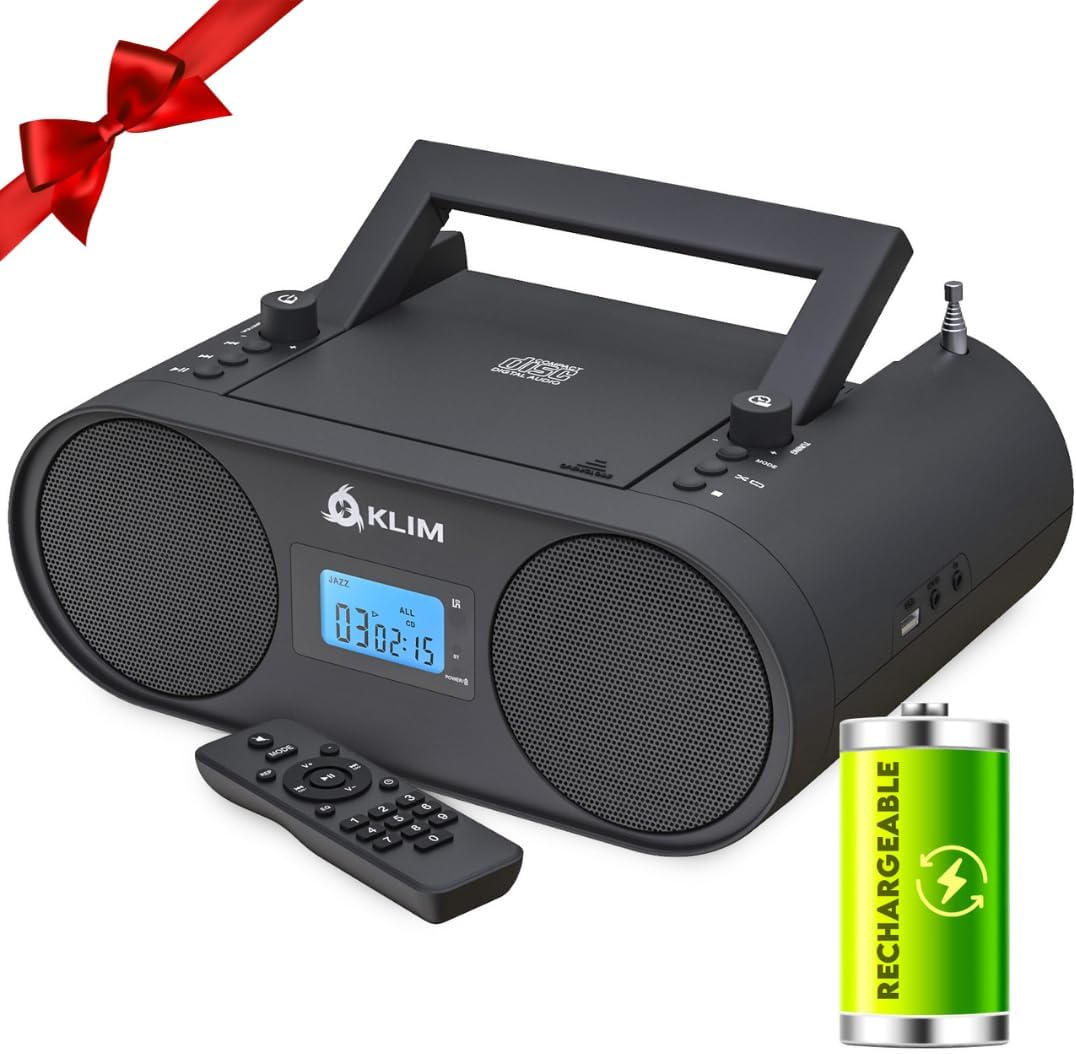
The KLIM Boombox B4, a portable audio system, is shown with its remote control and a visual representation of its rechargeable battery feature. The device is black with two front-facing speakers and a central display.
2. Package Contents
Ensure all items are present upon unboxing:
- KLIM Boombox B4 Unit
- Remote Control
- Power Cable
- User Manual (this document)

Multiple views of the KLIM Boombox B4 are displayed, highlighting its compact design and integrated carrying handle, emphasizing its portability.
3. Controls and Features
The KLIM Boombox B4 is equipped with intuitive controls and various connectivity options:
- Top-Loading CD Player: For playing audio CDs.
- AM/FM Radio: Integrated tuner for radio broadcasts.
- Bluetooth Connectivity: Wireless streaming from compatible devices.
- USB Port: For MP3 playback from USB flash drives.
- AUX Input: 3.5mm jack for wired connection to external audio sources.
- Headphone Jack: For private listening.
- Digital Equalizer: Pre-set sound modes (Jazz, Pop, Rock, Classic, Flat).
- Remote Control: Full-function remote for convenient operation.
- Rechargeable Battery: Built-in battery for portable use.
- Digital Display: Shows current mode, track number, and time.

A detailed view of the side of the KLIM Boombox B4, clearly showing the USB and AUX IN ports, indicating connectivity options for external devices.
Official product video showcasing the KLIM Boombox B4's various features and design.
4. Setup
4.1 Powering the Device
The KLIM Boombox B4 can be powered in two ways:
- AC Power: Connect the provided power cable to the AC IN port on the back of the unit and then to a standard wall outlet.
- Rechargeable Battery: The boombox has a built-in rechargeable battery. Ensure it is fully charged before portable use. Connect to AC power to charge. The battery does not need to be removed for charging.
4.2 Initial Use
Before first use, fully charge the device. Extend the telescopic antenna for optimal radio reception. Press the power button to turn the unit on.

The image emphasizes the portability of the KLIM Boombox B4, showing it being carried by its handle, with an overlay indicating '6+ hours of playtime' and a rechargeable battery icon.
5. Operating Instructions
5.1 Mode Selection
Press the 'MODE' button on the unit or remote control to cycle through available modes: CD, FM, AM, Bluetooth, AUX, USB.
5.2 CD Playback
- Open the CD compartment cover.
- Place an audio CD onto the spindle, label side up.
- Close the CD compartment cover securely.
- Select 'CD' mode. The CD will begin playing automatically.
- Use the Play/Pause, Stop, Skip Forward/Backward buttons on the unit or remote to control playback.
5.3 AM/FM Radio
- Select 'FM' or 'AM' mode.
- Extend the telescopic antenna for better reception.
- Use the 'Tuning' knob or the 'CH+' / 'CH-' buttons on the remote to tune to your desired station.
- The digital display will show the current frequency.
5.4 Bluetooth Connectivity
- Select 'Bluetooth' mode. The display will show 'bt' and flash, indicating it's ready to pair.
- On your mobile device, enable Bluetooth and search for 'KLIM Boombox B4'.
- Select the device to pair. Once connected, 'bt' will stop flashing.
- You can now stream audio wirelessly from your device.
5.5 AUX/USB Playback
- AUX: Connect an external audio device (e.g., smartphone, MP3 player) to the 'AUX IN' port using a 3.5mm audio cable. Select 'AUX' mode.
- USB: Insert a USB flash drive containing MP3 audio files into the 'USB' port. Select 'USB' mode. The system will automatically detect and play the MP3 files.
A demonstration video highlighting the unboxing, setup, and various functionalities of the KLIM Boombox B4, including CD playback, radio tuning, and Bluetooth connectivity.
A short video clip demonstrating the mode switching functionality of the KLIM Boombox B4, showing the digital display changing between different input sources.
6. Digital Equalizer
The KLIM Boombox B4 includes a digital equalizer with several pre-set modes to enhance your listening experience. Press the 'EQ' button on the remote control to cycle through the following sound profiles:
- Jazz
- Pop
- Rock
- Classic
- Flat (default, no equalization)

This image features the KLIM Boombox B4 alongside its remote control, with an inset showing a detailed view of one of its 3W high-quality speakers, emphasizing sound components and remote functionality.
7. Maintenance
To ensure the longevity and optimal performance of your KLIM Boombox B4, follow these maintenance guidelines:
- Cleaning: Use a soft, dry cloth to clean the exterior of the unit. Do not use abrasive cleaners or solvents. For the CD lens, use a specialized CD lens cleaner.
- Storage: When not in use for extended periods, store the boombox in a cool, dry place away from direct sunlight and extreme temperatures.
- Battery Care: To maintain battery health, avoid fully discharging the battery frequently. Recharge the unit regularly, even if not in constant use.
- CD Handling: Always handle CDs by their edges to prevent scratches. Store CDs in their cases when not in use.
8. Troubleshooting
If you encounter issues with your KLIM Boombox B4, refer to the following common problems and solutions:
| Problem | Possible Cause | Solution |
|---|---|---|
| No Power | Power cable not connected; Battery discharged | Ensure power cable is securely connected. Charge the battery. |
| No Sound | Volume too low; Incorrect mode selected; Headphones connected | Increase volume. Select the correct input mode. Disconnect headphones if external sound is desired. |
| CD Skipping | CD dirty or scratched; Unit unstable | Clean the CD. Ensure the unit is on a stable, flat surface. |
| Poor Radio Reception | Antenna not extended; Weak signal | Fully extend and adjust the telescopic antenna. Try moving the unit to a different location. |
| Bluetooth Pairing Failure | Device not in pairing mode; Distance too far | Ensure the boombox is in Bluetooth pairing mode. Move your device closer to the boombox. |
9. Specifications
| Feature | Detail |
|---|---|
| Product Dimensions | 11.81 x 8.9 x 4.92 inches |
| Item Weight | 4.51 pounds |
| Model Number | KBB43 |
| Batteries | 1 Lithium Ion battery required (included) |
| Connectivity Technology | Bluetooth |
| Color | Black |
| Speaker Type | Stereo |
10. Warranty and Support
The KLIM Boombox B4 comes with a 5-year warranty, reflecting KLIM's commitment to quality and durability. For any technical assistance, troubleshooting beyond this manual, or warranty claims, please contact KLIM customer service. Detailed contact information can typically be found on the official KLIM website or within the product packaging.
For further support, visit the official KLIM website: KLIM Technologies Store
Related documentsKBB43


Ask a question about this manual
Ask about setup, troubleshooting, compatibility, parts, safety, or missing instructions. Manuals+ will review the question and use this page’s manual context to help answer it.