
MEIKEE RFLB025
MEIKEE 35W RGBW LED Flood Lights User Manual
Model: RFLB025 | Brand: MEIKEE
1. Product Overview
The MEIKEE 35W RGBW LED Flood Lights are designed to provide dynamic and functional outdoor lighting. Featuring RGBW (Red, Green, Blue, White) color capabilities and a crisp 6500K white light, these floodlights are suitable for various applications, from festive decorations to general illumination. They offer smart control options including 10 colors, 6 brightness levels, and multiple dynamic modes, all controllable via an included 29-key remote. Built with IP66 waterproofing and efficient heat dissipation, these lights are engineered for reliable year-round outdoor performance.

Figure 1.1: MEIKEE 35W RGBW LED Flood Lights (4-pack) with remote controls.
2. What's in the Box
- 4x MEIKEE 35W RGBW LED Flood Lights
- 2x Remote Controllers
- 1x Set of Installation Components (screws, anchors)
- 1x Instruction Manual
3. Specifications
| Feature | Description |
|---|---|
| Brand | MEIKEE |
| Model Number | RFLB025 |
| Wattage | 35 Watts |
| Brightness | 3500 Lumens |
| Light Color | RGBW (Red, Green, Blue, White) |
| Color Temperature (White) | 6500K |
| Material | Acrylonitrile Butadiene Styrene, Aluminum, Glass |
| Product Dimensions | 7.32"L x 6.85"W x 5.87"H |
| Item Weight | 6.16 Pounds (for 4-pack) |
| Indoor/Outdoor Usage | Outdoor |
| Water Resistance Level | IP66 Waterproof |
| Power Source | AC (Plug-and-Play) |
| Control Method | Remote Control (RF Wireless) |
| Special Features | Color Changing, Dimmable, Timer, Water Resistant |

Figure 3.1: Key components and dimensions of the MEIKEE Floodlight.
4. Setup and Installation
The MEIKEE Flood Lights are designed for simple plug-and-play installation, requiring no complex wiring. The adjustable bracket allows for versatile mounting options.
4.1 Mounting Options
- Wall Mount: Secure the bracket to a wall using the provided screws and anchors. Adjust the light angle as needed.
- Ground Insert: The bracket can be used as a stand to place the light directly on the ground. Ensure it is placed in an area where water does not pool.
- Ceiling Mount: The adjustable bracket also allows for overhead mounting on ceilings or eaves.

Figure 4.1: Examples of ground insert and wall mount installations.
4.2 Initial Power-Up
Once mounted, simply plug the floodlight into a standard AC power outlet. The lights are ready for operation immediately.
5. Operating Instructions
The MEIKEE Flood Lights are controlled using the included 29-key RF (Radio Frequency) remote control. RF technology allows for control from a distance of up to 12 meters (39.3 feet) and can penetrate obstacles, offering flexible operation.
5.1 Remote Control Functions
- Power On/Off: Use the dedicated ON/OFF buttons.
- Color Selection: Choose from 10 single colors (Red, Green, Blue, White, Orange, Purple, Yellow, Cyan, Magenta, Lime Green) using the color buttons.
- Brightness Adjustment: Adjust brightness levels (6 levels) using the 'W+' and 'W-' buttons.
- Dynamic Modes: Select from various dynamic modes including Flash, Smooth, and Multi-blend options.
- Speed Adjustment: For dynamic modes, increase or decrease the speed of color transitions using the 'Speed+' and 'Speed-' buttons.
- Timing Function: Set the lights to automatically turn off after 2, 4, or 6 hours using the '2H', '4H', '6H' buttons.

Figure 5.1: Remote control layout and available color/mode options.

Figure 5.2: RF Wireless Control capabilities.
5.2 Memory Function
The floodlights feature a memory function. When powered off and then back on, they will automatically revert to the last used color, brightness, and mode settings, eliminating the need for reprogramming.

Figure 5.3: Timing and Memory Functions explained.
5.3 Setting Individual Light Colors (Important Note)
If you wish to set different colors or modes for individual lights when using multiple units, follow these steps:
- Plug in only one light. Use the remote to set your desired color or mode for this light.
- Unplug the first light.
- Plug in the next light and use the remote to set its desired color or mode.
- Repeat for all lights. Once all lights are set, they will remember their individual settings when plugged in together.
This is necessary because one remote can control all lights within its range simultaneously. By setting them individually, you ensure each light retains its specific setting.

Figure 5.4: Method for setting individual light colors.
5.4 Product Video Demonstration
Video 5.1: Official MEIKEE demonstration of RGB Flood Lights with remote control, showcasing daily lighting, special occasions, party dynamic modes, timing function, efficient heat dissipation, durable metal body, and RF wireless control.
6. Maintenance
The MEIKEE Flood Lights are designed for durability and minimal maintenance. Regular cleaning and proper placement will ensure optimal performance and longevity.
- Cleaning: Periodically wipe the glass panel and aluminum body with a soft, damp cloth to remove dirt and debris. Do not use harsh chemicals or abrasive cleaners.
- Heat Dissipation: Ensure the back of the floodlight, particularly the finned heat sink, remains clear of obstructions to allow for efficient heat dissipation.
- Weather Protection: While rated IP66 waterproof, avoid submerging the lights in water. Ensure the power plug connection is secure and protected from direct heavy rainfall if possible, although the unit itself is designed to withstand outdoor elements.
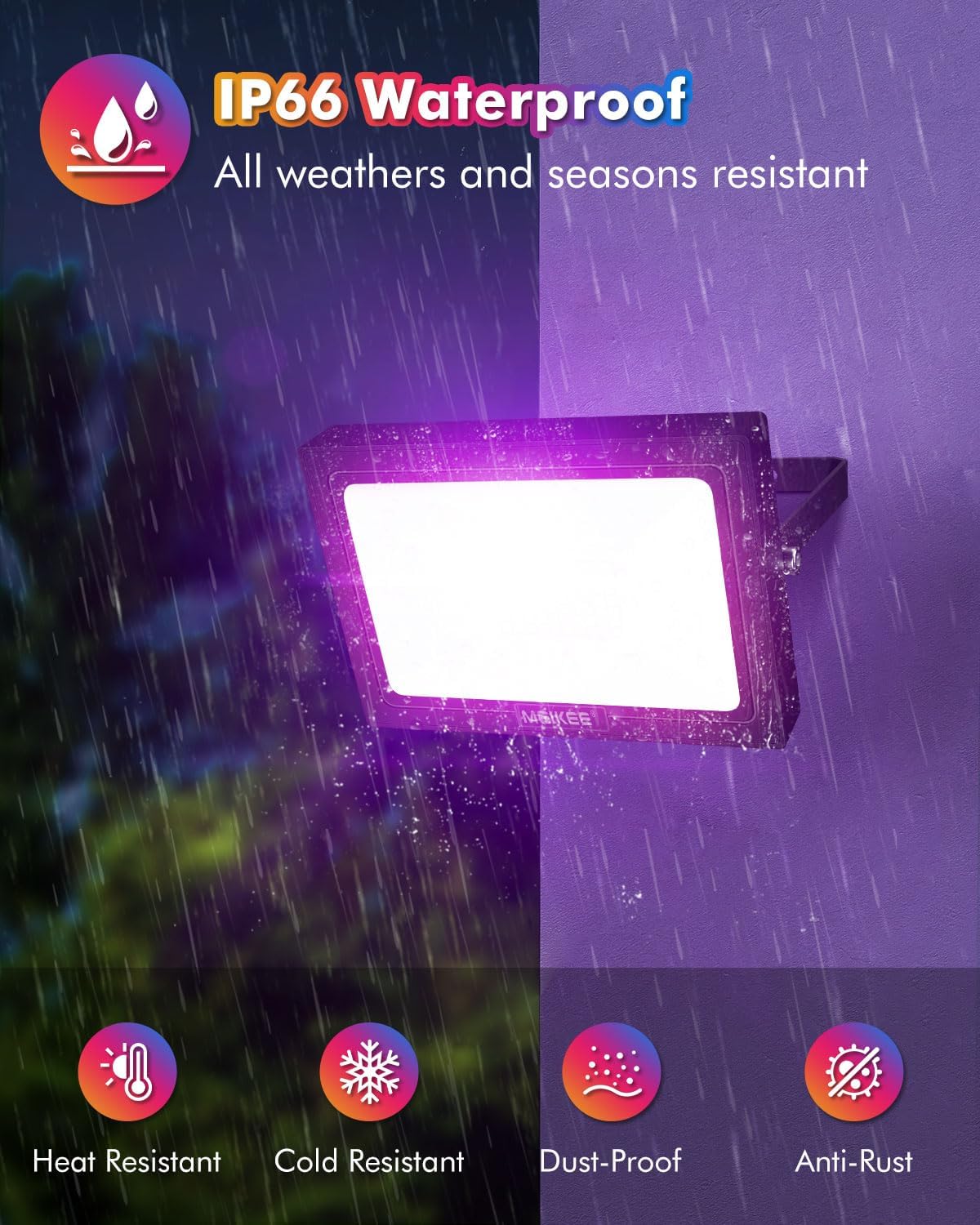
Figure 6.1: IP66 Waterproof rating ensures durability in various weather conditions.
7. Troubleshooting
| Problem | Possible Cause | Solution |
|---|---|---|
| Light does not turn on. | No power, remote battery low, or remote not paired. | Check power connection. Replace remote battery. Ensure remote is pointed towards the light or within RF range. |
| Remote not responding or controlling all lights simultaneously. | Multiple lights are within range and receiving the same signal. | To set individual colors/modes, unplug all lights except the one you want to configure. Set its desired mode, then unplug it. Repeat for each light. They will remember their settings when all are plugged back in. |
| Light color/mode is inconsistent. | Interference or incorrect setting. | Ensure no other RF devices are causing interference. Reset the light by unplugging and replugging, then re-select the desired setting. |
| Light is dim or flickering. | Power supply issue or light malfunction. | Check power source stability. If problem persists, contact customer support. |
8. Warranty and Support
MEIKEE products are covered by a 2-year warranty from the date of purchase. For any product inquiries, technical assistance, or warranty claims, please contact MEIKEE customer support.
You can reach us via Amazon's messaging system or through the email address provided in your product packaging. We aim to provide a timely response within 24 hours.
For more information and to explore other MEIKEE products, visit the official MEIKEE store on Amazon: MEIKEE Store
Related documentsRFLB025


Ask a question about this manual
Ask about setup, troubleshooting, compatibility, parts, safety, or missing instructions. Manuals+ will review the question and use this page’s manual context to help answer it.