
1. Introduction
This instruction manual provides essential information for the safe and efficient installation, operation, and maintenance of your Cooler Depot Commercial Ice Maker, Model SK-520 (SK-500P). Please read this manual thoroughly before installing or operating the appliance. Retain this manual for future reference.
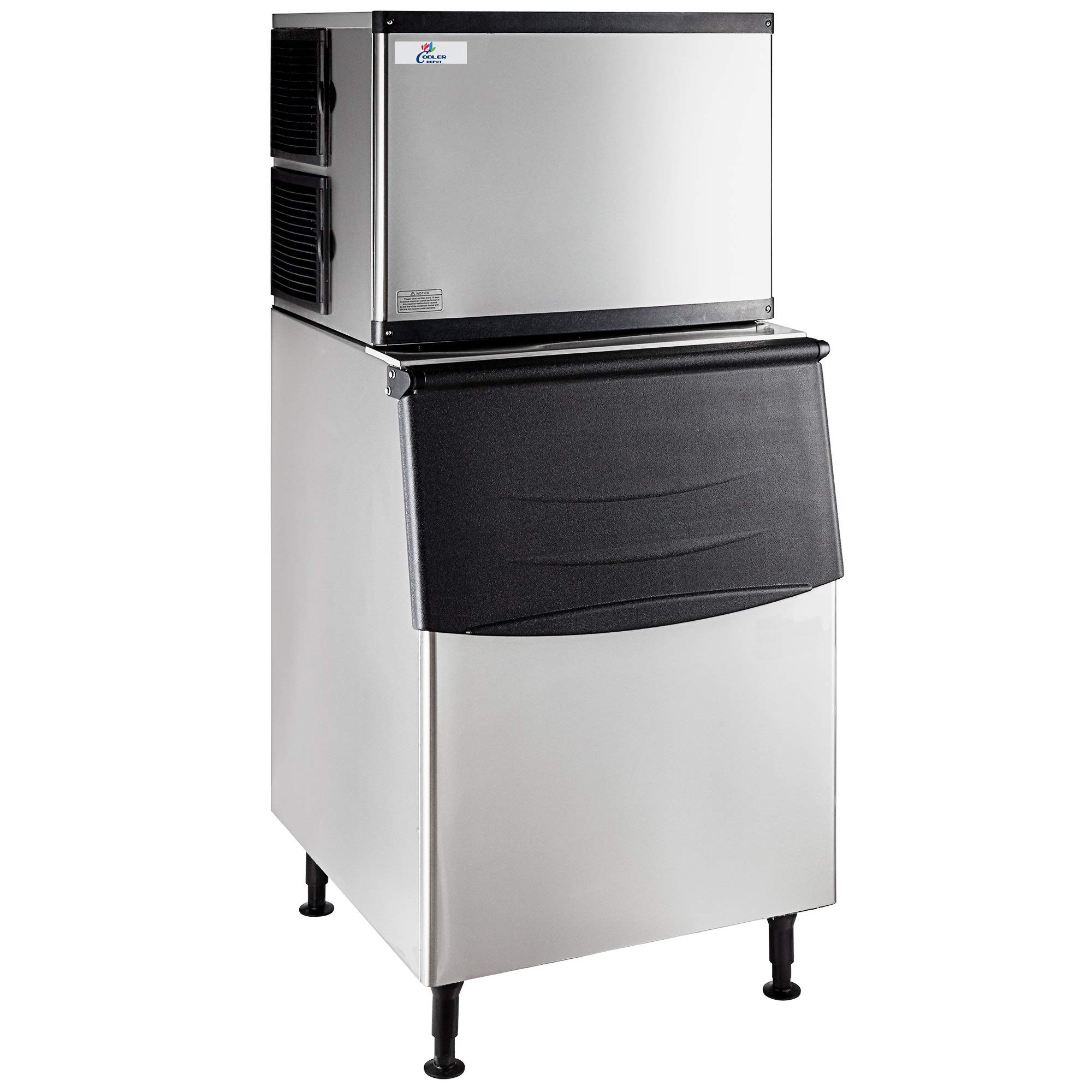
Image 1.1: Front view of the Cooler Depot SK-520 Commercial Ice Maker, showing the ice machine head unit mounted on top of the ice storage bin.
2. Safety Instructions
Observe all safety precautions to prevent injury and property damage. Failure to follow these instructions may result in electric shock, fire, or serious injury.
- Electrical Safety: Ensure the unit is connected to a grounded 115V/60Hz electrical outlet with a dedicated circuit. Do not use extension cords. Disconnect power before any maintenance or cleaning.
- Water Connection: Connect to a potable water supply. Ensure all water connections are secure to prevent leaks. Install a water filter as supplied.
- Ventilation: This is an air-cooled unit. Maintain adequate clearance around the machine for proper airflow to the condenser. Do not block air vents.
- Placement: Install the ice maker on a level, stable surface capable of supporting its weight (approximately 155 lbs empty, plus ice). Avoid direct sunlight or heat sources.
- Refrigerant: This appliance contains R404a refrigerant. Servicing should only be performed by qualified personnel.
- Children and Pets: Keep children and pets away from the appliance during operation and maintenance.
3. Setup and Installation
3.1 Unpacking
Carefully remove all packaging materials. Inspect the unit for any shipping damage. Report any damage to your supplier immediately.
3.2 Placement
- Position the ice maker in a location with ambient temperatures between 50°F (10°C) and 90°F (32°C).
- Ensure at least 6 inches (15 cm) of clearance on the back and sides for proper air circulation.
- Level the unit using the adjustable feet to ensure proper drainage and ice production.
3.3 Water Connection
Connect the supplied water filter and inlet hose to a cold potable water supply with a pressure between 20-80 PSI. Flush the water line before connecting to the ice maker.
3.4 Drain Connection
Connect the outlet hose to a floor drain or an open standpipe. Ensure the drain line has a continuous downward slope to prevent water from backing up into the ice bin.
3.5 Electrical Connection
Plug the ice maker into a dedicated 115V/60Hz, 14.5 Amp grounded electrical outlet. Do not share the circuit with other appliances.
3.6 Initial Cleaning
Before first use, clean the ice storage bin and all ice-contacting surfaces with a mild sanitizer solution. Rinse thoroughly with clean water.
4. Operating Instructions
4.1 Powering On
After completing all setup steps, turn on the main power switch, usually located on the control panel. The machine will initiate its ice-making cycle automatically.
4.2 Ice Production Cycle
The ice maker will draw water, freeze it into cubes, and then harvest the ice into the storage bin. This process is automatic. The machine will stop producing ice when the bin is full and resume when ice levels drop.
The unit is equipped with external indicator lights to signal operational status or maintenance requirements.
4.3 First Batch of Ice
It is recommended to discard the first two batches of ice produced to ensure any residual cleaning solution or impurities are flushed from the system.
5. Maintenance
Regular maintenance is crucial for the longevity and efficient operation of your ice maker.
5.1 Daily Maintenance
- Clean the exterior surfaces with a soft cloth and mild detergent.
- Ensure the ice scoop is clean and stored hygienically.
5.2 Weekly Maintenance
- Inspect the ice bin for cleanliness. Remove any standing water or ice residue.
- Check for proper drainage.
5.3 Monthly Maintenance
- Clean the Condenser: Disconnect power. Use a brush or vacuum cleaner to remove dust and debris from the condenser fins. This is critical for air-cooled units.
- Sanitize Ice Bin and Water System: Follow manufacturer's guidelines for sanitizing the ice-making components and storage bin using an approved ice machine cleaner.
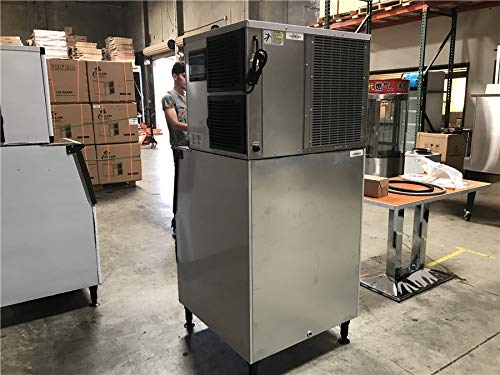
Image 5.1: Rear view of the ice maker, highlighting the condenser area which requires regular cleaning for optimal performance.
5.4 Quarterly Maintenance
- Replace Water Filter: The included water filter should be replaced every 3-6 months, depending on water quality and usage, to ensure clean ice and protect the machine.
- Descaling: Perform a descaling procedure using an approved ice machine descaler to remove mineral deposits from the water system.
6. Troubleshooting
Before calling for service, review the following common issues and their solutions.
| Problem | Possible Cause | Solution |
|---|---|---|
| No ice production | No power; Water supply off; Clogged water filter; High ambient temperature; Refrigerant leak. | Check power connection and circuit breaker; Ensure water supply valve is open; Replace water filter; Ensure proper ventilation; Contact service technician. |
| Small or soft ice cubes | Low water pressure; Clogged water filter; High water temperature; Dirty condenser. | Check water pressure; Replace water filter; Ensure cold water supply; Clean condenser. |
| Water leaks | Loose water connections; Clogged drain line; Damaged water line. | Tighten connections; Clear drain line; Inspect and replace damaged lines. |
| Unusual noise | Loose components; Fan obstruction; Compressor issue. | Inspect for loose parts; Clear any obstructions; Contact service technician. |
If the problem persists after attempting these solutions, please contact customer support.
7. Specifications
Key technical specifications for the Cooler Depot Commercial Ice Maker SK-520 (SK-500P).

Image 7.1: Diagram illustrating the overall dimensions of the ice maker: 67 inches height, 29 inches width, and 32 inches depth.
| Feature | Detail |
|---|---|
| Model | SK-520 (SK-500P) |
| Ice Production Capacity | Up to 500 lbs per 24 hours |
| Ice Bin Capacity | Up to 275 lbs |
| Dimensions (D x W x H) | 32" x 29" x 67" |
| Power Supply | 115V / 60Hz |
| Current | 14.5 Amps |
| Wattage | 1400 Watts |
| Refrigerant | R404a |
| Material | Stainless Steel |
| Item Weight | 155 Pounds |
| Included Components | Ice Maker unit, Water filter, Outlet and inlet hoses/tubes, Ice scoop |
| UPC | 610911005003 |
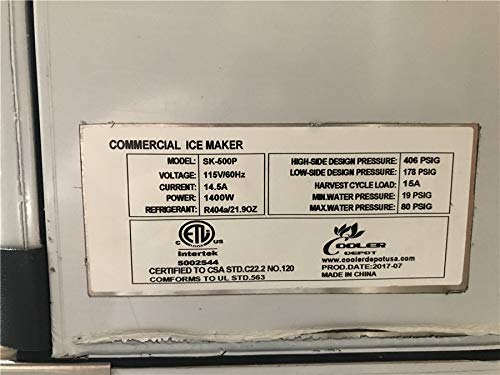
Image 7.2: Product specification label, showing model SK-500P, voltage, current, power, refrigerant, and pressure ratings.
8. Warranty Information
This Cooler Depot Commercial Ice Maker comes with a manufacturer's warranty from the date of purchase:
- Parts: 3 years
- Compressor: 6 years
Please retain your proof of purchase for warranty claims. The warranty covers defects in materials and workmanship under normal use and service. It does not cover damage resulting from improper installation, misuse, abuse, neglect, accident, or unauthorized repair.
9. Customer Support
For technical assistance, warranty claims, or to order replacement parts, please contact Cooler Depot customer support. Have your model number (SK-520 or SK-500P) and serial number ready when contacting support.
Refer to your purchase documentation or the Cooler Depot website for current contact information.


