1. Product Overview
The USX MOUNT TV Mounting Bolts kit provides essential hardware for securely attaching your television to a wall mount. This kit includes M8 x 45mm and M8 x 25mm bolts, along with 2.5mm plastic spacers and 8.5mm stainless steel washers, designed for compatibility with various TV brands, particularly Samsung, LG, Vizio, Philips, Sony, Bravia, and Sharp TVs 41 inches or larger.
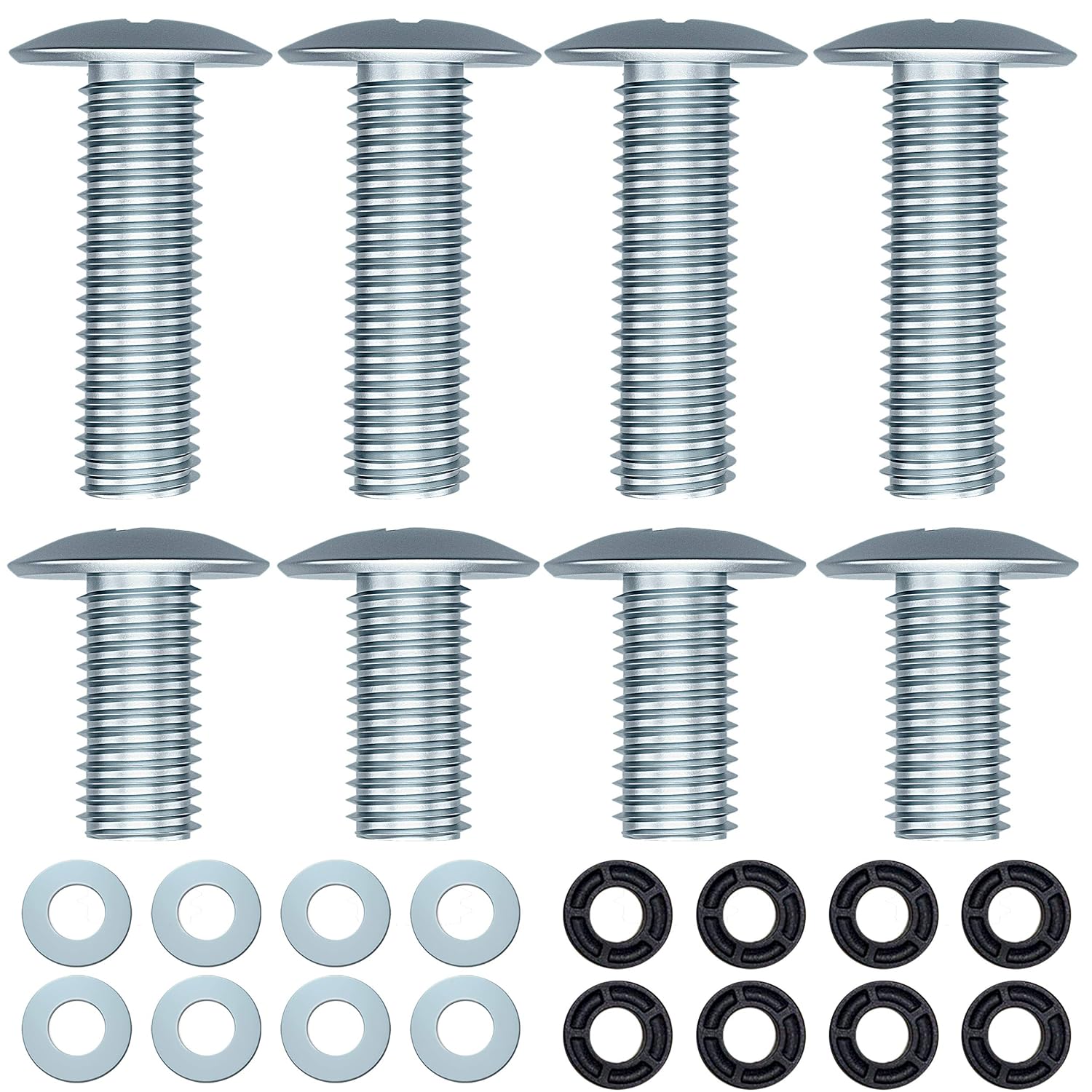
Figure 1: Complete USX MOUNT TV Mounting Bolts Kit
2. Package Contents
Verify that all components listed below are present in your package:
- 8 x M8 x 45mm long bolts
- 8 x M8 x 25mm long bolts
- 8 x 2.5mm plastic spacers
- 8 x 8.5mm stainless steel washers

Figure 2: Detailed view of package contents with labels
3. Compatibility
This bolt kit is designed for use with 41-inch or larger TVs from various manufacturers, including but not limited to Samsung, LG, Vizio, Philips, Sony, Bravia, and Sharp. It is particularly suitable for many Samsung TV models, such as:
- Samsung 5 series, 6 series (NU6900 / NU6950), 7 series (RU7100 / NU7100), 8 series (KS8000 / RU8000 / NU8000 / KS8500 / MU8500, MU8000)
- Specific models: UN75NU8000F, UN65RU9000, UN65RU8000, UN65RU7100FXZA, UN65NU6950FXZA, UN50NU6950FXZA, UN65NU6900FXZA, UN65NU6900, Un65KU6300F, UN60ES8000F, UN55NU800DF, UN55NU6900FXZA, UN50NU6900BXZA, UN55KU6600, UN50J5201AFXZA, UN49KS8500F, UN43RU7100FXZC, UN40NU6070FXZA, UN40FH6030, UN65RU7100FXZA, UN60J6200, UN65MU8000, UN49MU8000, UN75NU8000, UN65NU6900F, 65NU8000.
Important: Always consult your TV's user manual and your TV wall mount's manual to determine the correct bolt size and length required for your specific setup before installation.
4. Installation Guide
Follow these steps to properly install your TV mounting bolts:
4.1. Check TV and Mount Manuals
Before beginning, refer to the instruction manuals for both your television and your TV wall mount. These manuals will specify the exact VESA mounting hole dimensions and the required bolt type (e.g., M8) and length for your particular TV model.
4.2. Select Correct Bolts and Spacers
Based on your TV and mount specifications, choose either the M8 x 45mm or M8 x 25mm bolts. If your TV's mounting holes are recessed or if the wall mount bracket requires additional clearance, use the provided 2.5mm plastic spacers and 8.5mm stainless steel washers to achieve a secure and flush fit. The washers help distribute the load and prevent damage to the TV's back panel.

Figure 3: Adjustable Screw Lengths with and without Spacers
4.3. Attach to TV Mount
Align the TV wall mount brackets with the VESA mounting holes on the back of your television. Insert the selected M8 bolts through the mount bracket, then through any necessary spacers and washers, and finally into the TV's mounting holes. Tighten the bolts firmly but do not overtighten, as this can damage the TV or the bolts. Ensure the TV is securely fastened to the mount before proceeding with hanging it on the wall.

Figure 4: Components for TV Mounting

Figure 5: Example of TV mounted using the kit
5. Specifications
| Feature | Detail |
|---|---|
| Model Number | XAS701 |
| Bolt Sizes | M8 x 45mm, M8 x 25mm |
| Spacer Size | 2.5mm (plastic) |
| Washer Size | 8.5mm (stainless steel) |
| Material | Stainless Steel (bolts, washers), Plastic (spacers) |
| Drive System | Phillips |
| Head Style | Binding |
| Product Dimensions | 6 x 4 x 0.5 inches (packaging) |
6. Maintenance
These TV mounting bolts require minimal maintenance. Store any unused bolts, spacers, and washers in a dry place to prevent corrosion. Periodically check the tightness of the bolts securing your TV to the wall mount to ensure continued security, especially after initial installation and any significant vibrations or movements near the TV.
7. Troubleshooting
7.1. Bolts Do Not Fit TV Mounting Holes
Ensure you have correctly identified the required bolt size (M8) and length for your TV. Refer to your TV's manual for precise specifications. If the bolts are too long, ensure you are using the appropriate spacers and washers. If they are still too long or the wrong diameter, you may need a different size bolt not included in this kit.
7.2. TV Feels Loose After Installation
Carefully re-check the tightness of all bolts. Ensure that the bolts are fully engaged with the TV's mounting threads and that any spacers or washers are correctly positioned to provide a snug fit without overtightening. Verify that the wall mount itself is securely fastened to the wall according to its own instructions.
8. Warranty and Support
USX MOUNT is committed to customer satisfaction and product quality. We offer 10 years of customer service for our products. If you have any concerns before purchase or encounter any installation problems, please do not hesitate to contact our US-Based customer support team. Your satisfaction is our priority.
For support, please visit the USX MOUNT store on Amazon or contact us through the platform where you purchased the product.


