
Panda PAN6360W
Panda Portable Washing Machine User Manual
Model: PAN6360W
1. Introduction
Thank you for choosing the Panda Portable Washing Machine. This compact and space-saving appliance is designed for small living spaces such as apartments, dorms, and RVs, offering powerful and versatile washing capabilities. With its 1.54 cubic feet capacity, 8 wash programs, and 4 water levels, it provides a customized cleaning experience for various fabrics. The durable stainless steel drum ensures reliable use.
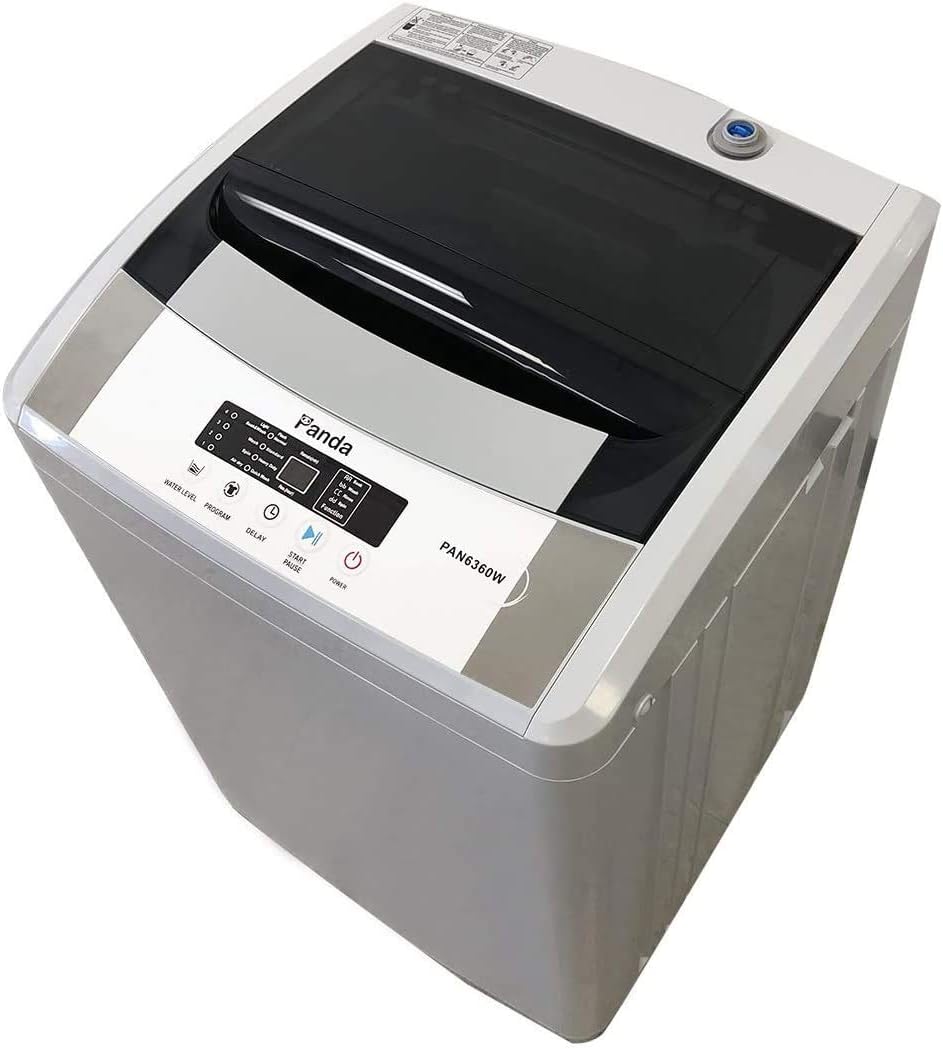
Figure 1: Panda Portable Washing Machine (Model PAN6360W)
2. Setup
The Panda Portable Washing Machine is designed for hassle-free installation without permanent plumbing. Follow these steps to set up your machine:
- Placement: Position the washing machine on a flat, stable surface. The built-in casters allow for easy movement. Ensure there is adequate space around the unit for ventilation and operation.
- Water Inlet Connection: Connect the included inlet hose with the quick-connect adapter to a standard faucet. The machine has one water inlet, so water temperature adjustment should be done at the faucet.
- Water Inlet Cap: Ensure the water inlet cap on the machine is securely fastened to prevent leaks.
- Drain Hose: Place the drain hose into a sink or suitable drainage area. Ensure the hose is not kinked or obstructed to allow for proper water drainage.
- Power Connection: Plug the washing machine into a standard 3-prong 110V outlet.

Figure 2: Inlet Hose and Quick Adapter

Figure 3: Water Inlet Cap

Figure 4: Drain Hose
3. Operating Instructions
The Panda Portable Washing Machine features easy-to-use electronic controls and a clear LED display.

Figure 5: Control Panel
- Power On: Press the 'Power' button to turn on the machine.
- Load Laundry: Open the top lid and place your clothes evenly inside the stainless steel drum. Do not overload the machine; refer to the capacity guidelines.
- Add Detergent: Add the appropriate amount of detergent to the detergent box.
- Select Water Level: Press the 'Water Level' button to choose from 4 available water levels (1-4) based on your load size.
- Select Program: Press the 'Program' button to cycle through the 8 wash programs: Light, Soak & Wash, Flash, Normal, Wash, Standard, Spin, Heavy Duty, Air Dry, Quick Wash.
- Delay Start (Optional): Use the 'Delay' button to set a delayed start time for your wash cycle.
- Start Cycle: Press the 'Start/Pause' button to begin the wash cycle. The machine will automatically fill with water, wash, rinse, and spin according to the selected program.
- Pause Cycle: During operation, you can press 'Start/Pause' to temporarily stop the cycle. Press again to resume.

Figure 6: Stainless Steel Tub
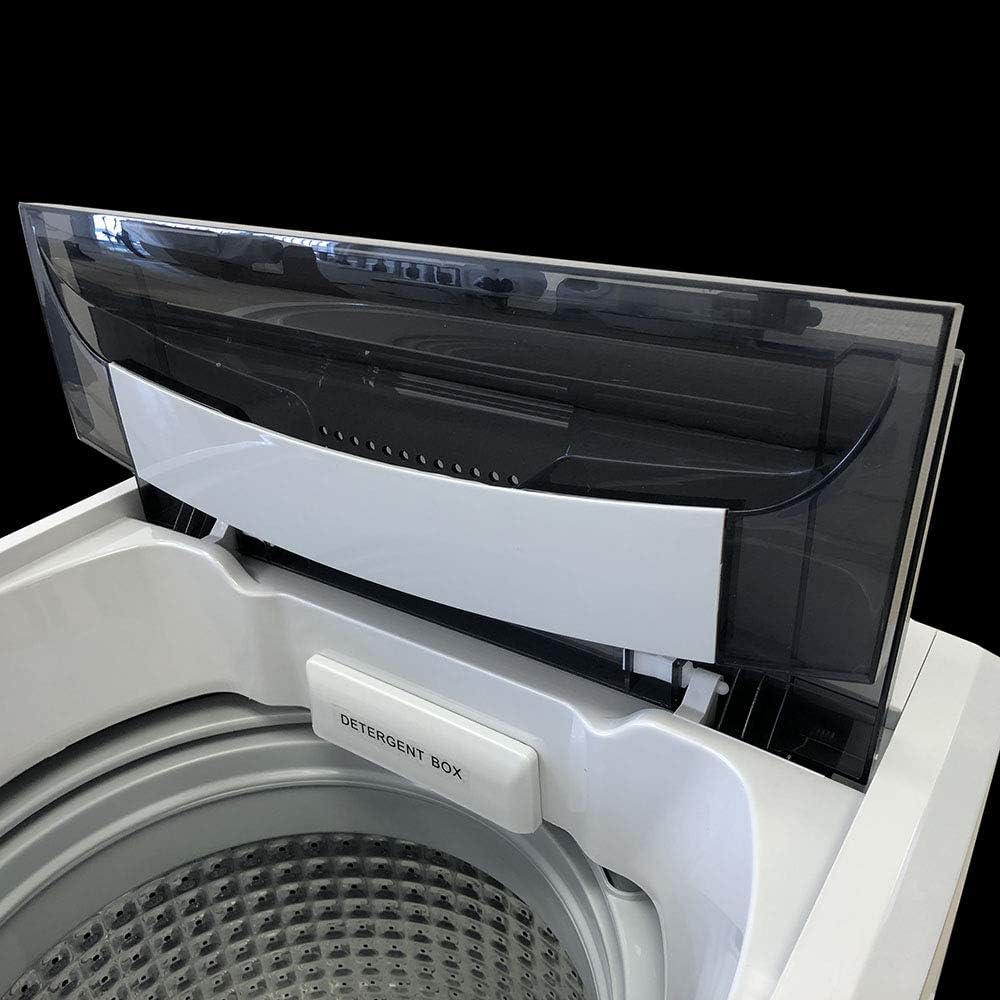
Figure 7: Detergent Box
4. Maintenance
Regular maintenance ensures the longevity and efficient operation of your washing machine.
- Cleaning the Tub: The stainless steel drum is designed to resist rust and chipping. Periodically run a 'Tub Cleaning' cycle (if available on your model) or a normal wash cycle with hot water and a washing machine cleaner to prevent residue buildup.
- Detergent Box Cleaning: Regularly clean the detergent box to prevent clogs and ensure proper detergent dispensing. Remove and rinse it under running water.
- Lint Filter: Some models may have a lint filter. Check and clean it regularly to ensure efficient lint removal and prevent clothes from catching on it.
- Exterior Cleaning: Wipe down the exterior of the machine with a soft, damp cloth. Avoid abrasive cleaners that could damage the finish.
- Drain Hose: Ensure the drain hose remains clear of obstructions. If you notice slow drainage, check for blockages.
5. Troubleshooting
If you encounter issues with your washing machine, refer to the common problems and solutions below:
| Problem | Possible Cause / Solution |
|---|---|
| E2 Error Code | This error often indicates an issue with the lid sensor. Ensure the lid is fully closed and the sensor mechanism is not obstructed or dislodged. Sometimes, gently pushing the sensor back into place can resolve this. |
| Machine is noisy or vibrates excessively | This usually indicates an unbalanced load. Pause the machine, redistribute the clothes evenly in the drum, and restart the cycle. Ensure the machine is on a level surface. |
| Water leaks from the bottom | Check all hose connections (inlet and drain) to ensure they are tight and not damaged. Inspect the drain hose for kinks or blockages. If your model has a filter at the bottom, ensure it is clean and properly secured. |
| Machine does not start | Ensure the power cord is securely plugged into a working outlet. Check if the lid is fully closed. Verify that a wash program and water level have been selected. |
| Water does not drain | Check the drain hose for kinks or blockages. Ensure the drain hose is positioned correctly in the sink or drainage area. |
If the problem persists after attempting these solutions, please contact customer support.
6. Specifications
- Manufacturer: Panda
- Model Number: PAN6360W
- Capacity: 1.54 Cubic Feet (approx. 12 lbs)
- Dimensions (D x W x H): 19.5 x 20 x 35 inches
- Item Weight: 55 pounds
- Color: Gray
- Material: Stainless Steel (Tub)
- Voltage: 110 Volts
- Sound Level: 74 dB
- Special Features: Child Lock, Delay Start, Vibration Reduction
- Included Components: Power Cord, Inlet hose with a Standard Size faucet adaptor
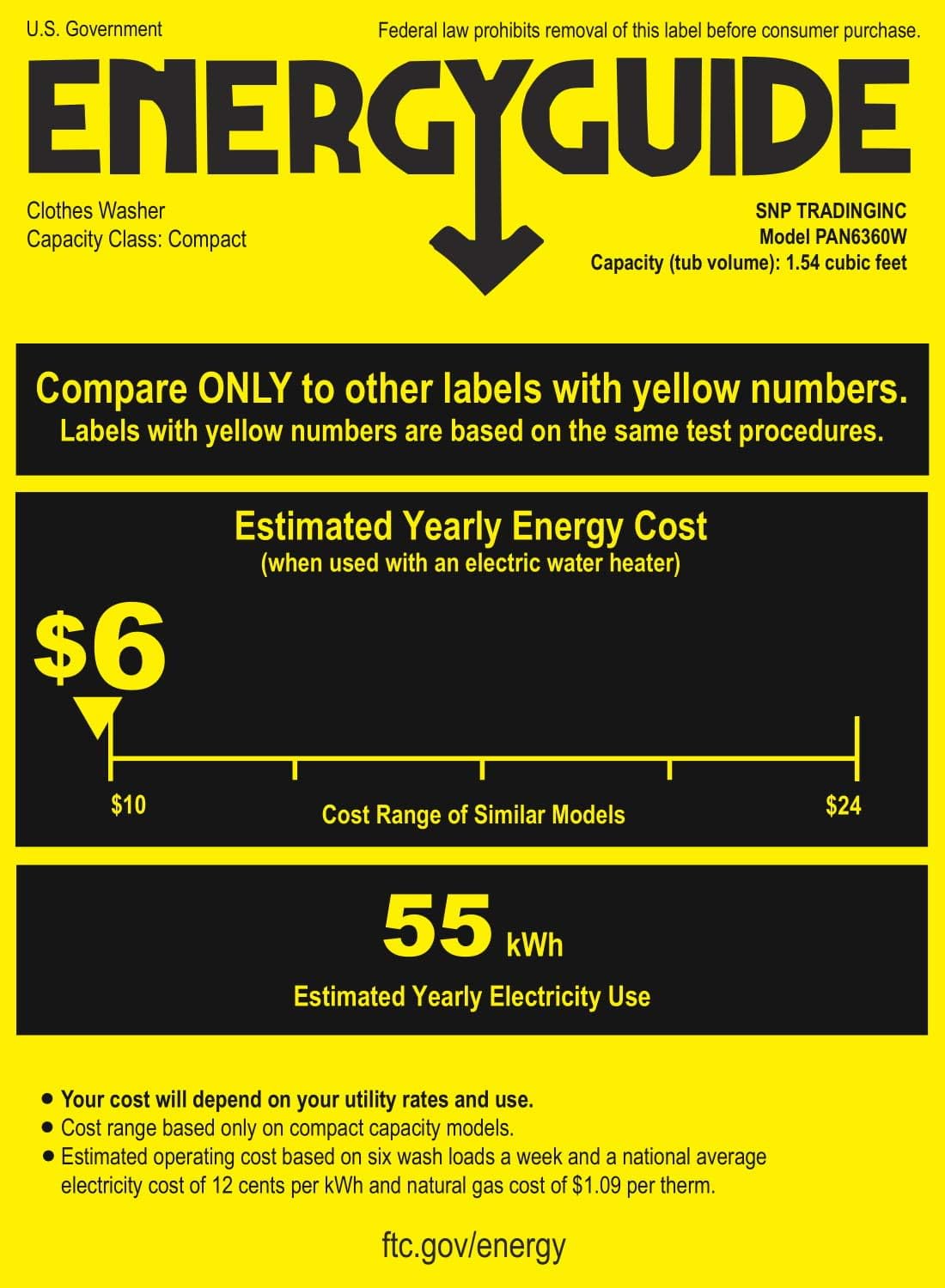
Figure 8: Energy Guide
7. Warranty
The Panda Portable Washing Machine comes with a 1-year manufacturer warranty. Please retain your proof of purchase for warranty claims.
8. Support
For further assistance, technical support, or warranty inquiries, please visit the official Panda website or contact their customer service department. Refer to the contact information provided with your product packaging.
Note: No official seller videos were available for embedding in this manual.
Related documentsPAN6360W


Ask a question about this manual
Ask about setup, troubleshooting, compatibility, parts, safety, or missing instructions. Manuals+ will review the question and use this page’s manual context to help answer it.