1. Introduction
Thank you for choosing the Prtukyt 8S Wireless Bluetooth Headset. This manual provides detailed instructions on how to set up, operate, and maintain your new headset. Please read this manual carefully before use to ensure optimal performance and longevity of your device.
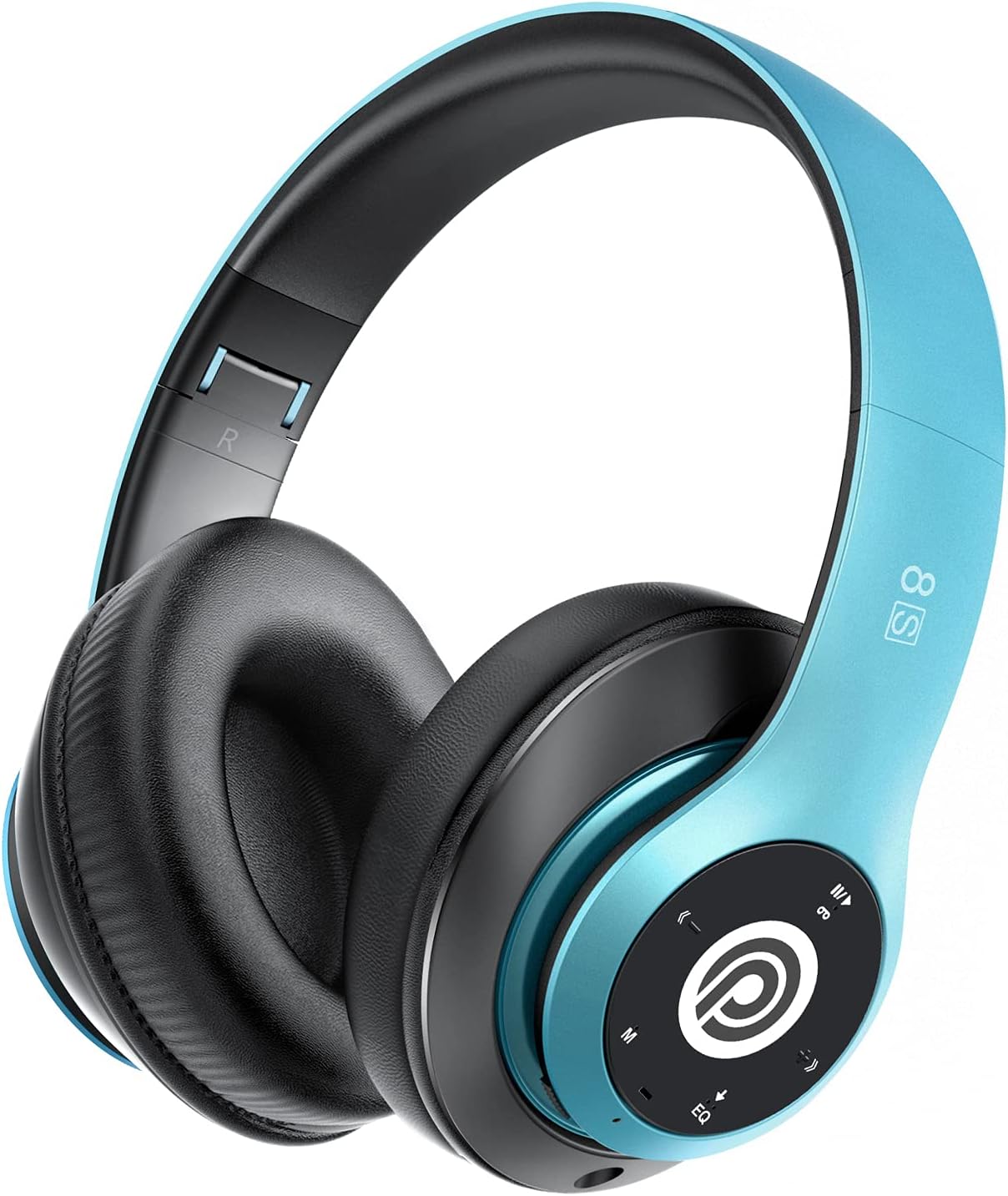
Image: The Prtukyt 8S Wireless Bluetooth Headset in blue, showcasing its sleek design and comfortable earcups.
2. Safety Information
To ensure safe and proper use, please observe the following guidelines:
- Do not expose the headset to extreme temperatures, humidity, or corrosive substances.
- Avoid dropping or subjecting the headset to strong impacts.
- Do not disassemble or modify the headset. This will void the warranty and may cause damage.
- Keep the headset away from water and liquids as it is not waterproof.
- Prolonged listening at high volume levels may cause hearing damage. Adjust volume to a moderate level.
- Dispose of the product and its battery responsibly according to local regulations.
3. Package Contents
Please check the package for the following items:
- 1 x Prtukyt 8S Wireless Bluetooth Headset
- 1 x Audio Cable (3.5mm Jack)
- 1 x USB Charging Cable
- 1 x User Manual
4. Product Overview
Familiarize yourself with the various parts and controls of your Prtukyt 8S headset.
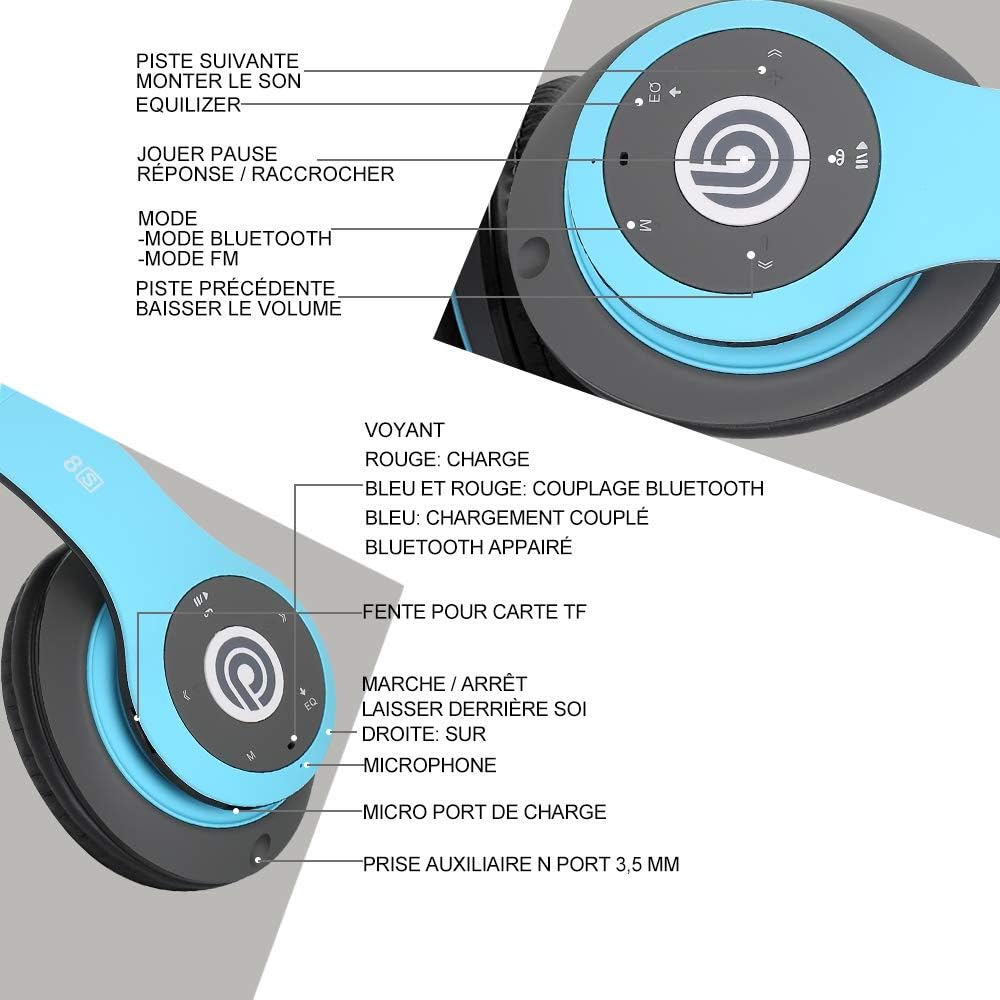
Image: Detailed view of the Prtukyt 8S headset's control panel and ports, including buttons, indicator light, TF card slot, microphone, charging port, and 3.5mm AUX port.
Control Panel & Ports:
- 1. Next Track / Volume Up: Short press for next track, long press to increase volume.
- 2. EQ Button: Press to cycle through equalizer sound effects.
- 3. Play / Pause / Answer / Hang Up: Multi-function button for music and calls.
- 4. Mode Button (M): Short press to switch between Bluetooth, FM Radio, and TF Card modes.
- 5. Previous Track / Volume Down: Short press for previous track, long press to decrease volume.
- 6. Indicator Light: Shows charging status, Bluetooth pairing, and connection status.
- 7. TF Card Slot: Insert a Micro SD/TF card for direct music playback.
- 8. Power On/Off Switch: Slide to turn the headset on or off.
- 9. Microphone: For hands-free calls.
- 10. Micro USB Charging Port: Connect the USB charging cable here.
- 11. 3.5mm AUX Port: For wired connection to audio devices.
Design Features:
- Foldable Design: The headset features a unique foldable design for easy portability and storage, saving space.

Image: The Prtukyt 8S headset demonstrating its multi-angle rotation and adjustable headband for ultimate comfort.
- Comfortable Earcups: Super soft foam earcups and an adjustable headband ensure a comfortable fit for extended listening sessions.
- High-Fidelity Audio: Equipped with powerful 57mm stereo drivers and Bluetooth 5.0 chip for deep bass and clear sound.

Image: An internal view highlighting the large aperture drivers and Bluetooth 5.0 chip for powerful performance.
5. Setup
5.1 Initial Charging
Before first use, fully charge the headset. Connect the USB charging cable to the Micro USB charging port on the headset and the other end to a USB power adapter (not included) or a computer's USB port.
- The indicator light will be RED during charging.
- The indicator light will turn BLUE when charging is complete.
- A full charge typically takes approximately 2-3 hours.
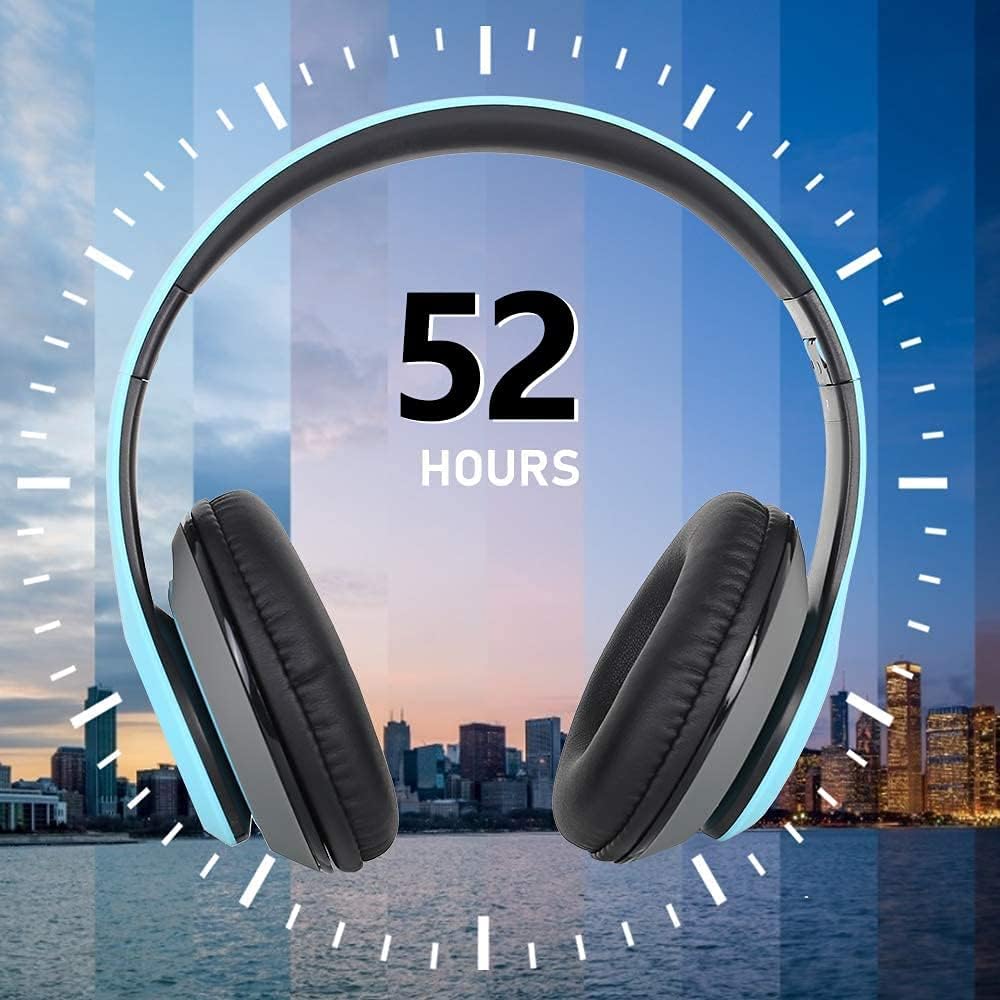
Image: The Prtukyt 8S headset illustrating its impressive 52-hour battery life on a single charge.
6. Operating Instructions
6.1 Power On/Off
- Power On: Slide the Power On/Off switch to the "ON" position. The indicator light will flash blue, indicating it's ready for pairing or connecting.
- Power Off: Slide the Power On/Off switch to the "OFF" position. The indicator light will turn off.
6.2 Bluetooth Pairing
- Ensure the headset is powered off.
- Slide the Power On/Off switch to the "ON" position. The headset will enter pairing mode, and the indicator light will flash BLUE and RED alternately.
- Enable Bluetooth on your device (smartphone, tablet, PC, etc.).
- Search for "Prtukyt 8S" or "PT-1088" in the list of available Bluetooth devices.
- Select "Prtukyt 8S" to connect. Once successfully paired, the indicator light will flash BLUE slowly.
- If prompted for a password, enter "0000".
Note: The headset will automatically attempt to reconnect to the last paired device when powered on.
6.3 Music Playback (Bluetooth Mode)
- Play/Pause: Short press the Play/Pause button.
- Next Track: Short press the Next Track / Volume Up button.
- Previous Track: Short press the Previous Track / Volume Down button.
- Volume Up: Long press the Next Track / Volume Up button.
- Volume Down: Long press the Previous Track / Volume Down button.
6.4 Call Functions
- Answer Call: Short press the Play/Pause/Answer/Hang Up button when an incoming call rings.
- End Call: Short press the Play/Pause/Answer/Hang Up button during a call.
- Reject Call: Long press the Play/Pause/Answer/Hang Up button when an incoming call rings.
- Redial Last Number: Double-press the Play/Pause/Answer/Hang Up button.
6.5 FM Radio Mode
- Turn on the headset.
- Short press the Mode (M) button to switch to FM Radio mode. You will hear a voice prompt indicating the mode change.
- Short press the Play/Pause button to automatically scan and save available FM stations.
- Use the Next Track and Previous Track buttons to navigate between saved stations.
6.6 TF Card Mode
- Insert a Micro SD/TF card (with MP3 audio files) into the TF Card Slot.
- Turn on the headset. It should automatically switch to TF Card mode and begin playing music. If not, short press the Mode (M) button to select TF Card mode.
- Use the Play/Pause, Next Track, Previous Track, and volume buttons as in Bluetooth mode.
6.7 EQ Function
The headset features an equalizer function to customize your listening experience.
- Short press the EQ button to cycle through different equalizer presets (e.g., Pop, Rock, Jazz, Classic, Bass, Normal).
6.8 Wired Mode (AUX)
You can use the headset with non-Bluetooth devices via the included 3.5mm audio cable.
- Connect one end of the 3.5mm audio cable to the 3.5mm AUX Port on the headset.
- Connect the other end to the audio output jack of your device (e.g., computer, MP3 player).
- In wired mode, the headset's buttons (except volume control on some devices) will not function. Control playback and volume directly from your connected device.
7. Maintenance
- Clean the headset regularly with a soft, dry cloth. Do not use abrasive cleaners or solvents.
- Store the headset in a cool, dry place when not in use. The foldable design helps save space.
- Avoid prolonged exposure to direct sunlight or extreme temperatures.
- Do not expose the headset to water or moisture.
8. Troubleshooting
| Problem | Possible Cause | Solution |
|---|---|---|
| Headset won't turn on. | Battery is low or dead. | Charge the headset fully. |
| Cannot pair with Bluetooth device. | Bluetooth is off on device; headset not in pairing mode; too far from device. | Ensure Bluetooth is enabled on your device. Put headset in pairing mode (flashing blue/red). Keep devices within 10 meters. Clear previous pairings on your device. |
| No sound or low volume. | Volume too low on headset or device; incorrect mode selected; loose cable in wired mode. | Increase volume on both headset and connected device. Ensure correct mode (Bluetooth, FM, TF, AUX) is selected. Check 3.5mm cable connection. |
| FM radio reception is poor. | Weak signal; environmental interference. | Try moving to a different location. The audio cable can act as an antenna; ensure it's connected if using FM. |
| TF card not playing. | Card not inserted correctly; unsupported file format; corrupted card. | Reinsert TF card firmly. Ensure music files are in MP3 format. Try a different TF card. |
9. Specifications
| Model Name | Prtukyt 8S |
| Model Number | PT-1088 |
| Connectivity Technology | Wireless (Bluetooth 5.0), Wired (3.5mm Jack) |
| Frequency Range | 20 Hz - 20,000 Hz |
| Driver Size | 57mm Stereo Drivers |
| Features | Integrated Microphone, FM Radio, TF Card Playback, EQ Function, Foldable Design |
| Battery Life (Approx.) | Up to 52 hours (Music/Talk time) |
| Charging Port | Micro USB |
| Water Resistance | Not waterproof |
| Color | Blue |
10. Warranty & Support
Prtukyt is committed to providing an excellent customer experience. If you encounter any quality issues with your product, please contact us immediately. Our customer support team is ready to assist you with any questions or concerns regarding your Prtukyt 8S Wireless Bluetooth Headset.
For support, please refer to the contact information provided on your purchase platform or the official Prtukyt website.


