
Introduction
Welcome to the world of Nespresso Vertuo Next. This machine is designed to deliver an extraordinary coffee experience, from authentic espresso to a large cup of coffee, all topped with a smooth layer of crema. Utilizing patented Centrifusion technology, the Vertuo Next system precisely recognizes each capsule and adjusts brewing parameters to ensure optimal results every time.

Image: Nespresso Vertuo Next Coffee and Espresso Machine, Gray.
Setup
Unboxing and Initial Placement
Carefully remove all components from the packaging. Ensure all protective films are removed from the machine. Place the machine on a clean, stable, and level surface away from water splashes and heat sources.

Image: All components of the Nespresso Vertuo Next machine, including the main unit, water tank, drip tray, and a welcome set of capsules.
Filling the Water Tank
- Remove the water tank from the back of the machine.
- Fill the water tank with fresh, potable water.
- Place the water tank back onto the machine.

Image: The back of the Nespresso Vertuo Next machine, highlighting the transparent, removable water tank.
First Use and Rinsing
Before first use, or after a long period of non-use, rinse the machine to ensure optimal hygiene and coffee quality.
- Ensure the water tank is filled.
- Place a container (at least 0.5L / 17 fl oz) under the coffee outlet.
- Close the machine head and lock the lever by turning it left.
- Press the button three times within two seconds. The button will blink white during the rinsing process.
- The rinsing cycle will automatically stop. The button will become steady white when ready.
Operating Instructions
Brewing Coffee or Espresso
- Ensure the water tank is filled with fresh water.
- Turn the lever to the right to unlock and open the machine head.
- Insert a Nespresso Vertuo capsule into the capsule holder. The machine automatically recognizes the capsule type.
- Close the machine head and lock the lever by turning it left.
- Place a cup of appropriate size under the coffee outlet.
- Press the button once. The button will blink white during brewing.
- The machine will automatically stop when brewing is complete.

Image: A hand placing a Nespresso Vertuo capsule into the machine's brewing chamber.
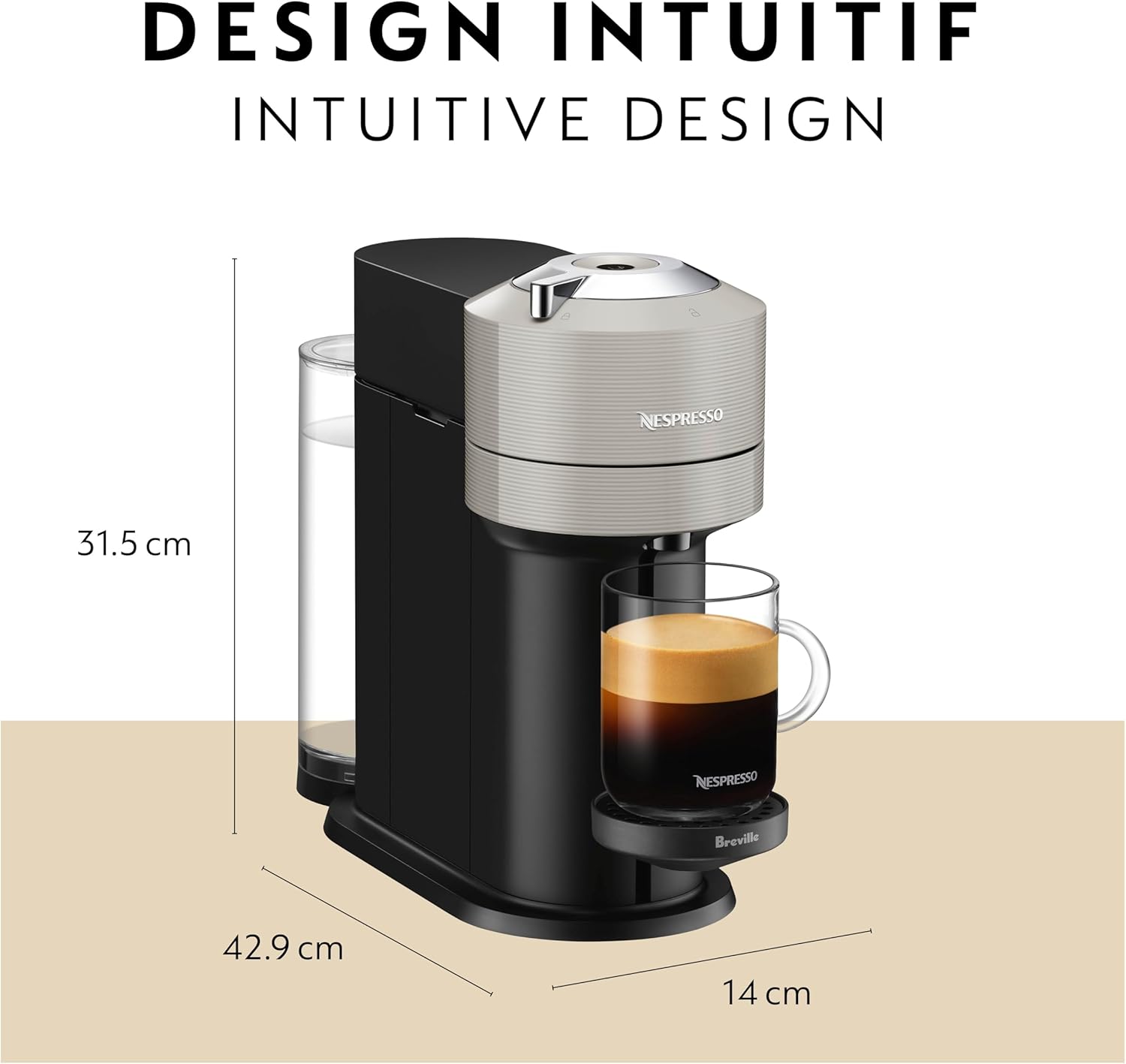
Image: The Nespresso Vertuo Next machine actively brewing coffee into a cup, showing the coffee stream and crema.
Brew Sizes
The Nespresso Vertuo Next machine supports various brew sizes, automatically detected by the capsule's barcode:
- Espresso (1.35 oz)
- Double Espresso (2.7 oz)
- Gran Lungo (5 oz)
- Coffee (8 oz, 12 oz, 18 oz)

Image: A visual representation of the different coffee and espresso sizes that can be brewed with the Nespresso Vertuo Next machine.
Emptying Used Capsules
After each brew, the used capsule is automatically ejected into the integrated capsule container. Regularly empty this container to prevent overflow.
- Open the machine head by turning the lever to the right. The used capsule will drop into the container.
- Pull out the used capsule container from the side of the machine.
- Dispose of the used capsules.
- Slide the container back into place.
Maintenance
Cleaning the Machine
Regular cleaning ensures optimal performance and coffee quality. Clean the machine with a damp cloth and mild, odorless detergent. Do not immerse the machine in water.
- Water Tank: Wash the water tank regularly with warm water and mild detergent. Rinse thoroughly.
- Drip Tray and Cup Support: Remove and clean the drip tray and cup support with warm water and mild detergent.
- Capsule Container: Empty and clean the used capsule container regularly.
Descaling
Descaling is crucial for maintaining the machine's lifespan and ensuring consistent coffee quality. The machine will indicate when descaling is needed (refer to the full instruction booklet for specific light indicators).
- Empty the drip tray and used capsule container.
- Fill the water tank with 0.5L (17 fl oz) of fresh water and add the Nespresso descaling agent.
- Place a container (at least 1L / 34 fl oz) under the coffee outlet.
- Follow the specific descaling procedure outlined in the full instruction booklet. This typically involves pressing and holding the button for a certain duration to enter descaling mode.
- Rinse the machine thoroughly after descaling by running several cycles with fresh water.
Troubleshooting
| Problem | Possible Cause | Solution |
|---|---|---|
| No coffee flow | Water tank empty; machine not primed; descaling needed. | Fill water tank; perform first use rinsing; descale machine. |
| Coffee is cold | Cup not preheated; machine not heated up. | Rinse machine with hot water before brewing; preheat cup. |
| Machine is noisy | Normal operation sound; air in system. | This is often normal. If excessive, perform a rinsing cycle to clear air. |
| Used capsule not ejected | Capsule container full; mechanism jammed. | Empty capsule container; ensure no obstructions. |
For more detailed troubleshooting or persistent issues, please refer to the comprehensive instruction booklet or contact Nespresso Customer Support.
Specifications
- Brand: Nespresso
- Model Name: Vertuo Next Coffee & Espresso Machine
- Model Number: BNV520GRY1BUC1
- Capacity: 1.1 Liters (Water Tank)
- Product Dimensions: 6"D x 17"W x 12"H
- Item Weight: 9.46 Pounds
- Wattage: 1500 watts
- Voltage: 120V
- Operation Mode: Fully Automatic
- Coffee Input Type: Nespresso Vertuo Capsules
- Special Features: Programmable, Removable Tank, Bluetooth and Wi-Fi Connectivity
- Material: Glossy Design Finish
Warranty and Support
Warranty Information
The Nespresso Vertuo Next machine comes with a 1-year warranty from the date of purchase and registration. Please retain your proof of purchase for warranty claims.
Customer Support
For personalized advice, technical support, or machine repair, please contact Nespresso through the following channels:
- Mobile App: Download the Nespresso mobile app for assistance.
- Online: Visit Nespresso.com.
- Telephone: Contact Nespresso Customer Service by phone (number available on Nespresso website).
- Boutiques: Visit one of our Nespresso Boutiques for in-person support.


