
Introduction
This manual provides instructions for the assembly, operation, and maintenance of your FLEXISPOT EN1 Electric Height Adjustable Standing Desk. Please read this manual thoroughly before use to ensure proper function and safety.
Important Safety Information
- Ensure the desk is not loaded with more than 154 pounds to prevent damage or injury.
- Adjust the height within the range of 28.1 to 45.7 inches.
- Wipe with a dry cloth for cleaning.
Package Contents
Before assembly, verify all components are present. Refer to the installation video for visual identification of parts.
- Desk Board (One-Piece, Maple)
- Lifting Columns (Legs)
- Desk Feet
- Crossbeam
- Supporting Plates
- Motor with Keypad
- Transmission Rod
- Coupling
- Power Plug
- Spanner
- Headphone Hook
- Assembly Hardware (screws, Allen wrench)
Setup and Assembly Instructions
Follow these steps carefully for proper assembly. An installation video is provided for visual guidance.
FLEXISPOT Standing Desk Frame Installation Guide
This video provides a step-by-step guide for assembling the FLEXISPOT Standing Desk frame, including motor and leg installation, crossbeam attachment, and final connections.
Step 1: Insert the Coupling into the Motor
Insert the coupling into the motor, ensuring correct direction as shown in the diagram.

Ensure the coupling is inserted correctly into the motor. Incorrect orientation may prevent proper function.
Step 2: Insert the Motor and Right Column
Attach the motor assembly to the right lifting column. Secure with provided screws.
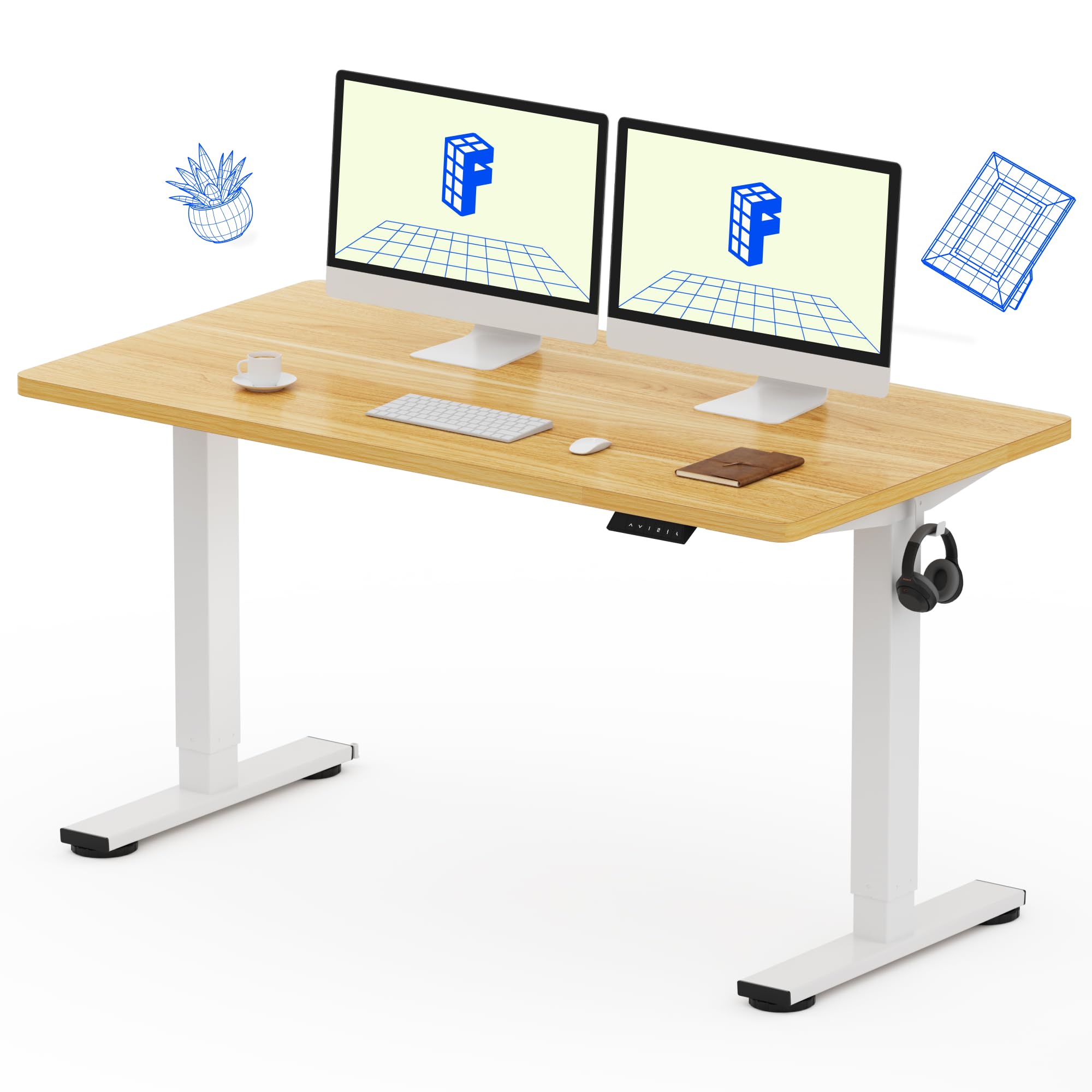
The motor is integrated into one of the lifting columns. Ensure all connections are secure.
Step 3: Install the Crossbeam
Connect the crossbeam between the two lifting columns. Align the protrusions with the holes and secure with screws.

The crossbeam provides structural stability. Ensure it is firmly attached to both lifting columns.
Step 4: Install the Support Plates
Attach the support plates to the top of the lifting columns. These will support the desktop.

The support plates are crucial for mounting the desktop securely.
Step 5: Install the Desk Feet
Attach the desk feet to the bottom of each lifting column. Secure with screws.

The desk feet provide stability and balance for the entire desk structure.
Step 6: Adjust the Crossbeam
Adjust the crossbeam to the desired width and tighten the screws. Ensure the desk frame is stable.

Proper crossbeam adjustment ensures the desk frame is square and stable before attaching the desktop.
Step 7: Install the Desktop
Carefully place the desktop onto the assembled frame. Align the pre-drilled holes on the desktop with the support plates. Secure the desktop using the provided screws. (Note: Some holes for accessories like the keypad or hooks may require customer-prepared drilling).

The one-piece desktop provides a seamless work surface. Ensure it is securely fastened to the frame.
Step 8: Install the Transmission Rod
Insert the transmission rod, connecting the motor to the other lifting column. Ensure it is properly seated.

The transmission rod synchronizes the movement of both lifting columns, ensuring smooth height adjustments.
Step 9: Install the Keypad and Connect Wiring
Attach the control keypad to the underside of the desktop. Connect all necessary power and control cables as per the instructions. Ensure all connections are firm.
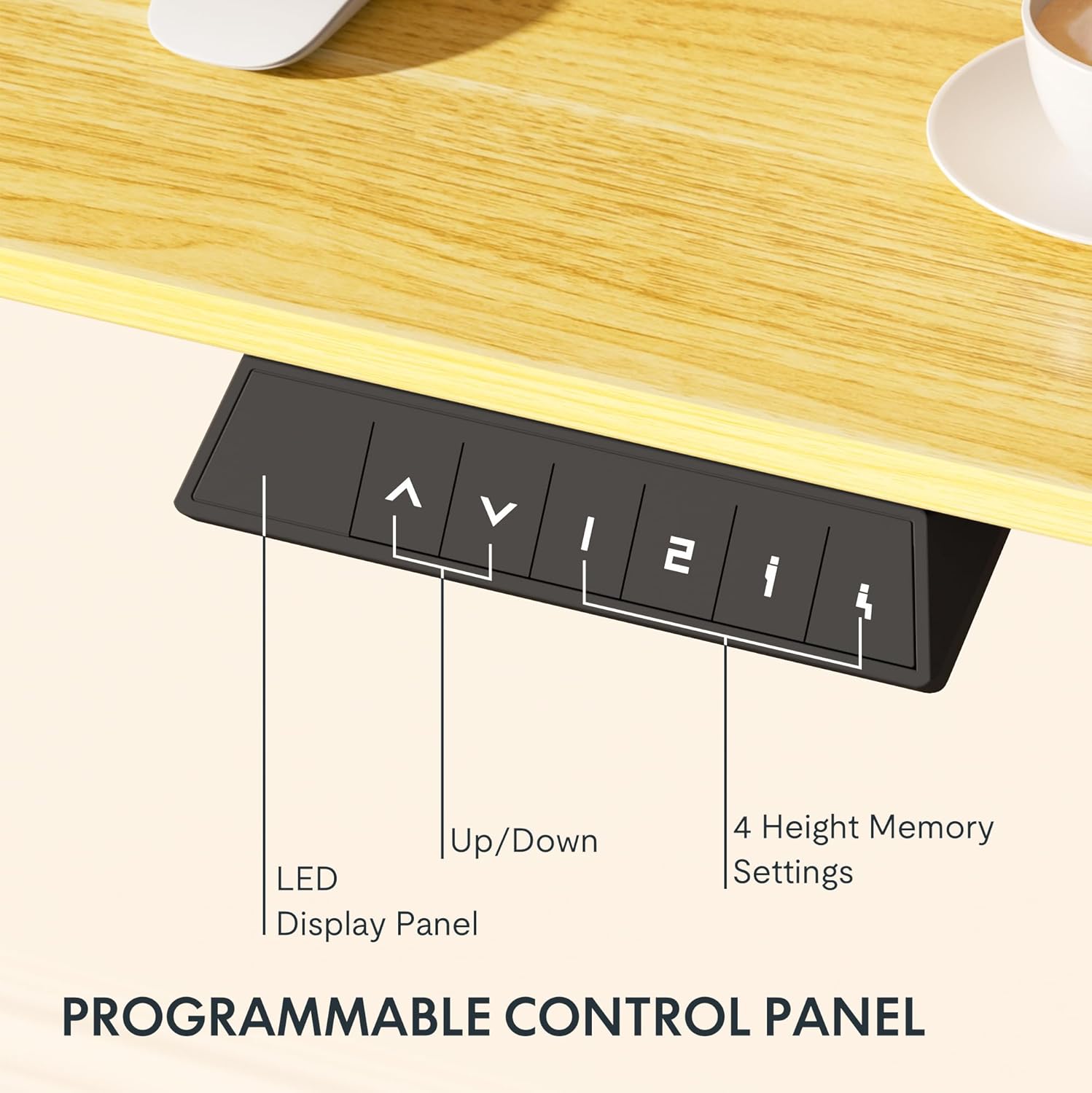
The control keypad allows for easy height adjustment and memory preset functions. Secure all wiring to prevent snagging.
Operating Instructions
The FLEXISPOT EN1 desk features an electric height adjustment system with a programmable control panel.
Height Adjustment
Use the Up (^) and Down (v) buttons on the control panel to manually adjust the desk height. The current height will be displayed on the LED screen.
Memory Presets
The control panel includes 4 memory preset buttons (1, 2, 3, 4). To save a desired height:
- Adjust the desk to your preferred height.
- Press and hold one of the memory preset buttons (e.g., '1') until the LED display flashes or beeps, indicating the height is saved.
- To recall a saved height, simply press the corresponding memory preset button.
Anti-Collision System
The desk is equipped with an anti-collision system. If the desk encounters an obstruction during adjustment, it will automatically stop and slightly reverse direction to prevent damage.

The anti-collision system enhances safety by preventing the desk from crushing objects or body parts during movement.
Maintenance
To ensure the longevity and proper function of your FLEXISPOT EN1 desk, follow these simple maintenance guidelines:
- Cleaning: Wipe the desktop and frame with a dry cloth. Avoid abrasive cleaners or harsh chemicals that may damage the finish.
- Regular Checks: Periodically check all screws and connections to ensure they are tight. Retighten if necessary.
- Cable Management: Ensure all cables are neatly organized and secured to prevent snagging or damage during height adjustments.
Troubleshooting
If your FLEXISPOT EN1 desk is not functioning correctly, refer to the following common issues and solutions:
Desk Not Moving
- Check if the power cord is securely plugged into both the desk and the wall outlet.
- Ensure all motor and control panel cables are properly connected.
- Perform a reset: Unplug the desk for 10-15 seconds, then plug it back in. Press and hold the "Down" button until the desk reaches its lowest position and slightly rises, indicating a successful reset.
Uneven Movement or Wobbling
- Verify that the crossbeam is securely tightened and the desk feet are level on the floor.
- Ensure the desk is not overloaded beyond its maximum weight capacity (154 pounds).
- Check that the transmission rod is correctly installed and tightened.
Error Codes on Display
Refer to the full user manual (if provided separately) for specific error code interpretations and solutions. A common solution is to perform a reset.
Product Specifications
| Feature | Detail |
|---|---|
| Brand | FLEXISPOT |
| Model Number | EC1W5528M |
| Desktop Dimensions | 55"D x 28"W |
| Height Adjustment Range | 28.1" – 45.7" |
| Desktop Thickness | 1 Inch |
| Desktop Material | Wood (Maple) |
| Base Material | Alloy Steel |
| Lifting Mechanism | Electric |
| Maximum Weight Recommendation | 154 Pounds |
| Noise Level | Below 50dB during operation |
| Assembly Required | Yes (Recommended 1 person) |
| Product Care | Wipe with Dry Cloth |
Product Testing
This video demonstrates various tests performed on FLEXISPOT standing desks, including stability, noise, durability, extreme environmental conditions, and safety testing for hazardous substances and power consumption.
Warranty and Support
The FLEXISPOT EN1 desk comes with a limited and parts-only warranty. For specific warranty details or support inquiries, please refer to the official FLEXISPOT website or contact customer service.
- Warranty Type: Limited
- Manufacturer Warranty Type: Limited and parts-only warranty


