1. Introduction
The VTS HMI WING EC control panel is a sophisticated device designed for efficient management of all types of WING air curtains. It integrates seamlessly with Building Management Systems (BMS) through its Modbus-RTU protocol interface, offering advanced control capabilities.
This control panel features a user-friendly interface with a comfortable touch keyboard and a backlit display, ensuring intuitive operation. Its modern and compact design makes it suitable for various industrial and commercial applications.
Key Features:
- Modern and compact design for versatile installation.
- High contrast and clear backlit display for excellent readability.
- Extended calendar function for daily programming.
- Door sensor cooperation for intelligent operation.
- Compatibility with BMS systems via Modbus-RTU protocol.
- Preset 3-stage speed control for air curtains.
- Built-in thermostat for precise temperature regulation.
- Three heating power levels for adaptable heating control.
- Capable of connecting and controlling up to 8 air curtains with a single controller.
2. Setup
2.1 Unpacking
Carefully remove the HMI WING EC control panel from its packaging. Inspect the device for any signs of damage during transit. Ensure all components listed in the packing list are present before proceeding with installation.
2.2 Mounting
The control panel is designed for wall mounting. Choose a suitable location that is easily accessible, away from direct sunlight, heat sources, and excessive moisture. Ensure the mounting surface is flat and stable.
- Mark the drilling points on the wall using the mounting template (if provided) or the dimensions of the panel's mounting holes.
- Drill holes of appropriate size for the wall plugs and screws.
- Insert wall plugs into the drilled holes.
- Secure the mounting bracket (if separate) or the panel directly to the wall using screws.
- Ensure the panel is level and securely fastened.
2.3 Wiring Diagram
Before connecting the power supply and air curtains, ensure the main power is switched off at the circuit breaker. Refer to the detailed wiring diagram below for correct connections. Incorrect wiring can damage the device or connected equipment.
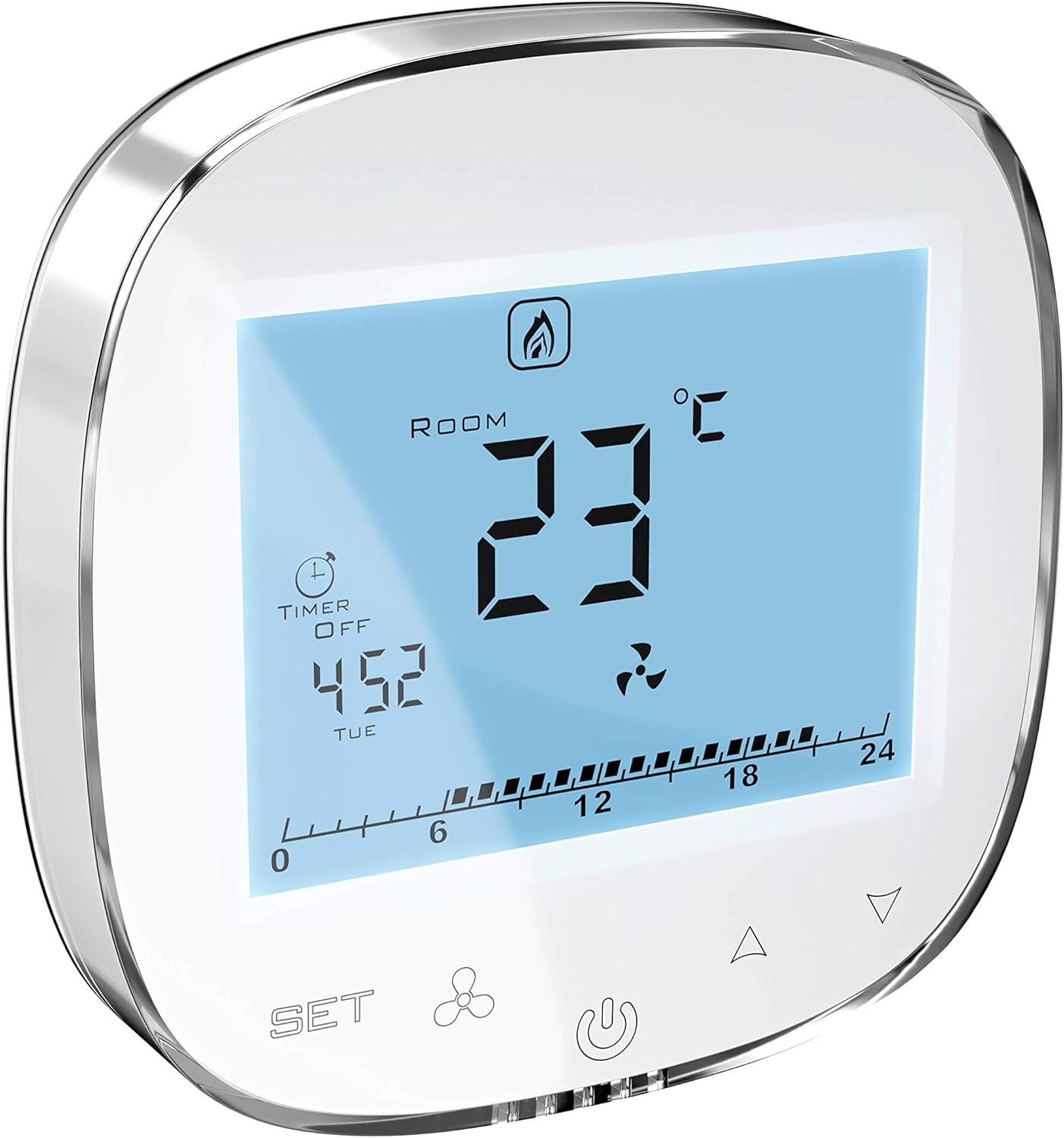
Figure 2.1: Angled view of the HMI WING EC control panel. This image illustrates the physical appearance of the device, which is crucial for identifying connection points and overall layout during installation. While not a direct wiring diagram, it helps in visualizing the unit's form factor.
- Power Supply: Connect the main power supply to the designated terminals (L, N, PE).
- Air Curtain Connections: Connect the air curtains to the output terminals as per the specific model's requirements. The panel supports up to 8 air curtains.
- Modbus-RTU: Connect the A and B terminals for Modbus communication with a BMS system.
- Door Sensor: Connect the door sensor to the dedicated input terminals for automatic operation based on door status.
3. Operating Instructions
The HMI WING EC control panel features a touch-sensitive display for easy navigation and control. Familiarize yourself with the main screen and menu structure.

Figure 3.1: Main display of the HMI WING EC control panel. This image shows the primary user interface, including temperature display, fan speed indicator, and timer information, which are central to operating the device.
3.1 Basic Operation
- Power On/Off: Press and hold the power icon on the screen to turn the device on or off.
- Navigation: Use the touch arrows or designated menu icons to navigate through different settings and screens.
- Confirm Selection: Tap on an option or value to select or confirm.
3.2 Temperature Control
The built-in thermostat allows precise temperature management.
- Navigate to the temperature setting screen.
- Use the up/down arrows to adjust the desired room temperature.
- The panel will automatically regulate the heating power levels (3 available) to maintain the set temperature.
3.3 Speed Control
Adjust the fan speed of the connected air curtains.
- Access the fan speed control menu.
- Select one of the 3 preset speed stages (e.g., Low, Medium, High) to suit your ventilation needs.
3.4 Timer Functions
Program the operation of your air curtains using the extended calendar function.
- Go to the timer/schedule settings.
- Set specific on/off times for each day of the week.
- Configure different operating modes (e.g., temperature, speed) for scheduled periods.
3.5 BMS Integration (Modbus-RTU)
For advanced control and monitoring, the HMI WING EC can be integrated into a Building Management System (BMS) via Modbus-RTU protocol. Refer to the Modbus communication protocol documentation for register addresses and data points.
- Ensure the Modbus A and B terminals are correctly connected to your BMS.
- Configure the Modbus address and baud rate settings on the HMI WING EC panel to match your BMS system.
- The panel acts as a Modbus slave device, allowing the BMS to read status and control parameters.
4. Maintenance
4.1 Cleaning
To ensure optimal performance and longevity of your HMI WING EC control panel, regular cleaning is recommended.
- Before cleaning, always disconnect the power supply to the device.
- Use a soft, dry, lint-free cloth to wipe the display and casing.
- For stubborn marks, slightly dampen the cloth with water or a mild, non-abrasive cleaning solution. Do not spray liquids directly onto the panel.
- Avoid using harsh chemicals, abrasive cleaners, or solvents, as these can damage the display or casing.
4.2 Software Updates
Periodically check the VTS official website or contact customer support for information regarding available software updates. Updates may provide new features, performance improvements, or bug fixes. Follow the instructions provided with the update package carefully.
5. Troubleshooting
This section provides solutions to common issues you might encounter with your HMI WING EC control panel. If the problem persists after attempting these solutions, please contact VTS customer support.
| Problem | Possible Cause | Solution |
|---|---|---|
| Device not powering on | No power supply; Incorrect wiring; Blown fuse. | Check the main power supply. Verify all wiring connections according to the diagram. Check the fuse in the power circuit. |
| Display is blank or unresponsive | Power issue; Software glitch; Display damage. | Perform a power cycle (turn off, wait 30 seconds, turn on). If problem persists, contact support. |
| Temperature not regulating correctly | Incorrect temperature settings; Faulty temperature sensor; Air curtain malfunction. | Verify the set temperature. Check if the temperature sensor is properly connected and not obstructed. Ensure connected air curtains are functioning. |
| Air curtains not responding to commands | Incorrect wiring to air curtains; Air curtain fault; Communication error. | Check wiring between the panel and air curtains. Verify air curtain power and functionality. If using BMS, check Modbus communication. |
| Modbus communication issues | Incorrect Modbus settings (address, baud rate); Wiring error; BMS system issue. | Verify Modbus address and baud rate settings on the panel and BMS. Check Modbus A/B wiring for polarity and continuity. Consult BMS documentation. |
6. Technical Specifications
- Manufacturer: VTS
- Model: HMI WING EC
- ASIN: B084VT3CC6
- First Available Date: February 17, 2020
- Compatibility: All types of WING air curtains
- Communication Protocol: Modbus-RTU (for BMS integration)
- Control Features: Temperature control, 3-stage fan speed control, extended calendar timer, door sensor input.
- Display: Backlit touch display
- Heating Levels: 3 heating power levels
- Max. Connected Air Curtains: Up to 8 units per controller
7. Warranty and Support
7.1 Warranty Information
VTS products are manufactured to high quality standards. This product is covered by a limited warranty against defects in materials and workmanship. The specific terms and duration of the warranty may vary based on your region and point of purchase. Please retain your proof of purchase for warranty claims. For detailed warranty information, refer to the documentation provided with your purchase or visit the official VTS website.
7.2 Customer Support
If you require technical assistance, have questions about the product, or need to report an issue that cannot be resolved using the troubleshooting guide, please contact VTS customer support. Have your product model and ASIN (B084VT3CC6) ready when contacting support to expedite the process.
For the most up-to-date contact information, please visit the official VTS website or refer to your product packaging.


