
Introduction
This manual provides comprehensive instructions for the assembly, operation, and maintenance of your tectake Gaming Office Chair, model 403452. Please read these instructions carefully before use to ensure proper function and safety. Keep this manual for future reference.
Safety Warnings
- Maximum Weight Capacity: This chair is designed to support a maximum weight of 100 kg (220 lbs). Exceeding this limit can lead to instability, damage to the chair, and potential injury.
- Ensure all components are securely fastened before use. Regularly check and tighten screws as needed.
- Do not stand on the chair.
- Avoid placing heavy objects on the chair's backrest or armrests.
- Keep children away from moving parts during adjustment.
- Use the chair on a flat, stable surface.
Product Overview
The tectake Gaming Office Chair combines ergonomic design with robust construction for comfortable and extended use. Key features include:
- Modern and ergonomic design
- Robust and durable construction
- Thick padding for comfortable seating
- Soft synthetic leather cover
- Breathable mesh inserts
- Height adjustable with safety gas lift
- Adjustable tilt mechanism
- 360-degree rotation
- Stable cross base with 5 smooth, floor-friendly double casters
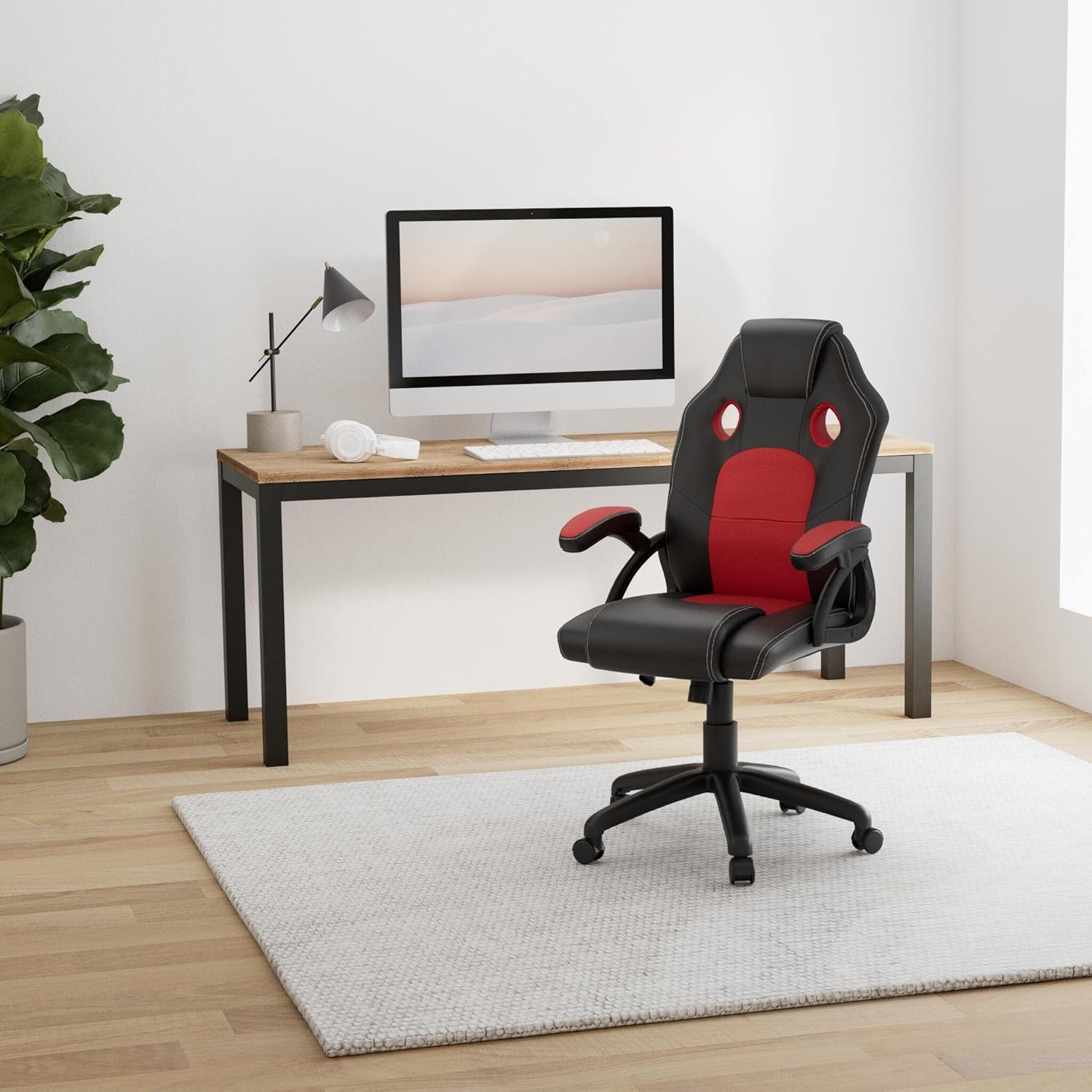
Image: The tectake Gaming Office Chair (black and red) positioned in a contemporary office environment with a desk and computer.

Image: Front view of the tectake Gaming Office Chair, highlighting the black and red upholstery and ergonomic shape.
Setup and Assembly
Package Contents:
- tectake Gaming Office Chair components
- Assembly instructions
- Required hardware (screws, tools if included)
Assembly of the tectake Gaming Office Chair is designed to be straightforward. Please follow these steps carefully:
- Unpack Components: Carefully remove all parts from the packaging. Verify that all components listed in the package contents are present. Refer to the included assembly instructions for a detailed parts list.
- Attach Casters to Base: Insert the five double casters into the holes on the cross base until they click securely into place.
- Insert Gas Lift: Place the gas lift cylinder into the center hole of the assembled cross base.
- Assemble Seat Mechanism: Attach the seat mechanism to the underside of the seat cushion using the provided screws. Ensure the front of the mechanism faces the front of the seat.
- Attach Armrests: Secure the armrests to both the seat cushion and the backrest using the designated screws. Do not overtighten initially.
- Connect Backrest to Seat: Attach the backrest to the seat cushion, aligning the pre-drilled holes. Secure with screws.
- Place Seat Assembly on Gas Lift: Carefully place the assembled seat and backrest onto the gas lift cylinder, ensuring it is centered and stable.
- Final Tightening: Once all parts are assembled, tighten all screws firmly.
A detailed assembly instruction sheet is included in the product packaging for visual guidance.
Operating Instructions
Your tectake Gaming Office Chair offers several adjustment options for personalized comfort:
- Height Adjustment: To adjust the seat height, pull the lever located under the right side of the seat upwards.
- To raise the seat: Lift the lever while taking your weight off the seat.
- To lower the seat: Lift the lever while seated.
- Tilt Mechanism: The chair features an adjustable tilt mechanism.
- To enable tilting: Pull the same lever (used for height adjustment) outwards.
- To lock the tilt: Push the lever inwards.
- The tension of the tilt can be adjusted by rotating the round knob located under the front of the seat. Turn clockwise to increase tension (harder to tilt), counter-clockwise to decrease tension (easier to tilt).
- 360-Degree Swivel: The chair is designed to swivel freely 360 degrees for easy movement and access.
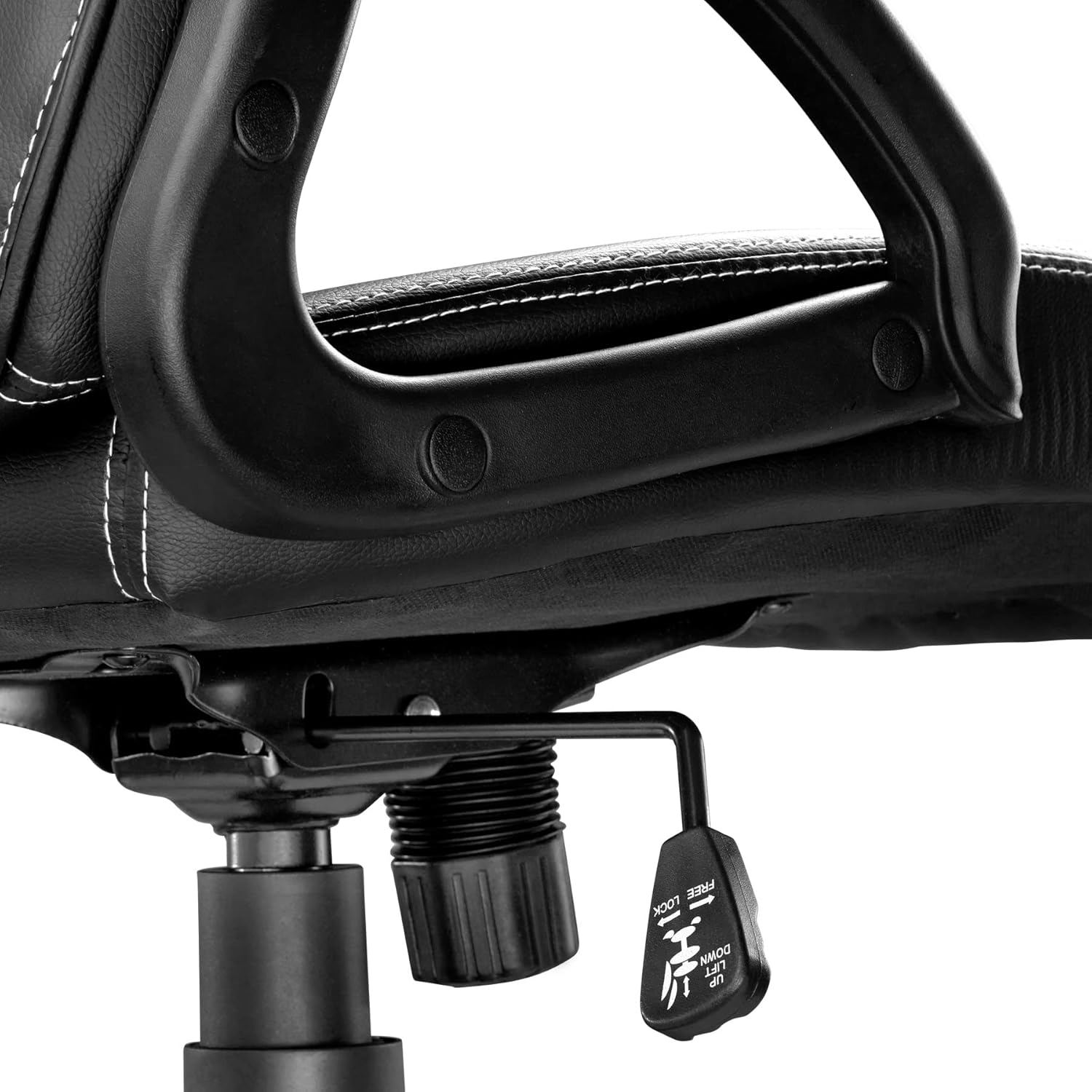
Image: Close-up view of the height adjustment and tilt lock lever located under the seat.
Maintenance
Proper maintenance will extend the life and appearance of your chair:
- Cleaning: The synthetic leather cover is easy to clean. Wipe with a damp cloth and mild soap solution. Avoid harsh chemicals or abrasive cleaners.
- Inspection: Periodically inspect all screws and bolts to ensure they are tight. Retighten as necessary to maintain stability and safety.
- Casters: Keep casters free of hair and debris to ensure smooth movement.
- Avoid Direct Sunlight: Prolonged exposure to direct sunlight can cause the material to fade or crack.
Troubleshooting
| Problem | Possible Cause | Solution |
|---|---|---|
| Chair is unstable or wobbly. | Loose screws or uneven assembly. | Check and tighten all assembly screws. Ensure the chair is on a flat surface. |
| Seat height adjustment not working. | Gas lift malfunction or lever not engaged. | Ensure the lever is fully pulled. If the issue persists, the gas lift may need replacement. Contact customer support. |
| Casters not rolling smoothly. | Debris (hair, dust) caught in casters. | Clean casters thoroughly. Ensure they are properly inserted into the base. |
| Chair makes squeaking noises. | Loose connections or friction between parts. | Tighten all screws. Apply a small amount of silicone lubricant to moving parts if necessary, avoiding upholstery. |
Specifications

Image: Detailed diagram illustrating the dimensions of the chair, including total height, seat height, seat width, and depth.
| Feature | Detail |
|---|---|
| Model Number | 403452 |
| Total Dimensions (W x D x H) | Approx. 68 x 69 x 104.5 - 114.5 cm (26.8 x 27.2 x 41.1 - 45.1 inches) |
| Seat Height | Approx. 47-57 cm (18.5-22.4 inches) |
| Seat Surface (W x D) | Approx. 51 x 50 cm (20.1 x 19.7 inches) |
| Padding Thickness | Up to 9 cm (3.5 inches) |
| Backrest Height | Approx. 63 cm (24.8 inches) |
| Armrest (W x D) | Approx. 7.5 x 25.5 cm (3.0 x 10.0 inches) |
| Distance Armrest to Floor | Approx. 67-77 cm (26.4-30.3 inches) |
| Distance Between Armrests | Approx. 49 cm (19.3 inches) |
| Cross Base Diameter | Approx. 70 cm (27.6 inches) |
| Double Caster Diameter/Width | Approx. 16 mm (0.6 inches) |
| Maximum Load Capacity | 100 kg (220 lbs) |
| Weight | Approx. 13 kg (28.7 lbs) |
| Materials | Polyurethane, Polyvinyl Chloride (PVC), Polypropylene (PP), Nylon |
| Color | Black/Red |
Warranty and Support
Information regarding specific warranty terms is typically provided with your purchase documentation. For support, spare parts, or further inquiries, please contact tectake customer service through their official website or the retailer where the product was purchased.
Visit the official tectake website for more information: www.tectake.de