
1. Introduction
This manual provides detailed instructions for the installation, setup, and maintenance of your ICT Billet LS Truck SUV Driver Side Alternator and Power Steering Pump Bracket. This precision-engineered bracket is designed to relocate the alternator and power steering pump on compatible 1999-2014 LS series truck and SUV engines, ensuring optimal fitment and performance. Please read all instructions carefully before beginning installation.
2. Safety Information
WARNING: Always wear appropriate personal protective equipment, including safety glasses and gloves, when working on vehicle engines. Ensure the vehicle is turned off, cooled, and properly supported before beginning any work. Disconnect the battery to prevent electrical hazards.
Proposition 65 Warning: This product may expose you to chemicals including lead, which is known to the State of California to cause cancer and reproductive harm. For more information, visit www.P65Warnings.ca.gov. Most aluminum alloys used in parts contain trace amounts of lead. Stainless steel parts may contain trace amounts of chromium, cobalt, nickel, and manganese. Wash hands thoroughly after handling.
3. Package Contents
Verify that all components listed below are present in your package before proceeding with installation:
- 1x Front Bracket
- 1x Back Bracket
- 1x Idler Pulley
- All required mounting hardware (bolts, spacers, nuts)

Image 3.1: All components included in the ICT Billet bracket kit.
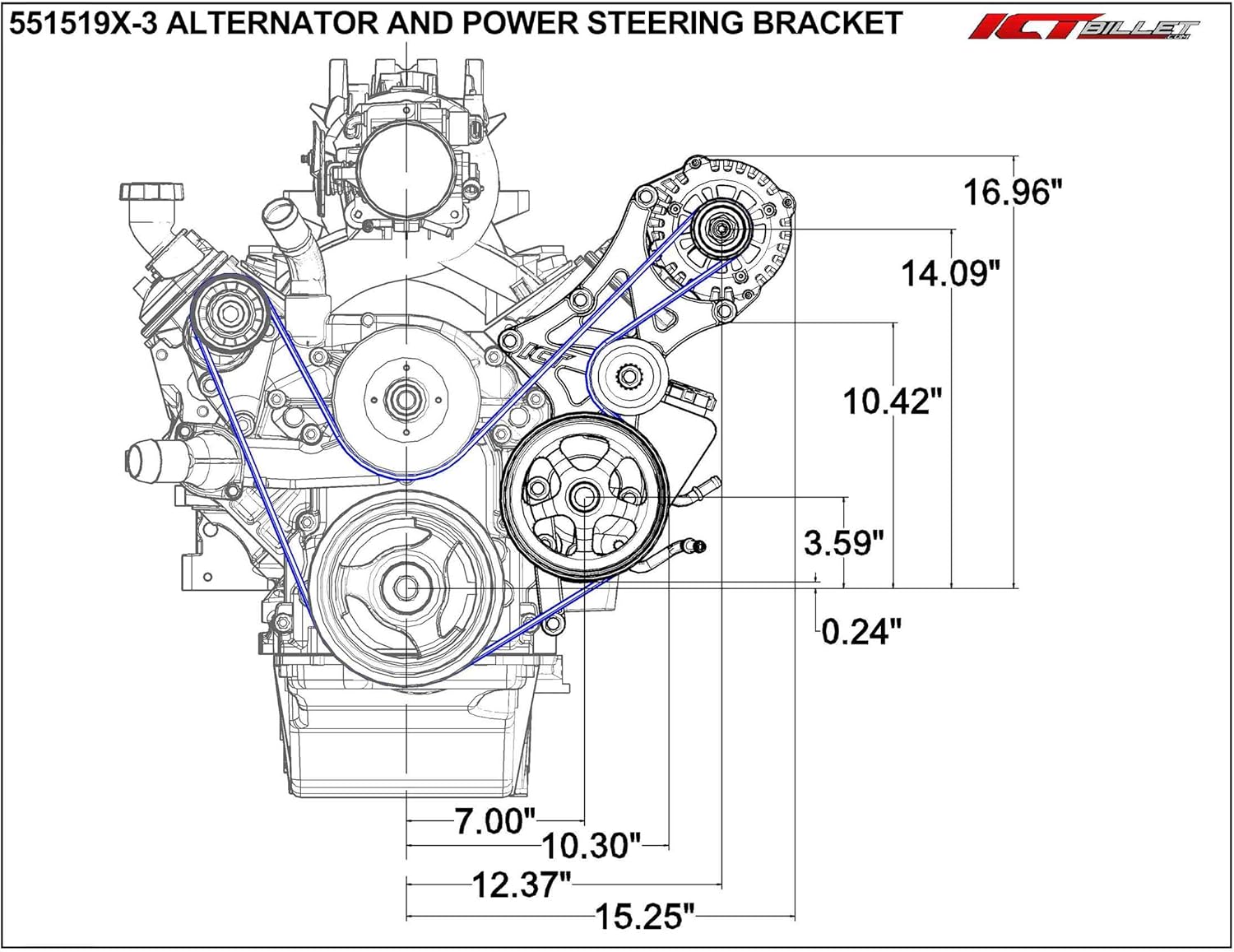
Image 3.2: Main bracket pieces and hardware.
4. Installation
This bracket is compatible with 1999-2014 LS series truck and SUV engines. It is designed to move the alternator out and down, and bring the power steering pump closer to the engine from its stock location.
4.1. Crank Spacing Verification
Before installation, ensure your engine's crank pulley spacing is compatible with this kit. This kit is designed for "Truck/SUV/2010-Up Camaro" spacing, typically identified by a part number ending in -3. Refer to the diagram below to verify your crank pulley type.

Image 4.1: LS Crank Spacing Guide. This kit is for the "Truck/SUV/2010-Up Camaro" spacing (Part # ending in -3).
4.2. General Installation Steps
- Remove existing alternator and power steering pump brackets and accessories.
- Mount the new ICT Billet brackets to the engine block using the provided hardware. Ensure all spacers are correctly placed according to the instructions.
- Install the alternator and power steering pump onto the new brackets.
- Install the idler pulley.
- Route the serpentine belt. (Refer to Section 5.1 for belt routing diagram).
- Tighten all bolts to manufacturer specifications.
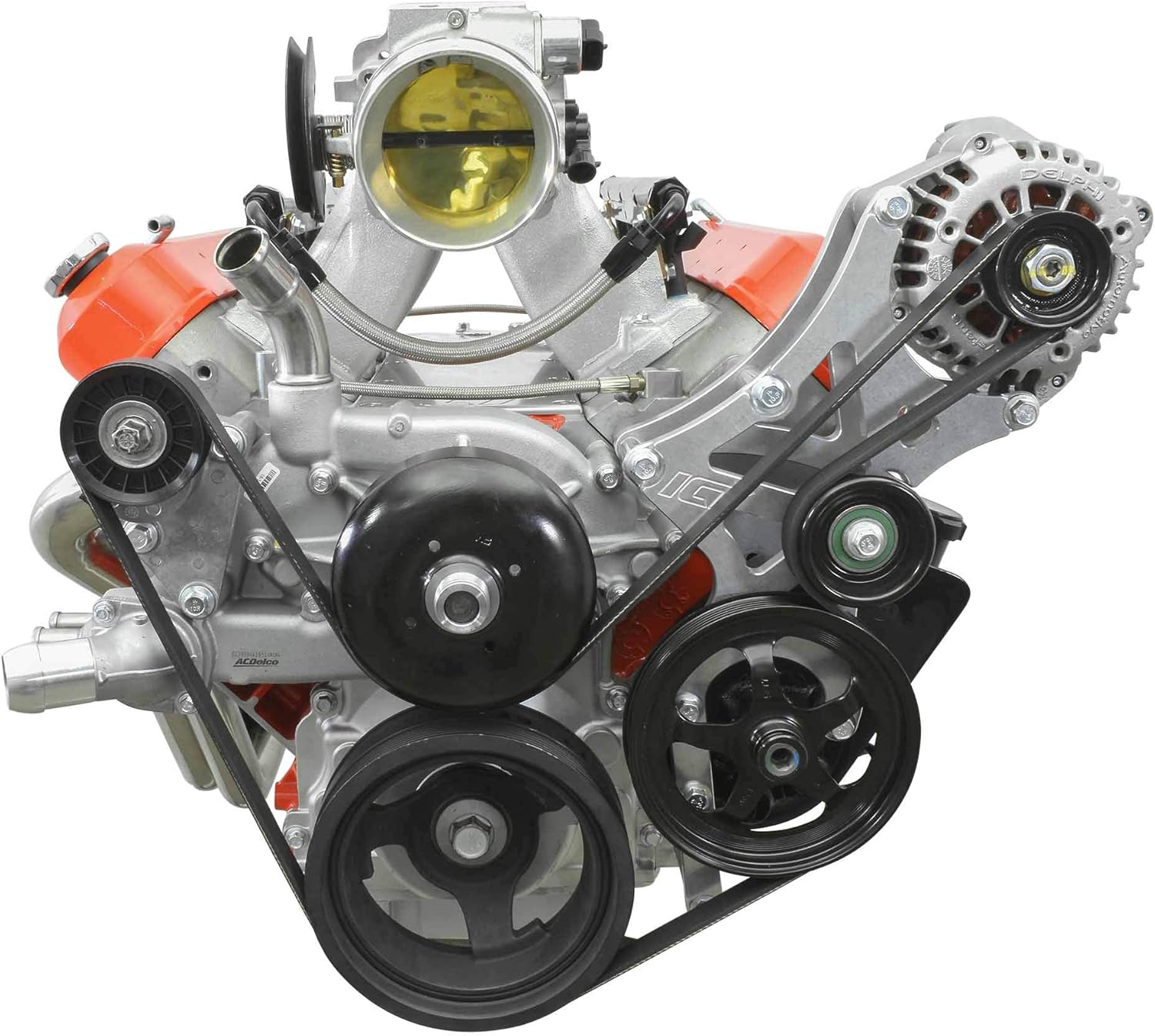
Image 4.2: Front view of the bracket installed on an LS engine.
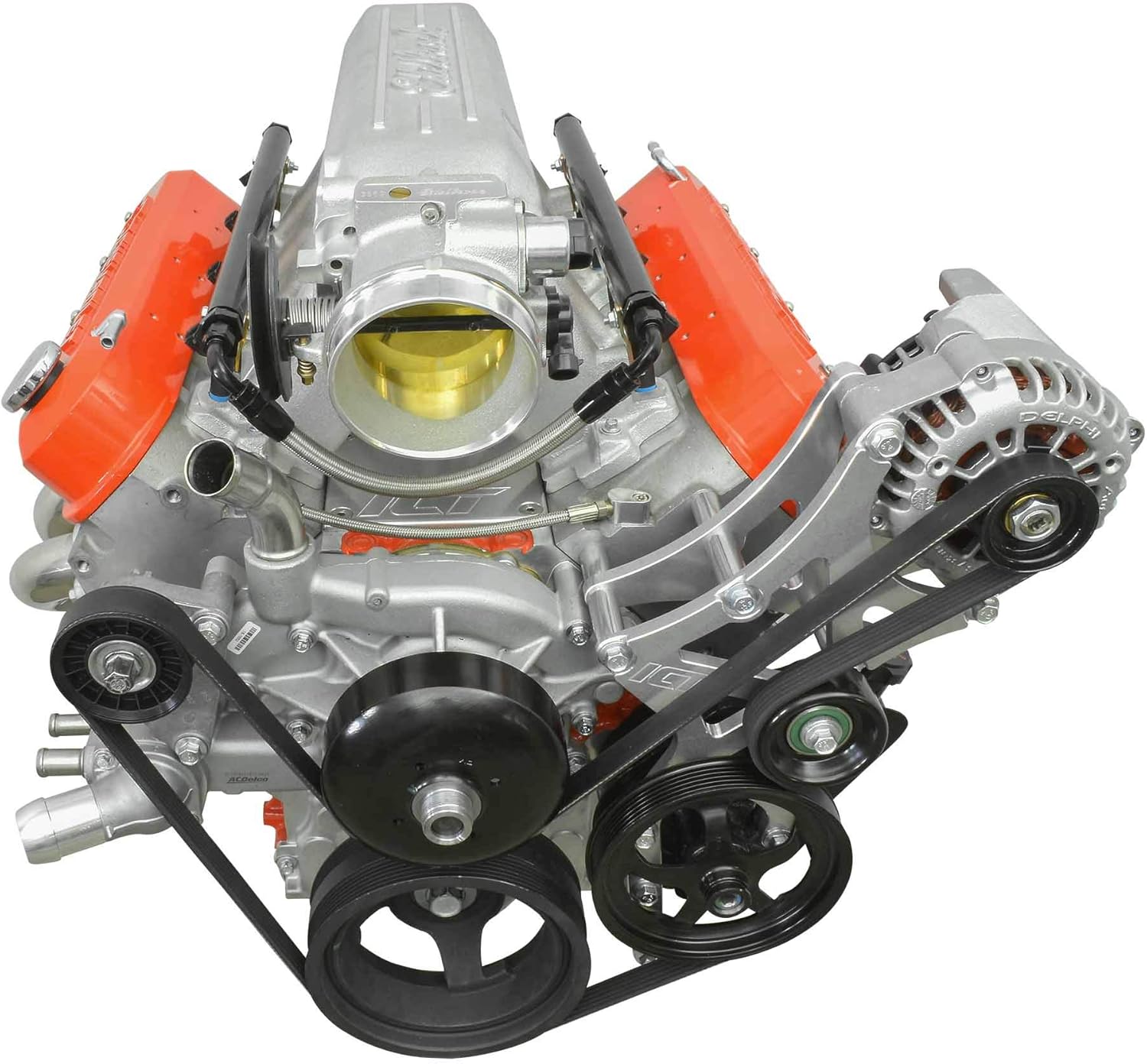
Image 4.3: Side view of the bracket installed on an LS engine.

Image 4.4: Another angle of the bracket installed on an LS engine.

Image 4.5: Another angle of the bracket installed on an LS engine.

Image 4.6: Another angle of the bracket installed on an LS engine.
4.3. Installation Videos
Official ICT Billet Installation Overview
Video 4.1: An overview of the ICT Billet LS Truck SUV Driver Side Alternator/Power Steering Pump Bracket installation.
Driver Side Alternator/Power Steering Pump Bracket Installation
Video 4.2: Installation guide for a driver side alternator and power steering pump bracket.
LS Truck Alternator Bracket Installation on Chevrolet
Video 4.3: Demonstrates the installation of an LS truck alternator bracket on a Chevrolet engine.
LS Engine Serpentine Bracket Alternator Black Installation
Video 4.4: Shows the installation process for an LS engine serpentine bracket for the alternator.
Bevinsee LS Alternator Bracket Installation for Chevrolet
Video 4.5: A demonstration of installing a Bevinsee LS alternator bracket on a Chevrolet engine.
LS Alternator & Power Steering Pump Bracket with LQ4 LQ9 Installation
Video 4.6: Installation process for an LS alternator and power steering pump bracket compatible with LQ4 and LQ9 engines.
LS Engine Conversion Bracket Kit Overview
Video 4.7: An overview of an LS engine conversion bracket kit.
5. Setup
5.1. Belt Routing
Proper belt routing is crucial for the correct operation of your accessories. Refer to the diagram below for the recommended serpentine belt path. A common compatible belt size is K060798 (79.8 inches, 6-rib).

Image 5.1: Serpentine belt routing diagram for the 551519X-3 bracket.
5.2. Belt Tensioning
Ensure the belt is properly tensioned after installation. An automatic tensioner is typically used with this setup. Verify that the belt runs smoothly without excessive slack or tightness. Incorrect tension can lead to premature belt wear or accessory damage.
6. Operating
Once installed and properly tensioned, the alternator and power steering pump will operate as designed, providing electrical power and hydraulic assistance for steering. Monitor for any unusual noises or vibrations after initial startup, which may indicate an installation issue.
7. Maintenance
- Regular Inspection: Periodically inspect the bracket, bolts, and belt for any signs of wear, looseness, or damage.
- Belt Condition: Check the serpentine belt for cracks, fraying, or glazing. Replace the belt if any signs of wear are present.
- Pulley Bearings: Listen for any unusual noises from the idler pulley or accessory pulleys, which could indicate worn bearings.
- Cleaning: Keep the bracket and surrounding engine area clean from excessive dirt and debris.
8. Troubleshooting
- Belt Squeal: If the belt squeals, check for proper tension and alignment. Ensure the correct belt length is used.
- Accessory Interference: If an accessory (e.g., alternator) interferes with other engine components (e.g., valve cover), re-check the installation steps and ensure all spacers are correctly positioned. Shimming may be required in some custom setups.
- Loose Components: Re-tighten all mounting bolts if any components feel loose or exhibit excessive movement.
9. Specifications
| Feature | Detail |
|---|---|
| Model Number | 551519X-3 |
| Brand | ICT Billet |
| Material | Aerospace grade, USA produced, billet aluminum |
| Compatibility | 1999-2014 LS series Truck/SUV engines |
| Item Weight | 4.91 pounds |
| Product Dimensions | 11 x 9 x 2 inches |
| Accessory Placement | Alternator moved out & down, Power Steering Pump moved in closer |
10. Warranty and Support
For warranty information or technical support, please refer to the official ICT Billet website or contact their customer service directly. Keep your purchase receipt for warranty claims.
ICT Billet is committed to providing high-quality products and support. If you encounter any issues not covered in this manual, please reach out to their support team for assistance.


