
Introduction
This manual provides comprehensive instructions for the operation and maintenance of your Fila Model 38-205-001 Digital Chronograph Watch. Please read this manual thoroughly before using your watch to ensure proper function and longevity. Keep this manual for future reference.
Product Overview
The Fila Model 38-205-001 is a versatile digital chronograph watch designed for daily wear and active lifestyles. It features a multi-function digital display and a comfortable silicone strap.
Components
- Digital Display: Shows time, date, and other functions.
- Function Buttons: Typically located on the sides of the watch for mode selection, setting, and chronograph control.
- Silicone Strap: Durable and comfortable for extended wear.
- Case: Houses the watch movement and protects internal components.
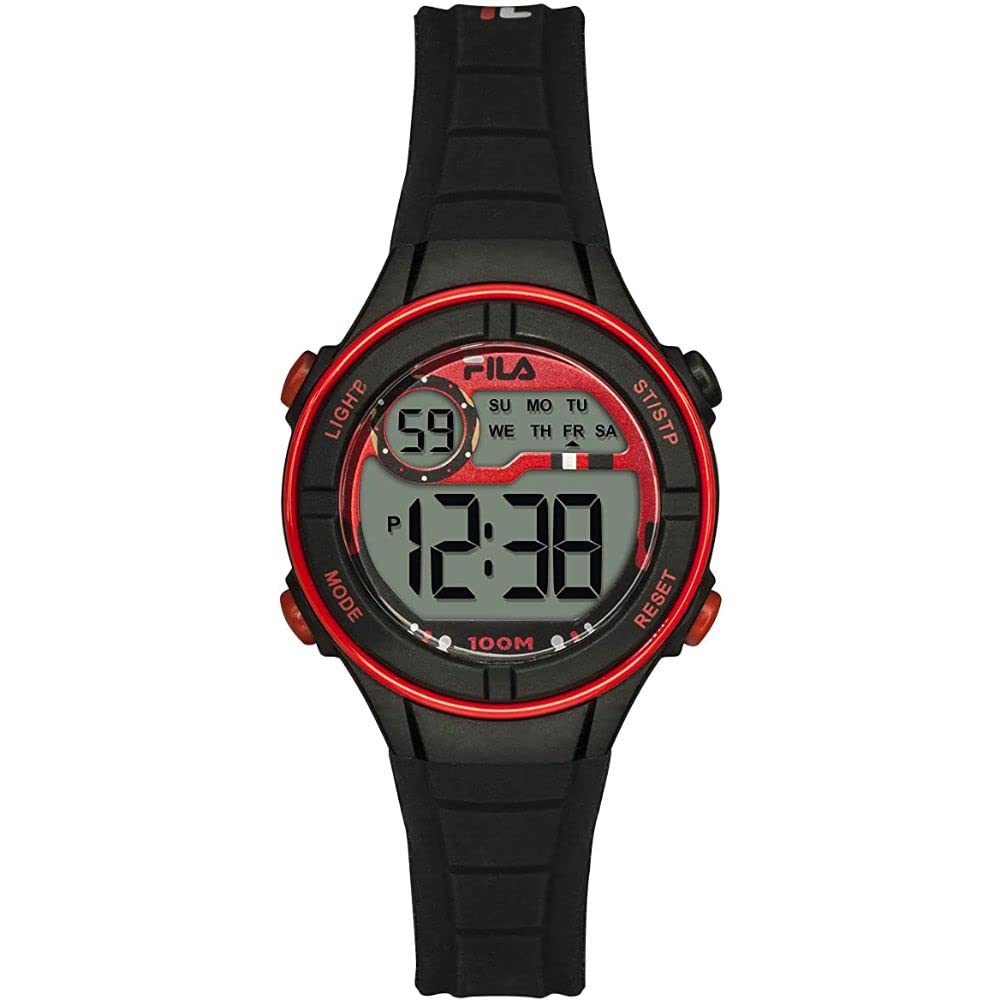
Image: Front view of the Fila Model 38-205-001 Digital Chronograph Watch, showcasing its digital display and silicone strap.
Setup
Battery Installation (if applicable)
Your watch comes with a Lithium-ion battery pre-installed. If the display is blank or dim, the battery may need replacement. It is recommended to have a professional watchmaker replace the battery to ensure water resistance is maintained.
Initial Time and Date Setting
- Enter Setting Mode: Press the MODE button (usually bottom left) repeatedly until the time setting mode is displayed (often indicated by flashing digits).
- Adjust Digits: Use the ADJUST button (usually top right) to change the flashing digit (hours, minutes, seconds).
- Select Next Digit: Use the RESET button (usually bottom right) to move to the next digit or setting (e.g., from hours to minutes).
- Set Date: Follow similar steps to set the month, day, and year if available in the setting mode.
- Exit Setting Mode: Press the MODE button again to return to the normal time display.
Operating Instructions
Time Display
In normal time mode, the watch displays the current time (hours, minutes, seconds) and often the day of the week and date.
Chronograph (Stopwatch) Function
- Activate Chronograph: Press the MODE button until "STOPWATCH" or "CHRONO" appears on the display.
- Start/Stop: Press the START/STOP button (often top right) to begin timing. Press it again to pause.
- Reset: While paused, press the RESET button (often bottom right) to clear the stopwatch to zero.
- Lap/Split Time: Some models allow lap times. Consult your specific model's button configuration.
Alarm Function
- Access Alarm Mode: Press the MODE button until "ALARM" is displayed.
- Set Alarm: Use the ADJUST and RESET buttons to set the desired alarm time.
- Activate/Deactivate: A separate button or combination of buttons typically toggles the alarm on or off (indicated by an alarm icon).
Backlight
Press the LIGHT button (often top left) to illuminate the display in low-light conditions. The backlight typically stays on for a few seconds.
Maintenance
Cleaning
Wipe the watch case and strap regularly with a soft, damp cloth. For stubborn dirt on the silicone strap, a mild soap solution can be used, followed by rinsing with clean water and thorough drying.
Water Resistance
This watch is designed with a certain level of water resistance. Refer to the watch back or specifications for the exact rating (e.g., 3 ATM, 5 ATM). Avoid pressing buttons underwater unless the watch is specifically rated for diving. Exposure to hot water, steam, or chemicals can compromise water resistance.
Storage
When not in use, store your watch in a cool, dry place away from direct sunlight and extreme temperatures.
Troubleshooting
| Problem | Possible Cause | Solution |
|---|---|---|
| Display is blank or dim. | Low or dead battery. | Replace the battery. Consult a professional watchmaker. |
| Time is incorrect. | Time not set correctly or accidental button press. | Refer to "Initial Time and Date Setting" section to reset the time. |
| Buttons are unresponsive. | Watch may be in a locked mode or battery is very low. | Check if there's a button lock feature. If not, consider battery replacement. |
Specifications
- Model Number: 38-205-001
- Display Type: Digital
- Movement: Digital Quartz
- Strap Material: Silicone
- Case Shape: Round
- Battery Type: 1 Lithium-ion (included)
- Manufacturer: TRENDY ELEMENTS
Warranty and Support
For warranty information and customer support, please refer to the documentation provided at the time of purchase or contact your retailer. Keep your proof of purchase for any warranty claims.
Note: Availability of spare parts information is not provided.


