
Product Overview
The Rachio 3e Smart Sprinkler Controller is designed for efficient and convenient management of your irrigation system. It allows users to control sprinklers remotely via a smartphone application, create intelligent watering schedules, and optimize water usage based on weather conditions. This controller is compatible with most existing sprinkler systems and requires a Wi-Fi connection for full functionality.
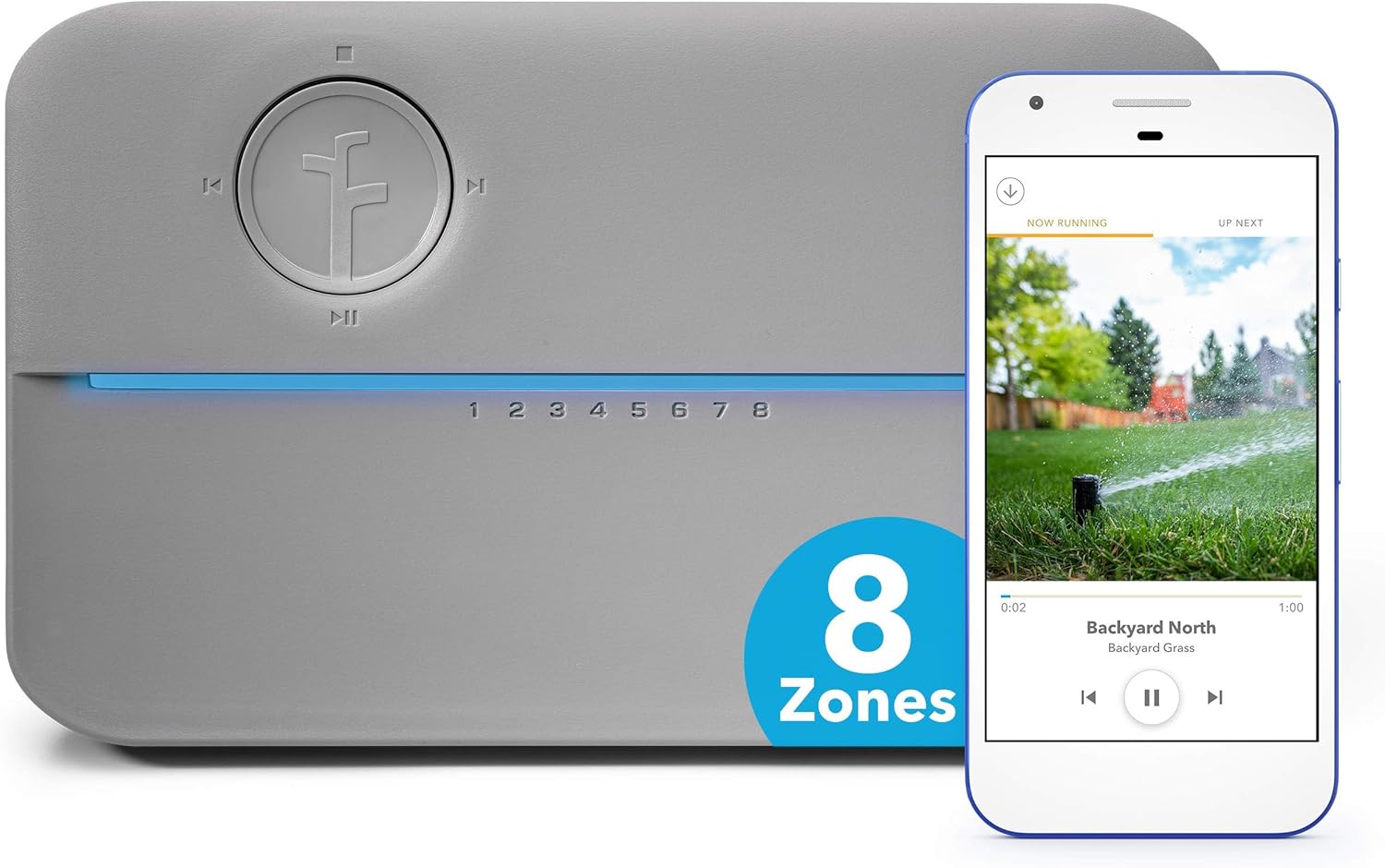
Image: The Rachio 3e Smart Sprinkler Controller in gray, shown alongside a smartphone displaying its intuitive mobile application interface for managing sprinkler zones.
What's Included
The Rachio 3e Smart Sprinkler Controller package contains the following components:
- Rachio 3e Smart Sprinkler Controller
- Power supply with 6-ft cord
- Mounting hardware
- Quick start guide
Note: An irrigation system is not included and must be purchased separately.

Image: A visual representation of the items included in the Rachio 3e Smart Sprinkler Controller package, showing the controller unit, power supply, and mounting hardware.
Setup and Installation
Installation of the Rachio 3e is designed to be straightforward, typically taking 30 minutes or less without specialized tools. A Wi-Fi connection and a smartphone are required for the setup process.
- Prepare for Installation: Before beginning, ensure your existing sprinkler controller is powered off. Take a photo of your current wiring for reference.
- Remove Old Controller: Disconnect and remove your old sprinkler controller from its mounting location.
- Mount Rachio 3e: Use the provided mounting hardware to secure the Rachio 3e controller to the desired location. It is recommended to install it under an eave or in a protected area if outdoors, as the unit is not fully waterproof without an additional enclosure.
- Wire the Controller: Connect the wires from your irrigation system to the corresponding terminals on the Rachio 3e. The front cover of the controller is held by a magnet and can be easily removed to access the wiring terminals.
- Connect Power: Plug in the provided power supply to the controller and then to a power outlet.
- Download the App: Download the free Rachio app on your smartphone (available for iOS and Android devices).
- Configure in App: Follow the in-app instructions to connect your Rachio 3e to your Wi-Fi network and configure your zones. You can name zones, add photos, and specify plant types, soil types, sun exposure, and slope for optimized watering.

Image: A detailed view of the Rachio 3e's internal wiring terminals, showing the color-coded wires connected to different zones.
Operating the Controller
The Rachio 3e Smart Sprinkler Controller offers both manual control directly on the unit and comprehensive control through the mobile application.
Manual Control
- Zone Selection: Use the navigation buttons to select a specific zone (1-8).
- Start/Stop: Press the play/pause button to start or stop watering for the selected zone.

Image: A close-up of the Rachio 3e controller's front panel, highlighting the manual control buttons for zone selection and starting/stopping irrigation.
App Control and Smart Features
The Rachio app provides full control and access to the smart features:
- Remote Control: Run, pause, or stop your sprinklers from anywhere using your smartphone or mobile device.
- Smart Schedules: Rachio automatically creates watering schedules based on your lawn's specific needs (plant type, soil type, sun exposure, etc.) and local weather forecasts.
- Weather Intelligence: The controller utilizes standard Weather Intelligence features to automatically skip unnecessary watering. This includes:
- Rain Skip: Skips watering if sufficient rain is detected or predicted.
- Wind Skip: Prevents watering during high winds to avoid water waste.
- Freeze Skip: Skips watering when temperatures drop below freezing.
- Saturation Skip: Skips watering if the soil is already saturated.
- Seasonal Shift: Adjusts watering duration based on seasonal changes.
- Water Usage Tracking: Monitor your water consumption and savings directly within the app.
- Shared Access: Grant access to other users (e.g., family members, caretakers) to manage the irrigation system.
- Voice Control Integration: The Rachio 3e is compatible with smart home assistants like Amazon Alexa and Google Assistant for voice-activated control.

Image: Multiple smartphone screens displaying various sections of the Rachio Lawn Care App, including zone management, scheduling, and weather intelligence features.
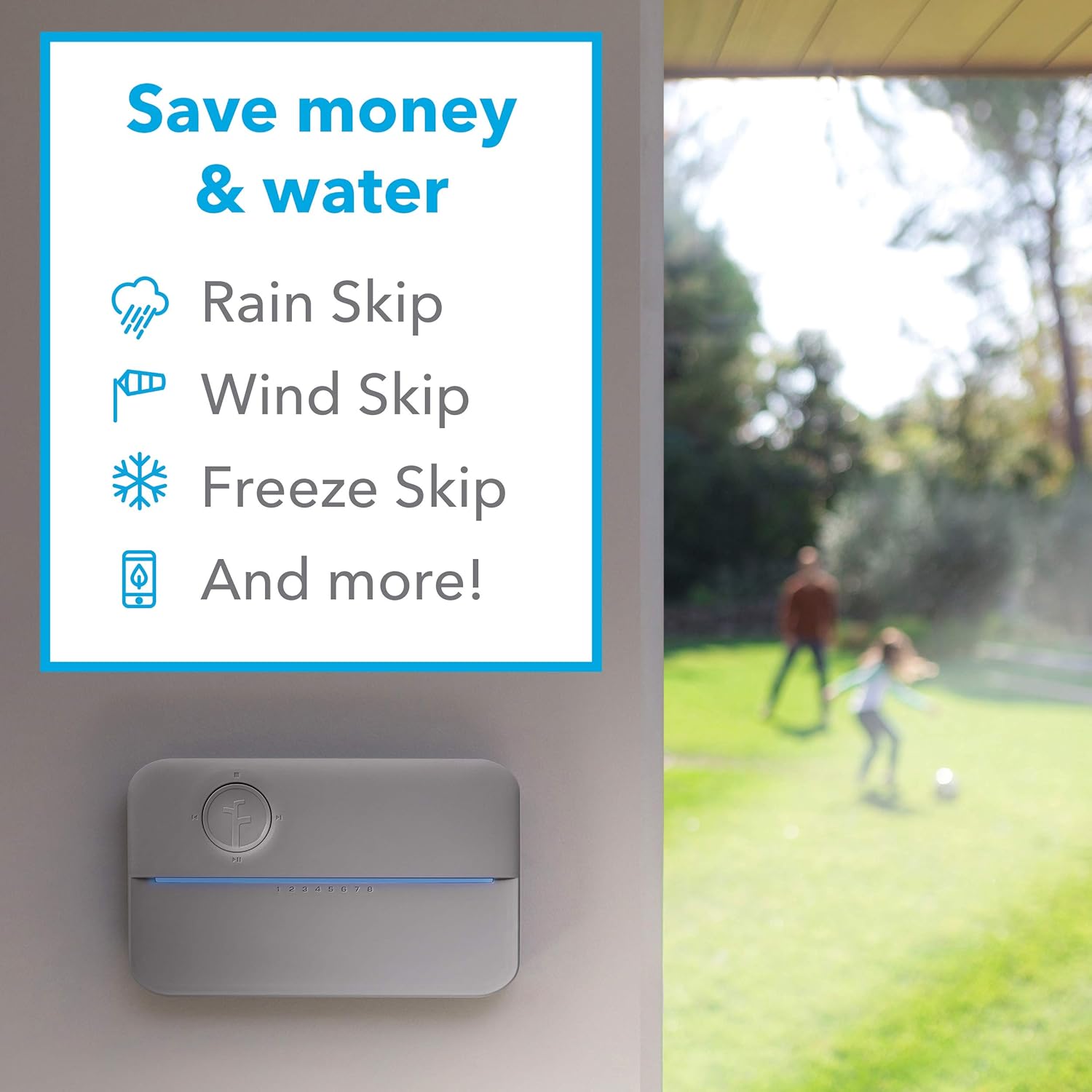
Image: The Rachio 3e controller mounted on a wall, with text overlays emphasizing its water-saving features like Rain Skip, Wind Skip, and Freeze Skip.
Maintenance
The Rachio 3e Smart Sprinkler Controller requires minimal maintenance. Regular checks of your irrigation system components are recommended to ensure optimal performance.
- Inspect Sprinkler Heads/Emitters: Periodically check all sprinkler heads and drip emitters for clogs or damage. Hard water can lead to mineral buildup, especially in drip irrigation systems.
- Software Updates: Ensure your Rachio app and controller firmware are up to date for the latest features and performance improvements. Updates are typically managed automatically through the app.
- Winterization: If you live in an area with freezing temperatures, follow standard irrigation system winterization procedures to prevent damage to pipes and components. The app may offer features to assist with this process.
Troubleshooting
If you encounter issues with your Rachio 3e Smart Sprinkler Controller, consider the following common troubleshooting steps:
- No Zones Watering:
- Verify power to the controller.
- Check Wi-Fi connection status in the app.
- Ensure the master valve (if applicable) is functioning correctly.
- Confirm that schedules are enabled and not skipped due to Weather Intelligence.
- Specific Zone Not Watering:
- Check the wiring for that specific zone at the controller.
- Inspect the solenoid and valve for the affected zone in your yard.
- Use the "Quick Run" feature in the app to manually test the zone.
- App Connectivity Issues:
- Restart your home Wi-Fi router.
- Ensure your smartphone has a stable internet connection.
- Re-link the Rachio controller in the app settings if necessary.
- Inaccurate Weather Skips:
- Verify the location set in your Rachio app is accurate.
- Consider if a local microclimate might be affecting conditions differently than the nearest weather station.
For more detailed troubleshooting or persistent issues, refer to the official Rachio support resources or the comprehensive user guide available as a PDF document.
Specifications
| Feature | Detail |
|---|---|
| Brand | Rachio |
| Model Number | 8ZULWC-L |
| Dimensions (L x W x H) | 9.1 x 1.4 x 5.6 inches |
| Item Weight | 1.05 pounds |
| Color | Gray |
| Material | Plastic |
| Zone Capacity | 8 Zones |
| Connectivity | Wi-Fi (2.4 GHz network required for setup) |
| Compatibility | Amazon Alexa, Google Assistant, iOS, Android |
| UPC | 860003112304 |
Warranty and Support
For detailed warranty information and customer support, please refer to the official documentation included with your Rachio 3e Smart Sprinkler Controller. A Certificate of Compliance is available for download, which may contain additional regulatory and support details.
You can also visit the Rachio Brand Store on Amazon or their official website for further assistance and resources.
For technical documentation, including the Certificate of Compliance, please refer to the following link: Certificate of Compliance (PDF).


