
Hoco W21 Graceful Charm Wired Headphones User Manual
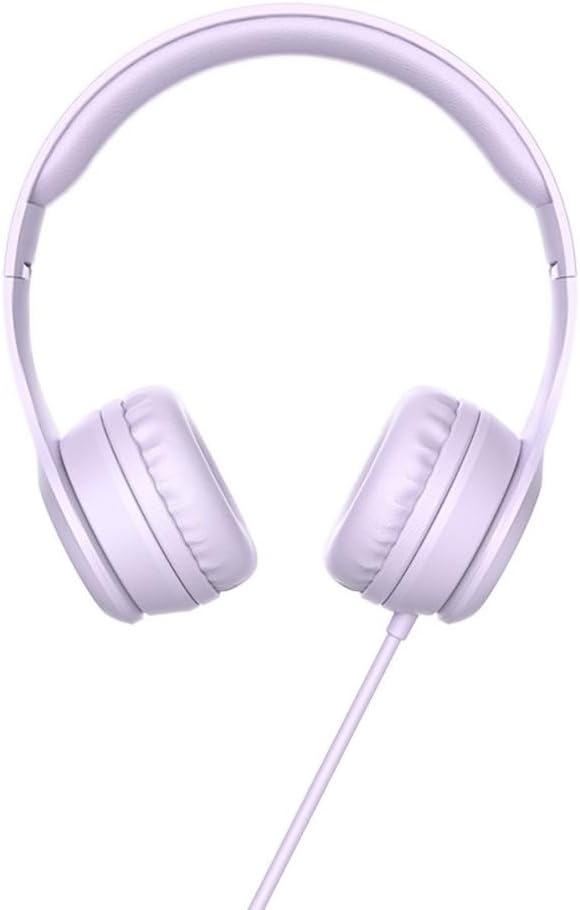
Model: W21 Purple | Brand: HOCO
1. Introduction
Thank you for choosing the Hoco W21 Graceful Charm Wired Headphones. This manual provides detailed instructions for the proper use, setup, and maintenance of your new headphones. Please read this manual thoroughly before using the product to ensure optimal performance and longevity.
2. Product Features
- Speaker: 40mm drivers for clear audio.
- Power: Rated power of 10mW; maximum input power of 50mW.
- Connectivity: Standard Ø3.5mm audio plug for universal compatibility.
- Cable: High elastic braided cable with a length of 1.2m for durability and flexibility.
- Microphone: Integrated controller with a microphone for hands-free communication.
- Control: One-button operation control for easy management of calls and music.
3. Package Contents
Please check the package contents upon unboxing:
- Hoco W21 Graceful Charm Wired Headphones
- User Manual (this document)

4. Setup
- Unpack the Headphones: Carefully remove the headphones from their packaging.
- Identify the Audio Plug: Locate the Ø3.5mm audio plug at the end of the headphone cable.
- Connect to Device: Insert the Ø3.5mm audio plug into the headphone jack of your mobile phone, tablet, or any compatible audio device. Ensure the plug is fully inserted for proper audio output.
- Adjust Fit: Place the headphones over your ears. Adjust the headband to ensure a comfortable and secure fit. The earcups are designed to sit over the ear.

5. Operating Instructions
The Hoco W21 headphones feature a convenient one-button inline control for managing audio and calls.
5.1 Music Playback
- Play/Pause: Press the button once to play or pause the current track.
- Next Track: Press the button twice quickly to skip to the next track.
- Previous Track: Press the button three times quickly to go back to the previous track.
5.2 Call Management
- Answer/End Call: Press the button once to answer an incoming call or end an ongoing call.
- Reject Call: Press and hold the button for approximately 2 seconds to reject an incoming call.

6. Maintenance
Proper maintenance will extend the life of your headphones.
- Cleaning: Use a soft, dry cloth to clean the earcups and headband. Do not use harsh chemicals or abrasive materials.
- Storage: When not in use, store the headphones in a clean, dry place away from extreme temperatures and direct sunlight. Avoid tangling the cable.
- Avoid Moisture: Do not expose the headphones to water or excessive moisture. They are not waterproof.
- Handle with Care: Avoid dropping the headphones or subjecting them to strong impacts. Do not pull the cable forcefully.

7. Troubleshooting
| Problem | Possible Cause | Solution |
|---|---|---|
| No sound or low volume |
|
|
| Microphone not working |
|
|
| Sound distortion |
|
|
8. Specifications
| Model Number | W21 Purple |
| Brand | HOCO |
| Speaker Diameter | 40mm |
| Rated Power | 10mW |
| Maximum Input Power | 50mW |
| Audio Plug | Ø3.5mm |
| Cable Type | High elastic braid |
| Cable Length | 1.2m |
| Microphone | Controller with mic |
| Wire Control | One-button operation control |
| Product Dimensions | 19.4 x 17.3 x 7.4 cm |
| Product Weight | 109 g |
| Color | Purple |
9. Warranty and Support
Hoco products are manufactured to high quality standards. For information regarding warranty coverage and customer support, please refer to the warranty card included with your purchase or visit the official Hoco website. Keep your purchase receipt as proof of purchase for any warranty claims.
For technical assistance or further inquiries, please contact your retailer or the authorized service center in your region.


