
Spigen F732QC
Spigen PocketBoost 10000mAh Power Bank User Manual
Model: F732QC
Introduction
Thank you for choosing the Spigen PocketBoost 10000mAh Power Bank. This portable charger is designed to provide reliable and fast charging for your mobile devices on the go. Featuring Power Delivery (PD) and Quick Charge 3.0 (QC 3.0) technologies, it ensures efficient power delivery to a wide range of USB-C and USB-A compatible devices. Please read this manual carefully to ensure proper use and maintenance of your power bank.
Important Safety Information
Please read and understand all safety warnings before using this product.
- Product contains batteries.
- Do not expose to extreme temperatures of hot or cold.
- Do not leave a battery on prolonged charge when not in use.
- Do not dismantle or attempt to repair faulty power banks.
- Do not puncture the batteries within the casing.
What's in the Box
Upon opening your Spigen PocketBoost package, you should find the following items:
- Spigen PocketBoost Portable Charger (10000mAh)
- USB-C to USB-C Cable (1m)
- USB-A to USB-C Cable (0.5m)
- Travel Pouch
- User Manual (this document)

Image: All items included in the Spigen PocketBoost package.
Product Overview
The Spigen PocketBoost is a compact and powerful portable charger designed for convenience and efficiency.

Image: Front view of the Spigen PocketBoost Power Bank.
Key Features:
- Power Delivery (PD) Technology: Enables lightning-fast USB Type-C charging for a wide range of compatible devices.
- Quick Charge 3.0 (QC 3.0) Compatible: Charges QC 3.0 enabled devices up to 18W, achieving 0% to 50% charge in approximately 30 minutes.
- Dual Ports: Equipped with one USB-C port and one USB-A port, allowing simultaneous charging of two smartphones.
- High Capacity: 10000mAh capacity provides multiple charges for most smartphones.
- Ergonomic Modern Design: Designed for comfortable handling and aesthetic appeal.
- Built-in Multiple Spigen Protection Technology: Includes Intelligent Power Technology for smooth power delivery, Smart IC Chip Protection against overcharging and overvoltage, and ControlHeat™ Technology to prevent overheating.
- Carry-on Safe: Approved for safe travel on airplanes.
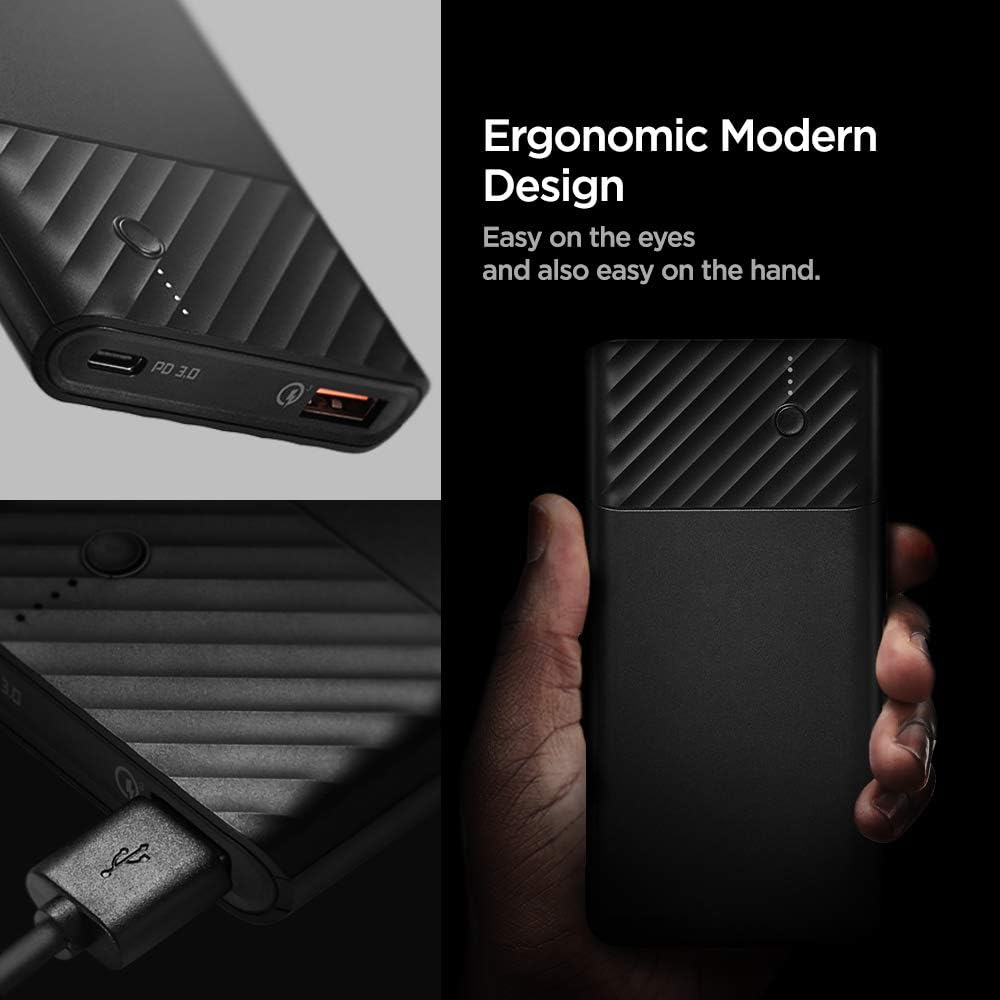
Image: Detail of the ergonomic and modern design of the power bank.
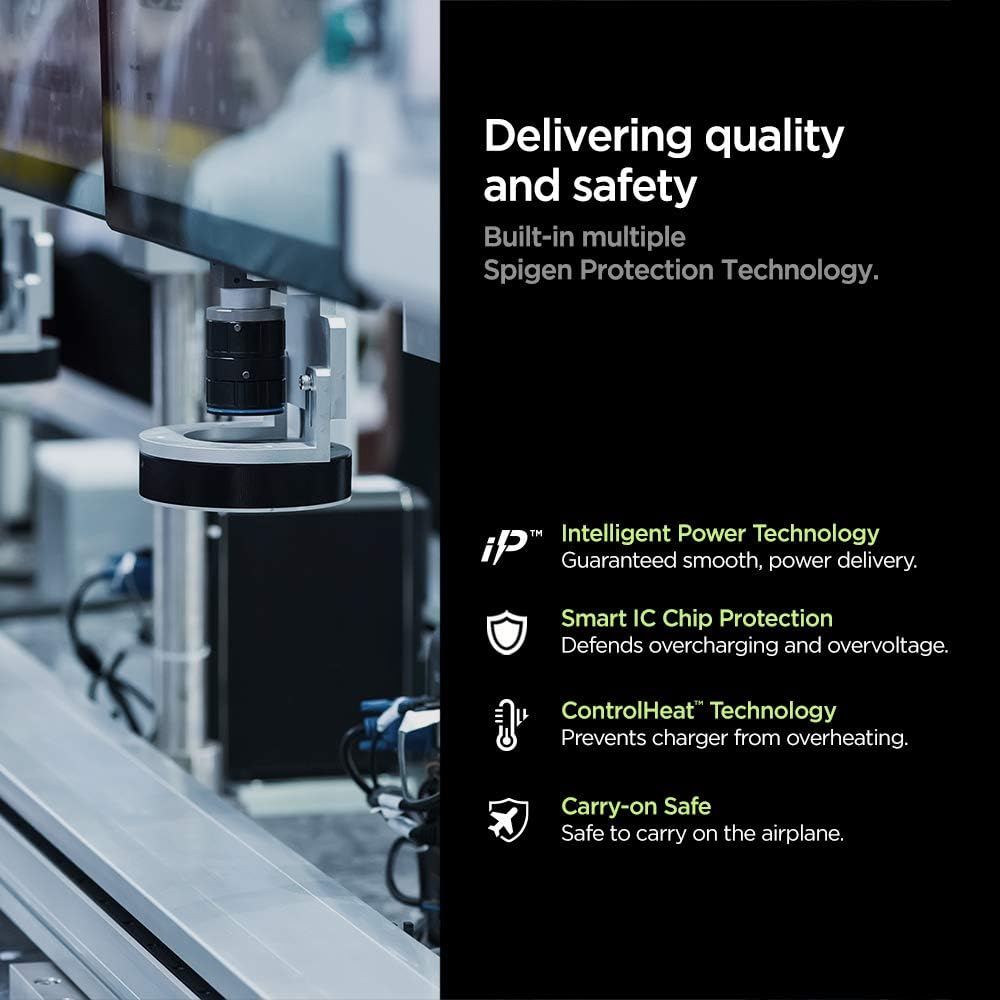
Image: Overview of the built-in safety and quality features.
Setup
Initial Charging of the Power Bank:
- Before first use, fully charge your Spigen PocketBoost power bank.
- Connect the provided USB-C to USB-C cable or USB-A to USB-C cable to the power bank's input port (USB-C port).
- Connect the other end of the cable to a compatible USB wall charger (not included). For fastest charging, use a Power Delivery (PD) or Quick Charge (QC) compatible wall charger.
- The LED indicators on the power bank will illuminate to show the charging progress. All four LEDs will be solid when fully charged.
Operating Instructions
Checking Battery Level:
Press the power button once to check the remaining battery level. The LED indicators will light up:
- 4 LEDs: 75-100%
- 3 LEDs: 50-75%
- 2 LEDs: 25-50%
- 1 LED: 0-25%
Charging Your Devices:
The Spigen PocketBoost features both a USB-C port (with Power Delivery) and a USB-A port (with Quick Charge 3.0) for versatile device charging.
- Connect your device's charging cable to the appropriate port on the power bank (USB-C or USB-A).
- Connect the other end of the cable to your device.
- The power bank will automatically begin charging your device. If not, press the power button once to initiate charging.
- You can charge two devices simultaneously using both ports.

Image: Demonstrating fast charging with the power bank.
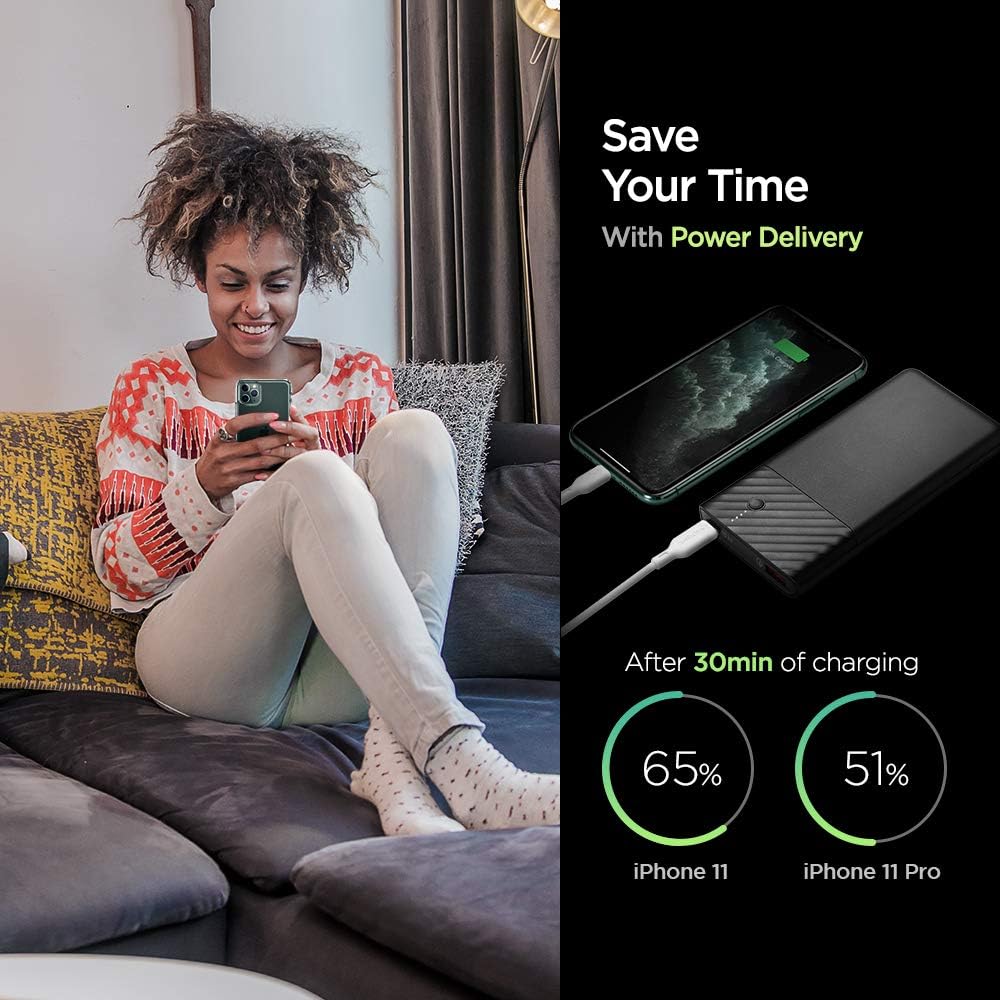
Image: Power Delivery charging efficiency for iPhone models.

Image: Quick Charge 3.0 efficiency for Android devices.
Video: A short demonstration of the Spigen PocketBoost charging a smartphone and wireless earbuds simultaneously. This video highlights the dual-port charging capability and compact design.
Maintenance
- Keep the power bank away from extreme temperatures, direct sunlight, and liquids.
- Clean the power bank with a soft, dry cloth. Do not use harsh chemicals or abrasive materials.
- Store the power bank in a cool, dry place when not in use. For long-term storage, it is recommended to charge the power bank to about 50-75% every 3-6 months to preserve battery health.
- Avoid dropping or subjecting the power bank to strong impacts.
Troubleshooting
| Problem | Possible Cause | Solution |
|---|---|---|
| Power bank not charging | Cable not properly connected; faulty cable/charger; power bank battery depleted. | Ensure cables are securely connected. Try a different cable or wall charger. Allow the power bank to charge for a longer period. |
| Device not charging from power bank | Power bank battery depleted; incorrect cable; device not compatible; power bank in standby. | Check power bank battery level. Use the correct cable for your device. Ensure your device is compatible with USB charging. Press the power button on the power bank to activate charging. |
| Slow charging | Non-PD/QC compatible charger/cable; device not supporting fast charge. | Use a PD or QC 3.0 compatible wall charger and cable for faster charging of the power bank. Ensure your device supports fast charging technologies (PD/QC) to benefit from the power bank's fast output. |
| Power bank gets warm during use | Normal operation during high-speed charging; excessive load. | It is normal for the power bank to get slightly warm during charging or discharging. If it becomes excessively hot, disconnect it immediately and contact customer support. |
Specifications
| Feature | Detail |
|---|---|
| Model Number | F732QC |
| Battery Capacity | 10000 Milliamp Hours (mAh) |
| Product Dimensions | 2.76 x 1.97 x 1.18 inches |
| Item Weight | 7 ounces |
| Connector Type | USB Type C, USB Type A |
| Special Features | Power Delivery (PD), Quick Charge 3.0 (QC 3.0) |
| Color | Black |
| Manufacturer | Spigen |
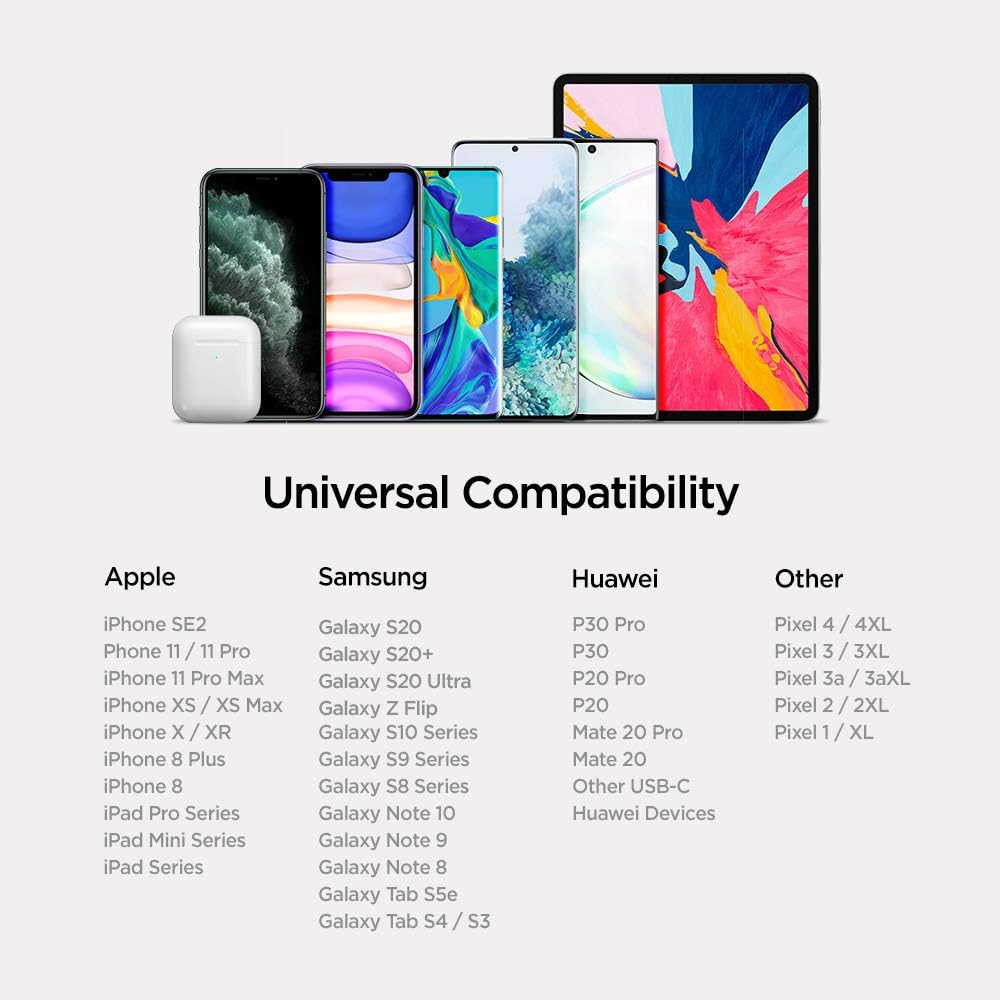
Image: Universal compatibility chart for the power bank.
Warranty and Support
Spigen products are designed with quality and reliability in mind. For warranty information, technical support, or any inquiries regarding your Spigen PocketBoost Power Bank, please visit the official Spigen website or contact their customer service directly.
You can find more information and support at the Spigen Store on Amazon.
Ask a question about this manual
Ask about setup, troubleshooting, compatibility, parts, safety, or missing instructions. Manuals+ will review the question and use this page’s manual context to help answer it.