
CREATE 82466_161240
CREATE IKOHS LIGHTCALM Black Ceiling Fan User Manual
Model: 82466_161240
1. Introduction
Thank you for choosing the CREATE IKOHS LIGHTCALM Black Ceiling Fan. This manual provides essential information for the safe installation, operation, and maintenance of your new ceiling fan. Please read it thoroughly before use and retain it for future reference.
This ceiling fan features a durable copper DC motor, offering efficient and quiet operation. It includes a reverse function for year-round use, a remote control for convenient operation, and an integrated light with three adjustable color temperatures.
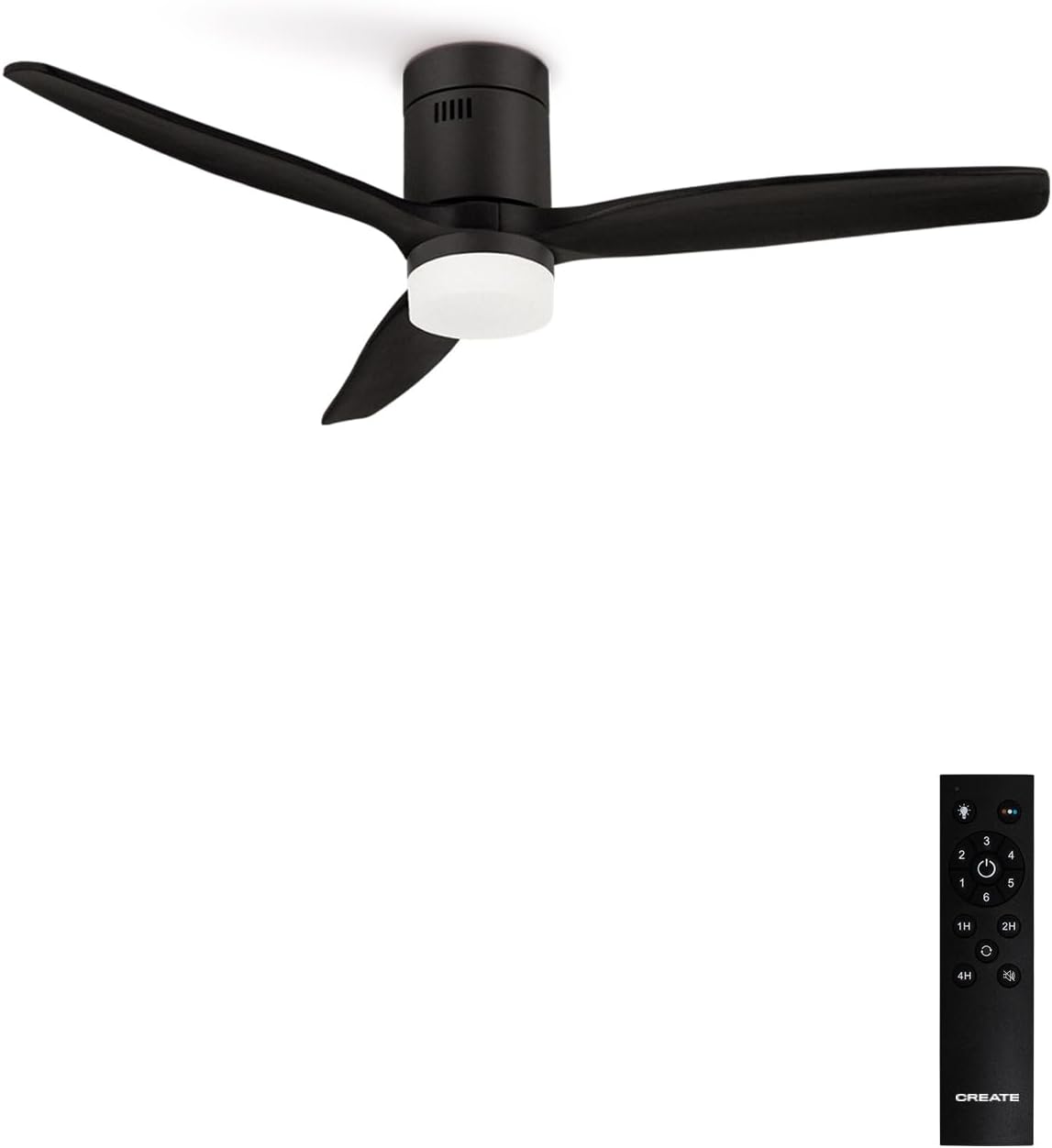
Image 1.1: The CREATE IKOHS LIGHTCALM Black Ceiling Fan with its remote control.
2. Safety Information
To reduce the risk of electric shock, fire, or injury, always follow these basic safety precautions:
- Read all instructions carefully before installing and operating the fan.
- Ensure the main power supply is disconnected at the circuit breaker before installation or maintenance.
- All electrical connections must be performed by a qualified electrician and comply with local electrical codes.
- The fan must be mounted to a structure capable of supporting its weight (minimum 6 kg).
- Ensure there is adequate clearance between the fan blades and any obstacles.
- Do not insert objects into the fan blades while the fan is operating.
- Do not attempt to repair or modify the fan yourself. Contact qualified service personnel.
3. Package Contents
Verify that all components are present and undamaged before beginning installation:
- Ceiling Fan Motor Unit
- Fan Blades (3 units)
- Light Kit with Diffuser
- Remote Control
- Mounting Bracket and Hardware (screws, washers, wire nuts)
- User Manual
4. Setup and Installation
Professional installation is recommended. Follow these general steps for installation:
- Prepare for Installation: Turn off power at the main circuit breaker. Ensure the mounting location is structurally sound and can support the fan's weight.
- Install Mounting Bracket: Secure the mounting bracket to the ceiling junction box using appropriate screws and washers.
- Assemble Fan Blades: Attach the fan blades to the motor unit according to the instructions provided in the separate assembly guide (if applicable).
- Wire Connections: Connect the fan's electrical wires to the household wiring. Ensure proper grounding and secure all connections with wire nuts.
- Mount Fan to Bracket: Carefully lift the fan assembly and hang it onto the mounting bracket. Secure the fan canopy to the bracket.
- Install Light Kit: Connect the light kit wiring and attach the light diffuser to the fan motor housing.
- Restore Power: Once installation is complete and all connections are secure, restore power at the circuit breaker.

Image 4.1: Side view dimensions of the fan, showing height and light kit depth.

Image 4.2: Top view dimensions of the fan, showing blade span and motor housing diameter.
5. Operating Instructions
Your CREATE IKOHS LIGHTCALM ceiling fan is controlled by the included remote control.
5.1 Remote Control Functions
- Power Button: Turns the fan and light on or off.
- Fan Speed Buttons (1-6): Adjusts the fan speed from 1 (lowest) to 6 (highest).
- Light On/Off Button: Toggles the light on or off independently of the fan.
- Light Color Temperature Button: Cycles through three light color temperatures: cool white, natural white, and warm white.
- Timer Buttons (1H, 2H, 4H): Sets the fan to turn off automatically after 1, 2, or 4 hours.
- Reverse Function Button: Changes the direction of the fan blade rotation for summer or winter mode.

Image 5.1: The fan's integrated light offers three distinct color temperatures.
5.2 Summer Mode (Downward Airflow)
In summer mode, the fan blades rotate counter-clockwise, pushing air downwards. This creates a direct breeze, enhancing the cooling effect of air conditioning or providing a refreshing airflow in warmer conditions.
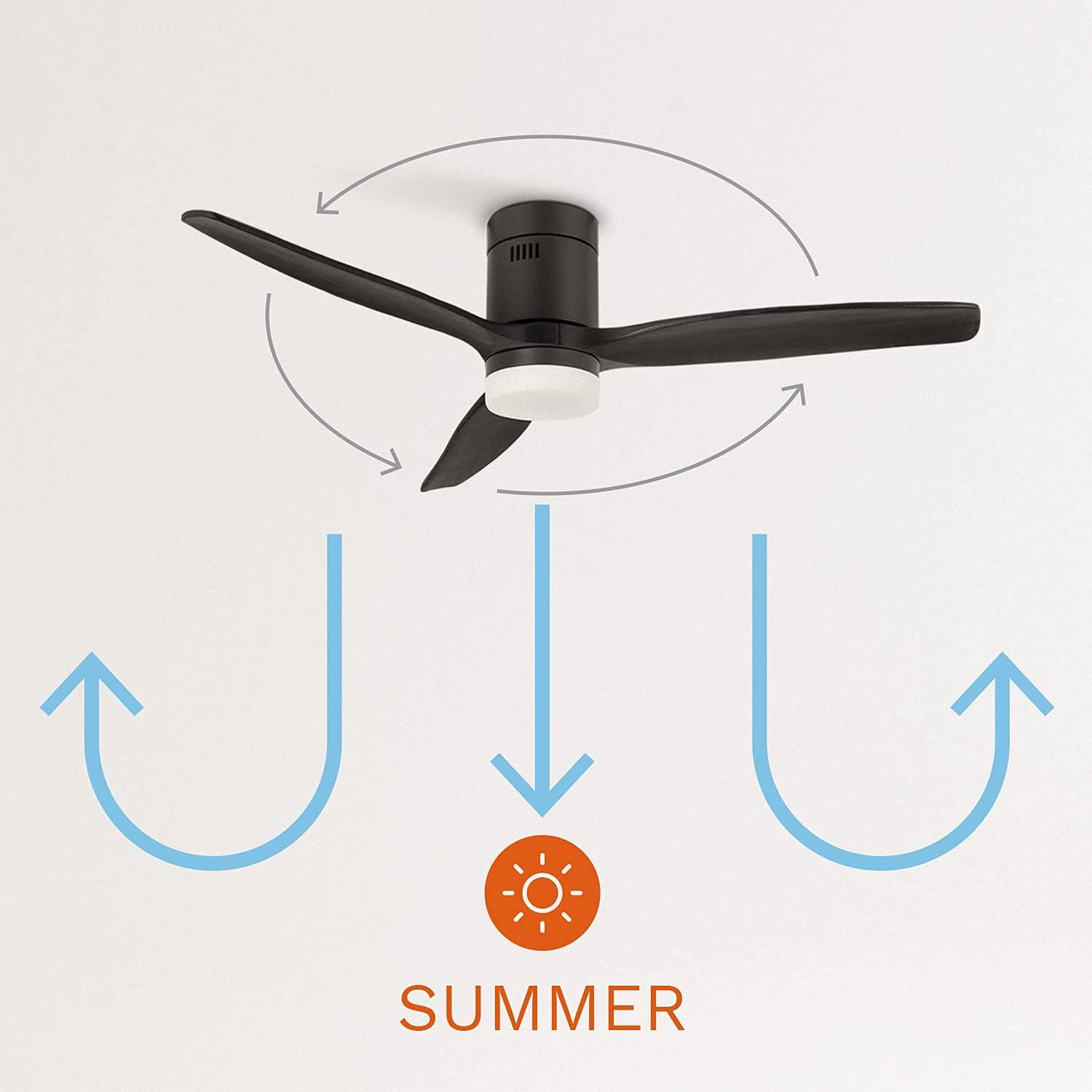
Image 5.2: Summer mode operation, circulating air downwards for cooling.
5.3 Winter Mode (Upward Airflow)
In winter mode, the fan blades rotate clockwise, drawing air upwards. This helps to redistribute warm air that collects near the ceiling, circulating it throughout the room and improving heating efficiency.
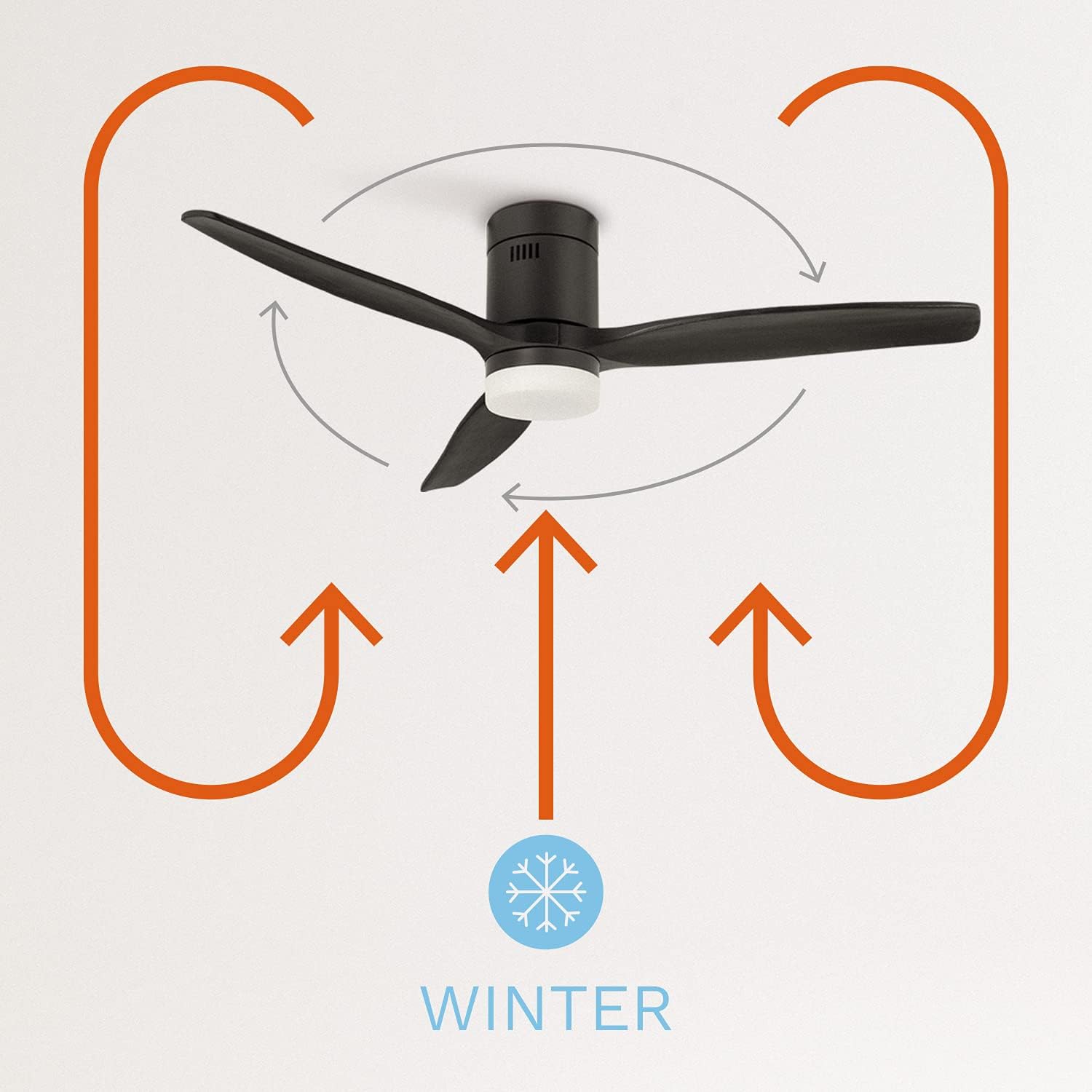
Image 5.3: Winter mode operation, circulating warm air upwards to redistribute heat.
6. Maintenance
Regular maintenance ensures optimal performance and longevity of your ceiling fan.
- Cleaning: Periodically clean the fan blades and motor housing with a soft, damp cloth. Do not use abrasive cleaners or solvents. Ensure the power is off before cleaning.
- Tightness Check: Annually check all screws and connections for tightness. Loose connections can cause noise and affect performance.
- Light Source: The integrated LED light source is designed for long life. If replacement is needed, contact qualified service personnel.
7. Troubleshooting
If you encounter issues with your fan, refer to the following common problems and solutions:
| Problem | Possible Cause | Solution |
|---|---|---|
| Fan does not start | No power supply Remote control battery low/dead | Check circuit breaker Replace remote control batteries |
| Fan makes excessive noise | Loose screws on blades or mounting Unbalanced blades | Tighten all screws Ensure blades are properly installed and balanced |
| Light does not work | Loose wiring connection Light source issue | Check wiring connections (power off) Contact service personnel |
| Remote control not responding | Battery low/dead Obstruction between remote and receiver | Replace remote control batteries Ensure clear line of sight |
8. Specifications
Technical specifications for the CREATE IKOHS LIGHTCALM Black Ceiling Fan:
| Feature | Specification |
|---|---|
| Brand | CREATE |
| Model Number | 82466_161240 |
| Color | Black |
| Product Dimensions | 132 x 31.5 x 31.5 cm |
| Weight | 6 kg |
| Power / Wattage | 40 watts |
| Voltage | 240 Volts |
| Material | Copper (motor) |
| Number of Speeds | 6 |
| Noise Level | 50 Decibels |
| Special Features | Remote Controlled, Timer, Reverse Function |
| Energy Efficiency Class | A+ to G (as per EU label) |

Image 8.1: EU Energy Label for a similar CREATE model, indicating energy efficiency and noise level.

Image 8.2: Product data sheet for a similar CREATE model, detailing specific energy consumption and air volume.
9. Warranty and Support
Your CREATE IKOHS LIGHTCALM Black Ceiling Fan is covered by a manufacturer's warranty. Please refer to the warranty card included with your purchase for specific terms and conditions. For technical support, spare parts, or warranty claims, please contact your retailer or the CREATE customer service department.
Keep your proof of purchase for warranty validation.
Related documents82466_161240


Ask a question about this manual
Ask about setup, troubleshooting, compatibility, parts, safety, or missing instructions. Manuals+ will review the question and use this page’s manual context to help answer it.