
Miady HYD001
Miady 5000mAh Mini Portable Charger (Model HYD001) User Manual
Comprehensive instructions for your Miady portable power bank.
1. Introduction
Thank you for choosing the Miady 5000mAh Mini Portable Charger. This device is designed to provide convenient and reliable power for your electronic devices on the go. Please read this manual carefully to ensure proper use and optimal performance.
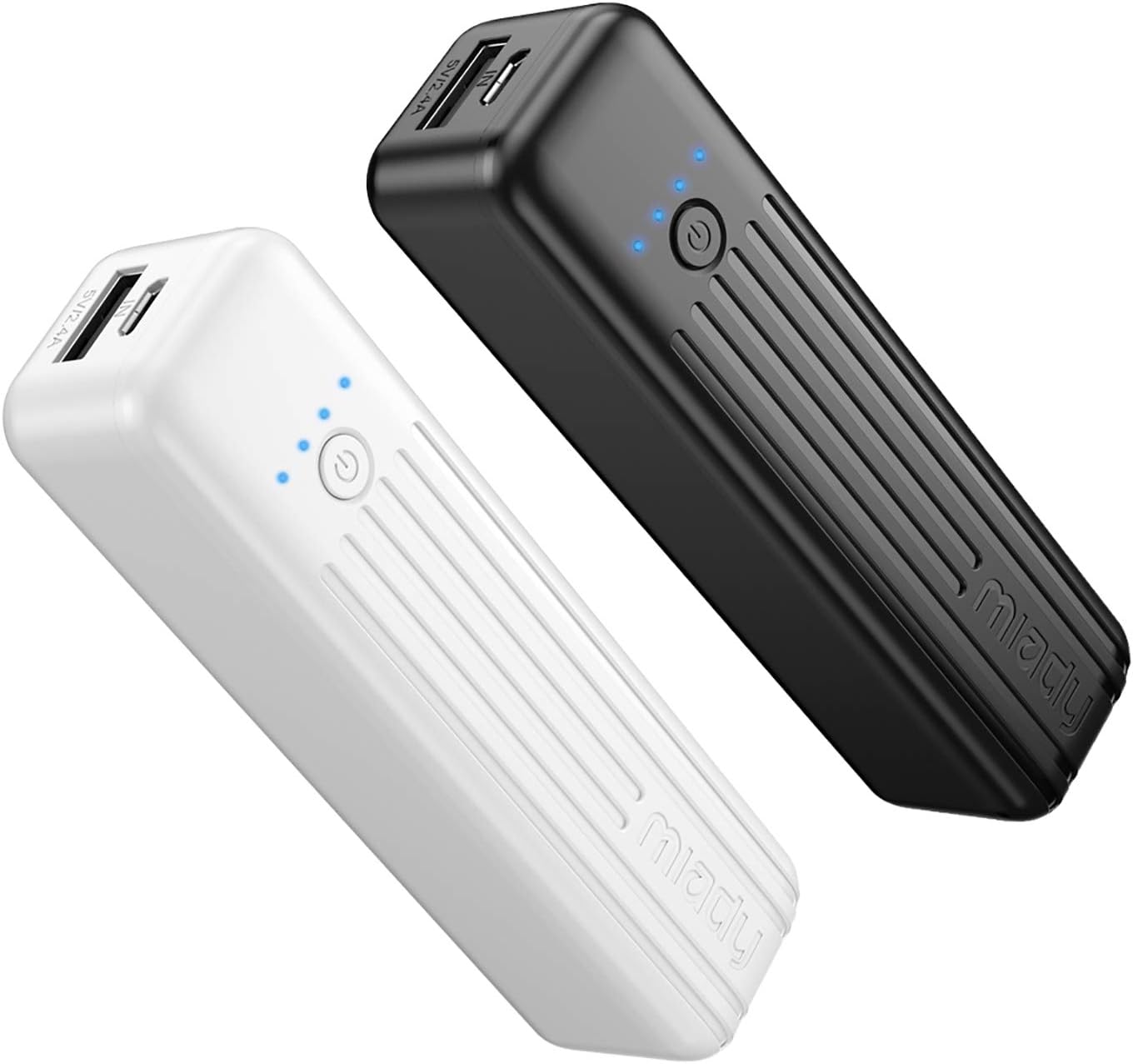
Image: Two Miady 5000mAh mini portable chargers, one white and one black, showcasing their compact design and LED indicators.
2. Package Contents
Verify that all items are present in your package:
- 2 x Miady 5000mAh Power Bank (Black+White)
- 2 x USB A to USB C Cable (Note: Lightning cable is not included)
- 1 x User Manual
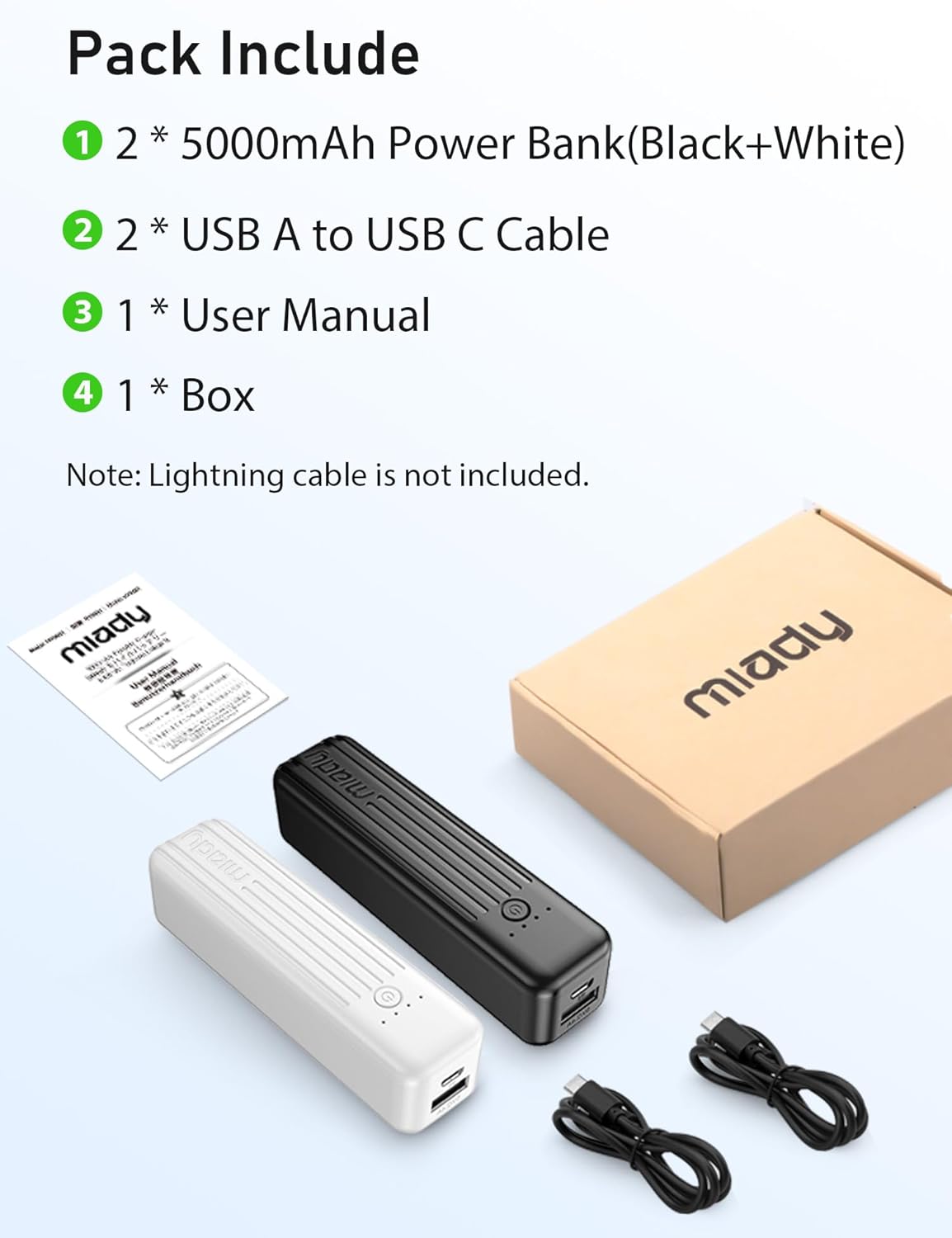
Image: The package contents, including two Miady 5000mAh power banks (one black, one white), two USB-A to USB-C charging cables, and the user manual, displayed alongside the product box.
3. Product Overview
Familiarize yourself with the components of your Miady portable charger:

Image: A detailed diagram highlighting the key features of the Miady portable charger, such as the output port, input port, LED indicator lights, and the power button (LED switch).
- Output Port: Automatically begins charging when a smartphone or compatible device is connected and stops when disconnected.
- Input Port: Used to recharge the power bank. Connect a micro USB cable to this port and a power source.
- LED Units: Four indicator lights, each representing approximately 0-25% of the power bank's capacity.
- LED Switch (Power Button): Press to activate the LED units to check the remaining battery capacity. For low-power devices like headphones, pressing this button may be required to initiate charging.
4. Setup and Charging the Power Bank
Before first use, fully charge your Miady portable charger.
- Connect the Power Bank: Use the provided USB A to USB C cable. Connect the USB C end to the power bank's input port and the USB A end to a compatible USB wall adapter (not included) or computer USB port.
- Monitor Charging: The LED indicator lights will illuminate and blink during charging. When all four LEDs are solid, the power bank is fully charged.
- Charging Time: A full charge typically takes several hours, depending on the power source.
5. Operating Instructions
5.1 Charging Your Devices
- Connect Your Device: Use your device's charging cable (e.g., Lightning cable for iPhone, USB-C for Android) and connect it to the power bank's output port.
- Automatic Charging: The power bank is designed to automatically begin charging your device upon connection.
- Low-Power Devices: For some low-power devices (e.g., Bluetooth headphones), you may need to press the power button on the power bank to initiate charging.
- Charging Speed: This portable phone charger provides 5V/2.4A high-speed charging, delivering up to 12W of power.

Image: A white Miady portable charger connected to a smartphone, illustrating its 12W rapid charging capability.
5.2 Checking Battery Level
Press the power button once to view the remaining battery capacity via the LED indicators:
- 4 LEDs: 75-100% charged
- 3 LEDs: 50-75% charged
- 2 LEDs: 25-50% charged
- 1 LED: 0-25% charged (recharge soon)
6. Maintenance and Care
- Storage: Store the power bank in a cool, dry place away from direct sunlight and extreme temperatures.
- Cleaning: Use a soft, dry cloth to clean the exterior of the power bank. Do not use harsh chemicals or abrasive materials.
- Battery Life: To prolong battery life, fully charge and discharge the power bank at least once every three months if not in regular use.
- Safety: Do not disassemble, puncture, or expose the power bank to fire or water. Keep out of reach of children.
7. Troubleshooting
- Power bank not charging:
- Ensure the charging cable is securely connected to both the power bank's input port and the power source.
- Try a different USB cable or wall adapter.
- Device not charging from power bank:
- Ensure your device's charging cable is securely connected to the power bank's output port and your device.
- Verify the power bank has sufficient charge (check LED indicators).
- For low-power devices (e.g., headphones), press the power button on the power bank to activate charging.
- Try a different charging cable for your device.
- Slow charging:
- Ensure you are using a compatible charging cable and adapter.
- The charging speed can be affected by the device being charged and the remaining battery level of the power bank.
8. Specifications
| Model Number | HYD001 |
| Battery Capacity | 5000 Milliamp Hours (18.5 Wh) |
| Output | 5V/2.4A (12W) |
| Input | 5V/2A |
| Product Dimensions | 4 x 1.1 x 1.1 inches |
| Item Weight | 3.45 oz (97.8g) per unit |
| Battery Type | Li-polymer |
| Special Features | Auto Shut-Off, LED Indicator Lights, Pocket Size, Short Circuit Protection, Slim |

Image: A Miady portable charger being placed into a pocket, highlighting its compact and portable nature.
9. Warranty and Support
Miady products are designed for reliability and performance. We offer the following support:
- After-sales Service: 180 days after-sales service.
- Customer Support: 24-hour customer support is available for any inquiries or assistance.
For further assistance, please refer to the contact information provided with your purchase or visit the official Miady website.
Related documentsHYD001

Ask a question about this manual
Ask about setup, troubleshooting, compatibility, parts, safety, or missing instructions. Manuals+ will review the question and use this page’s manual context to help answer it.