
1. Introduction
This manual provides comprehensive instructions for the installation and proper use of the Schüller Kitchen Plinth Brackets, model 75.0010. These brackets are designed for securely fastening kitchen plinths, ensuring a stable and aesthetically pleasing finish to your kitchen cabinetry. Please read these instructions carefully before beginning installation.
2. Product Overview
The Schüller Plinth Brackets are high-quality, durable plastic components designed for easy and secure attachment of kitchen plinths. They are specifically intended for the front plinth sections and are compatible with various kitchen manufacturers, including Schüller kitchens. Each pack contains 10 pieces, sufficient for approximately 4 meters of plinth.

Image 2.1: Overview of Schüller Plinth Brackets (Model 75.0010).
Key Features:
- Easy Installation: Simple clip-on mechanism for quick assembly.
- Universal Compatibility: Suitable for plinths made of wood, plastic, or metal.
- Durable Material: Constructed from robust white/transparent plastic.
- Optimal Quantity: 10 pieces per pack, ideal for standard kitchen installations.
- Front Plinth Specific: Designed for secure fastening of the front plinth.
3. Specifications
| Attribute | Value |
|---|---|
| Model Number | 75.0010 |
| Material | Plastic (White/Transparent) |
| Quantity per Pack | 10 pieces |
| Recommended Plinth Thickness | 13 mm |
| Approximate Coverage per 5 Clips | 1 meter of plinth |
| Approximate Coverage per 10 Clips | 4 meters of plinth |
| Weight per Item | Approx. 3.5 grams |

Image 3.1: Dimensional drawing of the plinth bracket.
4. Setup and Installation
Follow these steps for proper installation of the Schüller Kitchen Plinth Brackets:
- Prepare the Plinth: Ensure your kitchen plinth (made of wood, plastic, or metal) has a thickness of approximately 13 mm for optimal fit.
- Attach Brackets to Plinth: The plinth holders are designed to be attached from the top onto the plinth strip. Simply slide them onto the top edge of the plinth.
- Position the Plinth: Once the brackets are attached to the plinth, position the plinth in front of your kitchen cabinets.
- Secure to Cabinet Legs: With slight downward pressure, slide the plinth and attached brackets either to the left or right into the plastic holders (feet) of the kitchen cabinets. The clips will engage with the cabinet leg's plinth holder, securing the plinth in place.

Image 4.1: Plinth bracket attached to a kitchen cabinet leg.
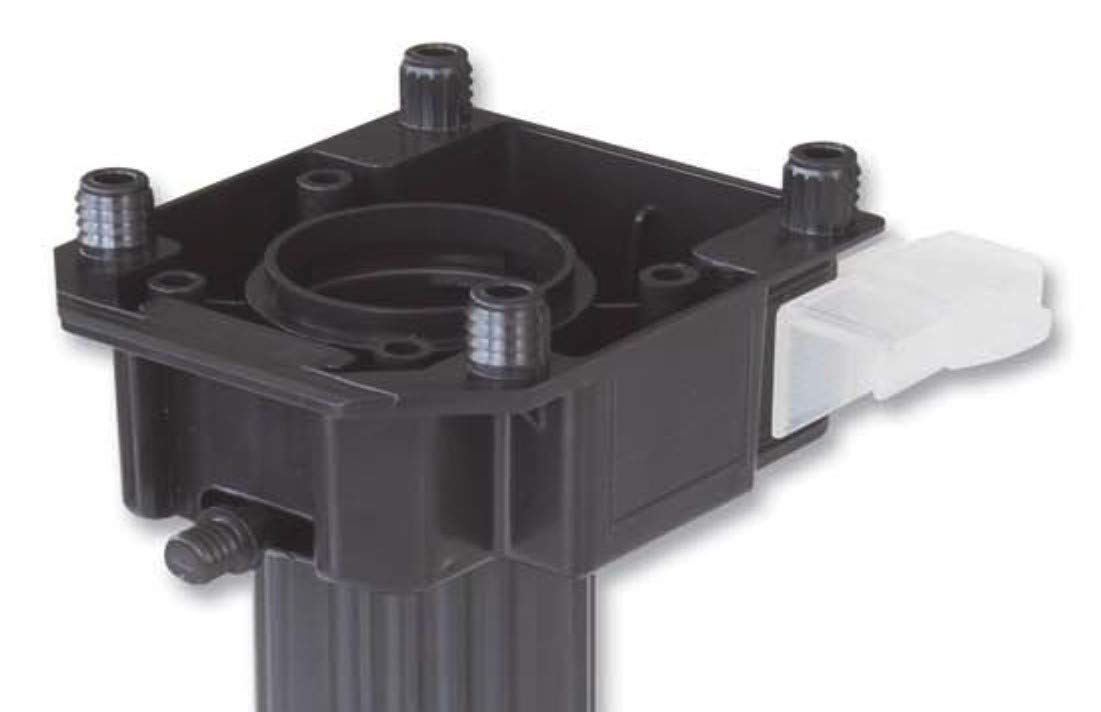
Image 4.2: Diagram showing the clip-on mechanism with the cabinet leg.
5. Operating
The Schüller Kitchen Plinth Brackets are passive fastening components. Once correctly installed, no further operation is required. They function by securely holding the kitchen plinth in place against the cabinet legs.
6. Maintenance
These plinth brackets require minimal maintenance. Periodically check the security of the plinth attachment. If the plinth becomes loose, gently push it back into place to re-engage the clips. Clean with a damp cloth if necessary.
7. Troubleshooting
- Plinth is loose after installation: Ensure the clips are fully engaged with the plastic holders on the cabinet legs. Apply firm, even pressure when sliding the plinth into position. Verify that the plinth thickness is compatible (approx. 13 mm).
- Clips do not fit: Check if your cabinet leg holders are compatible with a slide-in clip mechanism. Compare the dimensions of the bracket (Image 3.1) with your existing setup.
8. Warranty and Support
For any questions regarding the Schüller Kitchen Plinth Brackets or for support, please contact your retailer or the manufacturer directly. Specific warranty information may vary by region and retailer; please refer to your purchase documentation for details.