
Introduction
This instruction manual provides essential information for the proper setup, operation, and maintenance of your Plantronics Savi 8240/8245 DECT Spare Headset. This headset is designed to be used as a replacement or additional unit for an existing Plantronics Savi 8200 series DECT base station. Please read this manual thoroughly before using your headset to ensure optimal performance and longevity.
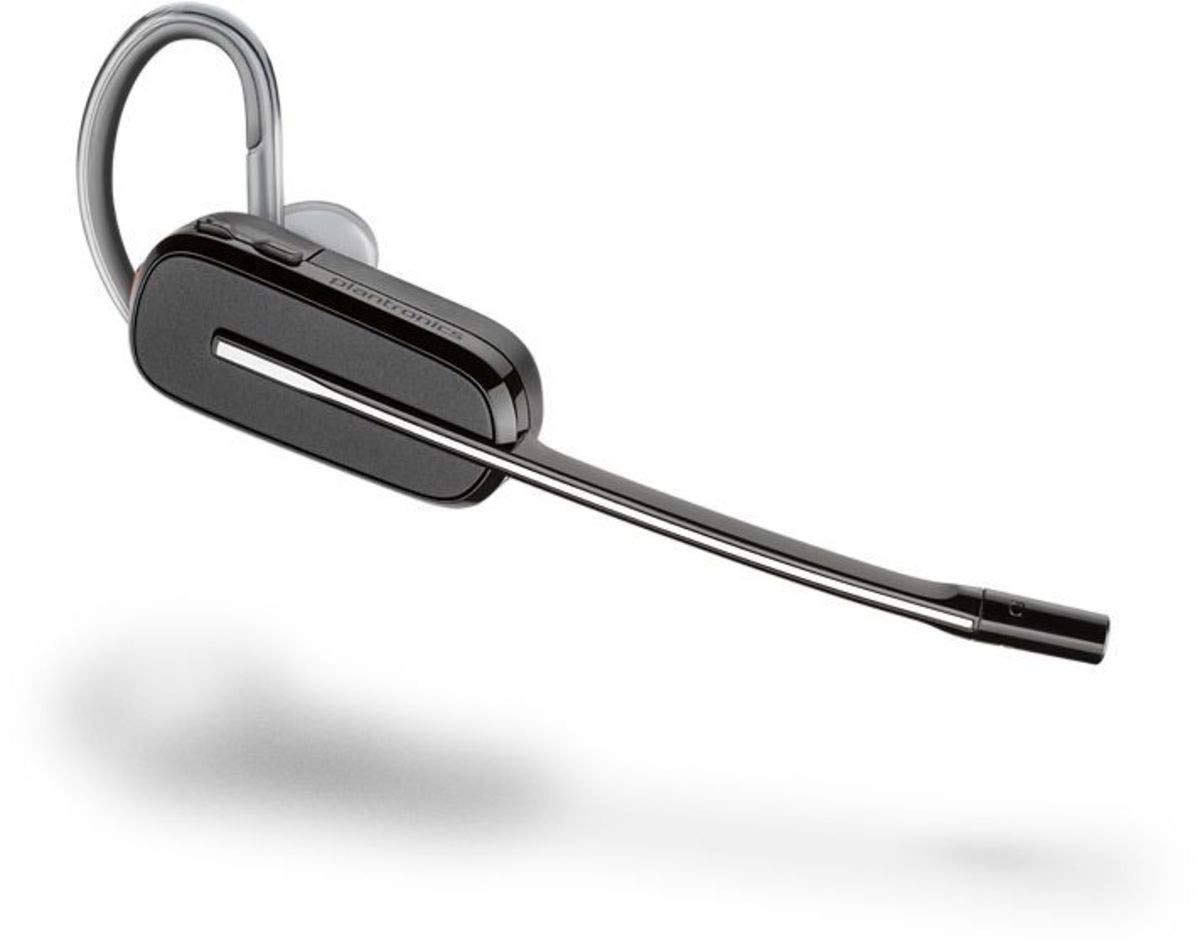
Figure 1: Plantronics Savi 8240/8245 DECT Spare Headset. This image shows the compact design of the headset, typically worn over the ear, with a microphone boom.
Setup
1. Unpacking
Carefully remove all contents from the packaging. The spare headset kit typically includes:
- Plantronics Savi 8240/8245 DECT Spare Headset
- Ear tips and ear loops (various sizes)
- Charging cradle or cable (if included with spare kit, otherwise uses base)
2. Charging the Headset
Before first use, fully charge the headset. Place the headset into the charging cradle of your existing Plantronics Savi 8200 series DECT base station. The charging indicator light on the headset or base will typically show a solid light when fully charged.
- Charging Time: Approximately 2-3 hours for a full charge.
- Battery Life: Refer to your base station's manual for expected talk time and standby time.
3. Pairing with the Base Station
Your spare headset must be paired with your Plantronics Savi 8200 series DECT base station. Follow these steps:
- Ensure your base station is powered on and connected to your devices (desk phone, computer, mobile).
- Place the spare headset into the charging cradle of the base station.
- On the base station, press and hold the subscription button (often indicated by a pairing icon or "Pair") for approximately 4 seconds until the subscription indicator light on the base begins to flash.
- The headset and base will attempt to pair. Once successfully paired, the subscription indicator light on the base will turn solid, and you may hear a tone in the headset.
- If pairing fails, repeat the steps. Consult your base station's user guide for specific pairing instructions if needed.
Operating Instructions
1. Wearing the Headset
The Savi 8240/8245 headset offers multiple wearing styles. Choose the style that provides the most comfort and stability:
- Over-the-Ear: Attach the ear loop and ear tip. Position the ear loop behind your ear and the ear tip gently into your ear canal. Adjust the microphone boom so it is approximately two finger-widths from the corner of your mouth.
- Behind-the-Head: (If applicable for your specific model variant) Attach the neckband. Place the neckband behind your head with the earpiece over one ear. Adjust the microphone boom.
2. Basic Controls
Familiarize yourself with the controls on your headset:
- Call Control Button: Press to answer or end a call.
- Volume Up/Down: Press the (+) or (-) buttons to adjust listening volume.
- Mute Button: Press to mute or unmute the microphone during a call.
3. Call Management
- Answering a Call: When you hear a ring tone in your headset, press the Call Control Button.
- Ending a Call: Press the Call Control Button.
- Making a Call: Initiate the call from your connected device (desk phone, computer, mobile). The audio will automatically transfer to your headset once the call connects.
Maintenance
1. Cleaning the Headset
Regular cleaning helps maintain hygiene and performance:
- Wipe the headset with a soft, damp cloth. Do not use harsh chemicals or abrasive cleaners.
- For ear tips, remove them and clean with mild soap and water, then rinse thoroughly and allow to air dry completely before reattaching.
- Avoid getting moisture into the microphone or speaker openings.
2. Storage
When not in use, store the headset in its charging cradle or a clean, dry place away from extreme temperatures and direct sunlight.
3. Battery Care
To maximize battery life:
- Avoid fully discharging the battery frequently.
- Charge the headset regularly, even if not used daily.
- Store the headset with a partial charge if storing for extended periods.
Troubleshooting
| Problem | Possible Solution |
|---|---|
| No audio in headset |
|
| Cannot pair headset with base |
|
| Poor sound quality |
|
For further assistance, refer to the full user manual for your Plantronics Savi 8200 series base station or visit the Plantronics support website.
Specifications
| Model Number | 215801-01 |
| Compatible Devices | Plantronics Savi 8200 series base stations |
| Connectivity Technology | DECT (Digital Enhanced Cordless Telecommunications) |
| Material | Plastic |
| Item Weight | 227 Grams (8 ounces) |
| Color | Black |
| Special Feature | Lightweight |
| UPC | 197497580105 |
Warranty and Support
This Plantronics product is covered by a limited warranty. For detailed warranty information, please refer to the warranty card included with your original Plantronics Savi 8200 series purchase or visit the official Poly (formerly Plantronics) website.
For technical support, FAQs, and additional resources, please visit the Poly support website or contact their customer service. Keep your product model number (215801-01) and proof of purchase handy when seeking support.
Online Support: www.poly.com/us/en/support


