
FILA B0832H1QY4
FILA Analog Watch User Manual
Model: B0832H1QY4
Introduction
Thank you for choosing the FILA Analog Watch. This manual provides essential information for the proper setup, operation, and maintenance of your new timepiece. Please read this manual thoroughly before using your watch to ensure optimal performance and longevity.

Figure 1: Front view of the FILA Analog Watch. This image displays the watch's black dial, silver-tone case, and black silicone strap with the FILA logo.
Key Features
Your FILA Analog Watch is designed with functionality and style in mind. Key features include:
- Classic Analog Display: Traditional hour, minute, and second hands for clear timekeeping.
- Date Tracker: A dedicated window displays the current date.
- Comfort Silicone Strap: Durable and comfortable strap suitable for daily wear.
- 30 Meters Water Resistance: Suitable for everyday use, splash/rain resistant. Not suitable for showering, bathing, swimming, snorkeling, or water-related work.

Figure 2: Overview of key features. This image highlights the watch's classic design, date display, comfortable strap material, and water resistance rating.
Setup and Time/Date Adjustment
To set the time and date on your FILA Analog Watch, follow these steps:
- Pull out the Crown: Gently pull the crown (the knob on the side of the watch) to position 1 for date adjustment, or position 2 for time adjustment.
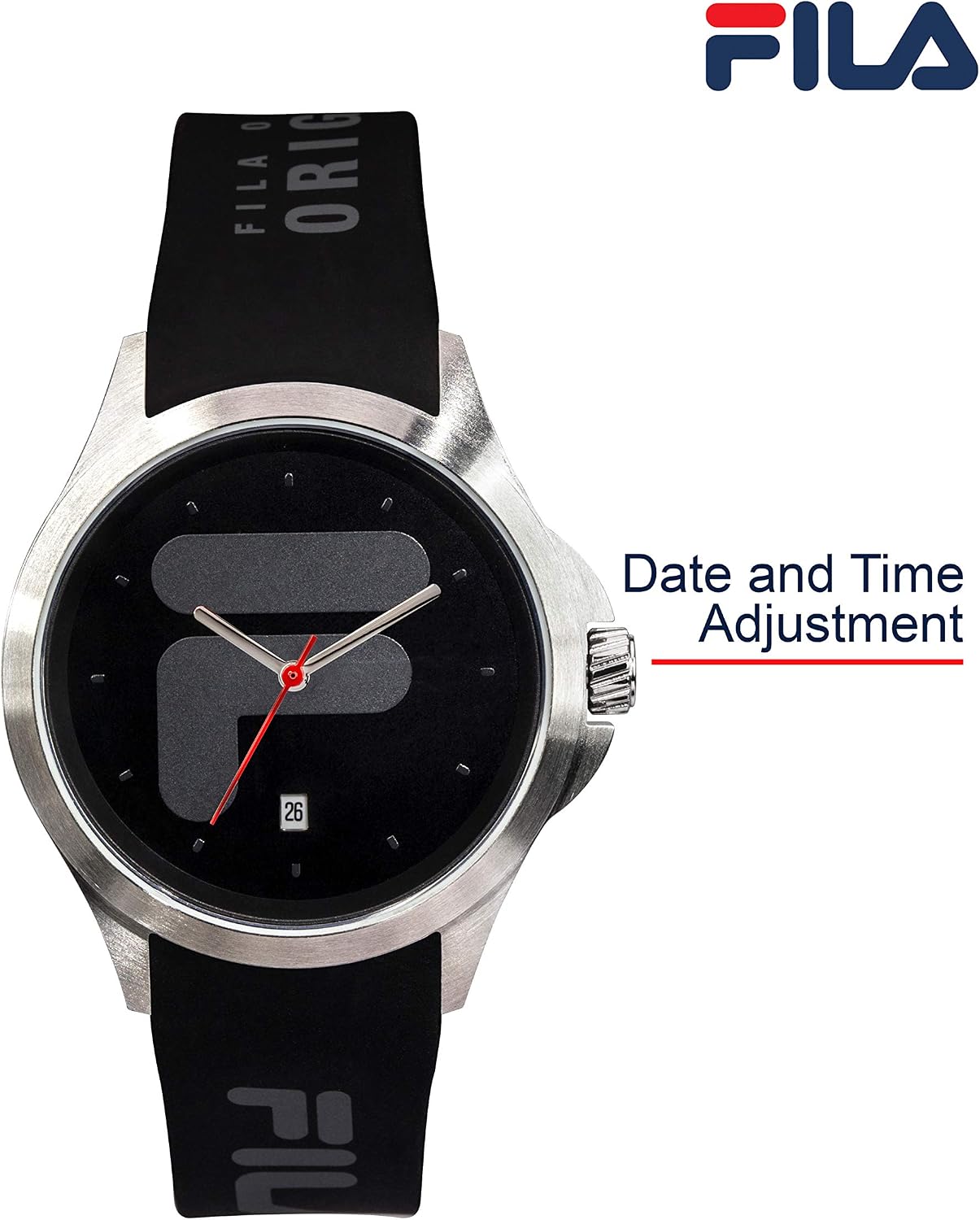
Figure 3: Crown for date and time adjustment. This image shows the watch's crown, which is used to set the time and date.
- Set the Date (Position 1): If your watch has a date function, pull the crown out to the first click (Position 1). Turn the crown clockwise or counter-clockwise to set the correct date. Once set, push the crown back in to the normal position.
- Set the Time (Position 2): Pull the crown out to the second click (Position 2). Turn the crown to move the hour and minute hands until the desired time is displayed. Remember to account for AM/PM if setting the date.
- Push in the Crown: Once the time is set, push the crown all the way back into its normal operating position. This will start the watch movement.
Operating Your Watch
Your FILA Analog Watch is designed for straightforward operation:
- Wearing the Watch: Adjust the silicone strap to fit comfortably around your wrist. The buckle should be secure but not too tight.
- Checking the Time: Simply glance at the dial to read the hour, minute, and second hands. The date window will display the current date.
Maintenance and Care
To ensure your FILA Analog Watch remains in excellent condition, follow these care guidelines:
- Cleaning: Wipe the watch case and strap with a soft, damp cloth. For the silicone strap, mild soap and water can be used, then rinse thoroughly and dry. Avoid harsh chemicals.
- Water Resistance: Your watch is water resistant up to 30 meters (3 ATM). This means it can withstand splashes or brief immersion in water, such as rain or hand washing. It is not suitable for swimming, diving, or showering. Always ensure the crown is fully pushed in when the watch might come into contact with water.
- Temperature Extremes: Avoid exposing your watch to extreme temperatures (hot or cold) or sudden temperature changes, as this can affect its accuracy and seals.
- Magnetic Fields: Keep the watch away from strong magnetic fields, which can interfere with the movement.
- Battery Replacement: When the watch stops or the second hand begins to skip, it indicates a low battery. Battery replacement should be performed by a qualified watch technician to maintain water resistance.
Troubleshooting
If you encounter issues with your watch, refer to the following common problems and solutions:
| Problem | Possible Cause | Solution |
|---|---|---|
| Watch has stopped or is running slow. | Low battery. | Replace the battery. Consult a professional watch repair service. |
| Time or date is incorrect. | Incorrect setting; crown not fully pushed in. | Refer to "Setup and Time/Date Adjustment" section to reset. Ensure crown is fully pushed in. |
| Condensation under the crystal. | Exposure to extreme temperature changes or water ingress. | Immediately take the watch to a qualified technician for inspection and repair to prevent damage. |
Specifications
| Attribute | Detail |
|---|---|
| Model Number | B0832H1QY4 |
| Color | Black & White |
| Dimensions (Package) | 11.3 x 9.7 x 8.8 cm |
| Weight (Package) | 169 g |
| Target Audience | Men, Ladies |
| Water Resistance | 30 Meters (3 ATM) |
Warranty and Support
For warranty information and customer support, please refer to the documentation included with your purchase or visit the official FILA website. Keep your purchase receipt as proof of purchase for any warranty claims.
If you require further assistance or have questions not covered in this manual, please contact FILA customer service through their official channels.
Related documentsB0832H1QY4


Ask a question about this manual
Ask about setup, troubleshooting, compatibility, parts, safety, or missing instructions. Manuals+ will review the question and use this page’s manual context to help answer it.