Introduction
This manual provides essential instructions for the proper use, setup, operation, and maintenance of your Vanguard VEO ED 10x42 Lightweight Binocular. Please read this manual thoroughly before using your binocular to ensure optimal performance and longevity.
The Vanguard VEO ED 10x42 binocular is designed for clear and detailed observation, featuring Extra-low Dispersion (ED) glass for superior image quality, a lightweight carbon-composite construction, and a waterproof/fogproof design for reliable use in various environmental conditions.
Package Contents
Verify that all items are present in your package:
- Vanguard VEO ED 10x42 Binocular
- Objective Lens Caps
- Eyepiece Rain Guard
- Neck Strap
- Soft Carrying Bag

Image: The soft carrying bag for the VEO ED binocular, featuring the VEO logo.

Image: The included neck strap with the Vanguard logo, designed for comfortable carrying.
Product Overview
Familiarize yourself with the main components of your binocular:

Image: Front view of the Vanguard VEO ED 10x42 binocular, showing the objective lenses and main body.
- Objective Lenses: The large lenses at the front of the binocular that gather light.
- Eyecups: Adjustable cups around the eyepieces for comfortable viewing, especially for eyeglass wearers.
- Eyepieces: The lenses you look through.
- Center Focus Wheel: Used to adjust the focus for both barrels simultaneously.
- Diopter Adjustment Ring: Located on the right eyepiece, used to compensate for differences in vision between your left and right eyes.
- Interpupillary Distance Hinge: Allows adjustment of the distance between the two barrels to match your eye spacing.
- Neck Strap Lugs: Attachment points for the neck strap.
- Tripod Adapter Socket: Located under a cap at the front hinge, for mounting the binocular on a tripod (adapter sold separately).

Image: A detailed view of the center focus wheel and the adjustable eyecup on the right barrel.
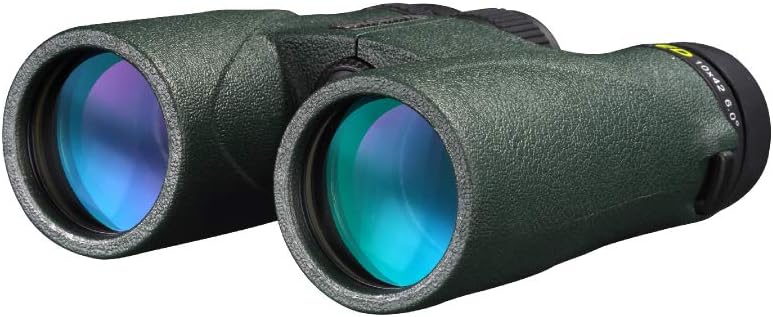
Image: The objective lenses of the binocular, highlighting the multi-coated surfaces.
Setup
1. Attaching the Neck Strap
Thread the ends of the neck strap through the lugs on each side of the binocular. Secure the strap according to the instructions provided with the strap to prevent accidental drops.
2. Adjusting Interpupillary Distance (IPD)
Hold the binocular with both hands and look through the eyepieces. Bend the binocular at the central hinge until you see a single, clear circular field of view. This adjusts the distance between the eyepieces to match the distance between your pupils.
3. Adjusting Eyecups
The VEO ED 10x42 features two-stage twist-up eyecups. Twist the eyecups up or down to achieve a full field of view without vignetting (darkening at the edges).
- For non-eyeglass wearers: Twist the eyecups fully up.
- For eyeglass wearers: Twist the eyecups fully down or to an intermediate position to see the entire field of view comfortably.
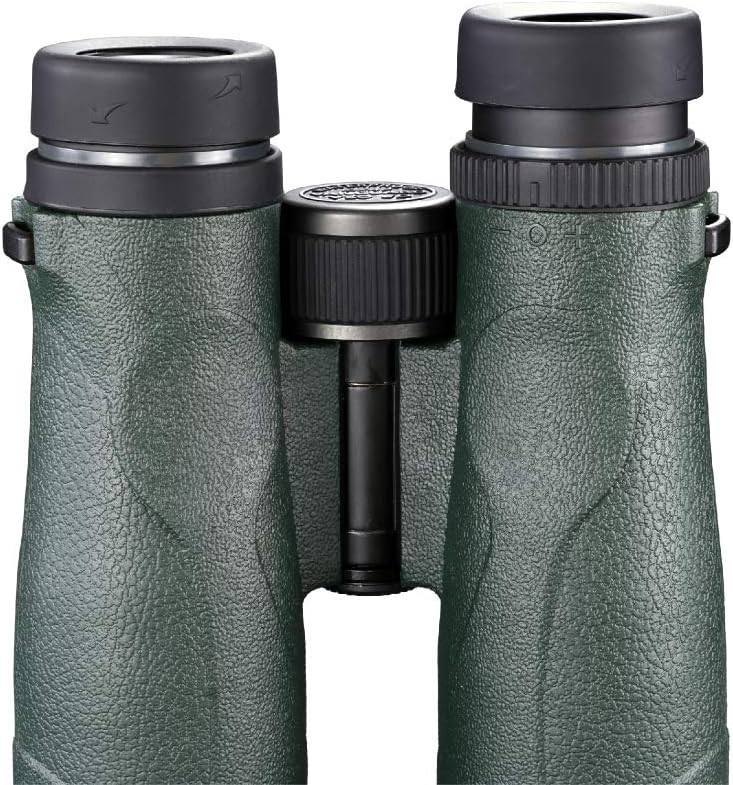
Image: Rear view of the binocular, illustrating the adjustable eyecups in their extended position.
4. Diopter Adjustment
This adjustment compensates for differences in vision between your eyes, ensuring a sharp image for both.
- Close your right eye or cover the right objective lens.
- Look through the left eyepiece with your left eye and rotate the center focus wheel until the image is sharp.
- Close your left eye or cover the left objective lens.
- Look through the right eyepiece with your right eye and rotate the diopter adjustment ring (on the right eyepiece) until the image is sharp. Do not use the center focus wheel for this step.
- Once adjusted, the diopter setting should remain constant for your vision. Use only the center focus wheel for subsequent focusing.
Operating Instructions
Focusing
After completing the setup steps, focusing on different objects is straightforward:
- Point the binocular at the object you wish to observe.
- Rotate the center focus wheel until the image appears sharp and clear.
Waterproof and Fogproof Performance
Your Vanguard VEO ED 10x42 binocular is 100% waterproof and fogproof, making it suitable for use in challenging weather conditions. The nitrogen-purged and O-ring sealed design prevents internal fogging and protects against moisture ingress.
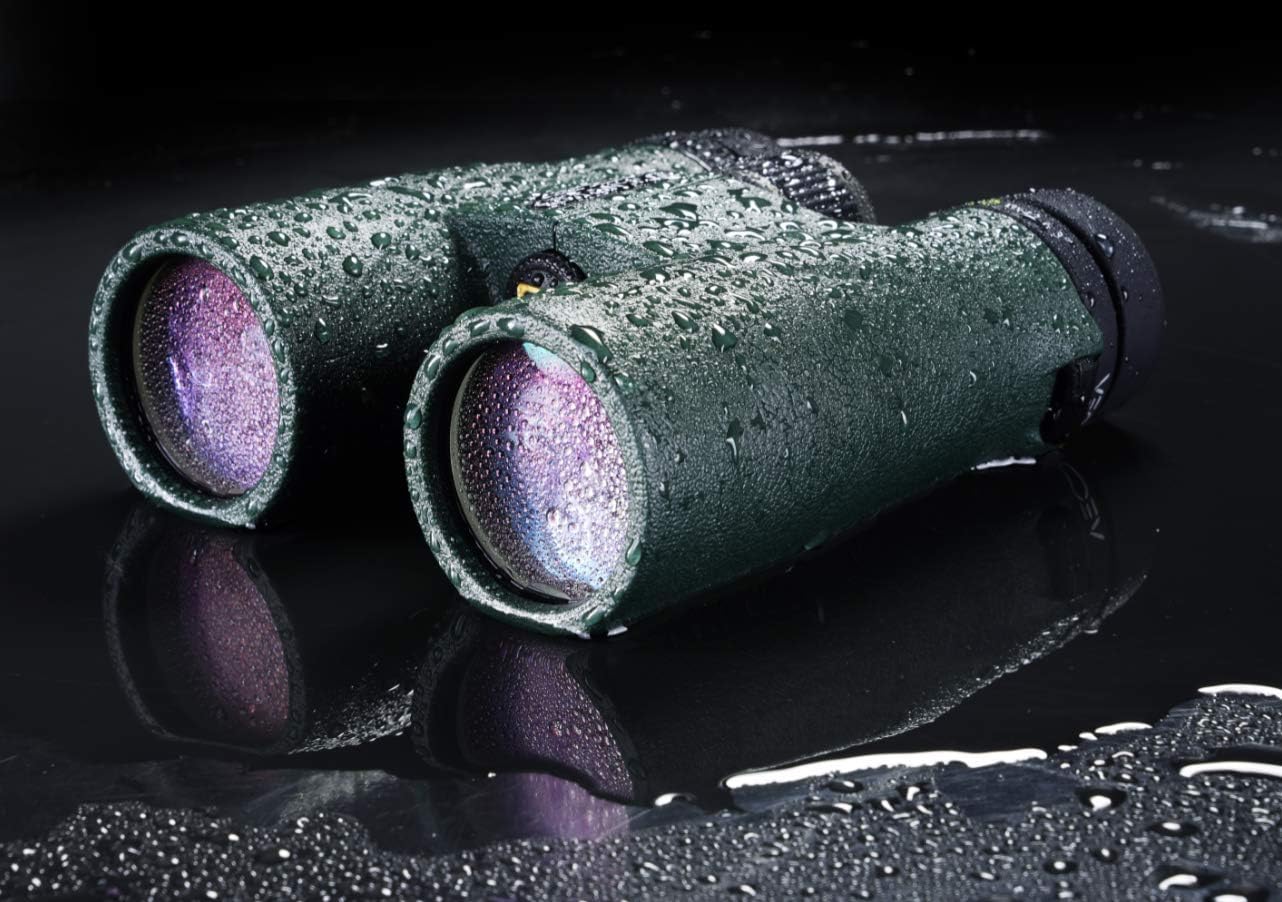
Image: The binocular with water droplets, showcasing its waterproof construction.
Tripod Mounting
For extended viewing periods or to achieve maximum stability, the binocular can be mounted on a tripod. Remove the cap located at the front of the central hinge to reveal the tripod adapter socket. An optional tripod adapter (Vanguard BA-185, sold separately) is required for this purpose.
Maintenance
Cleaning Lenses
To clean the lenses, first gently brush off any dust or debris with a soft lens brush or blow it off with a can of compressed air. Then, use a clean microfiber lens cloth and a small amount of lens cleaning fluid specifically designed for optics. Wipe the lenses in a circular motion, starting from the center and moving outwards. Avoid using abrasive cloths, paper towels, or household cleaners, as these can scratch or damage the lens coatings.
Cleaning the Body
Wipe the binocular body with a soft, damp cloth. For stubborn dirt, a mild soap solution can be used, followed by wiping with a clean, damp cloth and drying thoroughly. Avoid harsh chemicals or solvents.
Storage
When not in use, store your binocular in its protective carrying bag in a cool, dry place. Ensure the objective lens caps and eyepiece rain guard are in place to protect the lenses from dust and scratches. Avoid storing the binocular in direct sunlight or in areas with extreme temperature fluctuations.
Troubleshooting
| Problem | Possible Cause | Solution |
|---|---|---|
| Image is blurry or out of focus. | Incorrect focus adjustment. | Adjust the center focus wheel. Ensure diopter is correctly set for your eyes. |
| Double image or two separate circles. | Interpupillary distance (IPD) is not correctly set. | Adjust the binocular at the central hinge until a single, circular field of view is achieved. |
| Dark edges or vignetting in the view. | Eyecups are not correctly positioned for your eyes or eyeglasses. | Adjust the twist-up eyecups to the appropriate height for comfortable viewing with a full field of view. |
| Internal fogging of lenses. | Extreme temperature changes or seal compromise (unlikely for new product). | The binocular is nitrogen-purged and fogproof. If fogging occurs internally, contact customer support. External fogging can be wiped away. |
Specifications
| Feature | Detail |
|---|---|
| Magnification | 10x |
| Objective Lens Diameter | 42mm |
| Field of View (at 1000 yards) | 314 ft |
| View Angle | 6 degrees |
| Near Focus | 9.2 feet |
| Eye Relief | 16 mm |
| Weight | 22.6 ounces (1.41 pounds) |
| Dimensions (L x W x H) | 5.75 x 4.88 x 2.13 inches |
| Glass Type | Extra-low Dispersion (ED) Glass |
| Prism Type | Phase-corrected BaK4 Roof Prisms |
| Lens Coating | Fully Multi-Coated |
| Construction Material | Carbon-composite |
| Environmental Protection | 100% Waterproof and Fogproof |
| Eyecups | Two-stage Twist-up |
| Tripod Mountable | Yes (with optional adapter BA-185) |
Warranty and Support
For warranty information, product registration, or technical support, please refer to the official Vanguard website or contact Vanguard customer service directly. Keep your purchase receipt as proof of purchase for any warranty claims.
Vanguard is committed to providing high-quality products and support to its customers.


