
JAMJAKE K10
JAMJAKE Stylus Pen User Manual
Model: K10
Brand: JAMJAKE
Introduction
Thank you for choosing the JAMJAKE Stylus Pen. This active pencil is designed to enhance your experience with compatible iPad models, offering precise and smooth interaction for writing, drawing, and navigation. With features like palm rejection and fast charging, it aims to provide a natural and efficient digital experience. Please read this manual carefully to ensure proper use and maintenance of your stylus pen.

Image: The JAMJAKE Stylus Pen, a sleek white digital pen.
Compatibility
The JAMJAKE Stylus Pen is designed for specific iPad models. Please verify your device's compatibility before use.
Compatible Models (2018-2025):
- iPad Pro 13" (M4)
- iPad Pro 12.9" (3rd/4th/5th/6th Generations)
- iPad Pro 11" (All Generations)
- iPad Air M3/M2/5th/4th/3rd Gen
- iPad 11th/10th/9th/8th/7th/6th Gen
- iPad Mini 6th/5th Gen
Not Compatible With:
- iPad Pro 1st & 2nd Gen
- iPad Pro 10.5"
- iPad Pro 9.7"
- iPad 1 to 5 Gen
- iPad Mini 1 to 4 Gen
- iPad Air 1st/2nd Gen
- iPhone, Android, Microsoft devices
Note: iPad 10th Gen does not support magnetic attraction.

Image: A detailed chart illustrating compatible and incompatible iPad models for the stylus pen.
What's in the Box
Your JAMJAKE Stylus Pen package includes the following items:
- 1 x Stylus Pen
- Additional Pen Tips (for replacement)
- USB-C Charging Cable
Setup
Charging the Stylus Pen
Before first use, fully charge your stylus pen. A quick 5-20 minute charge provides 8-10 hours of work time. Use a 5V2A power adapter for charging. The stylus pen does not come with a pen cap or a charging port cover.

Image: Illustration showing the stylus pen being charged via USB-C, with indicators for working, charging, and fully charged states.
Powering On/Off
Activate the stylus pen with a simple touch of the cap button. No Bluetooth pairing is required for normal use, but ensure Bluetooth is enabled on your iPad. The pen will automatically shut down after 5 minutes of idle time to conserve battery.
Operating Instructions
Precise and Smooth Writing
The 1.5mm pen tip offers high sensitivity and accurate signal, allowing for precise and smooth writing or drawing without lag, offset, or breaking points. It provides a comfortable hand feel for extended use.

Image: A hand holding the stylus pen, demonstrating its precise and responsive tip on an iPad screen.
Palm Rejection Design
The stylus pen features palm rejection technology, allowing you to rest your hand comfortably on the screen while writing or drawing. This provides a natural writing feeling and prevents unintended marks.

Image: A user drawing on an iPad with the stylus pen, demonstrating the palm rejection feature by resting their hand on the screen.
Magnetic Adsorption
The stylus pen can magnetically attach to compatible iPad models for convenient storage. Please note that this feature does not support wireless charging.

Image: The stylus pen magnetically adhering to the side of an iPad.
Tilt Sensitivity
The stylus offers tilt sensitivity, allowing for different line thicknesses and shading effects based on the angle at which the pen is held. This feature is perfect for artistic endeavors and varied writing styles.
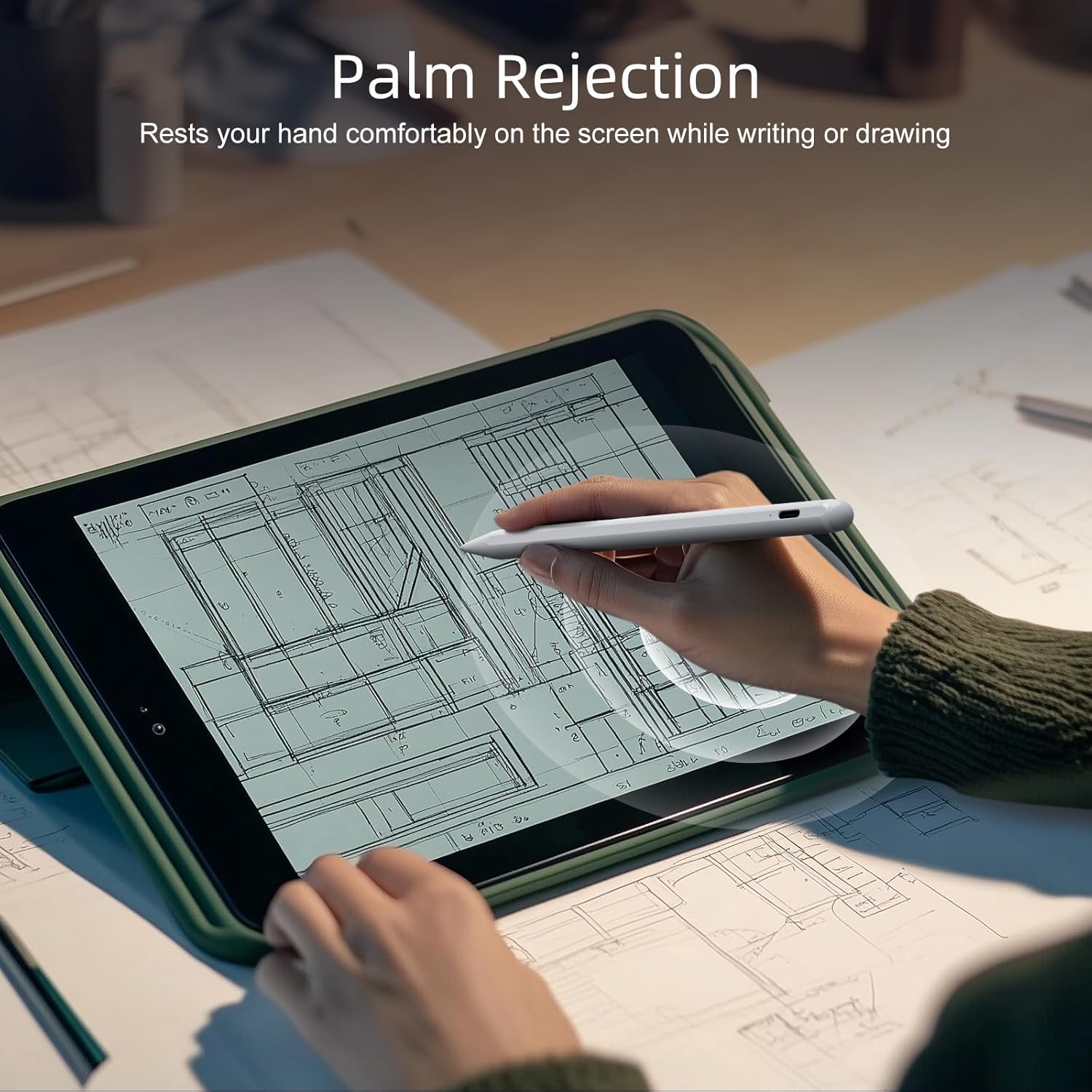
Image: Two stylus pens shown at different angles (30° and 15°), illustrating the tilt sensitivity feature for varying line thickness.
Maintenance
Charging Guidelines
Always use a 5V2A power adapter to charge your stylus pen for optimal battery health and charging speed.
Tip Replacement
The pen tips are designed for easy installation and removal without the need for any special tools. If you notice a decrease in performance or wear, replace the tip with one of the provided spares.
Troubleshooting
| Issue | Possible Cause / Solution |
|---|---|
| Stylus not responding or connecting. | Ensure the stylus is charged. Tap the cap button to turn it on. Verify your iPad is compatible and Bluetooth is enabled (no pairing needed). |
| Lag, offset, or breaking points during use. | Check if the pen tip is worn out and replace it if necessary. Ensure your iPad's screen is clean. |
| Accidental touches or turning off during use. | The power button on the cap is sensitive. Be mindful of its placement when handling the pen. |
| Delays or connectivity issues persist. | Try replacing the pen tips. Use a different charging cable to rule out cable issues. If problems continue, contact customer support. |
Specifications
| Feature | Detail |
|---|---|
| Model Number | K10 |
| Product Dimensions | 7.52 x 2.4 x 0.6 inches |
| Item Weight | 1.13 ounces |
| Battery Type | 1 Lithium Metal battery (included) |
| Battery Life (Continuous Use) | 10 Hours |
| Charging Time | 90 minutes (approx.) |
| Color | White |
Warranty and Support
JAMJAKE is committed to providing high-quality products and excellent customer service. Your satisfaction is our priority.
- Warranty: 18 Months Expiration Date
- Returns: Hassle-free Replace/Return policy
- Customer Service: 7*24H Professional Service
For any inquiries, issues, or support, please contact us at: support@jamjake.com
You can also refer to the official User Manual PDF for additional information: Download User Manual (PDF)
Related documentsK10


Ask a question about this manual
Ask about setup, troubleshooting, compatibility, parts, safety, or missing instructions. Manuals+ will review the question and use this page’s manual context to help answer it.