
Introduction
Thank you for choosing the MVMT D-MC01GL Men's Analog Quartz Chronograph Watch. This manual provides essential information for the proper setup, operation, and care of your timepiece. Your watch features a precise Miyota quartz movement, a durable hardened mineral crystal, and a comfortable genuine leather strap. It is designed for daily wear with a water resistance rating of 5 ATM.

Figure 1: Front view of the MVMT D-MC01GL watch.
Setup
1. Setting the Time
- Pull the crown (located on the right side of the watch case) out to position 2 (farthest out).
- Turn the crown to set the hour and minute hands.
- Push the crown back to position 0 (normal position).
2. Setting the Date
- Pull the crown out to position 1 (one click out).
- Turn the crown clockwise to set the date.
- Once the desired date is displayed, push the crown back to position 0.
- Note: Avoid setting the date between 9 PM and 3 AM, as this may interfere with the automatic date change mechanism.
3. Adjusting the Leather Strap
The black leather strap is equipped with a standard buckle clasp. Adjust the strap by inserting the pin into the appropriate hole for a comfortable and secure fit on your wrist.

Figure 2: MVMT D-MC01GL watch worn on a wrist.
Operating Instructions
1. Basic Timekeeping
Your MVMT D-MC01GL watch continuously displays the current time (hours, minutes, seconds) once the time is set and the crown is in the normal position.
2. Using the Chronograph Function
The chronograph function allows you to measure elapsed time. The watch features two pushers (buttons) on the right side of the case, above and below the crown.
- To start the chronograph, press the upper pusher. The chronograph second hand will begin to move.
- To stop the chronograph, press the upper pusher again. The elapsed time will be indicated by the chronograph hands.
- To reset the chronograph, press the lower pusher while the chronograph is stopped. All chronograph hands will return to their zero positions.
3. Water Resistance
This watch has a water resistance rating of 5 ATM (50 meters). This means it is suitable for showering, swimming in shallow water, or brief immersion. It is not suitable for diving, snorkeling, or high-impact water sports. Always ensure the crown is fully pushed in before any contact with water. Water damage is not covered under warranty if the crown was not properly sealed.
Maintenance
1. Cleaning Your Watch
- Wipe the watch case and crystal with a soft, dry cloth.
- For the leather strap, avoid excessive moisture. If it gets wet, dry it gently with a soft cloth and allow it to air dry completely away from direct heat or sunlight.
2. Leather Strap Care
Genuine leather straps can be affected by sweat, water, and direct sunlight, which may cause discoloration or damage over time. To prolong the life of your strap:
- Avoid prolonged exposure to direct sunlight.
- Minimize contact with water and harsh chemicals.
- Clean with a damp cloth and mild soap if necessary, then dry thoroughly.
3. Battery Replacement
Your watch is powered by a lithium-ion battery. When the watch stops running, it indicates the battery needs replacement. Battery replacement should be performed by a qualified watch technician to ensure proper sealing and maintain water resistance.
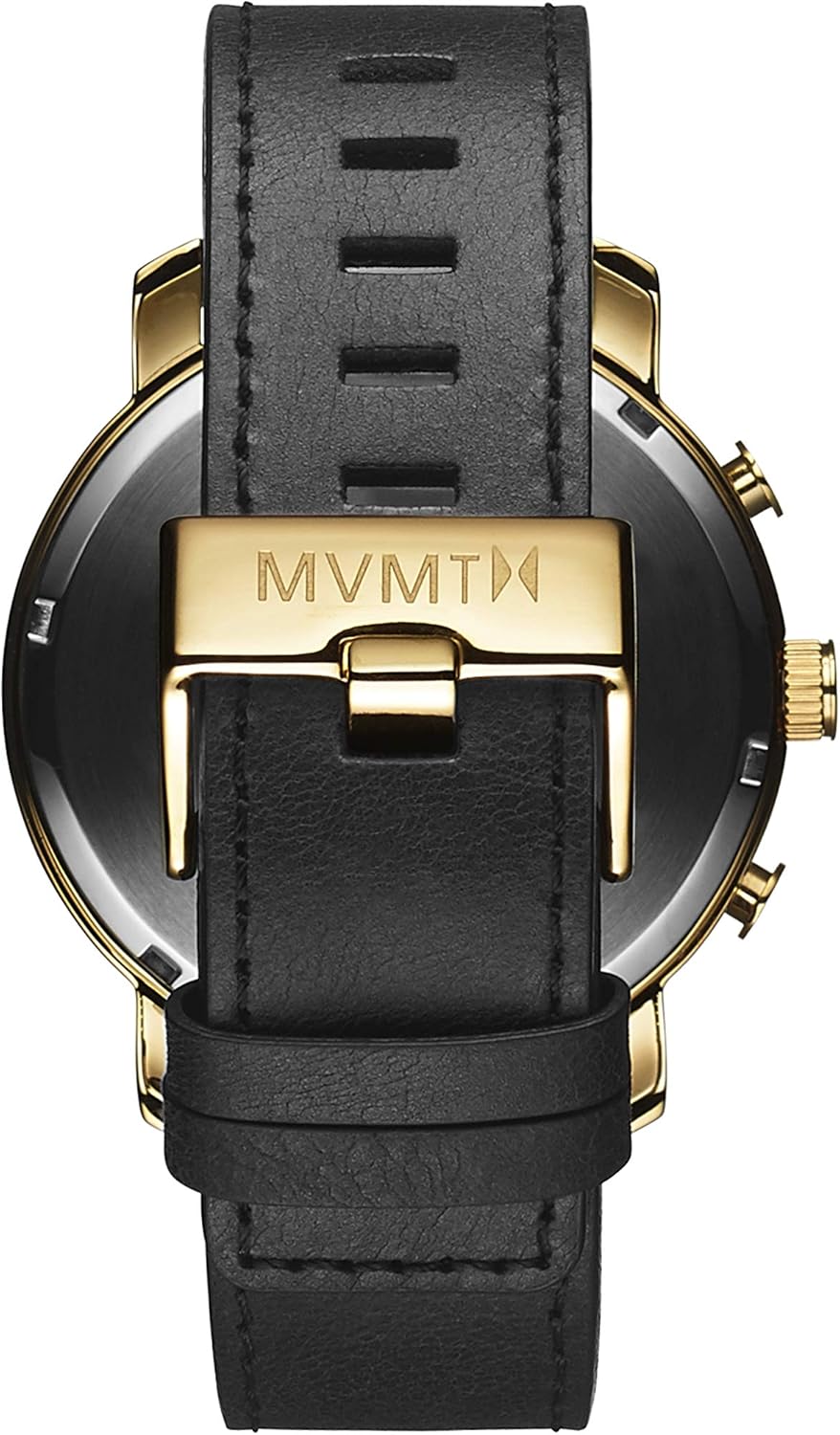
Figure 3: Back view of the MVMT D-MC01GL watch.
Troubleshooting
| Problem | Possible Cause | Solution |
|---|---|---|
| Watch not running | Depleted battery | Replace battery (professional service recommended). |
| Time is inaccurate | Incorrect time setting; magnetic interference | Reset the time. Keep watch away from strong magnetic fields. |
| Chronograph hands do not reset to zero | Chronograph not properly reset | Ensure chronograph is stopped, then press the lower pusher to reset. If issue persists, consult a technician. |
| Moisture inside watch | Crown not fully pushed in; exceeding water resistance limits | Immediately take the watch to a professional for inspection and repair to prevent further damage. |
Specifications
- Model Number: D-MC01GL
- Movement: Miyota Quartz
- Display: Analog
- Case Material: Polished Gold Stainless Steel
- Case Diameter: 45 mm
- Case Thickness: 12 mm
- Dial Color: Black
- Dial Window Material: Hardened Mineral Crystal
- Strap Material: Genuine Black Leather
- Strap Width: 22 mm
- Clasp Type: Buckle
- Water Resistance: 5 ATM (50 Meters)
- Special Features: Chronograph Function, Date Display
- Power Source: Battery (1 Lithium-ion, included)
- Weight: Approximately 80 grams
Warranty and Support
MVMT watches typically come with a manufacturer's warranty covering defects in materials and workmanship under normal use. Specific warranty terms and duration may vary. Please refer to the warranty card included with your purchase or visit the official MVMT website for detailed information.
For technical support, service, or warranty claims, please contact MVMT customer service through their official website or authorized service centers.
Manufacturer: Movado Group


