
ieGeek ZS-GQ1
ieGeek Wireless Security Camera Instruction Manual
Model: ZS-GQ1
Your comprehensive guide to setting up, operating, and maintaining your ieGeek Wireless Security Camera.
1. Introduction
Thank you for choosing the ieGeek Wireless Security Camera. This battery-powered, WiFi-enabled camera system is designed for outdoor surveillance, offering 1080P video, advanced motion detection, two-way audio, and clear night vision. Its waterproof design ensures reliable performance in various weather conditions. This manual provides essential information to help you get the most out of your new security camera.
2. Key Features
- 1080P Full HD Video: Capture clear and detailed footage.
- Advanced PIR Motion Detection: Receive instant alerts for human movement.
- Two-Way Audio: Communicate with visitors or deter intruders remotely.
- Enhanced Night Vision: Clear visibility even in low-light conditions, including full-color night vision with spotlight.
- IP65 Waterproof: Designed to withstand outdoor elements.
- Long-Lasting Battery: Up to 100 days of operation on a single charge (based on usage).
- Wireless Connectivity: Easy setup with 2.4GHz Wi-Fi.
- Flexible Storage: Supports SD card and cloud storage options.
- Voice Control Compatibility: Works with Alexa for convenient monitoring.
3. What's in the Box
Please check the contents of your package. If any items are missing or damaged, contact customer support.
- ieGeek Wireless Security Camera (Model: ZS-GQ1)
- Wall Mount Bracket
- Mounting Screws and Anchors
- USB Charging Cable
- User Manual

Image: The ieGeek Wireless Security Camera with its included wall mount bracket.
4. Setup Guide
4.1 Charging the Camera
Before initial use, fully charge the camera battery using the provided USB cable. The charging indicator light will show the charging status.
4.2 App Installation and Account Creation
Download the CloudEdge app from your smartphone's app store (iOS or Android). Follow the in-app instructions to create an account and log in.
4.3 Connecting to Wi-Fi
- Open the CloudEdge app and tap "Add Device" or the "+" icon.
- Select your camera model (ZS-GQ1) and follow the prompts.
- Ensure your phone is connected to a 2.4GHz Wi-Fi network. The camera does not support 5GHz Wi-Fi.
- Scan the QR code displayed on your phone screen with the camera lens. You will hear a confirmation sound once connected.
4.4 Mounting the Camera
The camera offers flexible mounting options:
- Magnetic Ball Mount: Allows for easy adjustment of the camera angle. Secure the base with screws, then attach the camera magnetically.
- Screw-in Bracket: For a more secure, permanent installation. Use the provided screws and anchors to fix the bracket to a wall or surface.

Image: The ieGeek camera securely mounted on an outdoor wall, demonstrating its compact size and discreet design.

Image: Visual representation of the camera's long battery life, lasting up to 100 days after a full charge, with estimated durations for garage, home, and store environments.
5. Operating Your Camera
5.1 Live View
Access the CloudEdge app to view live footage from your camera at any time. This allows for real-time monitoring of your property.

Image: A clear 1080P video feed from the camera, showcasing its high-definition recording capability in an outdoor environment with a swimming pool.
5.2 Motion Detection and Alerts
The camera utilizes advanced PIR (Passive Infrared) motion detection to identify human movement. When motion is detected, you will receive instant notifications on your smartphone.
- Adjust sensitivity settings within the app to minimize false alarms.
- Set specific detection zones to focus on critical areas.
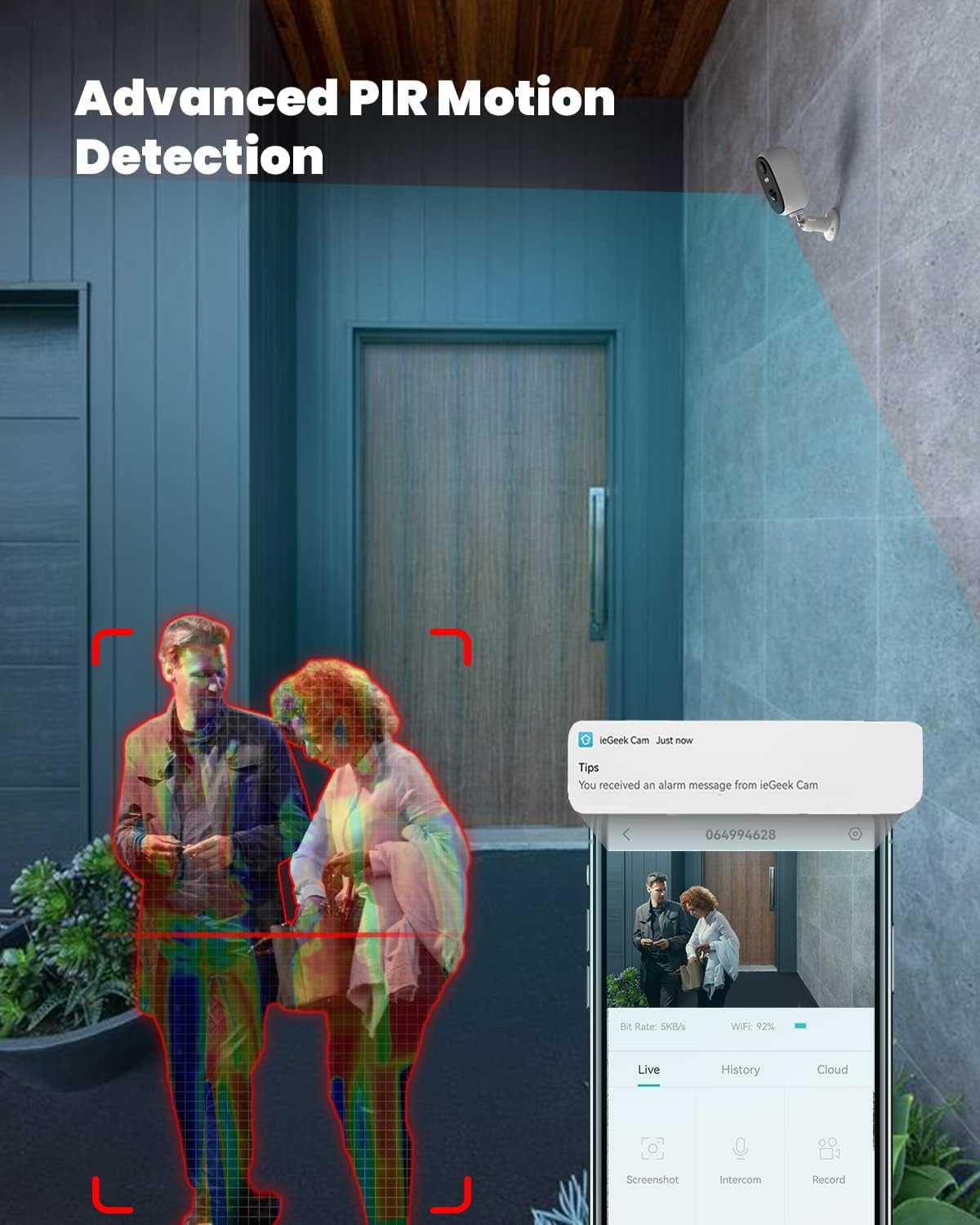
Image: The camera's advanced PIR motion detection highlighting detected human figures, with a smartphone notification showing an alarm message.
5.3 Two-Way Audio
Use the two-way audio feature to speak through the camera's built-in speaker and listen through its microphone. This is useful for communicating with delivery personnel or deterring unwanted visitors.

Image: A visual representation of the two-way audio function, showing a person speaking to someone via the camera.
5.4 Night Vision
The camera automatically switches to night vision mode in low-light conditions. It offers both traditional black and white infrared night vision and a full-color night vision option when its spotlight is activated.

Image: Comparison of full-color night vision with spotlight and standard black and white night vision, demonstrating enhanced clarity in darkness.
5.5 Deterrence Features
In addition to alerts, the camera can activate light and sound warnings to deter potential intruders upon motion detection.
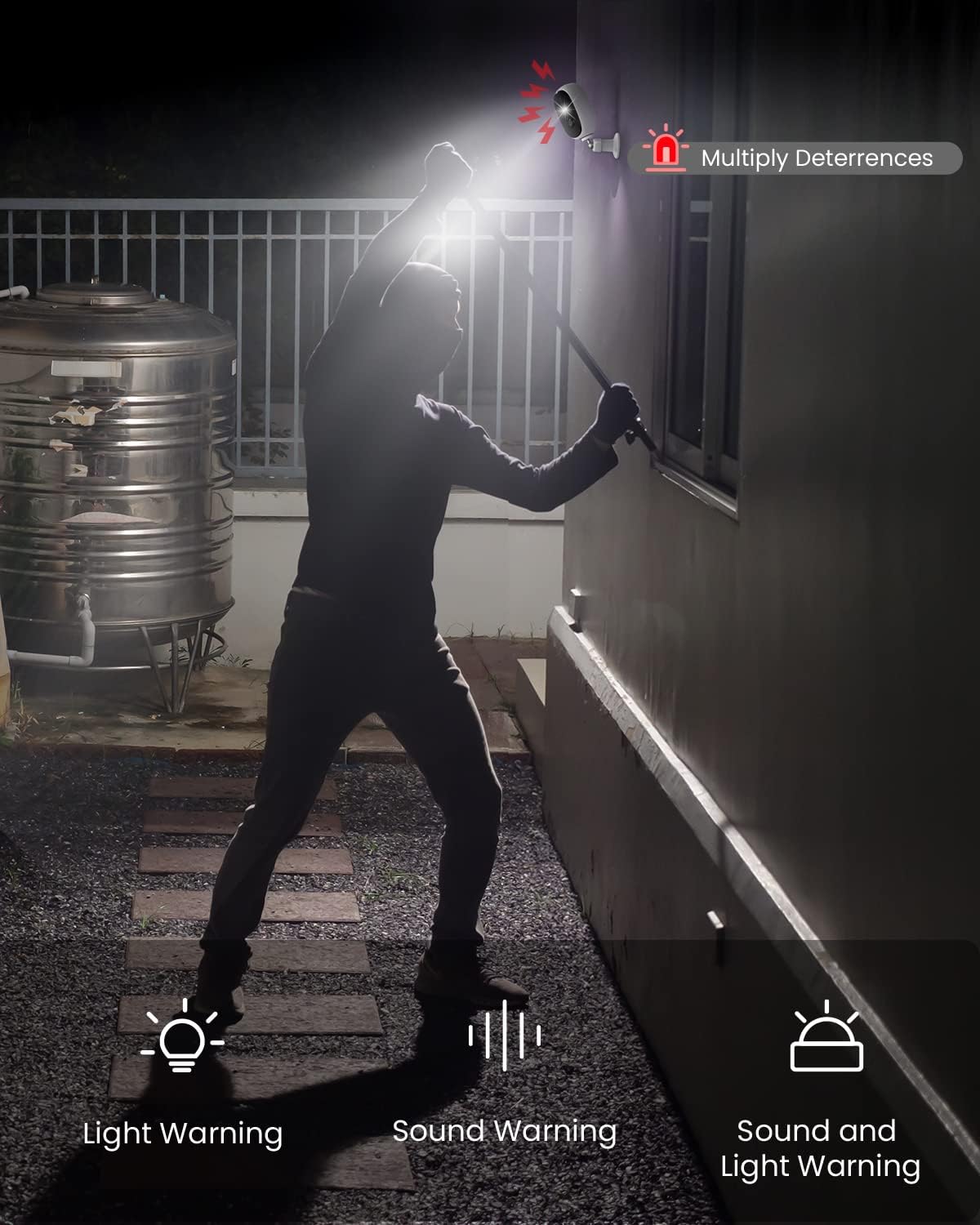
Image: The camera's deterrence features, including light and sound warnings, activated to deter an individual.
5.6 Voice Control with Alexa
Integrate your ieGeek camera with Amazon Alexa for convenient voice control. You can ask Alexa to show you the camera feed on compatible devices.

Image: The ieGeek camera integrated with an Alexa-enabled smart display, showing a live camera feed.
5.7 Video Storage
Recordings can be stored locally on a Micro SD card (not included) or via optional cloud storage services offered through the CloudEdge app.
5.8 Weather Resistance
The camera is rated IP65 waterproof, ensuring its functionality in various outdoor weather conditions, from -20°C to 50°C.
Image: The camera being exposed to water, illustrating its IP65 waterproof rating and ability to operate in extreme temperatures.
6. Maintenance
- Battery Recharging: Recharge the camera when the app indicates a low battery level.
- Lens Cleaning: Gently wipe the camera lens with a soft, clean cloth to ensure clear image quality. Avoid abrasive materials.
- Firmware Updates: Periodically check the CloudEdge app for available firmware updates to ensure optimal performance and security.
- Mounting Check: Regularly inspect the mounting hardware to ensure the camera remains securely in place.
7. Troubleshooting
| Problem | Possible Solution |
|---|---|
| Camera not connecting to Wi-Fi | Ensure your Wi-Fi is 2.4GHz. Check Wi-Fi signal strength at the camera's location. Restart the camera and your router. Re-attempt pairing through the app. |
| Poor image quality | Clean the camera lens. Ensure there are no obstructions. Check Wi-Fi signal strength for stable streaming. |
| Motion alerts not received | Check motion detection settings in the app (sensitivity, detection zones). Ensure app notifications are enabled on your phone. Verify camera is online. |
| Short battery life | Reduce motion detection sensitivity or frequency. Ensure the camera is fully charged. Consider adding a solar panel (sold separately) for continuous charging. |
| Two-way audio not working | Check microphone and speaker settings in the app. Ensure your phone's volume is up. |
8. Specifications
| Feature | Detail |
|---|---|
| Brand | ieGeek |
| Model Number | ZS-GQ1 |
| Connectivity Protocol | Wi-Fi (2.4GHz only) |
| Video Capture Resolution | 1080p |
| Effective Still Resolution | 3 MP |
| Night Vision Range | 65 Feet |
| International Protection Rating | IP65 (Waterproof) |
| Power Source | Battery Powered |
| Battery Power | 10000 Milliampere Hour (mAh) |
| Field Of View | 130 Degrees |
| Alert Type | Motion Only |
| Compatible Devices | Smartphone (Android, iOS) |
| Item Dimensions L x W x H | 2.17 x 2.17 x 3.94 inches |
| Item Weight | 13.4 ounces (380 Grams) |
| Material | Glass (lens) |
| Color | Grey |
| Mounting Type | Wall Mount |
| Light Source Type | Infrared |
| Video Capture Format | MPEG-4 |
9. Official Product Videos
Watch these official videos for additional guidance and demonstrations of your ieGeek camera's capabilities.
Video: "ieGeek ZS-GX5-Crystal Clear picture" - This video demonstrates the clear picture quality of the ieGeek ZS-GX5 camera, showcasing its performance in various lighting conditions, including daytime and nighttime, and capturing movement of pets and people.
10. Warranty and Support
10.1 Limited Warranty
Your ieGeek Wireless Security Camera is covered by a limited warranty. Please refer to the product packaging or the official ieGeek website for detailed warranty terms and conditions.
10.2 Customer Support
For technical assistance, troubleshooting, or warranty claims, please contact ieGeek customer support. Contact information can typically be found on the product packaging, the official ieGeek website, or within the CloudEdge app.
Note: Always ensure you are using the latest version of the CloudEdge app for optimal performance and access to the newest features.
Related documentsZS-GQ1


Ask a question about this manual
Ask about setup, troubleshooting, compatibility, parts, safety, or missing instructions. Manuals+ will review the question and use this page’s manual context to help answer it.