
Shark S6003C
Shark S6003C Genius Steam Pocket Mop System User Manual
Model: S6003C
Introduction
This manual provides essential instructions for the safe and effective use of your Shark S6003C Genius Steam Pocket Mop System. This system is designed for cleaning various hard floor surfaces using steam and includes a Spray Pocket Mop feature for targeted cleaning. Please read all instructions carefully before operating the appliance.
Important Safety Instructions
WARNING: To reduce the risk of fire, electric shock, or injury, always follow basic safety precautions when using your steam mop.
- Read all instructions before using the steam mop.
- Use the appliance only for its intended household use as described in this manual.
- Do not immerse the steam mop in water or other liquids.
- Always disconnect the power cord from the electrical outlet when not in use and before performing any maintenance or cleaning.
- Do not allow children to operate the steam mop. Close supervision is necessary when used near children, pets, or invalids.
- Use only manufacturer's recommended accessories.
- Do not use on unsealed hardwood floors, as steam may damage them.
- Exercise caution when using steam on any floor type. Test a small, inconspicuous area first.
What's Included
Your Shark S6003C Genius Steam Pocket Mop System includes the following components:
- Shark Genius Steam Pocket Mop Unit
- Genius Mop Head with Touch-Free Technology
- Dirt Grip Washable Pads (Double-Sided)
- Filling Flask

Image: Exploded view showing the main mop unit, detachable mop head, and a Dirt Grip pad.
Assembly and Initial Setup
Assembling the Mop
- Insert the handle into the main mop body until it clicks securely into place.
- Attach the Genius Mop Head to the main mop body by aligning the connection points and pushing until it locks.
- Place a clean Dirt Grip Pad onto the mop head. The pad will attach via the touch-free mechanism.

Image: The Shark S6003C Genius Steam Pocket Mop System fully assembled and upright.
Filling the Water Tank
- Ensure the mop is unplugged from the power outlet.
- Open the water tank cap.
- Use the provided filling flask to pour distilled water into the tank. Do not overfill.
- Securely close the water tank cap.
Operating Instructions
Using the Steam Mop
- Plug the power cord into a grounded electrical outlet.
- The mop will begin to heat up. Wait for the indicator light to signal it's ready (refer to your specific model's indicator light behavior).
- Select your desired steam level using the electronic steam control.
- Begin mopping your floor surface. Move the mop in a forward and backward motion to clean.

Image: A person operating the Shark S6003C steam mop on a wooden floor, demonstrating its use.
Using Steam Blaster Technology
For tough, stuck-on messes, activate the Steam Blaster feature. Tilt the mop head back to expose the Steam Blaster nozzle. Press the Steam Blaster button to release a concentrated burst of steam directly onto the stain. Scrub the area with the mop head to loosen and remove the mess.
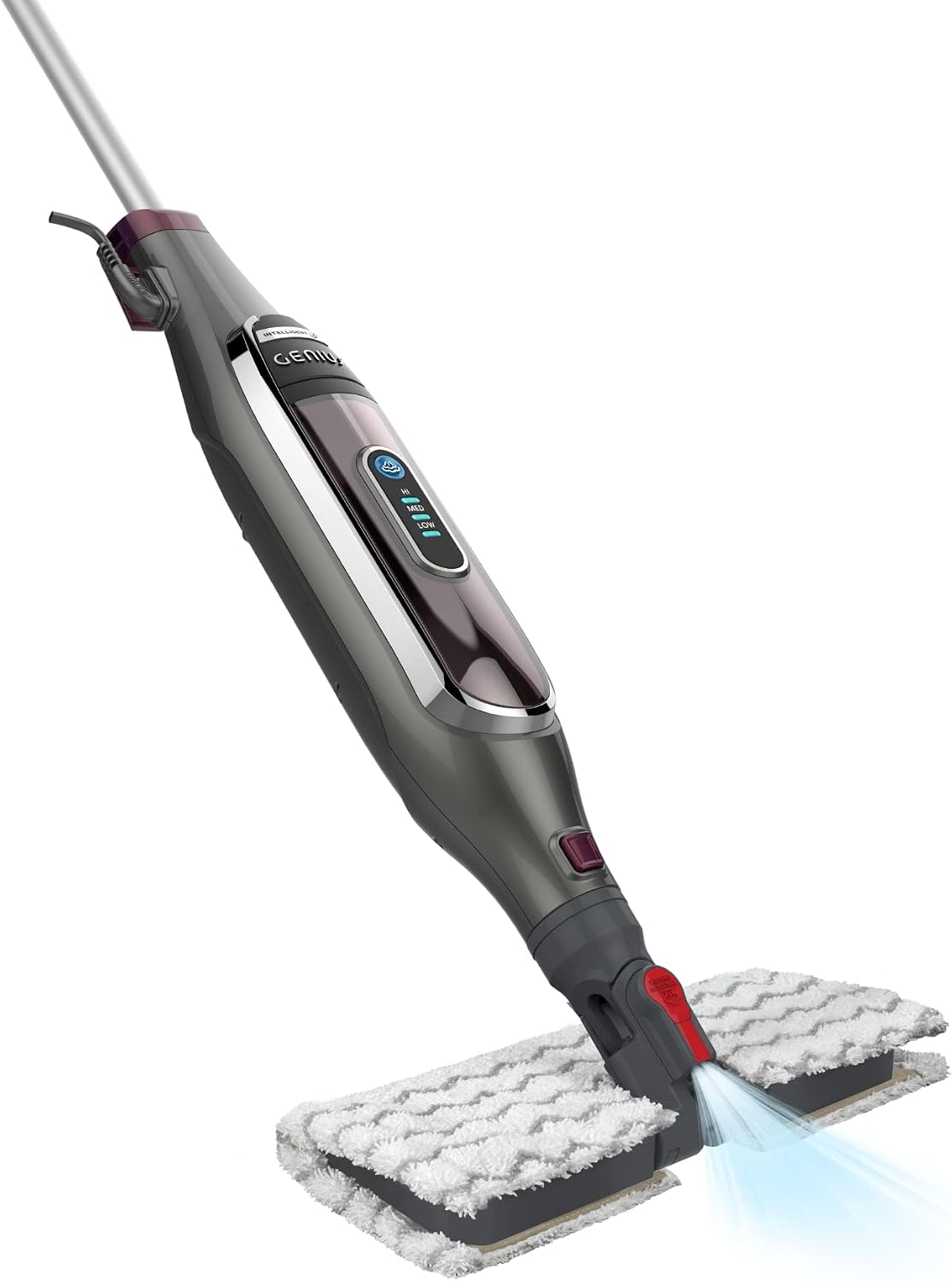
Image: A close-up view of the mop head showing the Steam Blaster function in action, emitting a concentrated jet of steam.
Care and Maintenance
Cleaning the Dirt Grip Pads
- After each use, remove the Dirt Grip Pad using the touch-free release mechanism.
- Machine wash the pads separately with warm water using liquid detergent.
- Do not use bleach or fabric softeners, as these can damage the pads.
- Tumble dry on low setting or air dry.

Image: A person demonstrating the touch-free removal of a used Dirt Grip pad, dropping it into a laundry basket.
Storing the Mop
Ensure the water tank is empty and the mop is cool before storing. Wrap the power cord neatly around the cord hooks. Store the mop in a dry, protected area.
Troubleshooting Guide
| Problem | Possible Cause | Solution |
|---|---|---|
| No steam or very little steam. | Water tank is empty. Mop not plugged in or not powered on. Steam vents are clogged. | Refill the water tank. Ensure the mop is properly plugged in and the power button is pressed. Refer to the manual for descaling instructions if applicable. |
| Mop not cleaning effectively. | Dirt Grip Pad is dirty or worn. Incorrect steam setting for the mess. | Replace with a clean Dirt Grip Pad. Increase the steam level or use the Steam Blaster feature for tough stains. |
| Water leaking from the mop. | Water tank cap is not securely closed. Overfilled water tank. | Ensure the water tank cap is tightly sealed. Do not overfill the water tank. |
Product Specifications
- Model: S6003C
- Brand: Shark
- Wattage: 1200 watts
- Power Source: Corded Electric
- Form Factor: Upright
- Surface Recommendation: Floor
- Included Components: Steam Mop, Spray Pocket Mop
Warranty and Customer Support
The Shark S6003C Genius Steam Pocket Mop System comes with a 1 Year Limited Warranty. For warranty claims or technical assistance, please contact Shark customer support.
For further support, replacement parts, or to register your product, please visit the official Shark website or refer to the contact information provided with your purchase documentation.
You can also visit the Shark Brand Store for more information.
Related documentsS6003C


Ask a question about this manual
Ask about setup, troubleshooting, compatibility, parts, safety, or missing instructions. Manuals+ will review the question and use this page’s manual context to help answer it.