
Introduction
Thank you for choosing the Hoco ES7 Wireless Sports Earphones. These earphones are designed for active lifestyles, offering wireless connectivity and a comfortable on-ear fit. This manual provides essential information for setting up, operating, maintaining, and troubleshooting your device to ensure optimal performance.
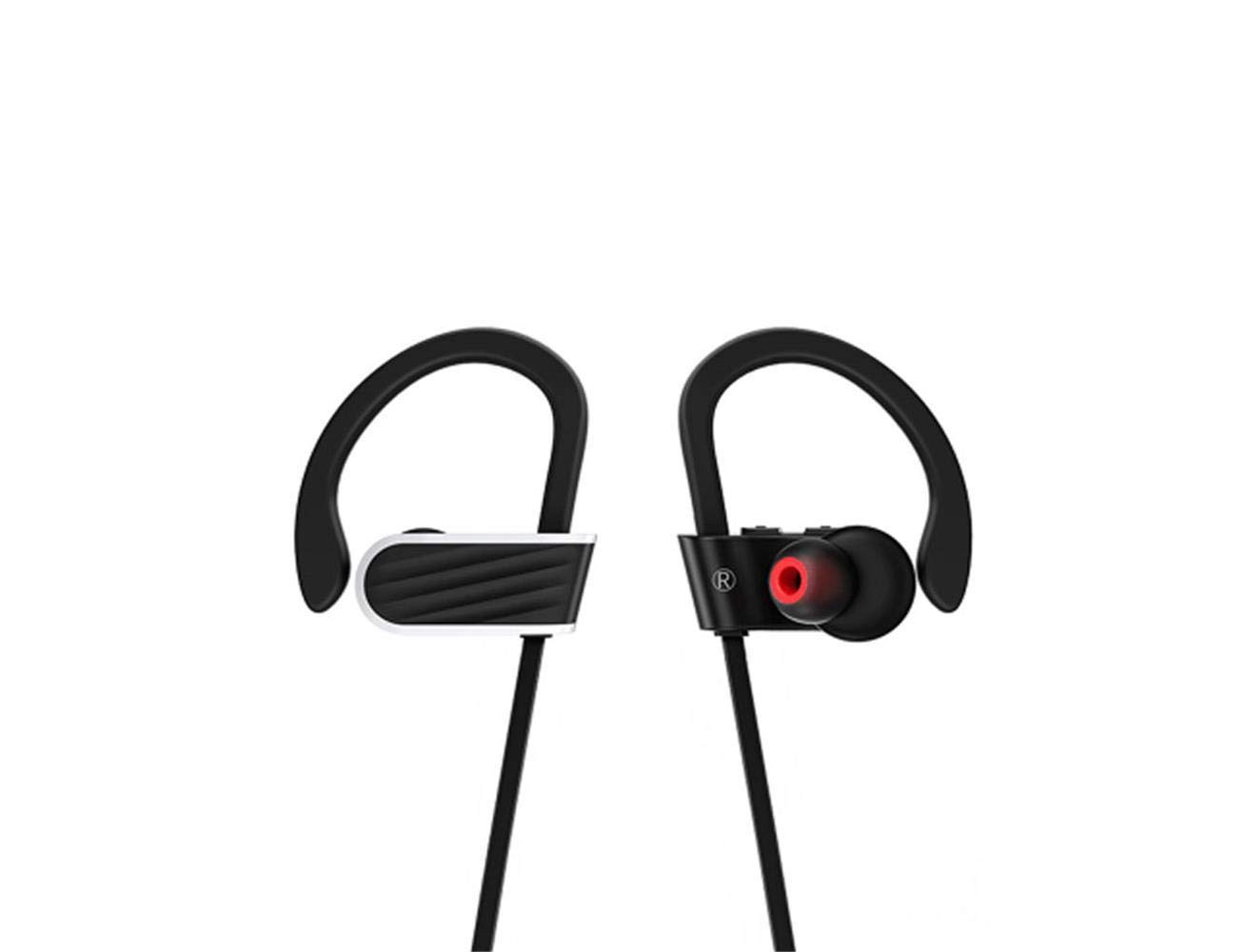
Image: Hoco ES7 Wireless Sports Earphones. These black earphones feature ear hooks for a secure fit during activities and are connected by a cable.
Setup
1. Charging the Earphones
Before first use, fully charge the earphones. Connect the charging cable to the charging port on the earphones and a USB power source. The indicator light will show charging status and turn off or change color when fully charged.
2. Bluetooth Pairing
- Ensure the earphones are turned off.
- Press and hold the multi-function button until the indicator light flashes red and blue alternately, indicating pairing mode.
- On your mobile device, enable Bluetooth and search for available devices.
- Select "Hoco ES7" from the list of devices.
- Once connected, the indicator light will flash blue slowly or turn off, and you will hear a confirmation tone.
Operating Instructions
Power On/Off
- Power On: Press and hold the multi-function button for approximately 3 seconds until the blue indicator light flashes.
- Power Off: Press and hold the multi-function button for approximately 5 seconds until the red indicator light flashes and then turns off.
Music Playback
- Play/Pause: Press the multi-function button once.
- Next Track: Press and hold the Volume + button.
- Previous Track: Press and hold the Volume - button.
- Volume Up: Short press the Volume + button.
- Volume Down: Short press the Volume - button.
Call Management
- Answer/End Call: Press the multi-function button once.
- Reject Call: Press and hold the multi-function button for 2 seconds.
- Redial Last Number: Double-press the multi-function button.
Maintenance
- Cleaning: Use a soft, dry cloth to clean the earphones. Do not use harsh chemicals or abrasive materials.
- Storage: Store the earphones in a cool, dry place away from direct sunlight and extreme temperatures.
- Battery Care: To prolong battery life, avoid fully discharging the earphones frequently. Charge them regularly, even if not in use for extended periods.
- Water Resistance: These earphones are designed for sports but are not fully waterproof. Avoid submerging them in water.
Troubleshooting
| Problem | Possible Solution |
|---|---|
| Earphones do not power on. | Ensure the earphones are fully charged. |
| Cannot pair with device. | Make sure earphones are in pairing mode (flashing red/blue). Turn off and on Bluetooth on your device. Forget previous pairings and try again. |
| No sound or low volume. | Check volume levels on both earphones and your connected device. Ensure earphones are properly connected. |
| Call quality is poor. | Ensure the microphone is not obstructed. Move closer to your connected device to avoid interference. |
Specifications
- Model: ES7
- Brand: Hoco
- Connectivity: Wireless (Bluetooth)
- Form Factor: On-Ear
- Microphone: Included (1)
- Noise Cancellation: No active noise cancellation
- Compatible Devices: Mobile Phones
- Control Method: Touch/Button
- Material: Metal
- Color: Black
- Battery Capacity: 100mAh (as per product title)
- Playtime: Up to 6 hours (as per product title)
- Cable Length: 55cm (as per product title)
- Included Components: Ear Cushions
Warranty and Support
For warranty information or technical support, please refer to the documentation provided with your purchase or contact Hoco customer service through their official website or authorized retailers. Keep your proof of purchase for warranty claims.