
1. Introduction
Thank you for choosing the Awei A831BL Bluetooth In-Ear Headset. This manual provides essential information for the safe and efficient use of your device. Please read it carefully before use and retain it for future reference.
The Awei A831BL is a wireless in-ear headset designed for mobile phone use, offering up to 8 hours of continuous talk and music playback. It features pure, high-quality bass sound and is suitable for various activities.
2. Package Contents
Please check the package for the following items:
- Awei A831BL Bluetooth In-Ear Headset
- USB Charging Cable
- Ear Tips (various sizes)
- User Manual
3. Product Overview
Familiarize yourself with the components of your Awei A831BL headset.
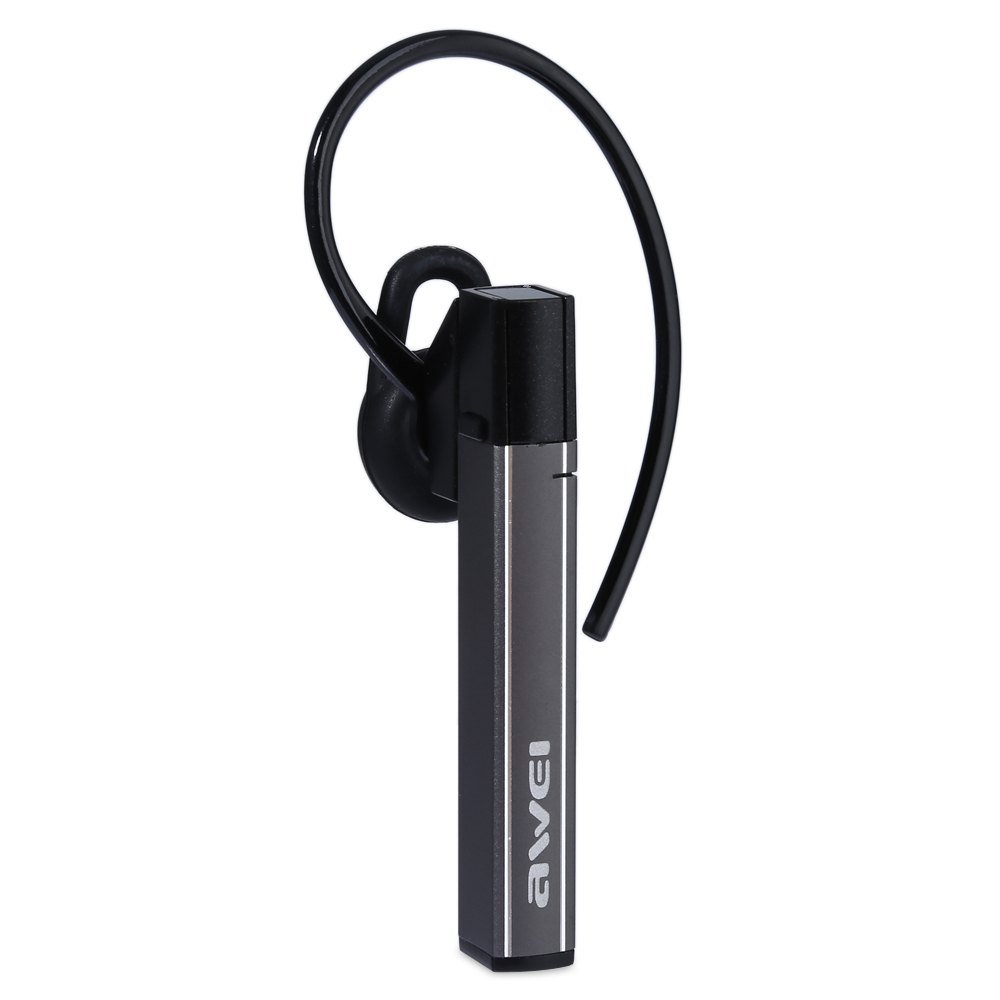
Image: The Awei A831BL Bluetooth In-Ear Headset in grey, showing the earbud design and inline controls.
The headset features an ergonomic in-ear design for comfortable wear, especially during activities. It includes an integrated microphone for hands-free calls and inline controls for managing audio and calls.
4. Setup
4.1 Charging the Headset
- Connect the USB charging cable to the charging port on the headset.
- Connect the other end of the USB cable to a USB power adapter (not included) or a computer's USB port.
- The indicator light will illuminate (e.g., red) during charging.
- Once fully charged, the indicator light will change (e.g., turn blue or turn off).
A full charge provides up to 8 hours of talk or music playback time.
4.2 Bluetooth Pairing
- Ensure the headset is fully charged and turned off.
- Press and hold the Multi-function button (usually the center button on the inline control) for approximately 5-7 seconds until the indicator light flashes red and blue alternately, indicating pairing mode.
- On your mobile phone or Bluetooth-enabled device, enable Bluetooth and search for available devices.
- Select "Awei A831BL" from the list of found devices.
- If prompted for a password, enter "0000" (four zeros).
- Once successfully paired, the indicator light will flash blue slowly, and you may hear a confirmation tone.
The headset will automatically attempt to reconnect to the last paired device when powered on.
5. Operating Instructions
5.1 Power On/Off
- Power On: Press and hold the Multi-function button for about 3 seconds until the blue indicator light flashes.
- Power Off: Press and hold the Multi-function button for about 3-4 seconds until the red indicator light flashes briefly and then turns off.
5.2 Music Playback
- Play/Pause: Press the Multi-function button once.
- Volume Up: Press the '+' button.
- Volume Down: Press the '-' button.
- Next Track: Press and hold the '+' button.
- Previous Track: Press and hold the '-' button.
5.3 Call Management
- Answer Call: Press the Multi-function button once when a call comes in.
- End Call: Press the Multi-function button once during a call.
- Reject Call: Press and hold the Multi-function button for about 2 seconds when a call comes in.
- Redial Last Number: Double-press the Multi-function button.
The integrated microphone allows for clear hands-free communication.
6. Maintenance
- Clean the headset regularly with a soft, dry cloth.
- Avoid exposing the headset to extreme temperatures, humidity, or corrosive substances.
- Do not attempt to disassemble or modify the headset, as this will void the warranty and may cause damage.
- Store the headset in a cool, dry place when not in use.
7. Troubleshooting
| Problem | Solution |
|---|---|
| Headset does not power on. | Ensure the headset is fully charged. Connect it to a power source and try again. |
| Cannot pair with a device. | Ensure the headset is in pairing mode (flashing red and blue). Turn off and on your device's Bluetooth. Move closer to the device. Clear previous Bluetooth connections on your device. |
| No sound or low volume. | Check the volume levels on both the headset and your connected device. Ensure the headset is properly connected. |
| Poor call quality. | Ensure the microphone is not obstructed. Move to an area with less interference. Check your phone's signal strength. |
8. Specifications
| Feature | Detail |
|---|---|
| Brand | Awei |
| Model Number | A831BL |
| Color | Grey |
| Connectivity Technology | Wireless (Bluetooth) |
| Headset Type | In-Ear |
| Microphone | Yes |
| Noise Cancellation | No |
| Battery Life | Up to 8 hours (talk/music) |
| Sound Features | Pure, high-quality bass sound |
| Material | Plastic |
| Compatible Devices | Mobile Phones |
9. Warranty and Support
Awei products are designed and manufactured to the highest quality standards. For warranty information and customer support, please refer to the warranty card included in your package or contact your local retailer. Keep your purchase receipt as proof of purchase.
For further assistance, please visit the official Awei website or contact their customer service department.


