
1. Introduction
The N-Fab Nerf Step RS is designed to provide easy and secure access to your truck while enhancing its appearance. These cab-length steps feature a clean, angular design that fits high and tight to the vehicle body, finished in a premium textured black for durability and style. Each step includes an expanded sure-grip drop-down step at each door, ensuring reliable traction and stability in various weather conditions.
This manual provides comprehensive instructions for the proper installation, safe operation, and routine maintenance of your N-Fab Nerf Steps RS. Please read all instructions carefully before beginning installation or use.
2. Fitment Information
This product (Model 119418012) is compatible with the following vehicles:
- 2019-2022 Chevrolet/GMC 1500 Crew Cab (All Beds, SRW / DRW Gas / Diesel)
- 2020-2021 Chevrolet/GMC 2500 / 3500 (Next Generation) Crew Cab (All Beds, SRW / DRW Gas / Diesel)
3. Package Contents
Verify that all components are present before beginning installation:
- Two (2) N-Fab Nerf Step RS units (one for the driver side, one for the passenger side)
- All necessary mounting hardware
- Vehicle-specific installation instructions (included separately or refer to this manual)
4. Tools Required
Basic hand tools are typically required for installation. These are not included with the product. Examples of commonly needed tools include:
- Socket wrench set
- Open-end wrench set
- Torque wrench
- Measuring tape
- Safety glasses
5. Safety Information
Always prioritize safety during installation and use. Failure to follow safety guidelines may result in injury or damage to the product or vehicle.
- Wear appropriate personal protective equipment, including safety glasses and gloves.
- Ensure the vehicle is parked on a level surface and the parking brake is engaged.
- If lifting the vehicle, use appropriate jack stands and follow all safety procedures.
- Do not exceed the maximum weight limit of 465 pounds per step.
- Periodically inspect the steps and mounting hardware for tightness and damage.
- Keep children and pets away from the work area during installation.
6. Installation
Installation of the N-Fab Nerf Steps RS is designed to be straightforward, utilizing existing factory mounting points on your vehicle. It is recommended to have a second person assist with holding the steps during installation due to their size and weight.

Image: N-Fab Nerf Steps RS installed on a blue Chevrolet/GMC truck, showcasing the cab-length design and textured black finish.

Image: Close-up highlighting key features: fully welded 1-piece construction, easy installation, and industry-leading warranty.

Image: Detailed view of the step, illustrating its clean angular design, premium textured black finish, drop-down step, heavy-gauge 2-inch steel tubing, and tight fit to the vehicle body.
Installation Steps:
- Identify Mounting Locations: Locate the pre-existing mounting holes on the underside of your vehicle's rocker panel. These are typically threaded holes designed for accessories.
- Prepare Hardware: Ensure all bolts, washers, and nuts are clean and free of debris. Apply anti-seize compound to threads if recommended by your vehicle manufacturer or for easier future removal.
- Position the Step: With assistance, carefully lift one Nerf Step RS into position, aligning the mounting brackets with the vehicle's factory mounting holes.
- Attach Hardware: Loosely install the provided mounting hardware. Do not fully tighten at this stage. This allows for minor adjustments.
- Adjust and Align: Adjust the step for proper alignment and desired fit, ensuring it is level and positioned correctly relative to the vehicle doors. The design allows for a high and tight fit.
- Tighten Hardware: Once aligned, progressively tighten all mounting hardware to the torque specifications provided in the vehicle-specific instructions or recommended by N-Fab. Ensure all bolts are secure.
- Repeat for Other Side: Repeat the process for the opposite side of the vehicle.
- Final Inspection: After both steps are installed, perform a final inspection to ensure all hardware is tight and the steps are securely mounted. Test the stability of each step before use.
Installation Video:
Video: Official N-Fab Nerf Step RS Installation Guide. This video demonstrates the installation process for the Nerf Step RS, providing visual guidance for mounting and securing the steps to your truck.
7. Operating Instructions
The N-Fab Nerf Steps RS are designed for convenient and safe entry and exit from your truck.
- Stepping On: Place your foot firmly on the expanded sure-grip drop-down step. The textured surface provides enhanced traction.
- Stepping Off: When exiting the vehicle, use the step to safely lower yourself to the ground.
- Weight Limit: Do not exceed the maximum weight capacity of 465 pounds per step.
- Cleanliness: Keep the step surfaces free of mud, ice, or other slippery substances to maintain optimal grip.
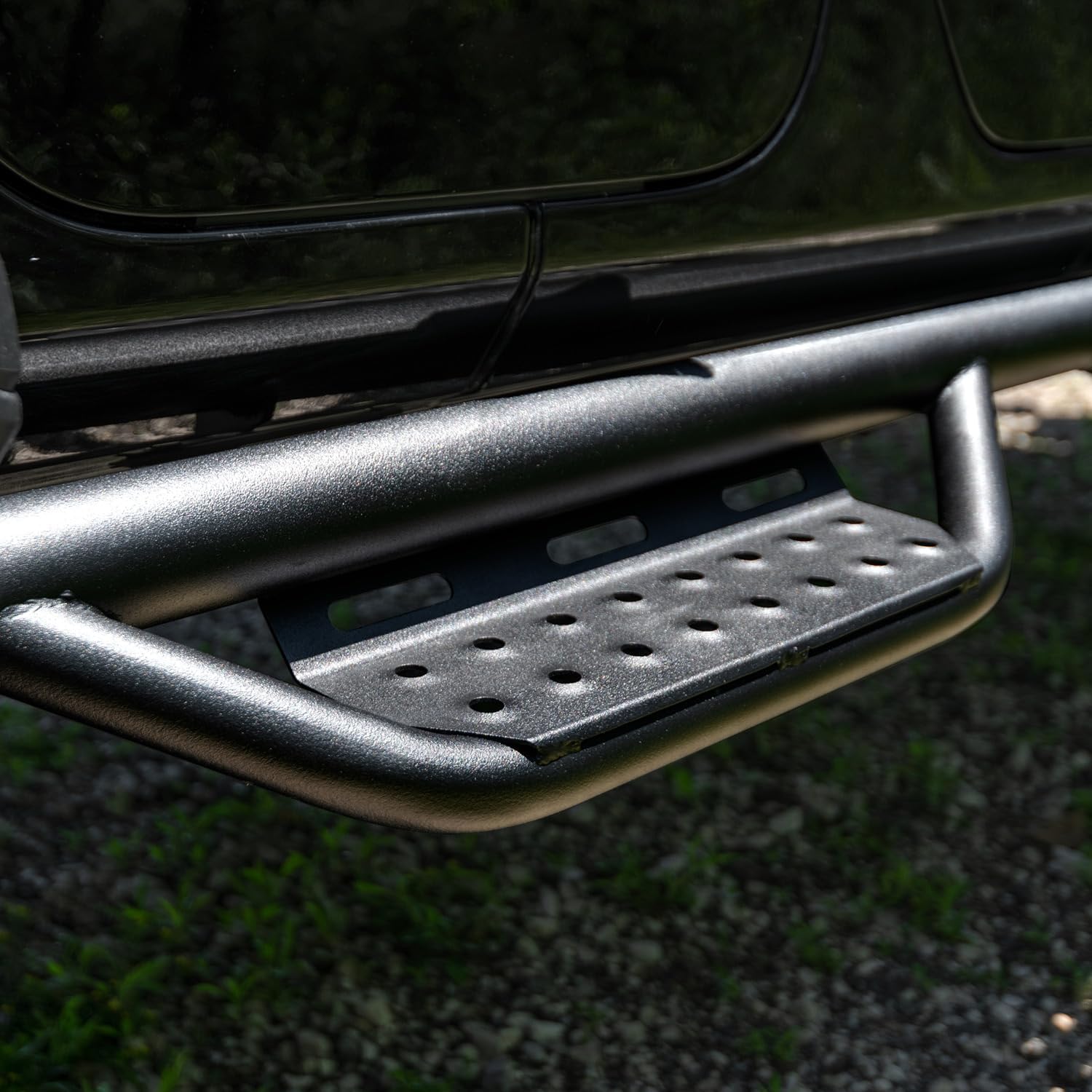
Image: Close-up of the textured step surface, designed for enhanced grip and stability.
8. Maintenance
Regular maintenance will ensure the longevity and appearance of your N-Fab Nerf Steps RS.
- Cleaning: Clean the steps regularly with mild soap and water. Avoid abrasive cleaners or harsh chemicals that could damage the textured black finish. Rinse thoroughly and dry to prevent water spots.
- Inspection: Periodically inspect all mounting hardware for tightness. Vibrations from driving can cause bolts to loosen over time. Re-tighten any loose hardware to prevent rattling or instability.
- Corrosion Prevention: While the steps feature a durable textured black finish, exposure to harsh elements (road salt, chemicals) can lead to corrosion over time, especially if the finish is scratched or chipped. Promptly clean any corrosive substances and consider applying a protective wax or sealant to maintain the finish. Inspect the plastic end caps for integrity, as they protect the internal structure.
- Damage Check: Inspect the steps for any signs of damage, such as bends, cracks, or severe scratches. Damaged steps should be repaired or replaced to ensure safety.
9. Troubleshooting
Refer to the following common issues and solutions:
- Steps Feel Loose or Rattle:
Solution: Re-check all mounting hardware. Ensure bolts are tightened to the manufacturer's specifications. Over time, vibrations can loosen fasteners. - Appearance of Rust:
Solution: While the steps have a durable finish, rust can occur, particularly in areas with road salt or if the finish is compromised. Clean affected areas thoroughly and consider using a rust-inhibiting paint or coating. For significant rust, contact N-Fab customer support regarding warranty coverage. - Difficulty Stepping On/Off:
Solution: Ensure the steps are installed correctly and are not obstructed. Verify the vehicle's lift height is compatible with the step design for comfortable access.
10. Specifications
| Feature | Specification |
|---|---|
| Model Number | 119418012 |
| Brand | n-FAB |
| Color | Premium Textured Black |
| Material | Alloy Steel |
| Exterior Finish | Painted |
| Item Dimensions (L x W x H) | 98 x 14 x 98 inches |
| Item Weight | 67 pounds |
| Weight Limit (per step) | 465 pounds |
| Number of Items | 2 |
| Vehicle Service Type | Truck |
| Automotive Fit Type | Vehicle Specific Fit |
11. Warranty and Support
N-Fab stands behind the quality of its products.
- Finish Warranty: The product's finish is backed by an industry-leading 5-year warranty.
- Workmanship Warranty: A Limited Lifetime warranty covers workmanship.
For warranty claims, technical assistance, or further support, please contact N-Fab customer service directly. Refer to the official N-Fab website or your purchase documentation for current contact information.

