
1. Introduction
Thank you for choosing the Soundcore Ace A1 Portable Bluetooth Speaker. This manual provides essential information for setting up, operating, and maintaining your device. Please read it carefully before use and retain it for future reference.
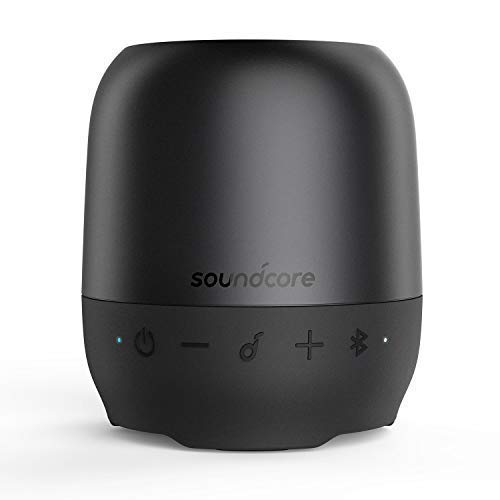
Image 1.1: Front view of the Soundcore Ace A1 Portable Bluetooth Speaker, showcasing its compact design and control buttons.
2. Package Contents
Ensure all items are present in your package:
- Soundcore Ace A1 Portable Bluetooth Speaker
- USB Charging Cable
- Detachable Lanyard/Strap
- User Manual (this document)
3. Controls and Indicators
Familiarize yourself with the speaker's buttons and LED indicators:
- Power Button (⏻): Press and hold to power on/off.
- Volume Down Button (−): Press to decrease volume. Hold to skip to previous track.
- Multi-function Button (🎵): Press to play/pause. Press twice for next track. Press once to answer/end call. Hold to reject call.
- Volume Up Button (+): Press to increase volume. Hold to skip to next track.
- Bluetooth Button (🔂): Press to enter Bluetooth pairing mode.
- LED Indicator: Shows power, charging, and Bluetooth status.
- Micro-USB Charging Port: For charging the speaker.
- AUX Input Port: For wired audio connection.
- Micro-SD Card Slot: For playing music directly from a Micro-SD card.
4. Setup
4.1 Charging the Speaker
Before first use, fully charge the speaker. Connect the provided USB charging cable to the Micro-USB port on the speaker and the other end to a USB power adapter (not included) or a computer's USB port.
- The LED indicator will be solid red during charging.
- The LED indicator will turn off when fully charged.
- A full charge typically takes approximately 2-3 hours.
4.2 Powering On/Off
- To power on: Press and hold the Power button for 2 seconds. The LED indicator will flash blue.
- To power off: Press and hold the Power button for 2 seconds. The LED indicator will turn off.
5. Operating the Speaker
5.1 Bluetooth Connection
The Soundcore Ace A1 can connect wirelessly to your device via Bluetooth.
- Power on the speaker. The LED indicator will flash blue, indicating it's in pairing mode.
- Enable Bluetooth on your device (smartphone, tablet, etc.).
- Search for "Soundcore Ace A1" in your device's Bluetooth list and select it to connect.
- Once connected, the LED indicator will turn solid blue.
- If prompted for a password, enter "0000".
Note: The speaker will automatically attempt to reconnect to the last paired device when powered on. If connection fails, repeat the pairing steps.
5.2 Audio Playback
Once connected via Bluetooth, AUX, or Micro-SD card, you can control audio playback:
- Play/Pause: Press the Multi-function button (🎵).
- Next Track: Press and hold the Volume Up button (+) for 2 seconds.
- Previous Track: Press and hold the Volume Down button (−) for 2 seconds.
- Volume Up: Press the Volume Up button (+).
- Volume Down: Press the Volume Down button (−).
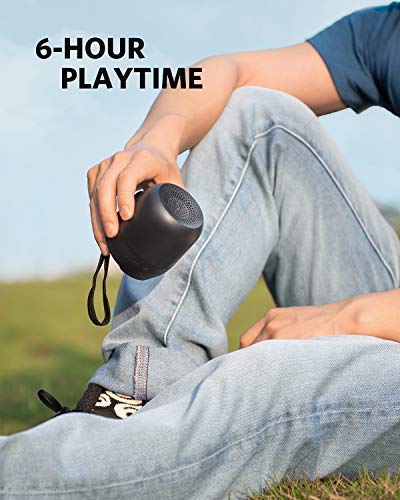
Image 5.1: The Soundcore Ace A1 is designed for portability, offering up to 6 hours of continuous music playback.
5.3 Using the AUX Input
Connect an audio device directly to the speaker using a 3.5mm AUX cable (not included).
- Plug one end of the AUX cable into the speaker's AUX port.
- Plug the other end into the headphone jack of your audio device.
- The speaker will automatically switch to AUX mode.
5.4 Using a Micro-SD Card
Insert a Micro-SD card (up to 32GB, formatted to FAT32) with audio files into the Micro-SD card slot. The speaker will automatically detect and play music from the card.
- Supported audio formats typically include MP3, WMA, WAV.
5.5 Phone Calls
The built-in microphone allows for hands-free calling when connected via Bluetooth.
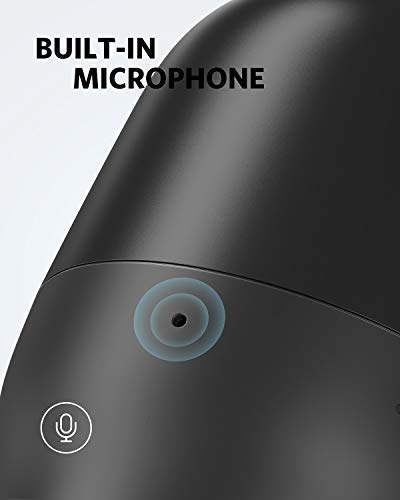
Image 5.2: The Soundcore Ace A1 features a built-in microphone for clear hands-free calls.
- Answer Call: Press the Multi-function button (🎵) once.
- End Call: Press the Multi-function button (🎵) once during a call.
- Reject Call: Press and hold the Multi-function button (🎵) for 2 seconds.
- Switch between speaker and phone: During a call, press and hold the Multi-function button (🎵) for 2 seconds.
6. Maintenance and Care
- Clean the speaker with a soft, damp cloth. Do not use abrasive cleaners or solvents.
- Avoid exposing the speaker to extreme temperatures, direct sunlight, or excessive moisture.
- Store the speaker in a cool, dry place when not in use.
- Do not attempt to disassemble or repair the speaker yourself. This will void the warranty.
7. Troubleshooting
| Problem | Solution |
|---|---|
| Speaker does not power on. | Ensure the speaker is charged. Connect it to a power source and try again. |
| Cannot pair with Bluetooth device. |
|
| No sound. |
|
| Poor sound quality. |
|
| Microphone not working during calls. |
|
8. Specifications
| Feature | Detail |
|---|---|
| Model Name | Soundcore Ace A1 (A3151) |
| Connectivity Technology | Bluetooth, Auxiliary, Micro-SD |
| Wireless Communication | Bluetooth |
| Power Source | Battery Powered (Built-in Li-on) |
| Playtime | Up to 6 hours |
| Special Features | Built-in Microphone, Micro-SD Card Slot |
| Control Method | Touch buttons |
| Waterproof | Yes |
| Color | Black |
| Manufacturer | Anker |
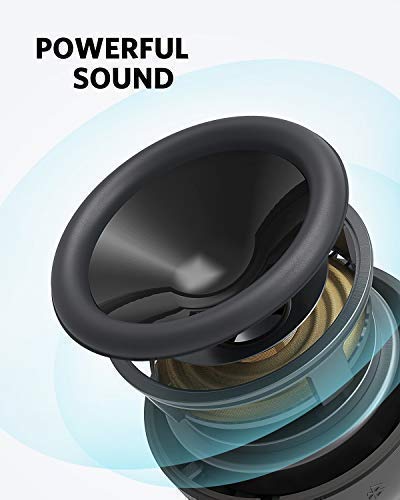
Image 8.1: Internal components of the Soundcore Ace A1, illustrating its powerful sound architecture.
9. Warranty and Customer Support
Soundcore provides an 18-month warranty from the date of purchase. This warranty covers manufacturing defects and ensures your product functions as intended under normal use.
For technical support, warranty claims, or other inquiries, please contact Soundcore customer service through their official website or the retailer where the product was purchased. Please have your proof of purchase and product model number (Ace A1 / A3151) ready.
You can visit the official Soundcore store for more information: Soundcore Store


