
1. Introduction
This manual provides detailed instructions for the installation, operation, and maintenance of the CAME BKS12AGS 230V Sliding Gate Automation System. Please read this manual carefully before proceeding with any installation or operation to ensure proper function and safety. The BKS12AGS is designed for automating sliding gates, offering reliable and efficient performance.
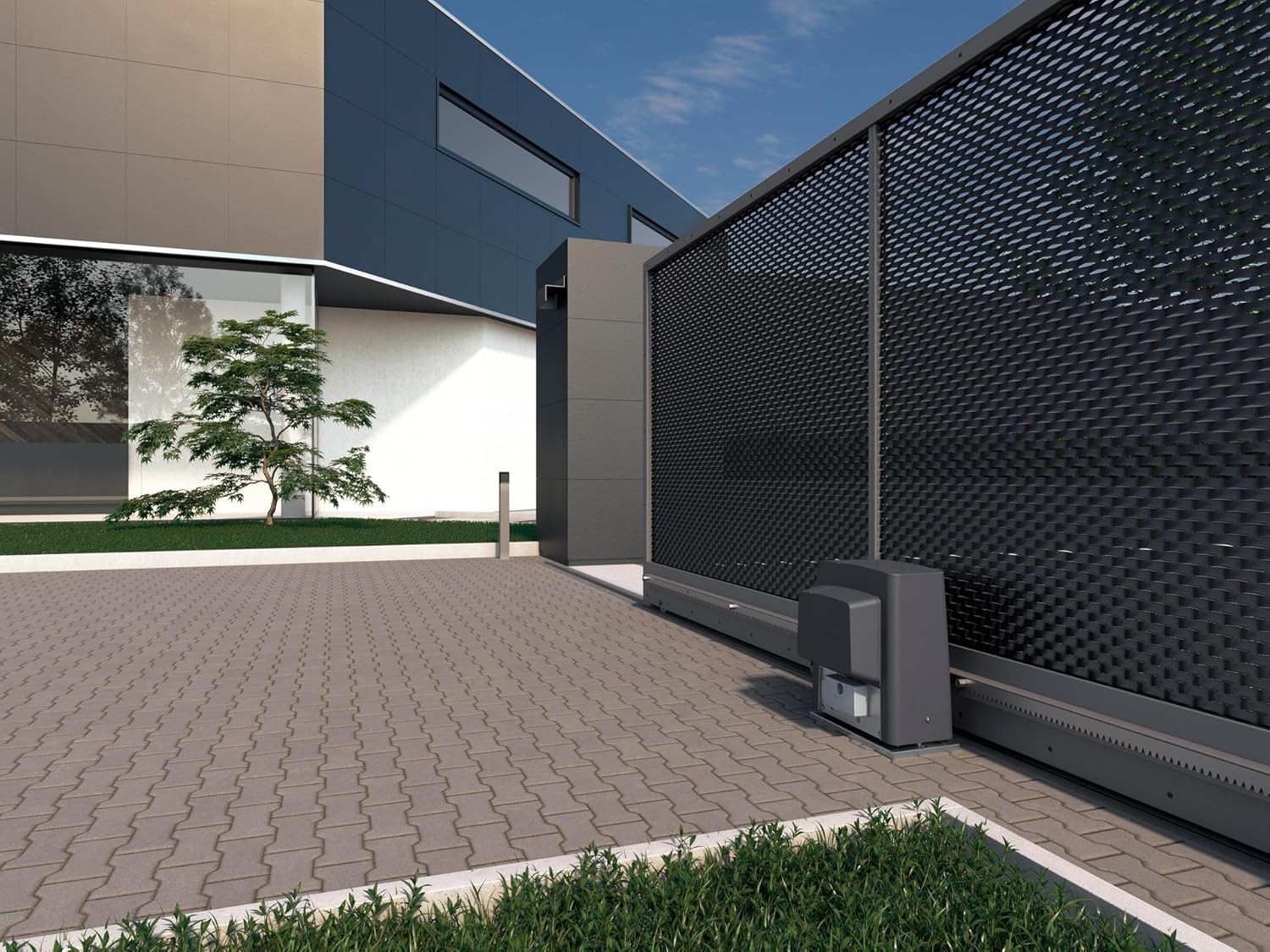
Figure 1: CAME BKS12AGS gate automation system installed on a large sliding gate.
2. Safety Information
Always prioritize safety during installation, operation, and maintenance. Failure to follow these instructions may result in serious injury or damage to property.
- Installation must be carried out by qualified personnel in compliance with local regulations and standards.
- Ensure the power supply is disconnected before performing any work on the system.
- Keep children and pets away from the gate area during operation.
- Regularly inspect the system for any signs of wear, damage, or malfunction.
- The system includes self-diagnosis of safety equipment. Do not bypass or disable safety features.
3. Product Overview and Components
The CAME BKS12AGS system is a robust solution for sliding gate automation. Key features include:
- Electronic Board: Equipped with terminal blocks, a display, and storage for up to 250 users.
- Safety Features: Includes self-diagnosis of safety equipment and configurable safety inputs for direct management of resistive sensitive edges (8 kΩ).
- Gear Options: Available with module 4 or 6 gear, prepared for magnetic limit switches.
- Connectivity: Developed with CONNECT technology for digital remote management via gateway or local management via Came Key.
- Movement Speed: Achieves a movement speed of 10.5 m/min.

Figure 2: Close-up view of the CAME BKS12AGS motor unit mounted on a sliding gate track.
Included Components:
- 1 x BKS12AGS Motor Unit
- Installation accessories (as per packaging)
4. Setup and Installation
The installation of the CAME BKS12AGS system requires careful attention to detail and adherence to electrical safety standards. It is strongly recommended that installation be performed by a certified professional.
4.1 Mounting the Motor Unit
- Prepare a stable and level concrete base for the motor unit adjacent to the gate.
- Securely fasten the motor unit to the base using appropriate anchors and bolts. Ensure the unit is perfectly aligned with the gate's movement path.
- Install the rack on the gate, ensuring proper engagement with the motor's pinion gear. Adjust the height to allow for slight clearance.
4.2 Electrical Connections
- Ensure the main power supply (230V AC) is disconnected before making any electrical connections.
- Connect the main power supply to the designated terminals on the electronic board.
- Connect all safety devices, such as photocells and resistive sensitive edges (8 kΩ), to their respective configurable safety inputs on the electronic board.
- Connect any control devices, such as remote controls or keypads, according to the specific instructions provided with those accessories.
4.3 Limit Switch Adjustment
The BKS12AGS system is prepared for magnetic limit switches. These switches define the gate's open and closed positions.
- Install the magnetic limit switches at the desired open and closed positions of the gate.
- Adjust the position of the magnets to ensure precise stopping of the gate at its fully open and fully closed states.
5. Operating Instructions
Once installed and configured, the CAME BKS12AGS system offers convenient and secure gate operation.
5.1 Basic Operation
- Use a programmed remote control or access device to send a command to the gate.
- The gate will open or close at a speed of 10.5 m/min.
- The electronic board can store up to 250 users, allowing multiple authorized individuals to operate the gate.
5.2 Advanced Features (CONNECT Technology)
The BKS12AGS system supports CAME's CONNECT technology for enhanced management:
- Remote Management: Via a gateway, the system can be managed digitally from a remote location.
- Local Management: Using a Came Key, local digital management is possible for configuration and diagnostics.
6. Maintenance
Regular maintenance is crucial for ensuring the longevity and reliable operation of your CAME BKS12AGS system.
- Monthly Checks: Inspect the gate's movement for any obstructions, unusual noises, or jerky movements. Check the condition of the rack and pinion.
- Quarterly Checks: Verify the functionality of all safety devices (photocells, safety edges). Clean any sensors to ensure clear operation.
- Annual Service: It is recommended to have a qualified technician perform an annual service to check electrical connections, motor lubrication, and overall system integrity.
- Self-Diagnosis: The system's electronic board features self-diagnosis of safety equipment. Monitor the display for any error codes or warnings and consult the troubleshooting section or a technician if issues arise.
7. Troubleshooting
This section provides guidance for common issues. For complex problems, contact a qualified technician.
7.1 Gate Not Moving
- Check Power: Ensure the system is receiving power (230V AC). Check circuit breakers.
- Safety Devices: Verify that photocells are not obstructed and safety edges are not activated. The self-diagnosis feature on the electronic board can indicate issues with safety devices.
- Remote Control: Check remote control batteries and ensure it is properly programmed.
7.2 Gate Stops Mid-Movement
- Obstruction: Check for any physical obstructions in the gate's path.
- Safety Activation: A safety device might have been triggered. Clear the path and reset if necessary.
- Motor Overload: If the gate is heavy or has resistance, the motor might be overheating. Allow it to cool down.
7.3 Remote Control Not Working
- Batteries: Replace the batteries in the remote control.
- Programming: Ensure the remote control is correctly programmed to the system. Refer to the programming instructions for your specific remote.
- Range: Check if you are within the operating range of the system.
8. Specifications
Detailed technical specifications for the CAME BKS12AGS 230V Sliding Gate Automation System (Model 801MS-0080).

Figure 3: Dimensions of the CAME BKS12AGS motor unit.
| Feature | Detail |
|---|---|
| Manufacturer | CAME |
| Part Number | 801MS-0080 |
| Item Model Number | 801MS-0080 |
| Product Dimensions | 40 x 45 x 45 cm |
| Weight | 18 Kilograms |
| Color | Grey/Black |
| Number of Items in Package | 1 |
| Included Components | 1 x BKS12AGS |
| Batteries Included? | No |
| Batteries Required? | No |
| Movement Speed | 10.5 m/min |
| User Capacity | Up to 250 users |
| First Available Date | February 21, 2020 |
9. Warranty and Support
The CAME BKS12AGS system is a product of Italian manufacturing, ensuring high quality and craftsmanship. For warranty information, technical support, or service inquiries, please refer to the official CAME website or contact your authorized CAME dealer. Keep your purchase receipt as proof of purchase.


