Introduction
Thank you for choosing the A4tech G3-200NS Silent Wireless Mouse. This manual provides detailed instructions for setting up, operating, and maintaining your new wireless mouse. Designed for comfort and efficiency, this optical mouse offers silent clicks and reliable wireless connectivity for both PC and laptop use.
Package Contents
Please check the package contents to ensure all items are present:
- A4tech G3-200NS Silent Wireless Mouse
- USB Receiver
- User Manual (this document)
- (Note: 1 AA battery required, not included)
Setup
1. Installing the Battery
- Locate the battery compartment on the underside of the mouse.
- Open the battery compartment cover.
- Insert one AA battery, ensuring correct polarity (+/-).
- Close the battery compartment cover securely.
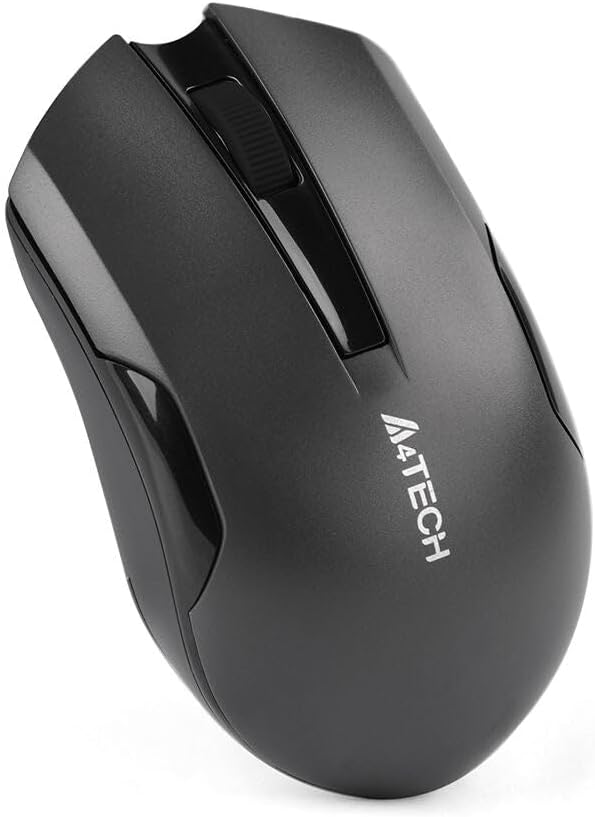
Figure 1: Underside of the mouse with battery compartment.
2. Connecting the USB Receiver
- Locate the USB receiver, typically stored within the mouse's battery compartment or packaged separately.
- Plug the USB receiver into an available USB port on your computer or laptop.
- The operating system will automatically detect and install the necessary drivers. This may take a few moments.
- Once installed, the mouse is ready for use.
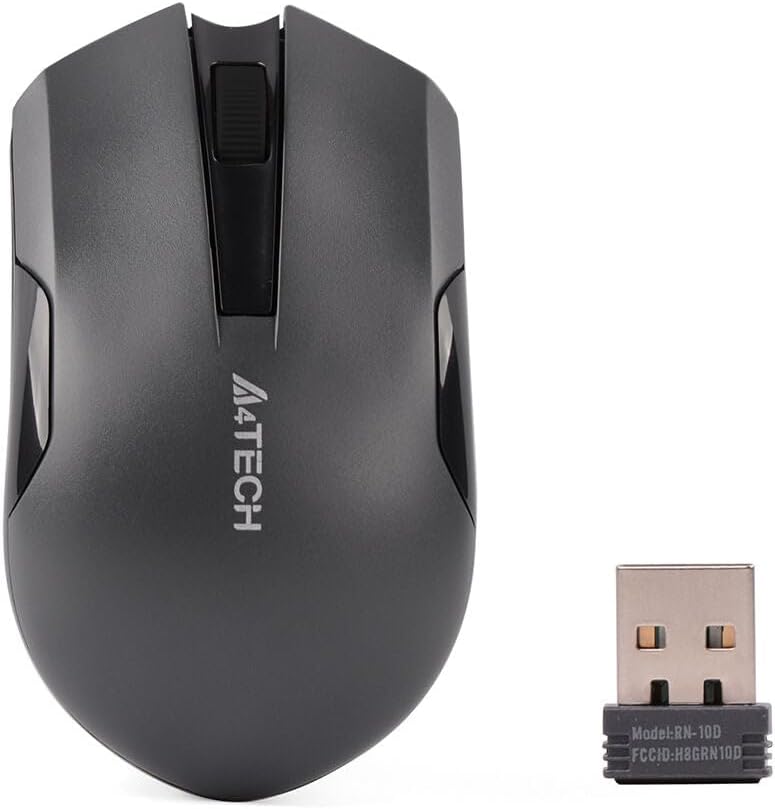
Figure 2: A4tech G3-200NS mouse and its USB receiver.
Operating the Mouse
Basic Functions
- Left Click: Primary action, selection, opening items.
- Right Click: Opens contextual menus.
- Scroll Wheel: Scrolls documents and web pages vertically. The scroll wheel also functions as a middle click button.
Silent Click Technology
The A4tech G3-200NS features silent click technology, significantly reducing click noise for a quieter working environment.
Wireless Range
The mouse operates within a wireless range of approximately 10 to 15 meters from the USB receiver, depending on environmental conditions and obstacles.
Maintenance
Battery Replacement
When the mouse performance degrades or stops responding, it is likely time to replace the AA battery. Follow the battery installation steps outlined in the "Setup" section.
Cleaning
To clean the mouse, use a soft, dry cloth. For stubborn dirt, a slightly damp cloth can be used, ensuring no moisture enters the internal components. Avoid using harsh chemicals or abrasive cleaners.
Troubleshooting
| Problem | Solution |
|---|---|
| Mouse not responding |
|
| Erratic cursor movement |
|
| Short wireless range |
|
Specifications
- Brand: A4tech
- Model: G3-200NS
- Mouse Type: Optical Mouse
- Connectivity: Wireless (2.4 GHz)
- Color: Black
- Compatible with: PC & Laptop
- Operating System: Linux, Windows XP (and newer versions)
- Power Source: 1 x AA Battery (not included)
- Average Battery Life: Approximately 6 months (may vary with usage)
- Wireless Range: 10-15 meters
- Special Features: Silent Click Technology
Warranty and Support
For warranty information or technical support, please refer to the warranty card included with your purchase or visit the official A4tech website. Keep your proof of purchase for warranty claims.


