
1. Introduction
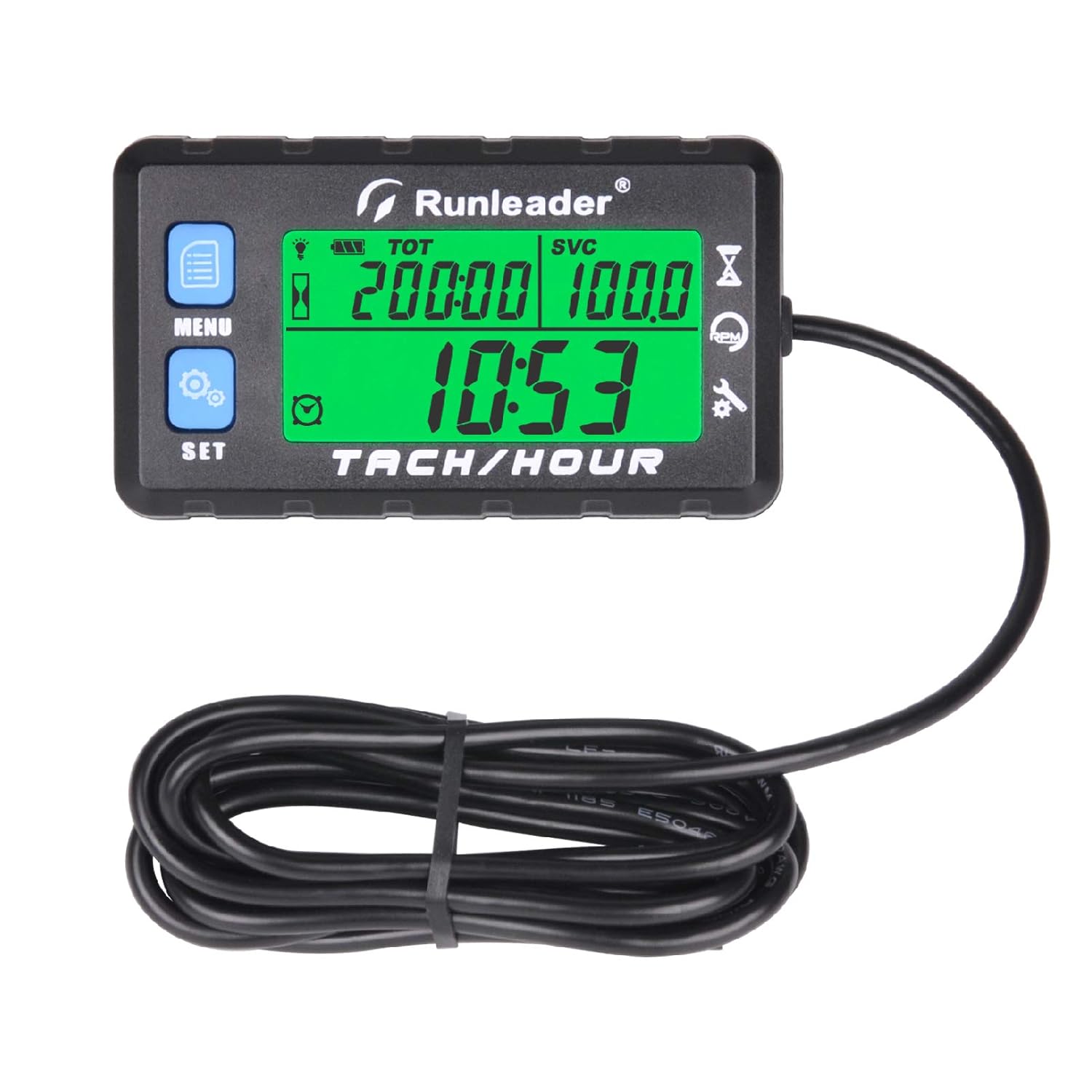
The Runleader HM058B-BU is a versatile digital tachometer and hour meter designed for various gasoline engines. It provides essential engine data, including real-time RPM, total operating hours, and programmable maintenance reminders. This device helps users monitor engine health and schedule timely service, ensuring optimal performance and longevity of their equipment.
2. Product Features
- Multi-Function Meter: Integrates tachometer, hour meter, service timers (SVC & SVC2), and job timers (JOB & JOB2) for comprehensive engine management.
- Hour Meter (TOT): Tracks total engine operating hours (non-resettable) with 0.1-hour accuracy. Allows pre-setting total hours for replacement units.
- Maintenance Reminders (SVC & SVC2): Programmable countdown timers for service intervals (e.g., oil changes, air filter replacement). Data can be viewed directly on the screen.
- Job Timers (JOB & JOB2): Used to measure the duration of specific tasks.
- Tachometer: Accurately records real-time RPM when the engine is running. Programmable for various engine ignition patterns.
- RPM Alert: Programmable RPM warning with a red backlight display and flashing alert icon.
- MAX RPM: Records and allows recall of the maximum engine RPM achieved.
- Programmable RPM Range: Selectable RPM measurement range for improved data accuracy.
- Display: Multi-color backlit display (green for normal operation, red for alerts). User-selectable display options.
- Battery: Replaceable CR2450 battery. Low battery reminder.
- Durability: IP67 waterproof rating, CE ROHS certified.
- Installation: Easy to install with included accessories.
3. Package Contents
Upon opening the package, verify that all the following items are included:
- 1x Runleader HM058B-BU Digital Tachometer Hour Meter unit
- 1x Operating Instructions Manual
- 1x Signal Wire (integrated with the unit)
- 2x Zip Ties for securing the signal wire
- 1x Adhesive Mounting Pad
- 2x Screws for alternative mounting
- 1x CR2450 Battery (pre-installed with an insulating sheet)

This image shows the tachometer unit, operating instructions, mounting accessories, and the signal wire, all neatly packaged.
Video 1: This video demonstrates the unboxing process of a similar Runleader tachometer model, showing all included accessories and the initial battery activation step.
4. Setup and Installation
4.1. Battery Activation
The unit comes with a pre-installed CR2450 battery. Before first use, you must remove the insulating sheet from the battery compartment to activate the device. Use a coin to gently twist open the battery cover, remove the plastic sheet, and then securely close the cover.

This image shows the battery compartment and the CR2450 battery, highlighting the replaceable battery feature.
4.2. Signal Wire Connection
The tachometer measures RPM by detecting the electromagnetic pulses from the spark plug wire. Wrap the signal wire around the spark plug wire of your engine. Typically, 5-6 wraps are sufficient for accurate readings. Secure the wrapped wire with zip ties.

This diagram illustrates the correct method for wrapping the signal wire around the spark plug cable to ensure proper RPM detection.
Video 2: This video demonstrates the process of connecting the signal wire to the spark plug wire on an engine.
4.3. Product Installation
The unit can be installed using either the adhesive mounting pad or screws, depending on your preference and the mounting surface.
- Adhesive Mounting: Clean the desired mounting surface thoroughly. Peel off the protective backing from the adhesive pad and firmly press the tachometer onto the surface.
- Screw Mounting: Use the provided screws to secure the tachometer to a suitable location.

This image provides visual guidance for both adhesive and screw mounting options for the tachometer.
Video 3: This video demonstrates the installation of a universal digital tachometer on a motorcycle, showing the mounting and wire routing.
5. Operation
The Runleader HM058B-BU features intuitive controls with 'MENU' and 'SET' buttons to navigate through various display modes and settings.
5.1. Display Modes
Press the 'MENU' button to cycle through the following display modes:
- Clock: Displays the current time when the engine is off.
- RPM: Shows real-time engine revolutions per minute when the engine is running.
- TOT (Total Hours): Displays the cumulative operating hours of the engine. This value is non-resettable.
- JOB (Job Timer): Measures the duration of a specific work task. This timer can be reset.
- SVC (Service Reminder): A programmable countdown timer for maintenance intervals.
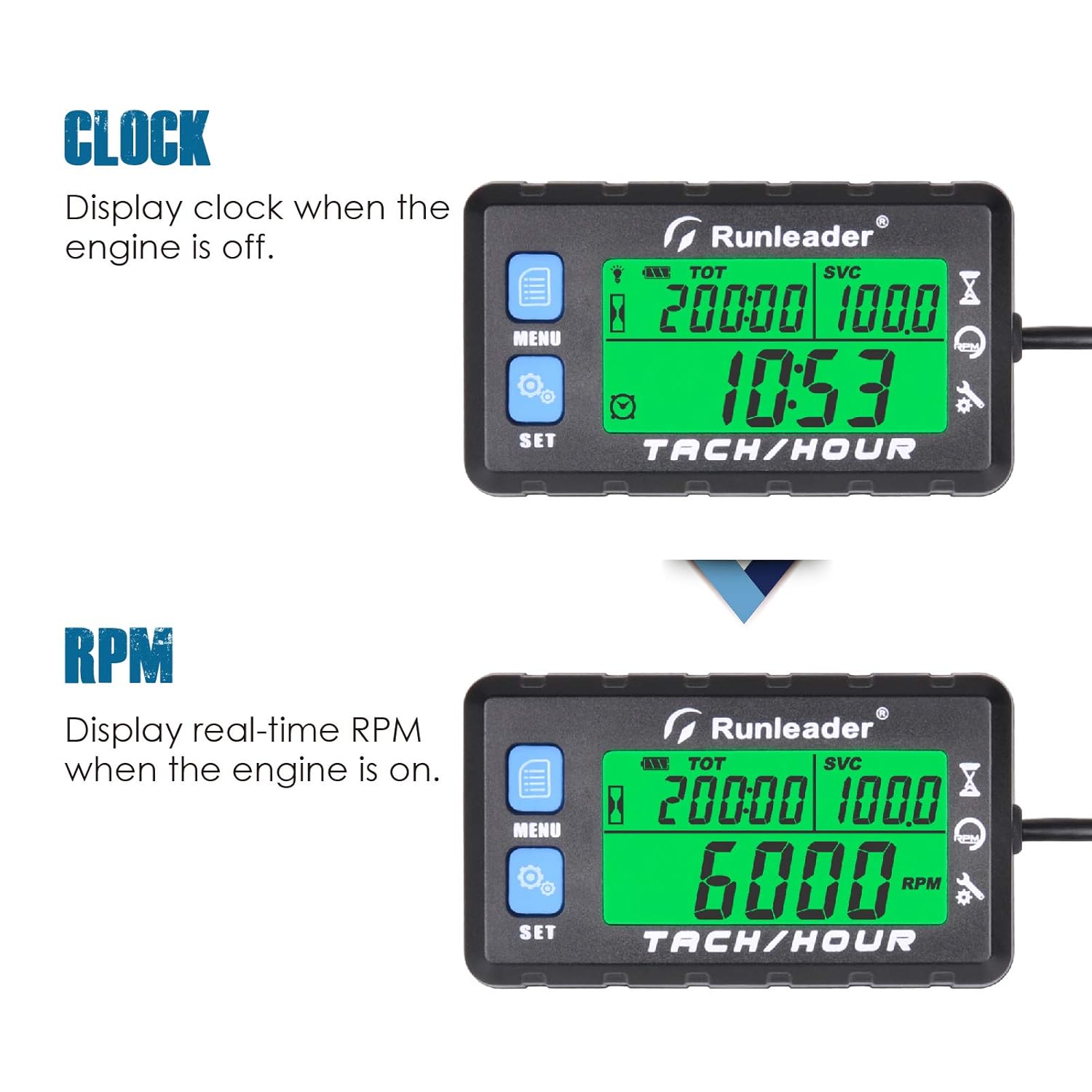
This image illustrates the clock display when the engine is off and the real-time RPM display when the engine is running.

This image demonstrates the SVC and SVC2 displays, which track time for maintenance reminders like air filter replacement.

This image shows the JOB and JOB2 timers, used to measure the duration of particular work jobs, such as an oil change.
5.2. Setting Parameters
To enter the setting mode, press and hold the 'SET' button for a few seconds. Use 'MENU' to navigate options and 'SET' to confirm or adjust values.
- Initial Time Setting: Allows users to pre-set total hours when replacing an old hour meter.
- Programmable Firing Patterns: Adjust the device for different engine types (e.g., 2-stroke, 4-stroke) to ensure accurate RPM readings.
- RPM Alert Setting: Set a maximum RPM threshold. The display will turn red and an alert icon will flash if this threshold is exceeded.
- Service Interval Setting: Program the desired hours for SVC and SVC2 maintenance reminders.

This image highlights the initial time setting function, allowing for seamless replacement of an old hour meter without losing total hour data.

This image shows the display for recorded maximum RPM and the programmable alert RPM feature, which turns the backlight red when triggered.

This image displays the settings for RPM measurement range and refresh rate, allowing for more accurate speed data.
5.3. Backlight Display
The display features a multi-color backlight. It typically shows green, but will switch to red and flash an alert icon when a programmed SVC or RPM alert is triggered.

This image demonstrates the programmable green backlight and the red backlight that activates when SVC or RPM alerts are triggered.
6. Maintenance
6.1. Battery Replacement
The Runleader HM058B-BU uses a replaceable CR2450 battery. When the battery is low, a reminder will appear on the display. To replace, gently twist the battery cover on the back of the unit using a coin, remove the old battery, insert a new CR2450 battery with the correct polarity, and securely close the cover.
6.2. Cleaning
Clean the unit with a soft, damp cloth. Avoid using harsh chemicals or abrasive cleaners that could damage the display or casing.
6.3. Waterproof Rating
The device has an IP67 waterproof rating, meaning it is protected from dust and can withstand immersion in water up to 1 meter for 30 minutes. However, it is not designed for continuous underwater use or high-pressure water jets.
This image shows the tachometer unit, highlighting its IP67 waterproof rating and replaceable battery feature.
Video 4: This video includes a demonstration of the tachometer's waterproof capabilities under a water spray.
7. Troubleshooting
If you encounter issues with your Runleader HM058B-BU, consider the following common troubleshooting steps:
- No Display/Blank Screen: Check if the battery insulating sheet has been removed. If already removed, try replacing the CR2450 battery.
- Inaccurate RPM Readings: Ensure the signal wire is correctly wrapped around the spark plug wire (5-6 wraps). Verify that the programmable firing pattern setting matches your engine type.
- No RPM Reading: Confirm the signal wire is securely connected and not damaged. Ensure the engine is running.
- Settings Not Saving: Ensure you are properly exiting the setting menu by confirming changes.
For persistent issues, refer to the detailed operating instructions manual or contact customer support.
8. Specifications
| Feature | Specification |
|---|---|
| Brand | Runleader |
| Model Number | HM058B |
| Material | Plastic |
| Item Weight | 90 Grams |
| UPC | 791352512944 |
| Waterproof Rating | IP67 |
| Battery Type | CR2450 (Replaceable) |
| Certifications | CE, ROHS |
| Country of Origin | China |
9. Warranty and Support
The Runleader HM058B-BU comes with a 2-year warranty. For warranty claims, technical support, or any inquiries regarding the product, please contact Runleader customer service through the retailer where the product was purchased or visit the official Runleader website for contact information.


