
Introduction
Thank you for choosing the COOAU D30S 4K Dash Cam. This manual provides detailed instructions on how to set up, operate, and maintain your dash cam to ensure optimal performance and longevity. The D30S is designed to capture high-quality video footage of your journeys, both from the front and inside the cabin, offering enhanced safety and peace of mind.

The COOAU D30S 4K Dash Cam, featuring a compact design with front and interior cameras.
What's in the Box
Please check the package contents to ensure all items are present:
- COOAU D30S Dash Cam (x1)
- 11.81ft USB Data Cable (x1)
- User Manual (x1)
- Car Charger (x1)
- Suction Mount (x1)

All components included in the COOAU D30S Dash Cam package.
Setup
1. Mounting the Dash Cam
Attach the suction mount to a clean, dry area on your windshield, ideally behind the rearview mirror to avoid obstructing your view. Ensure the mount is securely fastened by pressing the suction cup firmly against the glass and locking the lever.

Detail of the suction mount for secure windshield attachment.
2. Power Connection
Connect the provided car charger to your vehicle's 12V power outlet and then to the dash cam's USB port. Route the cable neatly along the windshield edge to avoid interference with driving.
3. Inserting the MicroSD Card
Insert a high-speed MicroSD card (Class 10 or higher, up to 256GB, not included) into the designated slot on the dash cam. Ensure it clicks into place. It is recommended to format the card within the dash cam's settings before first use.
4. Initial Power On and Settings
Once connected to power, the dash cam will automatically power on and begin recording. Adjust basic settings such as date, time, and video resolution through the on-screen menu. Refer to the 'Operating Instructions' section for detailed feature usage.
Operating Instructions
Basic Recording and Loop Recording
The D30S dash cam automatically starts recording when your vehicle's engine is turned on and stops when the engine is turned off. It utilizes seamless loop recording, overwriting the oldest files when the memory card is full to ensure continuous recording. Important footage can be protected from being overwritten by the G-sensor or manual locking.
Dual Camera Modes
The D30S offers versatile recording options:
- Front-Only Mode: Captures stunning 4K (3840x2160P@30fps) video from the front camera, providing exceptional clarity for road signs and license plates.
- Dual Recording Mode: Simultaneously records from the front (170°) and cabin (150°) cameras at QHD 2.5K (2560*1440P) + 1080P FHD resolution. Ideal for rideshare drivers or capturing interior events.

Visual representation of 4K front-only and dual 2.5K+1080P recording capabilities.
Watch this video for a demonstration of the wide viewing angles:
Video: COOAU D30S Dash cam front and rear with wide viewing angle. This video demonstrates the broad field of view captured by both the front and interior cameras.
Superior Night Vision
Equipped with an F1.8 aperture and WDR (Wide Dynamic Range) technology, the D30S significantly improves image quality in low-light conditions. The cabin camera features 4 infrared (IR) LED lights, ensuring clear recording of the interior even in complete darkness.
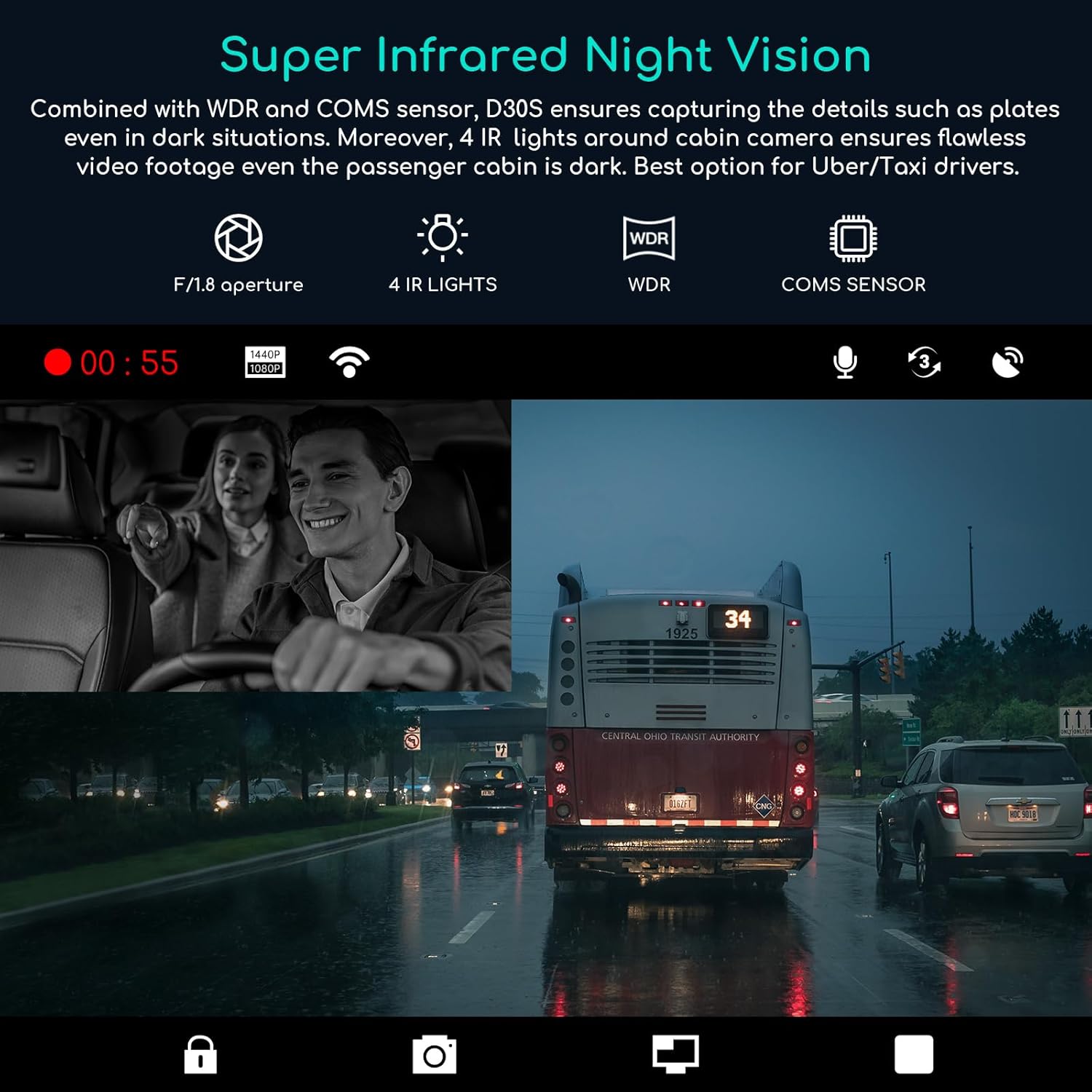
Illustration of the dash cam's superior infrared night vision for both exterior and interior recording.
Built-in Wi-Fi & Dedicated App (COOAUDash)
Connect your D30S dash cam to the exclusive "COOAUDash" app via built-in Wi-Fi. This allows you to conveniently view live footage, download recorded videos, adjust settings, and share content directly from your smartphone without removing the MicroSD card. The app also supports OTA (Over-The-Air) firmware updates.
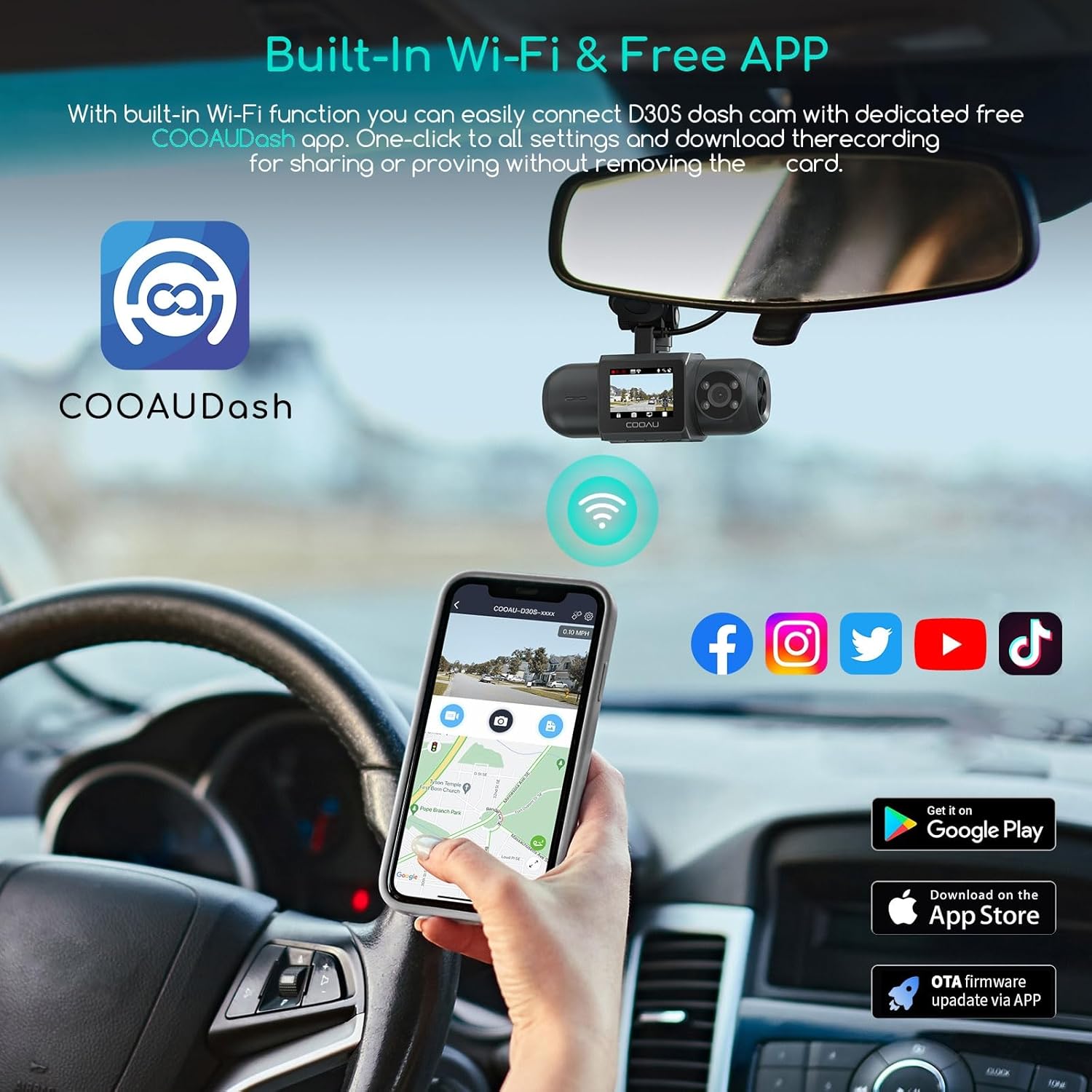
The COOAU D30S dash cam seamlessly connects to the COOAUDash app for easy control and file management.
For a comprehensive guide on using your COOAU Dash Cam, refer to this video:
Video: The Easy Guide to Use your COOAU Dash Cam. This official video provides step-by-step instructions for operating your dash cam.
Built-in GPS Tracking
The integrated GPS module accurately records your vehicle's location, driving route, and speed. This data is embedded in the video footage and can be viewed via the COOAUDash app, providing crucial information for incident reconstruction and route analysis. The video's timestamp is automatically updated by GPS for accuracy.

The built-in GPS provides real-time display of driving route, location, and speed.
Adjustable G-Sensor & 24-Hour Parking Mode
The adjustable G-sensor detects sudden impacts or collisions, automatically locking the current video file to prevent it from being overwritten. For continuous protection, the 24-hour parking mode (requires a separate hardwire kit, not included) offers:
- Motion Detection: Records automatically when movement is detected around your parked vehicle.
- Collision Detection: Activates recording for 30 seconds and saves the file in an emergency folder if a collision is detected.
- Time-Lapse Recording: Continuously records at a low frame rate (e.g., 1 sec/1 fps) to save storage space and battery power.

The G-sensor automatically locks important footage, while auto loop recording ensures continuous coverage.

Overview of the 24-hour parking monitor features, including motion detection, collision detection, and time-lapse.
Maintenance
SD Card Formatting
To maintain optimal recording performance and prevent data corruption, it is recommended to format your MicroSD card regularly (e.g., once a month) using the dash cam's format function. This will erase all data on the card, so ensure you back up any important files beforehand.
Cleaning the Lenses
Periodically clean the front and interior camera lenses with a soft, lint-free cloth to ensure clear video quality. Avoid using abrasive materials or chemical cleaners that could damage the lenses.
Troubleshooting
- Dash cam does not power on: Ensure the car charger is properly connected to both the dash cam and the vehicle's power outlet. Check if the vehicle's 12V outlet is functioning.
- Recording stops unexpectedly: Ensure a high-speed (Class 10 or higher) MicroSD card is used. Format the MicroSD card regularly. Check if the card is full or corrupted.
- Wi-Fi connection issues: Ensure the dash cam's Wi-Fi is enabled. Restart both the dash cam and your smartphone. Make sure you are connecting to the correct Wi-Fi network broadcast by the dash cam.
- Poor video quality: Clean the camera lenses. Ensure the protective film has been removed from the lenses. Check the video resolution settings in the dash cam menu.
- GPS not tracking: Ensure the dash cam has a clear view of the sky. GPS signal can be affected by tunnels, tall buildings, or adverse weather.
If you encounter persistent issues, please refer to the Warranty & Support section for contact information.
Specifications
| Feature | Detail |
|---|---|
| Model Name | D30S |
| Product Dimensions | 2.76 x 6.3 x 4.33 inches |
| Item Weight | 12.6 ounces |
| Video Capture Resolution | 4K (2160P) Single Front, Dual 1440P+1080P Front and Inside |
| Connectivity Technology | Wi-Fi, USB |
| Special Features | Built-in GPS, Wi-Fi and APP connect, Loop recording, Voice recording, Accident lock, 24 hours parking monitor, G-sensor, Super night vision |
| Max SD Card Support | 256GB (NOT included) |
| Mounting Type | Windshield Mount |
| Color | Dark Grey |
| Manufacturer | COOAU |
| Country of Origin | China |
Warranty & Support
COOAU provides a lifetime warranty for this wireless dash cam. We are committed to ensuring your satisfaction with our products.
If you have any questions, require technical support, or need assistance with your D30S Dash Cam, please do not hesitate to contact our customer care team. We offer 24/7 high-quality after-sales service and technical support.
Customer Support Email: support-us@cooau.com
In case of any doubts or issues, we support replacement or full refund within 30 days of purchase.


