
1. Introduction and Overview
This manual provides essential information for setting up, operating, and maintaining your Apple iPhone 11. The iPhone 11 features a 6.1-inch Liquid Retina HD Display, offering a 1792 x 828 resolution at 326 pixels per inch (ppi). It includes True Tone technology for adjusting white balance to ambient lighting and wide color support for accurate color reproduction. This renewed device is unlocked for compatibility with any GSM and CDMA network carrier (e.g., AT&T, T-Mobile, Sprint, Verizon, US Cellular, Cricket, Metro, Tracfone, Mint Mobile, etc.). It has undergone a full diagnostic test to ensure like-new functionality and is guaranteed to have a minimum battery capacity of 80%.
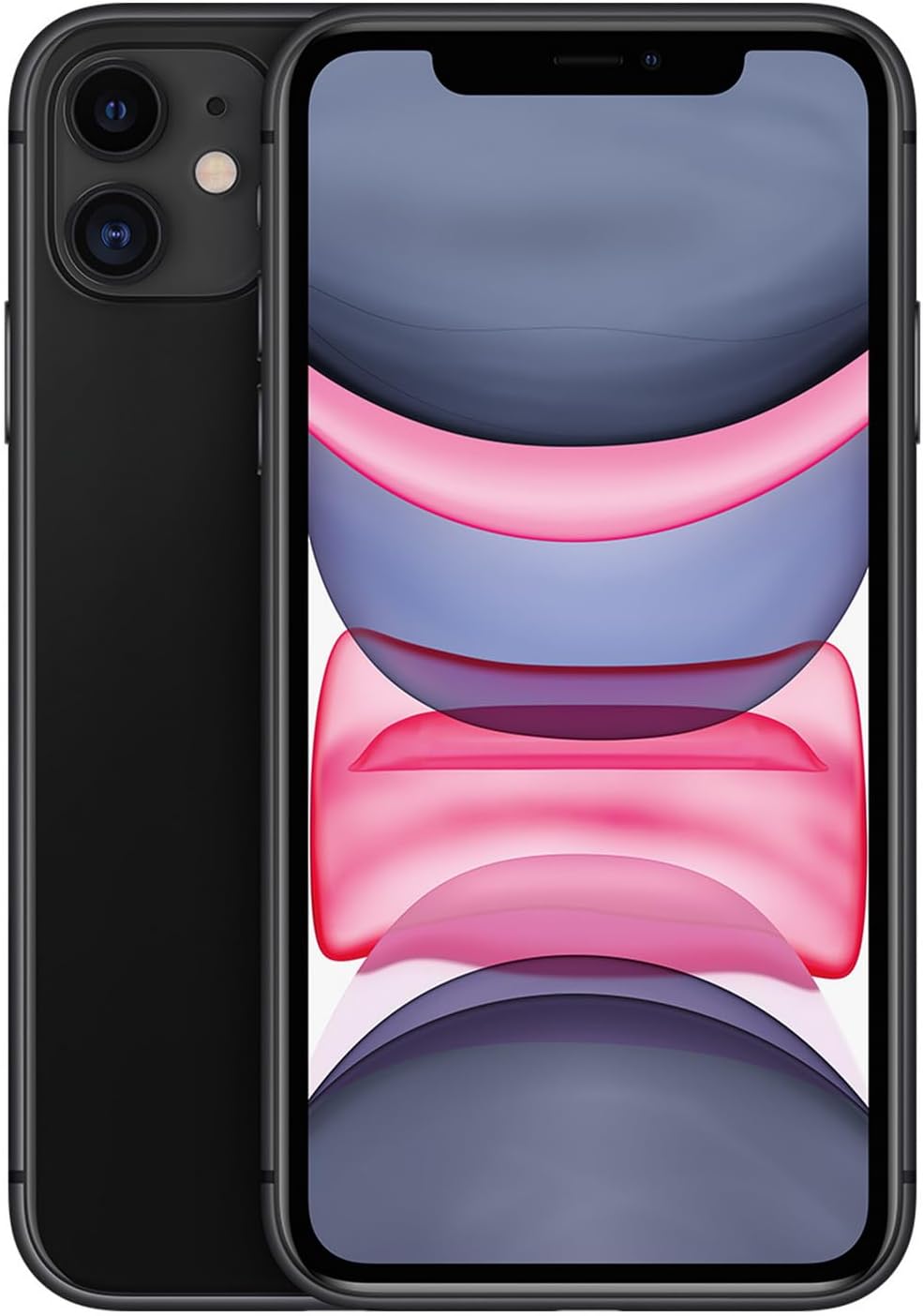
Figure 1: Front and back view of the Apple iPhone 11.
2. What's in the Box
- Apple iPhone 11 (64GB, Black, Unlocked)
- USB Data Cable
Note: As a renewed product, accessories may be generic.
3. Device Layout

Figure 2: Rear view of the iPhone 11, showing the dual camera system and Apple logo.
- Front: 6.1-inch Liquid Retina HD Display, TrueDepth camera system (for Face ID and front camera).
- Rear: Dual 12MP camera system (Wide and Ultra Wide), LED True Tone flash, Apple logo.
- Sides: Volume buttons, Side button (Power/Sleep/Wake), Ring/Silent switch, SIM tray.
- Bottom: Lightning connector, built-in stereo speakers, microphones.

Figure 3: Close-up of the iPhone 11's dual rear cameras.
4. Setup
- Power On: Press and hold the Side button until the Apple logo appears.
- Initial Setup: Follow the on-screen instructions to select your language, region, and connect to a Wi-Fi network.
- Data Transfer: You can transfer data from an old iPhone, Android device, or set up as a new iPhone.
- Face ID Setup: Configure Face ID for secure unlocking and purchases.
- Apple ID: Sign in with your Apple ID or create a new one to access App Store, iCloud, and other Apple services.
- SIM Card Installation: Insert your nano-SIM card into the SIM tray using the provided SIM ejector tool (if included). Ensure the phone is powered off before inserting or removing the SIM card.
5. Basic Operation
- Unlock: Raise your iPhone or tap the screen, then glance at it to unlock with Face ID.
- Home Screen: Swipe up from the bottom of the screen to go to the Home screen.
- Control Center: Swipe down from the top-right corner of the screen to access Control Center for quick settings.
- Notifications: Swipe down from the top-center of the screen to view notifications.
- App Switcher: Swipe up from the bottom of the screen and pause in the middle to view open apps.
- Siri: Say "Hey Siri" or press and hold the Side button to activate Siri.
6. Camera Features
The iPhone 11 features a dual 12MP camera system with Wide and Ultra Wide lenses. It supports various modes including Portrait mode, Night mode, and 4K video recording.
- Photo Modes: Standard Photo, Portrait, Pano.
- Video Recording: Record in 4K at 24, 30, or 60 fps, or 1080p HD at 30 or 60 fps.
- Slo-mo: Record slow-motion video in 1080p at 120 or 240 fps.
- Night Mode: Automatically turns on in low-light environments to capture brighter photos with natural colors.

Figure 4: Side view of the iPhone 11.
Official Product Videos
Video 1: An honest review of the Apple iPhone 11, discussing its features and performance from a user perspective.
Video 2: A comparison between the iPhone 11 and iPhone 12, helping users decide which model is suitable for their needs.
7. Battery Management
The iPhone 11 is equipped with a 3110 Milliamp Hour battery. As a renewed product, the battery is guaranteed to have a minimum capacity of 80% compared to a new device.
- Charging: Use the included USB Data Cable with a compatible power adapter (sold separately) to charge your iPhone.
- Optimized Battery Charging: Enable this feature in Settings > Battery > Battery Health & Charging to reduce battery aging.
- Low Power Mode: Temporarily reduces background activity to extend battery life when needed. Activate it in Control Center or Settings > Battery.
8. Troubleshooting
- Device Unresponsive: Force restart your iPhone by quickly pressing and releasing the Volume Up button, then quickly pressing and releasing the Volume Down button, then press and hold the Side button until you see the Apple logo.
- Network Issues: Check your SIM card, toggle Airplane Mode on/off, or reset Network Settings (Settings > General > Transfer or Reset iPhone > Reset > Reset Network Settings).
- App Crashing: Close the app from the App Switcher and reopen it. If the issue persists, restart your iPhone.
- Face ID Not Working: Ensure your face is clear and unobstructed. If issues persist, reset Face ID in Settings > Face ID & Passcode.
- Battery Draining Quickly: Review app battery usage in Settings > Battery. Consider enabling Low Power Mode or replacing the battery if capacity is significantly degraded (below 80%).
9. Specifications
| Brand | Apple |
| Model Name | iPhone 11 |
| Storage Capacity | 64 GB |
| Color | Black |
| Wireless Carrier | Unlocked |
| Screen Size | 6.1 Inches |
| Display Type | Liquid Retina HD (LCD) |
| Resolution | 1792 x 828 pixels at 326 ppi |
| Processor | Apple A13 Bionic chip |
| RAM | 4 GB |
| Operating System | iOS 16 (at time of release) |
| Rear Camera | Dual 12MP (Wide and Ultra Wide) |
| Front Camera | 12MP TrueDepth |
| Battery Capacity | 3110 Milliamp Hours |
| Dimensions | 7 x 5 x 4 inches |
| Weight | 6.7 ounces (0.19 Kilograms) |
| Connectivity | Bluetooth, NFC, USB, Wi-Fi |
| Model Number | MWKM2LL/A |
10. Warranty and Support
This renewed Apple iPhone 11 is backed by a 90-day refund/replacement return policy. For any issues or support, please refer to the seller's contact information provided at the time of purchase or through the Amazon Renewed program details.
For general Apple support and resources, visit the official Apple Support website.


