
1. Introduction
This manual provides essential information for the safe and efficient operation of your ProfiCook PC-MWG 1176 H microwave oven. Please read these instructions thoroughly before using the appliance and retain them for future reference. This appliance combines microwave, grill, and hot air functions, offering versatile cooking options.
2. Important Safety Instructions
Always follow basic safety precautions when using electrical appliances to reduce the risk of fire, electric shock, injury, or exposure to excessive microwave energy.
- Read all instructions before use.
- Do not operate the oven if the door or door seals are damaged. Contact qualified service personnel for repair.
- Do not heat liquids or other foods in sealed containers as they are liable to explode.
- Only use utensils suitable for microwave ovens.
- When heating food in plastic or paper containers, keep an eye on the oven due to the possibility of ignition.
- If smoke is observed, switch off or unplug the appliance and keep the door closed to stifle any flames.
- Do not overcook food.
- Clean the oven regularly and remove any food deposits.
- Failure to maintain the oven in a clean condition could lead to deterioration of the surface that could adversely affect the life of the appliance and possibly result in a hazardous situation.
- Do not use harsh abrasive cleaners or sharp metal scrapers to clean the oven door glass since they can scratch the surface, which may result in shattering of the glass.
- This appliance is intended for household use only.
- Ensure the appliance is properly grounded.
- Keep children away from the appliance during operation.
3. Product Overview
The ProfiCook PC-MWG 1176 H is a versatile 3-in-1 appliance featuring microwave, grill, and hot air convection functions. It has a 23-liter cooking capacity and an interior made of stainless steel.
3.1 Components
- Microwave Oven Unit
- Glass Turntable (approx. Ø 27.0 cm)
- Turntable Ring
- Turntable Shaft
- Grill Rack (approx. Ø 22.0 cm)
3.2 Control Panel and Features
The appliance features a reflective glass front, a multi-function display with a digital clock, and various control buttons and a rotary knob for settings.

Image 1: Front view of the ProfiCook PC-MWG 1176 H microwave oven, showing the reflective glass door, control panel, and handle. Insets highlight the reflective glass, the interior with the turntable, and the digital display with clock.

Image 2: Overview of key features including 800W microwave power, 1300W grill power, 2300W hot air power, 23-liter cooking space, 9 automatic programs (including defrost), 60-minute timer with end signal, and interior lighting.
- Display: Shows time, cooking settings, and program status.
- Buttons: For Micro Power, Grill/Combi, Hot Air, Defrost, Stop/Clear, Instant/Start, Preset/Clock.
- Rotary Knob: Used for adjusting time, weight, and auto cooking programs.
4. Setup and Installation
4.1 Unpacking
Carefully remove the microwave oven and all packaging materials. Check for any damage. Do not operate the appliance if it is damaged. Keep packaging materials away from children.
4.2 Placement
- Place the oven on a stable, level surface that can support its weight.
- Ensure adequate ventilation. Maintain a minimum clearance of 20 cm above the oven, 10 cm at the rear, and 5 cm on both sides.
- Do not block any ventilation openings.
- Keep the oven away from heat sources, strong magnetic fields, and areas with high humidity.
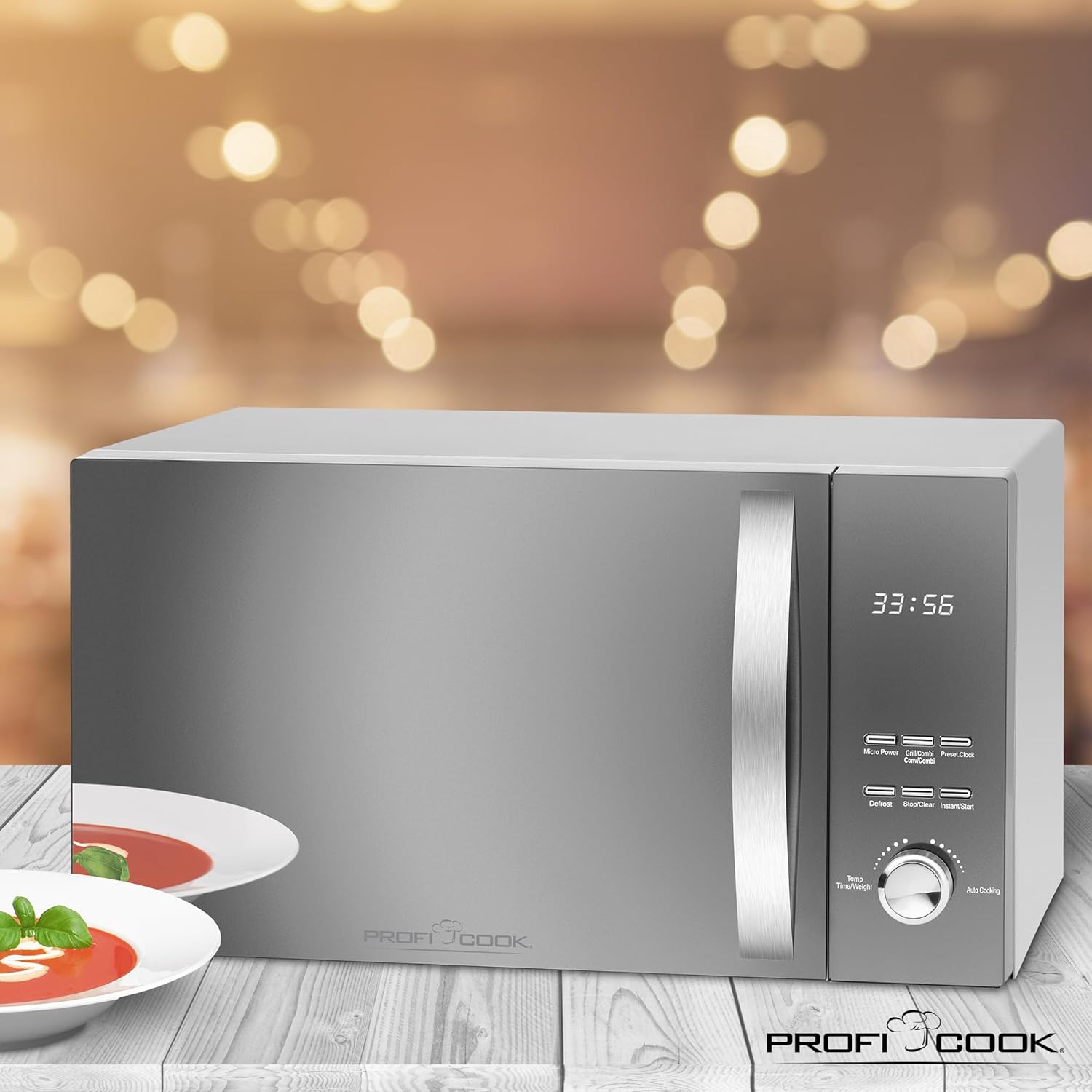
Image 3: Diagram showing the approximate overall dimensions of the ProfiCook PC-MWG 1176 H microwave oven: 542 mm width, 322 mm height, and 400 mm depth.
4.3 Electrical Connection
- Plug the appliance into a properly installed and grounded wall socket (230 V, 50 Hz).
- Do not use extension cords or adapters unless absolutely necessary and only if they are rated for the appliance's power requirements.
4.4 Initial Use
Before first use, clean the interior with a damp cloth. Operate the oven empty on hot air mode for approximately 10 minutes to burn off any manufacturing residues. Some odor or smoke may be present during this initial operation; this is normal.
5. Operating Instructions
5.1 Setting the Clock
- Press the Preset/Clock button once. The hour digits will flash.
- Turn the rotary knob to set the hour (0-23).
- Press Preset/Clock again. The minute digits will flash.
- Turn the rotary knob to set the minutes (0-59).
- Press Preset/Clock to confirm. The clock is now set.
5.2 Microwave Cooking
This appliance offers 5 microwave power levels.
- Place food in a microwave-safe container on the glass turntable.
- Press the Micro Power button repeatedly to select the desired power level (P100, P80, P50, P30, P10).
- Turn the rotary knob to set the cooking time (up to 60 minutes).
- Press Instant/Start to begin cooking.
5.3 Grill Cooking
Use the grill function for browning and crisping food. The appliance has 1 grill power level.
- Place food on the grill rack.
- Press the Grill/Combi button once to select the grill function (G-1).
- Turn the rotary knob to set the cooking time.
- Press Instant/Start to begin.
5.4 Hot Air (Convection) Cooking
The hot air function allows for baking and roasting. There are 7 temperature settings for hot air.
- Place food in a heat-resistant dish on the turntable or grill rack.
- Press the Hot Air button repeatedly to select the desired temperature (110°C to 200°C).
- Turn the rotary knob to set the cooking time.
- Press Instant/Start to begin.
5.5 Combination Cooking
The appliance offers combined grill/microwave and microwave/hot air functions.
- Grill/Microwave: Press Grill/Combi twice for C-1 (Grill 30% / Microwave 70%) or three times for C-2 (Grill 50% / Microwave 50%).
- Microwave/Hot Air: Press Hot Air repeatedly to cycle through C-3 (Microwave 30% / Hot Air 70%) and C-4 (Microwave 50% / Hot Air 50%).
- After selecting the combination mode, turn the rotary knob to set the cooking time and press Instant/Start.
5.6 Defrost Function
The defrost function allows thawing food based on weight.
- Place the frozen food in the oven.
- Press the Defrost button. The display will show "dEF1" or "dEF2".
- Turn the rotary knob to select the weight (e.g., 100g to 2000g for dEF1, 100g to 1000g for dEF2).
- Press Instant/Start to begin defrosting.
5.7 Automatic Programs
The oven features 9 automatic cooking programs for various food types.
- Turn the rotary knob to select an auto cooking program (A-1 to A-9).
- Press Instant/Start. The display will show the default weight.
- Turn the rotary knob to adjust the weight if necessary.
- Press Instant/Start to begin.
5.8 Quick Start Function
Press Instant/Start to immediately start cooking at full microwave power for 30 seconds. Each subsequent press adds 30 seconds to the cooking time.
5.9 Child Safety Lock
To activate the child lock, press and hold the Stop/Clear button for 3 seconds. The display will show a lock icon. To deactivate, press and hold Stop/Clear again for 3 seconds.
6. Maintenance and Cleaning
Regular cleaning ensures optimal performance and extends the life of your appliance.
- Always unplug the oven before cleaning.
- Clean the interior and exterior surfaces with a damp cloth and mild detergent. Do not use abrasive cleaners or scouring pads.
- The glass turntable and turntable ring can be washed in warm soapy water or in a dishwasher.
- For stubborn food residues, place a bowl of water with lemon juice inside the oven and heat on high microwave power for 5-10 minutes. This will loosen the residues for easier cleaning.
- Wipe the door seals and adjacent parts carefully to remove any spills or splashes.
- Ensure all parts are dry before plugging the oven back in.
7. Troubleshooting
If you encounter issues with your microwave oven, refer to the following table before contacting service.
| Problem | Possible Cause | Solution |
|---|---|---|
| Oven does not start |
|
|
| Food not cooking evenly |
|
|
| Light inside oven not working | Bulb needs replacement. | Contact qualified service personnel for bulb replacement. Do not attempt to replace it yourself. |
| Unusual noise during operation | Turntable not correctly positioned. | Ensure the turntable and ring are correctly seated on the shaft. |
8. Technical Specifications
| Model Number | PC-MWG 1176 H |
| Power Supply | 230 V, 50 Hz |
| Microwave Power Output | 800 Watts |
| Grill Power Output | 1300 Watts |
| Hot Air Power Output | 2300 Watts |
| Total Power Consumption | 2300 Watts (Max) |
| Capacity | 23 Liters |
| Turntable Diameter | Approx. 27 cm |
| Product Dimensions (L x H x D) | 49 x 27.6 x 39.5 cm |
| Approximate Overall Dimensions (W x H x D) | 54.2 x 32.2 x 40 cm |
| Weight | 12.7 kg |
| Interior Material | Stainless Steel |
| Number of Power Levels | 5 (Microwave) |
| Number of Auto Programs | 9 |
9. Warranty and Support
ProfiCook appliances are manufactured with care and undergo strict quality controls. This product is covered by a manufacturer's warranty in accordance with the legal provisions of your country of purchase.
- Warranty Period: Typically 2 years from the date of purchase, but may vary by region. Please refer to your purchase documentation for specific terms.
- Exclusions: The warranty does not cover damage caused by improper use, normal wear and tear, unauthorized repairs, or failure to follow the instructions in this manual.
- Customer Service: For warranty claims, technical support, or spare parts, please contact your retailer or the official ProfiCook customer service in your region. Contact information can usually be found on the ProfiCook website or on your product packaging.
- Always have your proof of purchase (receipt or invoice) and the product model number (PC-MWG 1176 H) ready when contacting support.


