
MOUNTUP MU0004
MOUNTUP Single Monitor Desk Mount User Manual
Model: MU0004
Keywords: MOUNTUP, Single, Monitor, Desk, Mount, Adjustable, Gas, Spring, Monitor, Arm, Support, Max, 32 Inch, Screen, Computer, Monitors, Stand, Clamp, Grommet, Mounting, Base, VESA, Mounts, 4.4-17.6lbs, Black
1. Introduction
This user manual provides comprehensive instructions for the installation, operation, and maintenance of your MOUNTUP Single Monitor Desk Mount. Please read this manual thoroughly before installation to ensure proper setup and safe use. This monitor arm is designed to enhance your workspace ergonomics and free up desk space.
2. Safety Information
Please observe the following safety precautions to prevent injury or damage to the product:
- Do not exceed the maximum weight capacity of 17.6 lbs (8 kg).
- Ensure the desk surface is stable and strong enough to support the combined weight of the mount and monitor.
- Do not install on tempered glass table tops.
- Keep children and pets away during installation.
- Tighten all screws firmly, but do not overtighten. Overtightening may cause damage.
- If any parts are missing or damaged, do not proceed with installation. Contact customer support.
- Adjust the gas spring tension only after the monitor is mounted.
3. Package Contents
Verify that all components are present and undamaged before beginning installation. The package should include:
- Monitor Arm Assembly
- C-Clamp Mounting Base
- Grommet Mounting Base
- VESA Plate
- Hardware Kit (screws, washers, spacers, Allen keys)
- Instruction Manual

Image: Main components of the MOUNTUP Single Monitor Desk Mount, showing the arm, C-clamp, and grommet base options.
4. Specifications
| Feature | Specification |
|---|---|
| Brand | MOUNTUP |
| Model Number | MU0004 |
| Compatible Screen Size | 17 - 32 inches |
| Weight Capacity | 4.4 - 17.6 lbs (2 - 8 kg) |
| VESA Compatibility | 75x75mm, 100x100mm |
| Mounting Type | C-Clamp or Grommet |
| C-Clamp Desk Thickness | 0.39" - 4.53" (10mm - 115mm) |
| Grommet Desk Thickness | 0.39" - 3.15" (10mm - 80mm) |
| Grommet Hole Diameter | 0.39" - 2.36" (10mm - 60mm) |
| Tilt Range | +90° to -45° |
| Swivel Range | ±180° (arm), ±90° (VESA plate) |
| Rotation | 360° |
| Max Height | 16.5 inches (41.9 cm) |
| Max Extension | 19.6 inches (49.8 cm) |
| Material | Alloy Steel |
| Color | Black |
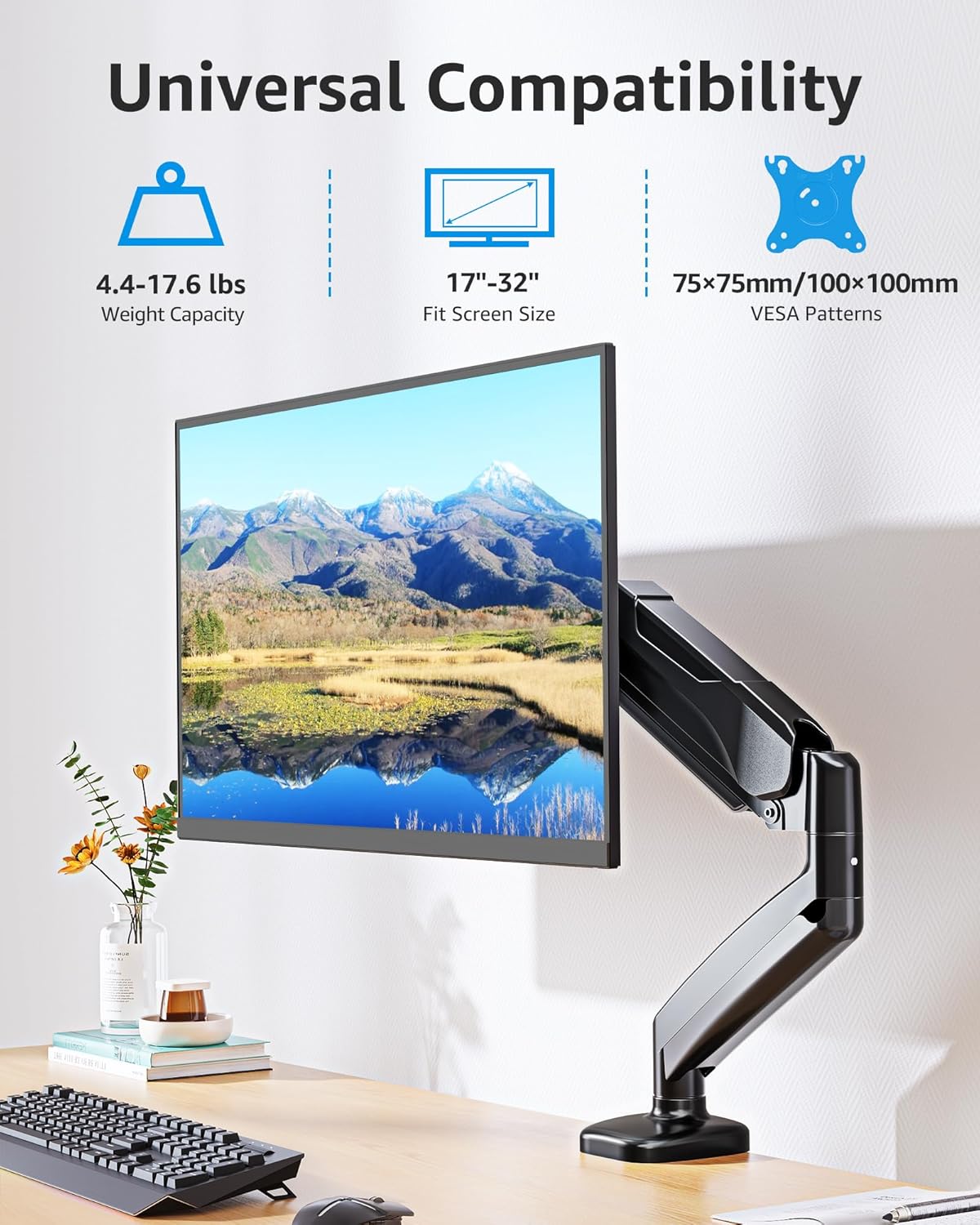
Image: Universal compatibility details, including weight capacity (4.4-17.6 lbs), screen size (17"-32"), and VESA patterns (75x75mm/100x100mm).
5. Setup and Installation
The MOUNTUP monitor arm offers two installation options: C-Clamp and Grommet Mount. Choose the method that best suits your desk.
5.1. Pre-Installation Checks
- Check Monitor Size: Ensure your monitor is between 17 and 32 inches.
- Check Monitor Weight: Verify your monitor weighs between 4.4 lbs and 17.6 lbs.
- Check VESA Pattern: Confirm your monitor has VESA 75x75mm or 100x100mm mounting holes. If not, a VESA adapter (not included) is required.
- Check Your Desk:
- For C-Clamp: Desk thickness must be between 0.39" and 4.53".
- For Grommet Mount: Desk thickness must be between 0.39" and 3.15", and hole diameter between 0.39" and 2.36".
- Important: Do not install on tempered glass table tops.

Image: Pre-installation checks for monitor compatibility and desk requirements for both C-clamp and grommet mounting options.

Image: Detailed desk compatibility for C-clamp mount, showing minimum contact surface width, side panel width, and back panel height requirements.
5.2. Choosing Your Mounting Option
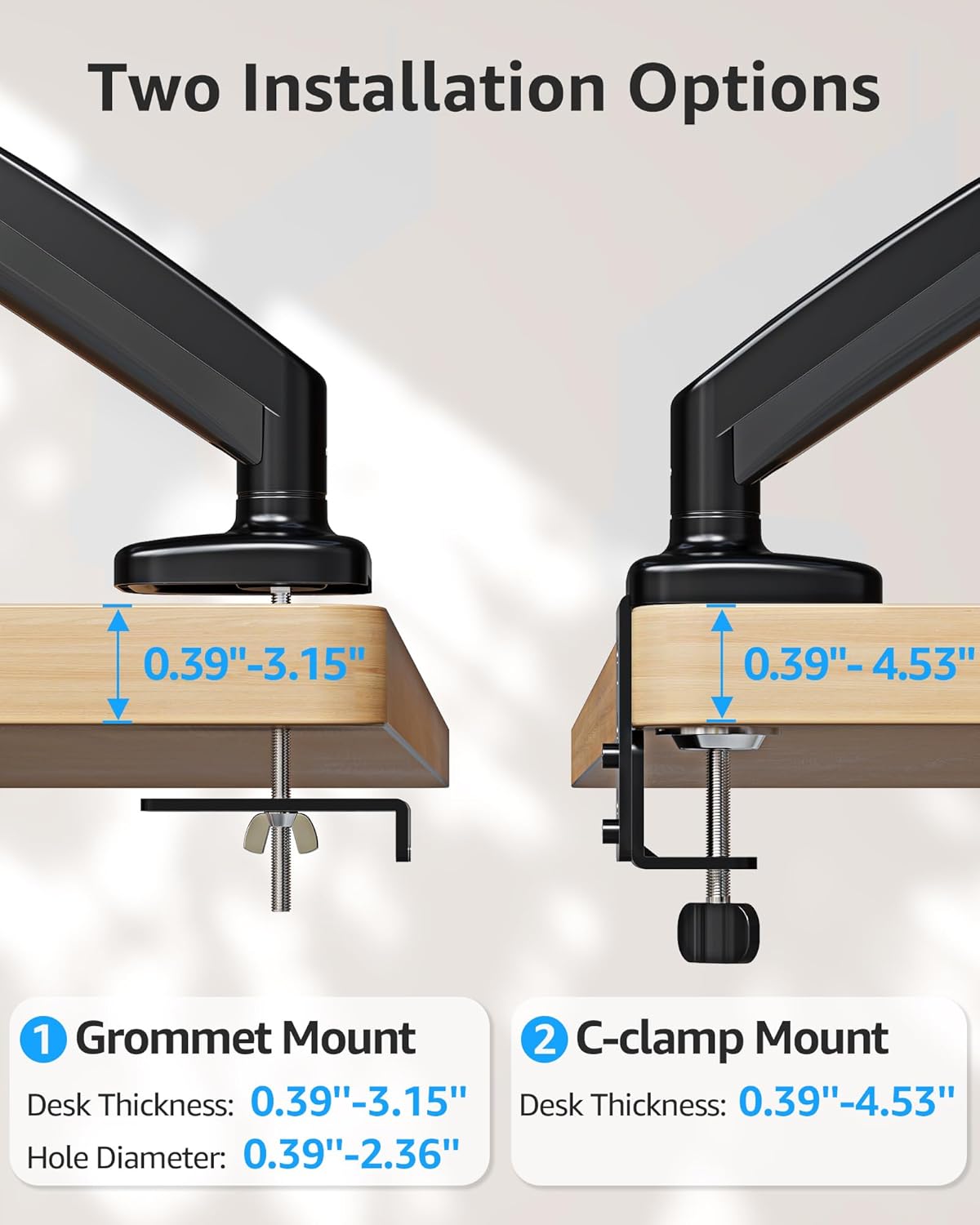
Image: Two installation options: Grommet Mount (desk thickness 0.39"-3.15", hole diameter 0.39"-2.36") and C-clamp Mount (desk thickness 0.39"-4.53").
5.3. Installation Steps (General)
- Attach VESA Plate to Monitor: Secure the VESA plate to the back of your monitor using the appropriate screws from the hardware kit. Ensure it is centered and tightened securely.
- Install Desk Mount Base:
- For C-Clamp Mount: Attach the C-clamp base to the edge of your desk. Tighten the clamp screw until the base is firmly secured to the desk.
- For Grommet Mount: Insert the grommet base through the cable management hole in your desk. Secure it from underneath the desk using the provided washer and nut.
- Attach Monitor Arm to Base: Slide the monitor arm onto the pole of the installed desk mount base.
- Mount Monitor to Arm: Carefully slide the monitor (with VESA plate attached) onto the VESA head of the monitor arm until it clicks into place. Ensure it is securely locked.
- Adjust Gas Spring Tension: After mounting the monitor, adjust the gas spring tension to match your monitor's weight. This allows for smooth height adjustment. (Refer to Section 6.1 for detailed adjustment instructions).
- Route Cables: Use the integrated cable management channels on the arm to route your monitor cables for a clean and organized workspace.
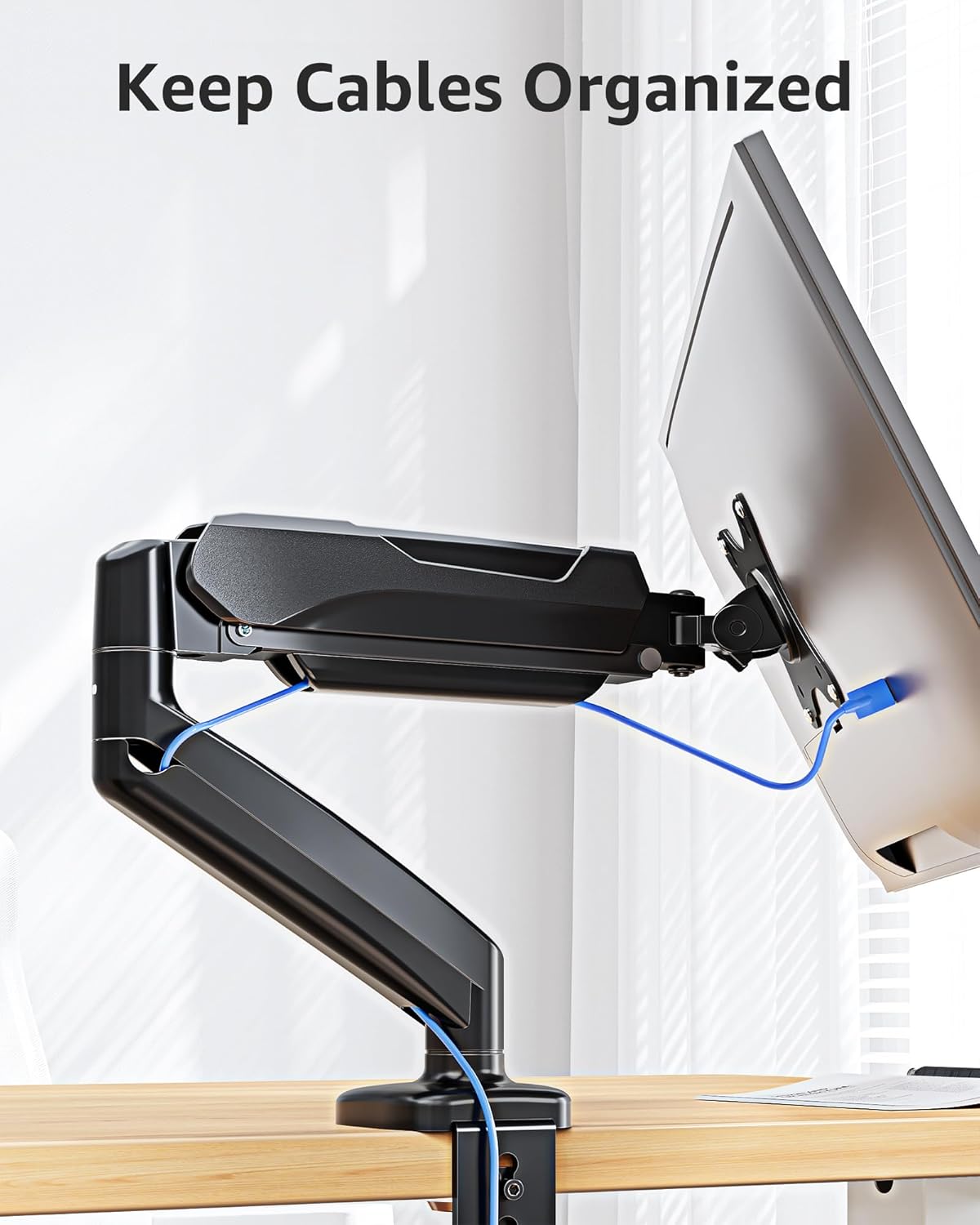
Image: Cables neatly organized through the integrated cable management system of the monitor arm.
6. Operation and Adjustments
Your MOUNTUP monitor arm offers full motion capabilities for optimal viewing comfort and productivity.
6.1. Gas Spring Tension Adjustment
The gas spring is pre-set to mid-tension. Adjust it based on your monitor's weight for smooth movement.
- Monitor Raises Up Too Easily / Doesn't Stay Down: Turn the adjustment screw clockwise (-) to reduce tension for lighter monitors.
- Monitor Drops Down / Is Hard to Raise: Turn the adjustment screw counter-clockwise (+) to increase tension for heavier monitors.
- Note: Hold the arm in a horizontal position while adjusting. The number of turns depends on the display's weight; it may take up to 17 turns.

Image: Instructions for adjusting gas spring tension (clockwise for lighter, counter-clockwise for heavier monitors) and tilt angle.
6.2. Tilt Angle Adjustment
- Loosen the tilting bolt (turn in "-" direction).
- Adjust the monitor to your desired tilt angle (+90° to -45°).
- Retighten the tilting bolt (turn in "+" direction).
6.3. Full Range Motion
The arm allows for various movements to customize your viewing experience:
- Rotation: 360° for landscape or portrait orientation.
- Swivel: The arm can swivel ±180° at two points, and the VESA plate can swivel ±90° to share your display.
- Height Adjustment: Easily raise or lower your monitor. Max height: 16.5", Min height: 5.9".
- Extension: The arm can extend up to 19.6" long.

Image: Full range of motion capabilities, showing tilt (+90° to -45°), 360° rotation, and ±180° swivel at multiple joints.

Image: Free height adjustment, showing maximum height of 16.5", minimum height of 5.9", and maximum extension of 19.6".
7. Maintenance
Regular maintenance will ensure the longevity and optimal performance of your MOUNTUP monitor arm:
- Cleaning: Wipe the surface with a soft, damp cloth. Avoid abrasive cleaners or solvents.
- Check Connections: Periodically check all screws and bolts to ensure they remain tight. Retighten if necessary.
- Gas Spring: The gas spring is designed for long-term use and generally requires no maintenance. If you notice a change in performance, re-adjust the tension as described in Section 6.1.
8. Troubleshooting
| Problem | Possible Cause | Solution |
|---|---|---|
| Monitor arm sags or won't stay at desired height. | Gas spring tension is too low for monitor weight. | Increase gas spring tension by turning the adjustment screw counter-clockwise (+). Ensure monitor is within weight capacity. |
| Monitor arm is too stiff or hard to move up. | Gas spring tension is too high for monitor weight. | Decrease gas spring tension by turning the adjustment screw clockwise (-). |
| Monitor tilts downwards. | Tilting bolt is not tight enough. | Loosen the tilting bolt, adjust to desired angle, then retighten firmly. |
| Mount is unstable or wobbles. | Mounting base is not securely tightened to the desk. | Re-tighten the C-clamp or grommet base. Ensure desk thickness is within specified range. |
| Cables are not neatly organized. | Cables not routed through channels. | Open the cable management covers on the arm and route cables through them. Close covers securely. |
9. Warranty and Support
MOUNTUP provides a 3-year support for this product. If you encounter any issues or have questions regarding your MOUNTUP Single Monitor Desk Mount, please contact MOUNTUP customer service for assistance.
For further assistance, you may refer to the official MOUNTUP store or contact their support channels.
Official MOUNTUP Store: Visit MOUNTUP Store
Related documentsMU0004


Ask a question about this manual
Ask about setup, troubleshooting, compatibility, parts, safety, or missing instructions. Manuals+ will review the question and use this page’s manual context to help answer it.