
Introduction
This manual provides detailed instructions for the safe and effective use of your Fujifilm X-Pro3 Mirrorless Digital Camera. Please read this manual thoroughly before use and keep it in a safe place for future reference.
Product Overview
The Fujifilm X-Pro3 is a 26.1MP APS-C format mirrorless interchangeable lens camera, designed for photographers who appreciate classic rangefinder styling combined with advanced digital imaging technology. It features a durable titanium construction and a unique hybrid viewfinder system.

Figure 1: Front view of the Fujifilm X-Pro3 camera body with a lens attached.
1. Setup
1.1 Unpacking
Verify that all items are present in the box:
- Fujifilm X-Pro3 Camera Body
- Battery
- Charger
- Neck Strap
- Half Case (may vary by package)
1.2 Attaching the Lens
Align the white dot on the lens with the white dot on the camera body. Rotate the lens clockwise until it clicks into place.
1.3 Inserting the Battery
Open the battery compartment cover located at the bottom of the camera. Insert the supplied battery with the correct orientation, ensuring it locks into place. Close the cover securely.
1.4 Inserting a Memory Card
The X-Pro3 supports dual SD/SDHC/SDXC (UHS-II) memory cards. Open the memory card slot cover on the side of the camera. Insert the memory card(s) with the label facing the correct direction until it clicks. Close the cover.

Figure 2: Side view of the camera, illustrating the memory card slot location.
2. Operating the Camera
2.1 Power On/Off
To power on the camera, rotate the ON/OFF switch located on the top plate. To power off, rotate it back to OFF.

Figure 3: Top view of the camera, highlighting the power switch and various control dials.
2.2 Using the Hybrid Viewfinder
The X-Pro3 features an advanced hybrid multi-viewfinder. You can switch between the optical viewfinder (OVF) and the 3.69M-dot OLED electronic viewfinder (EVF) using the dedicated lever on the front of the camera. The OVF provides a natural, real-time view, while the EVF offers a digital preview of your image with applied settings.
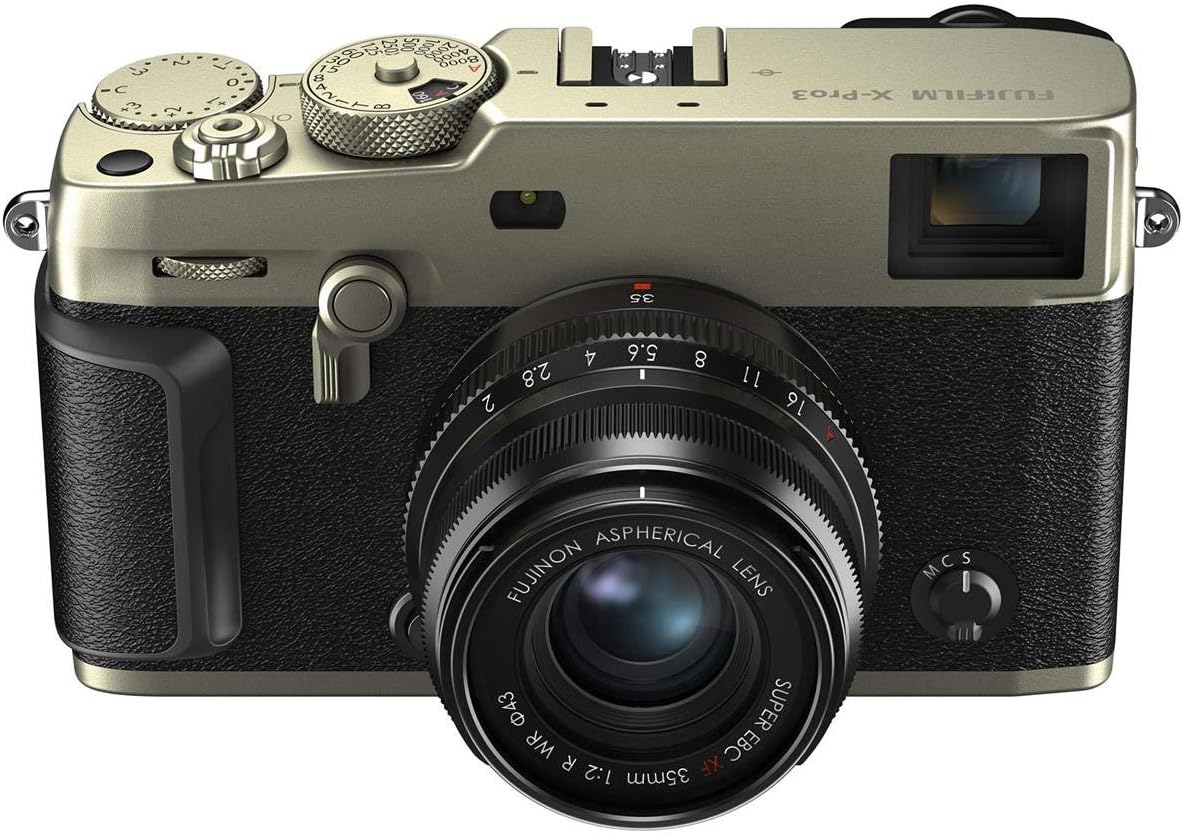
Figure 4: A photographer using the camera's viewfinder.
2.3 LCD Touchscreen Display
The camera features a hidden 1.62M-dot tilting LCD touchscreen. When closed, only a mini-display showing essential settings is visible. To access the full LCD, tilt it downwards. This design encourages photographers to focus on the scene through the viewfinder.

Figure 5: The hidden LCD screen of the X-Pro3, designed to minimize distraction.
2.4 Autofocus System
The X-Pro3 incorporates a powerful autofocus system with 425 user-selectable points. It includes advanced features such as Eye Detection AF for precise focusing on subjects' eyes, and various focus modes (Continuous-Servo AF, Manual Focus, Single-Servo AF) to suit different shooting scenarios.
2.5 Film Simulation Modes
Explore 16 digital Film Simulation modes to achieve distinct photographic styles directly in-camera. New additions include CLASSIC Neg and MONOCHROMATIC Color, offering a wide range of creative expressions.
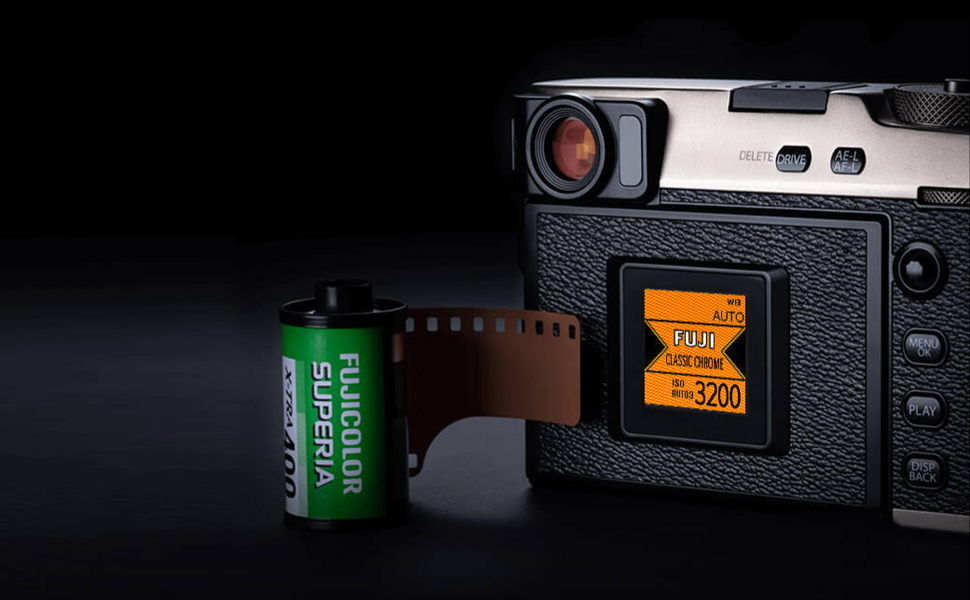
Figure 6: Visual representation of various film simulation modes available on the camera.
2.6 Video Recording
The camera supports DCI 4K (4096x2160) video recording at 29.97p/25p/24p/23.98p with bitrates of 200Mbps/100Mbps, for up to approximately 15 minutes per clip.
Video 1: Official Fujifilm video showcasing the X-Pro3's capabilities in capturing moments and organizing chaos, highlighting its use in diverse photographic scenarios.
3. Maintenance
3.1 Cleaning the Camera
Use a soft, lint-free cloth to gently wipe the camera body. For the lens and sensor, use specialized cleaning tools and solutions to avoid damage. Do not use organic solvents or harsh chemicals.
3.2 Battery Care
Store batteries in a cool, dry place. Avoid extreme temperatures. Charge the battery fully before extended periods of non-use and periodically to maintain its life.
4. Troubleshooting
4.1 Camera Not Powering On
Ensure the battery is fully charged and correctly inserted. Check that the power switch is in the 'ON' position.
4.2 Image Quality Issues
Verify lens cleanliness and proper attachment. Check ISO settings and exposure compensation. Ensure the correct film simulation mode is selected for your desired aesthetic.
4.3 Autofocus Problems
Confirm sufficient lighting for the scene. Ensure the correct autofocus mode is selected for your subject. Clean the lens contacts if necessary.
5. Specifications
| Feature | Specification |
|---|---|
| Model Name | X-Pro3 Digital Camera |
| Brand | Fujifilm |
| Color | Dura Silver |
| Effective Still Resolution | 26 MP |
| Photo Sensor Size | APS-C |
| Image Stabilization | Digital, Optical |
| Compatible Mountings | Fujifilm X |
| Video Resolution | 4K UHD 2160p |
| Viewfinder | Electronic (OLED), Optical |
| Screen Size | 3 Inches |
| Display Type | LCD (Tilting, Capacitive Touch) |
| Flash Memory Type | Dual Slot: SD/SDHC/SDXC (UHS-II) |
| Connectivity Technology | USB 3.0, 2.5mm audio, Bluetooth, Wi-Fi |
| Item Weight | 2.4 Pounds |
6. Warranty and Support
Your Fujifilm X-Pro3 camera comes with a 1-year manufacturer's warranty. For warranty claims or technical support, please contact Fujifilm customer service or visit their official website.
For additional resources and product information, visit the Fujifilm Store on Amazon.


