
Miroir M75
Miroir M75 Portable Projector User Manual
Model: M75
1. Introduction
This manual provides essential information for the safe and efficient operation of your Miroir M75 Portable Projector. Please read it thoroughly before using the device and retain it for future reference. The Miroir M75 is a compact, rechargeable projector designed for versatile use in various environments, offering a portable solution for displaying media.
2. Safety Information
- Do not expose the projector to rain or moisture to prevent fire or electric shock.
- Avoid blocking ventilation openings to prevent overheating.
- Do not look directly into the projector lens when the lamp is on.
- Use only accessories specified by the manufacturer.
- Keep the projector away from heat sources and direct sunlight.
- Ensure the projector is placed on a stable, level surface.
3. Package Contents
Verify that all items are present in your package:
- Miroir M75 Portable Projector
- Remote Control
- Power Cord
- User Manual (this document)
Video: This video demonstrates the unboxing and initial setup of the Miroir M75 Portable Projector, showing the contents of the package and how to power on the device.
4. Product Overview
The Miroir M75 is designed for portability and ease of use. Its dimensions are approximately 4.6"L x 4.6"W x 1"H, and it weighs about 7.36 ounces.
4.1 Ports and Connections

Image: Back view of the Miroir M75 Projector, illustrating the Audio, HDMI, USB 5V OUT, and Micro USB ports for various connections.
- AUDIO (3.5mm Jack): Connect external speakers or headphones.
- HDMI: Connect to devices such as laptops, gaming consoles, or streaming sticks for video and audio input.
- USB 5V OUT: Provides power output to charge small devices.
- Micro USB: Used for charging the projector's internal battery.
4.2 Controls

Image: Side view of the Miroir M75 Projector, highlighting the power button, volume adjustment buttons, and the focus wheel.
- Power Button: Press and hold to turn the projector on or off.
- Volume Buttons (+/-): Adjust the audio output level.
- Focus Wheel: Manually adjust the image clarity.
- Remote Control: For convenient operation from a distance.
5. Setup
5.1 Initial Charging
Before first use, fully charge the projector using the provided power cord connected to the Micro USB port. The built-in 3200 mAh Li-polymer battery provides approximately two hours of projection time on a full charge.
5.2 Placement and Projection
Place the projector on a stable surface. For optimal viewing, use the projector in dark rooms or at night. The recommended screen size ranges from 25 to 50 inches, with a maximum image size of 120 inches. Adjust the distance from the projection surface to achieve the desired screen size.

Image: This diagram shows the approximate distances required to project images of 30, 40, and 50 inches with the Miroir M75 projector.
5.3 Powering On
Press and hold the power button on the side of the projector until the indicator light illuminates and the projection lamp turns on.
6. Operation and Connectivity
6.1 Connecting Devices via HDMI
Connect your source device (e.g., laptop, gaming console, streaming device) to the projector's HDMI port using an HDMI cable. For Apple iPhones, a Lightning Digital AV Adapter (sold separately) is required to connect to the HDMI input.

Image: The Miroir M75 projector held in a hand, demonstrating its compact form factor and the location of its various input/output ports.
6.2 Wireless Connectivity
The Miroir M75 supports built-in Wi-Fi and Bluetooth connectivity. Refer to your device's on-screen menu for instructions on connecting to wireless networks or pairing Bluetooth devices for audio output.
6.3 Audio Output
The projector features a built-in 1W speaker. For enhanced audio, connect external speakers or headphones to the 3.5mm Audio Jack. Bluetooth speakers can also be paired wirelessly.
6.4 Image Adjustment
Use the focus wheel on the side of the projector to sharpen the projected image. The projector also features digital keystone correction for adjusting image distortion.
7. Usage Scenarios
The Miroir M75 is versatile for various applications:
- Home Cinema: Enjoy movies and TV shows in your bedroom or living room.
- Outdoor Entertainment: Perfect for backyard parties or camping trips.
- Gaming: Connect gaming consoles for a larger-than-life gaming experience.
- Business & Education: Suitable for presentations or educational content.

Image: Enjoying a movie projected in a bedroom, showcasing the projector's home entertainment capability.

Image: Outdoor movie night with the Miroir M75, demonstrating its use for social gatherings.
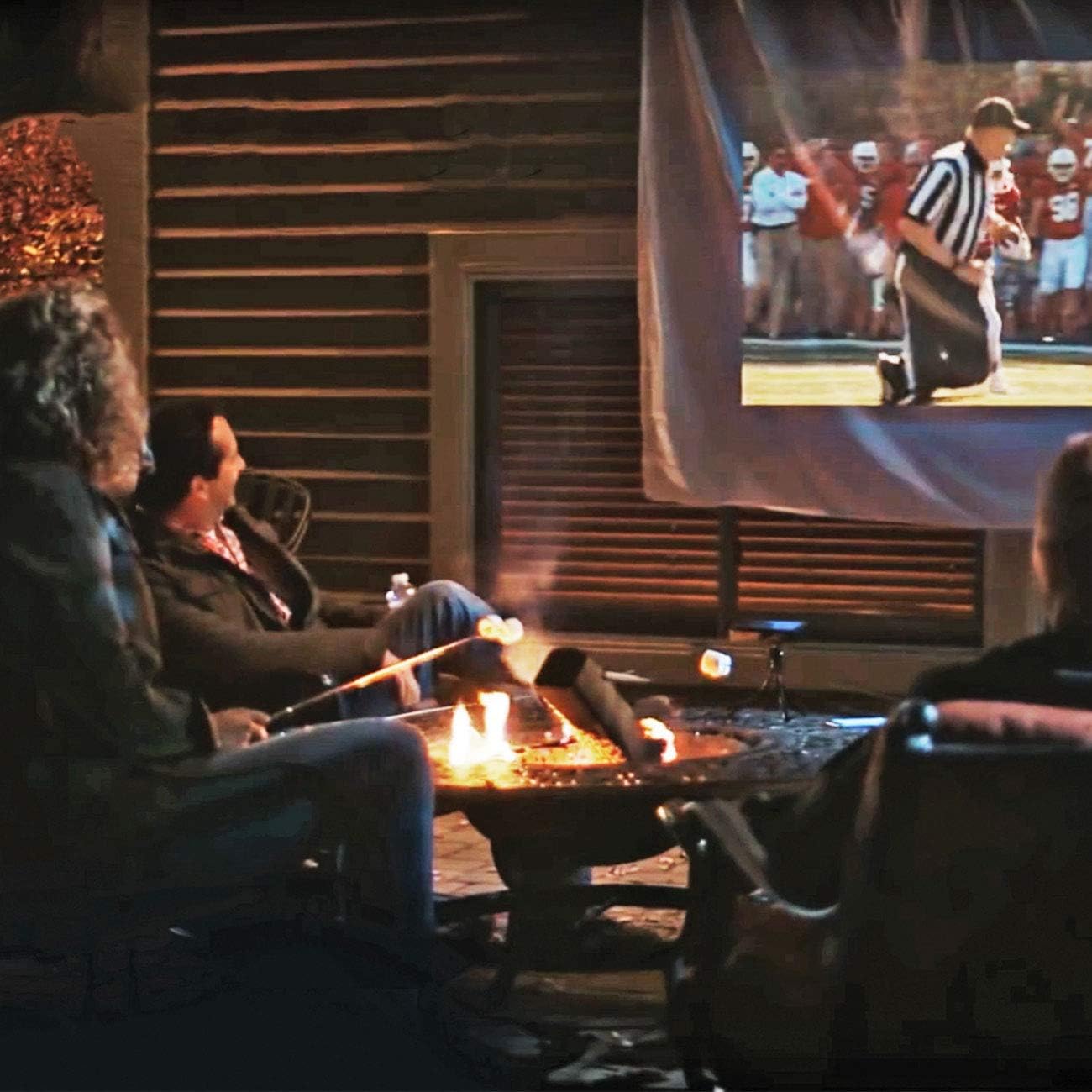
Image: The compact Miroir M75 fits easily into a backpack, emphasizing its portability for on-the-go use.
8. Maintenance
- Cleaning the Lens: Use a soft, lint-free cloth specifically designed for optical lenses. Do not use abrasive cleaners or solvents.
- Cleaning the Exterior: Wipe the projector's exterior with a soft, dry cloth.
- Storage: When not in use, store the projector in a cool, dry place, away from direct sunlight and extreme temperatures.
9. Troubleshooting
| Problem | Possible Cause | Solution |
|---|---|---|
| No power | Low battery or power cable not connected. | Charge the projector fully. Ensure the power cable is securely connected. |
| Blurry image | Focus not adjusted or incorrect projection distance. | Adjust the focus wheel. Ensure the projector is at an appropriate distance from the screen. |
| No signal | Incorrect input source or loose cable connection. | Verify the input source on your connected device. Check HDMI or other cable connections. Ensure necessary adapters are used (e.g., for iPhone). |
| No sound | Volume too low or external audio device not connected properly. | Increase projector volume. Check connections to external speakers or headphones. Verify Bluetooth pairing. |
If you encounter issues not listed here, please refer to the support section for further assistance.
10. Specifications
| Feature | Detail |
|---|---|
| Brand | Miroir |
| Model Number | M75 |
| Dimensions (L x W x H) | 4.6" x 4.6" x 1" |
| Weight | 7.36 Ounces |
| Display Resolution | 1280 x 720 Pixels (Native) |
| Brightness | 100 Lumen |
| Contrast Ratio | 300:1 Pixels |
| Light Source Operating Life | 20000 Hours |
| Maximum Image Size | 120 Inches |
| Minimum Image Size | 18 Inches |
| Connectivity Technology | 3.5mm Jack, Bluetooth, HDMI, USB, Wi-Fi |
| Special Features | Auto Focus, Built-In Speaker, Built-In Wi-Fi, Digital Keystone Correction, Portable |
| Battery | 3200 mAh Li-polymer (approx. 2 hours projection) |
11. Warranty and Support
The Miroir M75 Portable Projector comes with a 2 Year Limited Parts & Labor Warranty. For warranty claims, technical support, or service inquiries, please contact Miroir customer service. Refer to the official Miroir website for the most up-to-date contact information.
Related documentsM75


Ask a question about this manual
Ask about setup, troubleshooting, compatibility, parts, safety, or missing instructions. Manuals+ will review the question and use this page’s manual context to help answer it.