
1. Introduction
This manual provides essential instructions for the setup, operation, and maintenance of your iScale ISP-100S Electronic Platform Weighing Scale. Designed for commercial and industrial applications, this scale offers a maximum weighing capacity of 100 kg with a precision of 10 grams, featuring a durable stainless steel platform measuring 400mm x 400mm (16x16 inches).
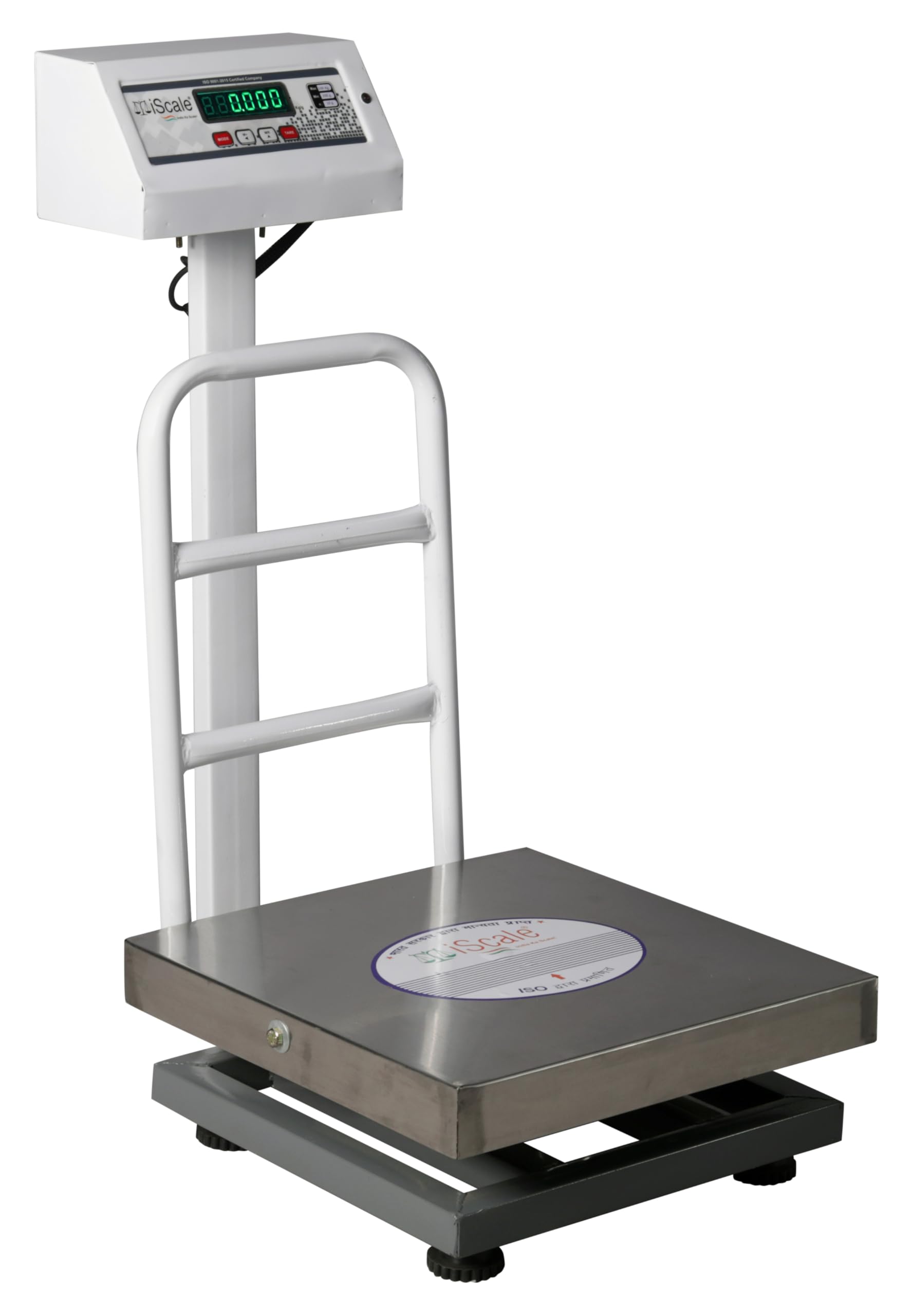
Image 1: Overview of the iScale ISP-100S Electronic Platform Weighing Scale, highlighting its dimensions and core specifications.
2. Package Contents
Before proceeding with installation, please verify that all components listed below are present in your package:
- Weighing scale platform
- Charger
- Display box (Indicator)
- Back grill
- Pole
- Initial Calibration/Verification certificate
- Self-Installation manual (this document)
- Warranty card
3. Setup and Installation
Follow these steps to assemble and set up your iScale ISP-100S weighing scale. For visual guidance, refer to the installation video below.
- Attach the Pole: Securely fit the pole to the scale platform using the provided 2 bolts.
- Install the Back Grill: Attach the back grill to the platform using 2 bolts.
- Mount the Indicator: Fit the display box (indicator) onto the top of the pole using 2 bolts.
- Connect the Cable: Connect the cable from the platform to the indicator. Ensure a secure connection.
- Power Connection: Plug the power adapter into a 220V power socket. A red LED light indicator will illuminate on the scale, confirming power connection.
Video 1: Step-by-step guide on assembling and connecting the iScale ISP-100S Electronic Platform Weighing Scale.

Image 2: The iScale ISP-100S features clear front and back LED displays for convenient viewing by both the operator and the customer.
4. Operating Instructions
The iScale ISP-100S is designed for straightforward operation. Here are the basic functions:
- Power On/Off: Use the power switch located on the indicator to turn the scale on or off.
- Weighing: Place the item to be weighed on the stainless steel platform. The weight will be displayed on the LED screen.
- Tare Function: To weigh items in a container, place the empty container on the platform and press the TARE key. The display will reset to zero. You can then add the items to the container, and only the net weight of the items will be shown.
- Mode Options: The scale supports various modes, including weighing in grams/kilograms, measuring in liters for liquid products, and piece counting. Use the MODE button to cycle through these options.
- Memory Adding (M+): This function allows you to accumulate weight measurements. Refer to the specific instructions in the full manual for detailed use of M+ and MR (Memory Recall).

Image 3: The control panel of the iScale ISP-100S, illustrating the Tare, Mode, M+, and MR buttons for versatile weighing operations.
5. Key Features
- High Capacity & Accuracy: Measures up to 100 kg with 10-gram precision. Minimum measurable weight is 60 grams.
- Durable Construction: Features a stainless steel heavy-duty platform (400mm x 400mm) and a rust-proof powder-coated metal body for longevity.
- Clear Display: Equipped with a double-sided Green LED display for easy readability from both front and back.
- Power Backup: Direct plug-in 220V power adapter with an inbuilt rechargeable battery providing up to 2 days of backup. The scale automatically switches to power saver mode when not in use.
- Stability: Skid-proof rubber legs ensure stability and prevent fluctuations during weighing.

Image 4: Detailed view of the iScale ISP-100S components, emphasizing its robust construction and power features.
6. Specifications
| Specification | Value |
|---|---|
| Brand | iScale |
| Model Number | ISP-100 |
| Weight Capacity Maximum | 100 Kilograms |
| Readout Accuracy | 10 Grams |
| Minimum Weight | 60 Grams |
| Platform Dimensions | 400mm x 400mm (16x16 inches) |
| Display Type | LED (Double-sided Green) |
| Material Type | Metal (Stainless Steel Platform) |
| Power Source | 220V Power Adapter, Inbuilt Rechargeable Battery |
| Battery Backup | Up to 2 days (6 months standby) |
| Item Weight | 18 Kilograms |
| Special Features | Backlit Display, Tare Function, Mode Options (Liters, Piece Counting) |
7. Maintenance
To ensure the longevity and accurate performance of your iScale ISP-100S, follow these maintenance guidelines:
- Cleaning: Regularly wipe the platform and display with a soft, damp cloth. Avoid using abrasive cleaners or harsh chemicals that could damage the surfaces or electronic components.
- Storage: Store the scale in a dry, stable environment away from extreme temperatures, direct sunlight, and excessive dust.
- Calibration: While the scale comes with an initial calibration certificate, periodic re-calibration by a qualified technician may be necessary to maintain optimal accuracy, especially in commercial settings.
- Battery Care: For longer battery life, ensure the scale is regularly charged. When not in use for extended periods, the scale will enter power saver mode.
8. Warranty and Support
Your iScale ISP-100S Electronic Platform Weighing Scale comes with a 1-year warranty against manufacturing defects.
For any issues regarding installation, operation, or manufacturing defects, please contact iScale customer service. Service is available in all major cities.
- Manufacturer: BAIJNATH PREMNATH
- Contact Number: +91-9044895141
- Email: info@iscaleindia.com
9. Legal Disclaimer
As per Rule 27(5)(iv) of the Legal Metrology (General) (Amendment) Rules, 2021, all commercial weighing scales above 50kg capacity must be verified at the place of installation by the Local Legal Metrology Department before use. This is a legal requirement, and the user is solely responsible for ensuring compliance every year.