
iClever BTH02
iClever Kids Bluetooth Headphones BTH02 User Manual
Your guide to setting up, operating, and maintaining your iClever BTH02 Kids Bluetooth Headphones.
1. Overview
The iClever BTH02 Kids Bluetooth Headphones are designed to provide a safe and enjoyable listening experience for children. They feature a volume limit of 85dBA to protect sensitive ears, long battery life, and the flexibility of both wireless Bluetooth and wired connections. The headphones are built with durable materials and offer a comfortable, adjustable fit for various head sizes.

Image: The iClever BTH02 Kids Bluetooth Headphones, showcasing their vibrant green and purple design.
2. Package Contents
Please check the package for the following items:
- iClever BTH02 Kids Bluetooth Headphones
- USB-C Charging Cable
- 3.5mm Audio Cable
- User Manual (this document)
- Ear Cushions (pre-installed)
3. Key Features
Safe Volume Limiting (85dBA)
The headphones are equipped with a built-in volume limiter that caps the maximum sound output at 85dBA, ensuring your child's hearing is protected from excessively loud audio levels.

Image: A child enjoying content with the headphones, highlighting the 85dBA safe volume feature.
Bluetooth 5.4 Connectivity
Utilizes the latest Bluetooth 5.4 technology for a stable and reliable wireless connection up to 33 feet (10 meters), minimizing audio dropouts and ensuring a smooth listening experience.
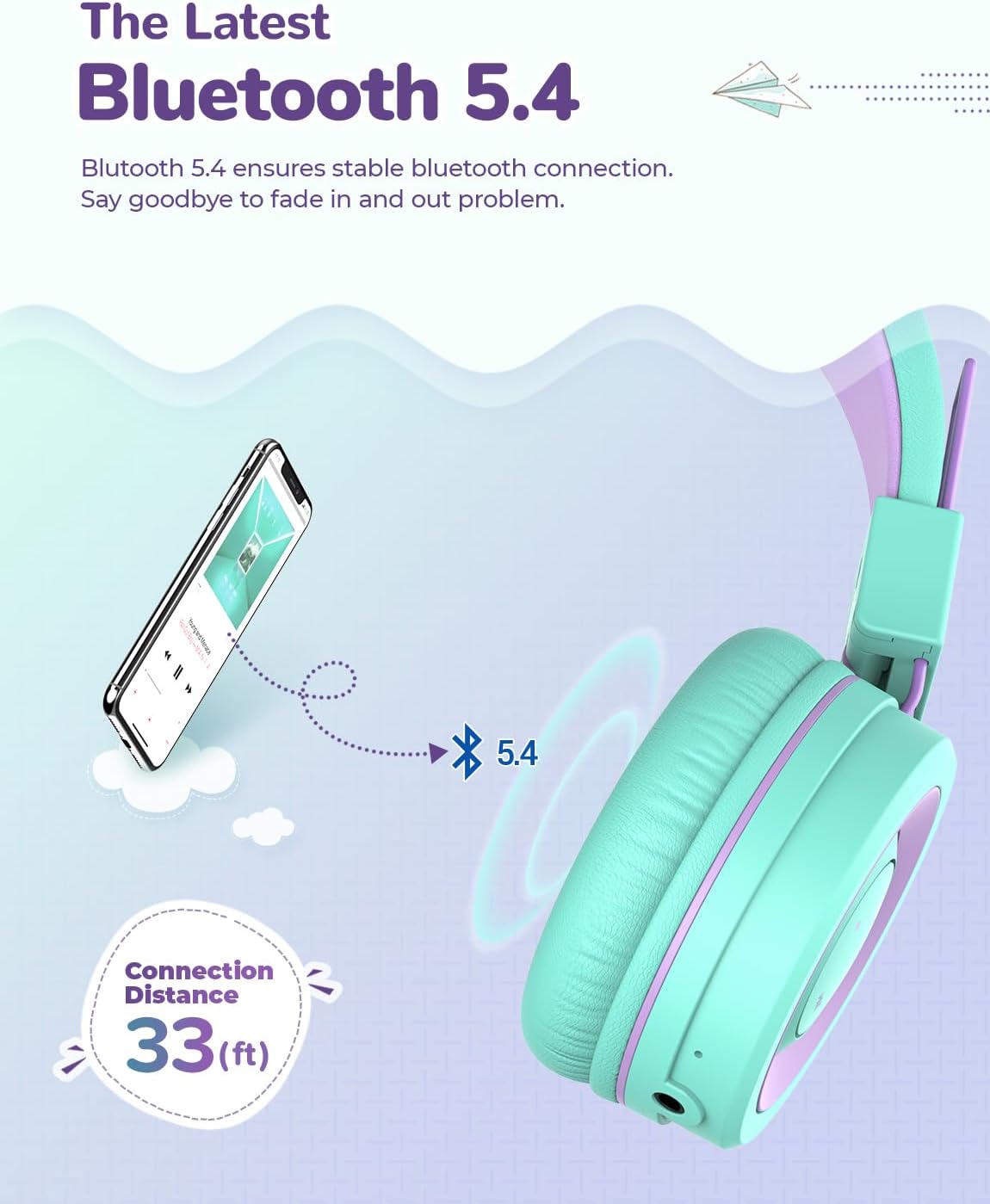
Image: Illustration of a smartphone wirelessly connected to the headphones via Bluetooth 5.4, showing a 33ft connection range.
Dual Wireless & Wired Modes
Offers up to 93 hours of playtime on a single charge in wireless mode. For extended use or when the battery is depleted, simply connect the included 3.5mm audio cable for a continuous wired connection.

Image: Visual representation of the headphones' long battery life (93 hours) and the option for wired use.
Comfortable and Adjustable Design
Features memory foam ear cushions that gently cover the ears and a fully adjustable headband with soft padding, ensuring a comfortable fit for various head sizes, including children, teens, and adults with smaller heads.

Image: Detailed view of the memory-protein ear pads, adjustable headband, and soft headband for comfort.
Foldable and Durable Construction
Designed to be lightweight, foldable, and highly durable. The soft headband can be twisted, turned, and bent without breaking, making them ideal for travel and resistant to typical child handling.

Image: The headphones in various folded and twisted positions, illustrating their robust and flexible design.
Built-in Microphone
Allows for hands-free calls and online communication, perfect for virtual learning or video chats.
4. Controls and Indicators
The iClever BTH02 headphones feature intuitive controls located on the earcup for easy access to various functions.
| Control/Indicator | Function |
|---|---|
| Power Button | Press and hold to power on/off. Short press to play/pause music or answer/end calls. |
| Volume Up (+) | Short press to increase volume. Long press for next track. |
| Volume Down (-) | Short press to decrease volume. Long press for previous track. |
| LED Indicator Light | Indicates power status, pairing mode, and charging status. |
| USB-C Charging Port | Connect the USB-C cable for charging the headphones. |
| 3.5mm Audio Jack | Connect the 3.5mm audio cable for wired listening. |
| Built-in Microphone | For hands-free calls and voice input. |
Note: Specific button locations may vary slightly, refer to the product's physical design for exact placement.
5. Setup
5.1 Charging the Headphones
Before first use, fully charge the headphones. A full charge takes approximately 22 hours for the stated 93 hours of playtime.
- Connect the small end of the USB-C charging cable to the charging port on the headphone earcup.
- Connect the large end of the USB-C cable to a USB power adapter (not included) or a computer's USB port.
- The LED indicator light will show charging status (e.g., red for charging, blue/off for fully charged).
5.2 Bluetooth Pairing
To connect your headphones wirelessly to a device:
- Ensure the headphones are charged and powered off.
- Press and hold the Power button for approximately 3-5 seconds until the LED indicator light flashes blue and red alternately, indicating pairing mode.
- On your device (smartphone, tablet, PC, Chromebook, iPad), go to the Bluetooth settings.
- Search for available devices and select "iClever BTH02" from the list.
- Once connected, the LED indicator light will turn solid blue or turn off, depending on the model. A voice prompt may also confirm the connection.
- If prompted for a password, enter "0000".
Note: The headphones will automatically attempt to reconnect to the last paired device when powered on.
5.3 Wired Connection
To use the headphones in wired mode:
- Ensure the headphones are powered off (optional, but recommended to save battery).
- Connect one end of the 3.5mm audio cable to the audio jack on the headphone earcup.
- Connect the other end of the 3.5mm audio cable to the audio output jack of your device.
- The headphones will now function as wired headphones, and battery power is not required for audio playback in this mode.
6. Operating Instructions
6.1 Power On/Off
- Power On: Press and hold the Power button for approximately 3 seconds until the LED indicator lights up.
- Power Off: Press and hold the Power button for approximately 3 seconds until the LED indicator turns off.
6.2 Volume Control
- Increase Volume: Short press the Volume Up (+) button.
- Decrease Volume: Short press the Volume Down (-) button.
Note: Due to the 85dBA safe volume limit, the maximum volume will not exceed this level.
6.3 Music Playback Control
- Play/Pause: Short press the Power button.
- Next Track: Long press the Volume Up (+) button.
- Previous Track: Long press the Volume Down (-) button.
6.4 Call Management (Bluetooth Mode)
- Answer/End Call: Short press the Power button.
- Reject Call: Press and hold the Power button for 2 seconds.
7. Maintenance
- Cleaning: Use a soft, dry cloth to clean the headphones. Do not use abrasive cleaners or solvents. The ear cushions can be gently wiped with a damp cloth if necessary, then allowed to air dry completely.
- Storage: When not in use, store the headphones in a cool, dry place. The foldable design allows for compact storage, protecting them from damage. Avoid storing in extreme temperatures.
- Battery Care: To prolong battery life, avoid fully discharging the headphones frequently. Charge them regularly, even if not used for extended periods. Do not expose the battery to high temperatures.
- Cable Care: Handle the charging and audio cables gently. Avoid sharp bends or excessive pulling to prevent damage to the connectors or wires.
8. Troubleshooting
If you encounter issues with your iClever BTH02 headphones, please refer to the following table for common problems and solutions:
| Problem | Possible Cause | Solution |
|---|---|---|
| Headphones won't turn on. | Low battery. | Charge the headphones fully using the provided USB-C cable. |
| Cannot pair via Bluetooth. | Headphones not in pairing mode; device's Bluetooth is off; too far from device. | Ensure headphones are in pairing mode (flashing blue/red). Turn on Bluetooth on your device. Move headphones closer to the device (within 33 feet). Forget previous pairings on your device and try again. |
| No sound in Bluetooth mode. | Volume too low; headphones not connected; incorrect audio output selected on device. | Increase volume on both headphones and connected device. Ensure headphones are successfully paired and connected. Check your device's audio output settings. |
| Sound distortion or intermittent audio. | Interference; too far from device; low battery. | Move closer to the connected device. Avoid strong Wi-Fi signals or other Bluetooth devices. Charge the headphones. |
| Microphone not working. | Incorrect input device selected on computer/tablet; microphone muted. | Check your device's audio input settings and ensure "iClever BTH02" is selected as the microphone. Ensure the microphone is not muted in your application. |
| No sound in wired mode. | 3.5mm cable not fully inserted; cable is faulty; device's audio jack issue. | Ensure the 3.5mm audio cable is fully inserted into both the headphones and the device. Try a different 3.5mm cable if available. Test with another device. |
9. Specifications
| Feature | Detail |
|---|---|
| Model Name | BTH02 |
| Connectivity Technology | Wireless (Bluetooth), Wired (3.5mm Jack) |
| Wireless Communication Technology | Bluetooth 5.4 |
| Bluetooth Range | Up to 33 feet (10 meters) |
| Safe Volume Limit | 85 dBA |
| Battery Life (Playtime) | Up to 93 Hours |
| Charging Time | Approximately 22 Hours |
| Headphones Jack | 3.5 mm Jack |
| Built-in Microphone | Yes |
| Material | Plastic |
| Item Weight | 6.1 Ounces (173 grams) |
| Product Dimensions | 6.1 x 2.6 x 7.2 inches |
| Age Range (Description) | Kid |
| Compatible Devices | PC, Cellphones, Tablets, iPad, Chromebook |
10. Warranty and Support
For warranty information and customer support, please refer to the official iClever website or contact their customer service directly.
You can also find the official User Manual PDF for this product here.
For further assistance, please visit the iClever Store on Amazon.
Related documentsBTH02


Ask a question about this manual
Ask about setup, troubleshooting, compatibility, parts, safety, or missing instructions. Manuals+ will review the question and use this page’s manual context to help answer it.