
1. Introduction
The Redragon K585 DITI is a wired one-handed mechanical gaming keyboard designed for enhanced gaming performance. It features a compact layout, customizable RGB backlighting, programmable macro keys, and hot-swappable mechanical switches. This manual provides essential information for setting up, operating, and maintaining your keyboard.
2. Package Contents
Ensure all items are present in the package:
- 1 x Redragon K585 DITI Mechanical Gaming Keyboard
- 1 x Detachable Type-C to USB-A Cable
- 1 x User Manual
- 1 x Keycap Puller
- 1 x Switch Puller
- 4 x Extra Mechanical Switches (Brown)
- 1 x Detachable Magnetic Wrist Rest

Image: The Redragon K585 DITI keyboard shown with its detachable Type-C cable, highlighting its wired connectivity.
3. Product Features
- Compact 42-Key Layout: Designed for gaming, providing essential keys in a streamlined form factor.
- Hot-Swappable Brown Switches: Features tactile Redragon Brown switches with upgraded sockets for easy customization and lower noise.
- 7 Programmable Macro Keys: Allows for binding multiple commands to single keys for quick execution.
- Dynamic RGB Backlighting: Offers 5 selectable RGB backlight modes with 16.8 million customizable colors.
- USB Pass-Through Port: Conveniently located for connecting additional USB devices like a mouse or headset adapter.
- Detachable Magnetic Wrist Rest: Provides ergonomic support for comfortable use during extended gaming sessions.
- Full N-Key Rollover (Anti-Ghosting): Ensures all 42 keys register simultaneously without conflict.

Image: The Redragon K585 DITI One-Handed RGB Mechanical Gaming Keyboard, showcasing its compact design and RGB lighting.

Image: A close-up view of the Redragon Brown Switches, highlighting their tactile nature.
4. Setup Guide
- Connect the Keyboard: Plug the detachable Type-C end of the provided cable into the keyboard and the USB-A end into an available USB port on your computer (PC, Mac, Linux, Unix).
- Attach Wrist Rest (Optional): The magnetic wrist rest can be easily attached or detached from the bottom edge of the keyboard for ergonomic comfort.
- Install Software (Optional): For advanced customization of RGB backlighting and macro keys, download the official Redragon software from the Redragon website.

Image: The Redragon K585 DITI keyboard demonstrating its detachable magnetic wrist rest.
5. Operating Instructions
5.1. Macro Key Programming
The K585 DITI features 7 programmable macro keys (G1-G5 on the left side, and M1-M4 at the top, with a REC button). These keys allow you to record and assign complex sequences of keystrokes or commands.
- Onboard Macro Recording: Use the 'REC' button to record macros directly on the keyboard. Consult the full user manual for specific key combinations.
- Software-Based Programming: For more advanced macro customization and management, use the Redragon software. This allows for precise timing and complex command sequences.

Image: The Redragon K585 DITI highlighting its 7 programmable macro keys for custom commands.
5.2. RGB Backlight Modes
The keyboard offers 5 distinct RGB backlight modes and 16.8 million colors for personalization. You can cycle through modes and adjust brightness and speed.
- Mode Selection: Use the dedicated buttons or key combinations (refer to the full manual) to switch between different lighting effects.
- Customization via Software: The Redragon software provides granular control over lighting effects, allowing you to create custom profiles and synchronize lighting.
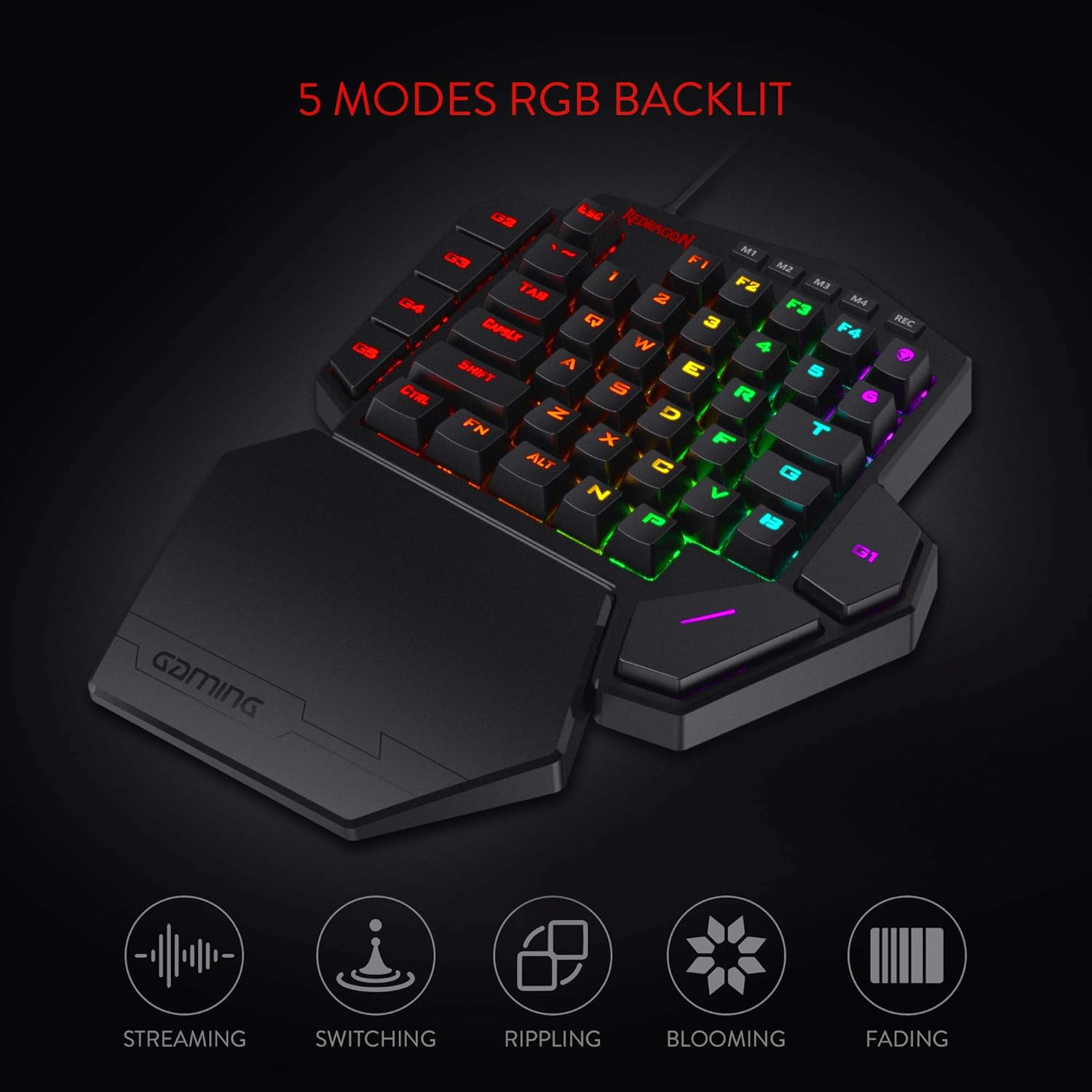
Image: The Redragon K585 DITI showcasing its various RGB backlight modes.
5.3. Hot-Swappable Switches
The K585 DITI features hot-swappable switch sockets, allowing you to easily change the mechanical switches without soldering. This enables customization of typing feel and sound.
- Removing a Switch: Use the provided switch puller to gently grip and pull the switch upwards from the keyboard plate.
- Installing a Switch: Align the pins of the new switch with the holes on the PCB and press down firmly until it clicks into place. Ensure the switch is properly seated to avoid bent pins.
5.4. USB Pass-Through Port
A USB 2.0 pass-through port is integrated into the keyboard, allowing you to connect other USB devices directly to the keyboard, reducing cable clutter on your desk.
- Connect your gaming mouse, headset adapter, or other low-power USB peripherals to this port.
6. Maintenance
- Cleaning: Regularly clean the keyboard using a soft brush or compressed air to remove dust and debris from between the keycaps and switches. For deeper cleaning, carefully remove keycaps using the provided keycap puller.
- Cable Care: Avoid sharp bends or excessive pulling on the detachable Type-C cable to prevent damage.
- Wrist Rest: The detachable wrist rest can be wiped clean with a damp cloth.
7. Troubleshooting
| Problem | Solution |
|---|---|
| Keyboard not responding | Ensure the USB-C cable is securely connected to both the keyboard and the computer. Try a different USB port or a different cable. |
| Keys not registering / Double typing | This may indicate a faulty switch. Use the switch puller to replace the affected hot-swappable switch with one of the spares provided. |
| RGB lighting not working or incorrect | Check the lighting settings via the Redragon software. Ensure the software is up-to-date. Try resetting the keyboard to factory defaults (refer to the full manual for instructions). |
| Macro keys not functioning | Verify macro settings within the Redragon software. Ensure macros are correctly assigned and saved to the active profile. |
| USB pass-through port not working | Ensure the keyboard itself is properly connected and powered. Try connecting a different device to the pass-through port to isolate the issue. |
8. Specifications
- Model: K585 WIRED
- Connectivity: Wired (USB-C)
- Key Switches: Redragon Brown (Hot-Swappable)
- Number of Keys: 42
- Macro Keys: 7 (G1-G5, M1-M4 with REC)
- Backlighting: RGB, 5 Modes, 16.8 Million Colors
- Anti-Ghosting: Full N-Key Rollover
- USB Pass-Through: 1 x USB 2.0 Port
- Wrist Rest: Detachable Magnetic
- Dimensions (LxWxH): Approximately 11 x 9 x 2 inches (27.94 x 22.86 x 5.08 cm)
- Weight: Approximately 1.34 pounds (0.61 kg)
- Compatible Operating Systems: PC/Mac/Linux/Unix
9. Official Product Video
Watch the official product video for an overview of the Redragon K585 DITI One-Handed RGB Gaming Keyboard:
Video: Official overview of the Redragon K585 DITI One-Handed RGB Gaming Keyboard, demonstrating its features and functionality.
10. Warranty and Support
For detailed warranty information and customer support, please visit the official Redragon website or contact their customer service. Protection plans may also be available for extended coverage.