
1. Introduction
This manual provides essential information for the safe and efficient operation, installation, and maintenance of your Vikye 2.2kW 380V 3-Phase Variable Frequency Drive (VFD). This VFD is designed for precise motor speed control in various industrial applications, offering high torque and a wide speed regulating range.
2. Safety Information
WARNING:
- Read this user manual thoroughly before operation.
- Risk of electrical shock. Ensure power is disconnected before servicing.
- Wait at least 10 minutes after removing power before servicing to allow capacitors to discharge.
Always adhere to local electrical codes and safety regulations during installation and operation. Only qualified personnel should perform installation, wiring, and maintenance.

Figure 2.1: Front view of the VFD, showing the control panel and important safety warning.
3. Product Overview
The Vikye 2.2kW 380V 3-Phase VFD utilizes advanced control methods to achieve high torque, high precision, and a wide speed regulating range. It offers robust anti-trip performance and adaptability to challenging power, temperature, humidity, and dust conditions, significantly enhancing stability.
Key Features:
- High Performance: Unique control method for high torque and precision.
- Enhanced Stability: Good anti-trip performance and adaptability to harsh environments.
- Optimized Design: PWM control technology and electromagnetic compatibility for low noise and low electromagnetic interference.
- Comprehensive Protection: Built-in circuits protect against overcurrent, overvoltage, overheating, overload, and undervoltage.
- User-Friendly: Easy to operate and wire, with quick start/stop response and high performance at low speeds.

Figure 3.1: The VFD unit, engineered for high precision and a wide speed regulating range.
Control Panel Layout:
The VFD features an intuitive control panel for easy operation and monitoring.
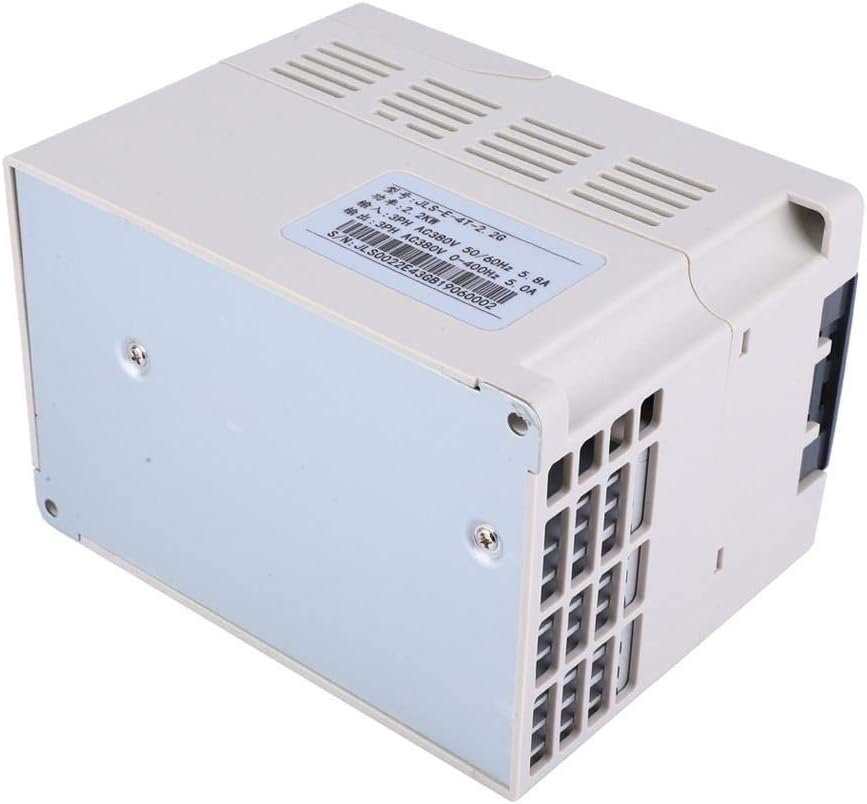
Figure 3.2: Detailed view of the VFD control panel.

Figure 3.3: Control panel diagram with labeled functions.
- Status Display: Shows operational status, frequency, current, and voltage.
- Multifunction Keys (PRG, MF): Used for programming parameters and accessing various functions.
- Movement Keys (Left/Right Arrows): For navigation within menus or parameter adjustment.
- Start Key (RUN): Initiates motor operation.
- Speed Control Knob: Adjusts output frequency/motor speed.
- Up and Down Selection Keys: For selecting options or adjusting values.
- Stop Key / Reset Key (STOP/RESET): Stops motor operation or resets fault conditions.
- ENTER Key: Confirms selections or parameter changes.
4. Specifications
| Feature | Specification |
|---|---|
| Brand | Vikye |
| Model Number | Vikye (2.2kW 380V 3-Phase VFD) |
| Part Number | Vikyerufybn735q |
| Product Dimensions | 23 x 18 x 16 cm |
| Weight | 1.36 kg |
| Power Source | Corded Electric |
| Voltage | 380 Volts |
| Current | 5.8 Amperes |
| Items in Package | 1 |
| ASIN | B07XY84WJP |
| UPC | 719855081637 |
| Max. Rotation Speed (Motor) | 10000 RPM |
5. Setup
5.1 Installation
Mount the VFD in a clean, dry, and well-ventilated area, away from direct sunlight, excessive vibration, and corrosive gases. Ensure adequate clearance around the unit for proper heat dissipation. Use appropriate mounting hardware to secure the VFD firmly.
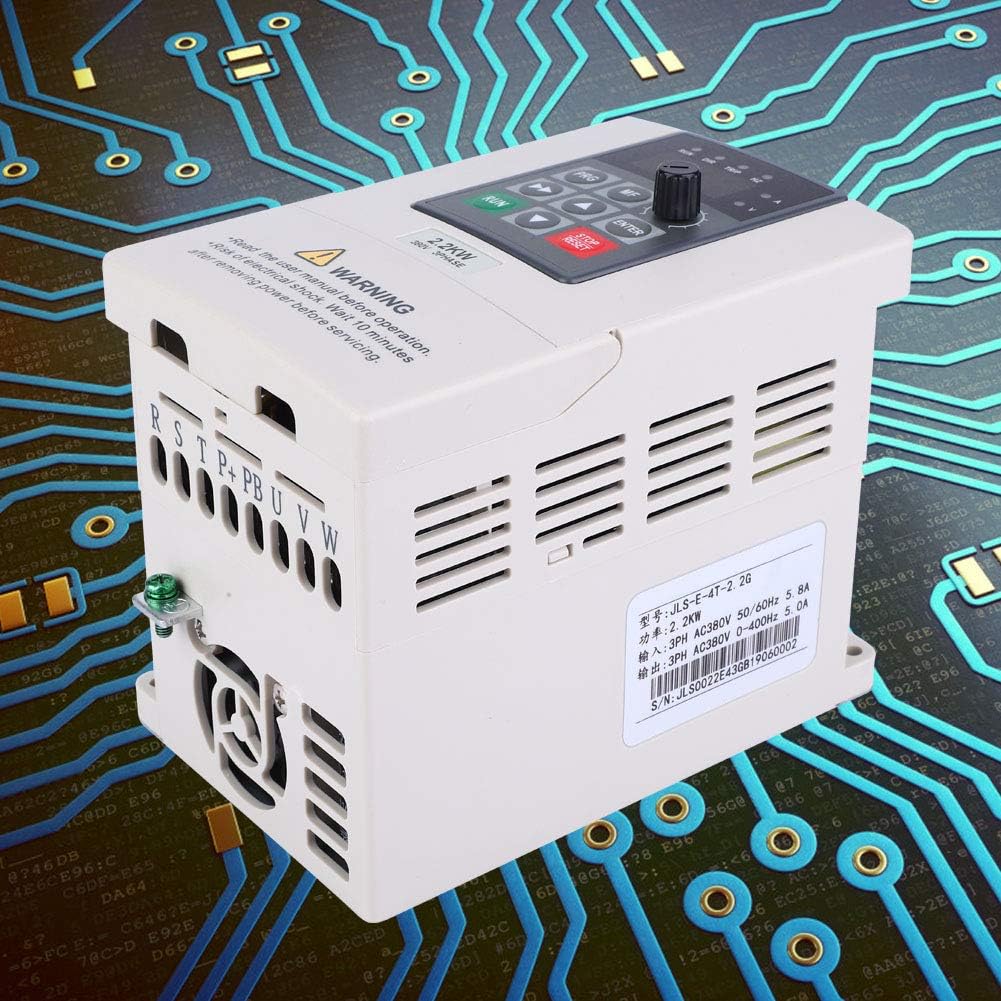
Figure 5.1: Angled view of the VFD, showing ventilation and product label.
5.2 Wiring
All wiring must be performed by a qualified electrician. Ensure the main power supply is disconnected before making any connections.
- Power Input (R, S, T): Connect the 380V 3-phase AC power supply to the R, S, and T terminals.
- Motor Output (U, V, W): Connect the 3-phase motor to the U, V, and W terminals.
- Braking Resistor (P+, PB): If a braking resistor is required for dynamic braking, connect it to the P+ and PB terminals.
- Grounding: Ensure the VFD is properly grounded to prevent electrical shock and reduce electromagnetic interference.
- Control Terminals: Connect external control signals (e.g., start/stop, speed reference, fault reset) to the designated control terminals as per your application requirements. Refer to the detailed wiring diagram in the full manual for specific terminal functions.

Figure 5.2: Top view of the VFD with the terminal cover open, revealing wiring connections.

Figure 5.3: Rear view of the VFD, clearly showing the input (R, S, T) and output (U, V, W) terminals, plus braking resistor terminals (P+, PB).
6. Operating Instructions
6.1 Basic Operation
- Power On: After ensuring all wiring is correct and secure, apply power to the VFD. The display will illuminate.
- Parameter Setting (if necessary): Use the PRG (Program) key to enter the parameter setting mode. Navigate through parameters using the Up/Down keys and adjust values with the Movement keys or Speed Control Knob. Press ENTER to confirm changes. Refer to the detailed programming manual for specific parameter descriptions.
- Start Motor: Press the green RUN button on the control panel to start the motor.
- Adjust Speed: Rotate the Speed Control Knob to increase or decrease the motor speed. The display will show the current output frequency or speed.
- Stop Motor: Press the red STOP/RESET button to stop the motor.
- Reset Fault: If a fault occurs, the VFD will display an error code. After addressing the cause of the fault, press the STOP/RESET button to clear the error and reset the VFD.
7. Maintenance
Regular maintenance ensures the longevity and reliable operation of your VFD.
- Cleaning: Periodically clean the VFD's exterior and cooling fins to prevent dust accumulation, which can hinder heat dissipation. Use a soft, dry cloth. Do not use liquid cleaners.
- Fan Inspection: Check the cooling fan for proper operation and ensure it is free from obstructions. Replace if noisy or not functioning correctly.
- Terminal Tightness: Annually check all wiring terminals for tightness. Loose connections can cause overheating and damage.
- Environmental Check: Ensure the operating environment remains within specified temperature and humidity ranges.
- Capacitor Life: Electrolytic capacitors have a finite lifespan. Consider professional inspection or replacement after several years of continuous operation.
Always disconnect power and wait 10 minutes before performing any maintenance.
8. Troubleshooting
This section provides general troubleshooting tips for common issues. For complex problems, consult a qualified technician.
| Problem | Possible Cause | Solution |
|---|---|---|
| Motor does not start | No power, incorrect wiring, fault condition, parameter error | Check power supply, verify wiring, clear fault, check motor parameters. |
| VFD displays an error code | Overcurrent, overvoltage, overheating, overload, undervoltage | Identify error code from full manual, address underlying issue (e.g., motor load, power supply), then press STOP/RESET. |
| Motor speed unstable | Incorrect PID settings, motor tuning issues, unstable load | Adjust PID parameters, perform auto-tuning if available, check motor and load conditions. |
| Excessive noise or vibration | Motor imbalance, mechanical issues, VFD switching frequency | Check motor and load for mechanical problems, adjust VFD carrier frequency (if applicable and within limits). |
9. Warranty and Support
For warranty information, please refer to the terms and conditions provided at the time of purchase or contact your vendor. For technical support, please reach out to the manufacturer or your authorized distributor.